
How can I change dynamic wrapper page url?
1 minute read
When you clicked "Import IDX Broker Dynamic Wrappers" button
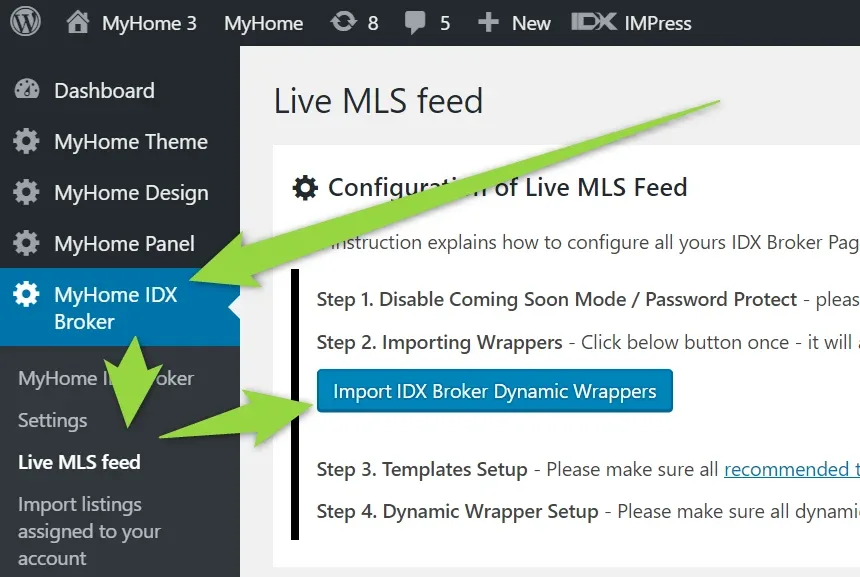
MyHome automatically added ~30 pages for you
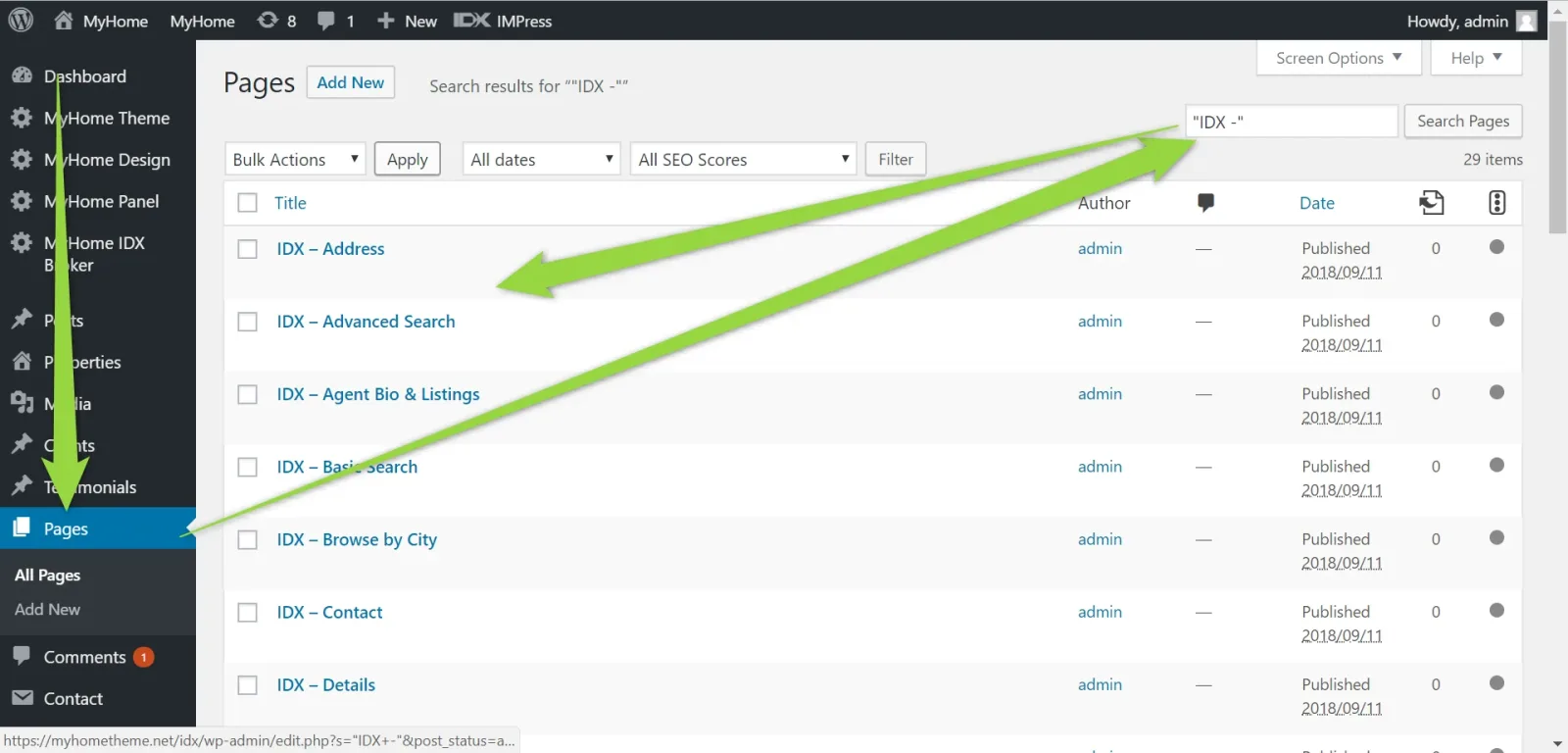
and set URLs in the IDX Broker Wrappers Manager e.g.
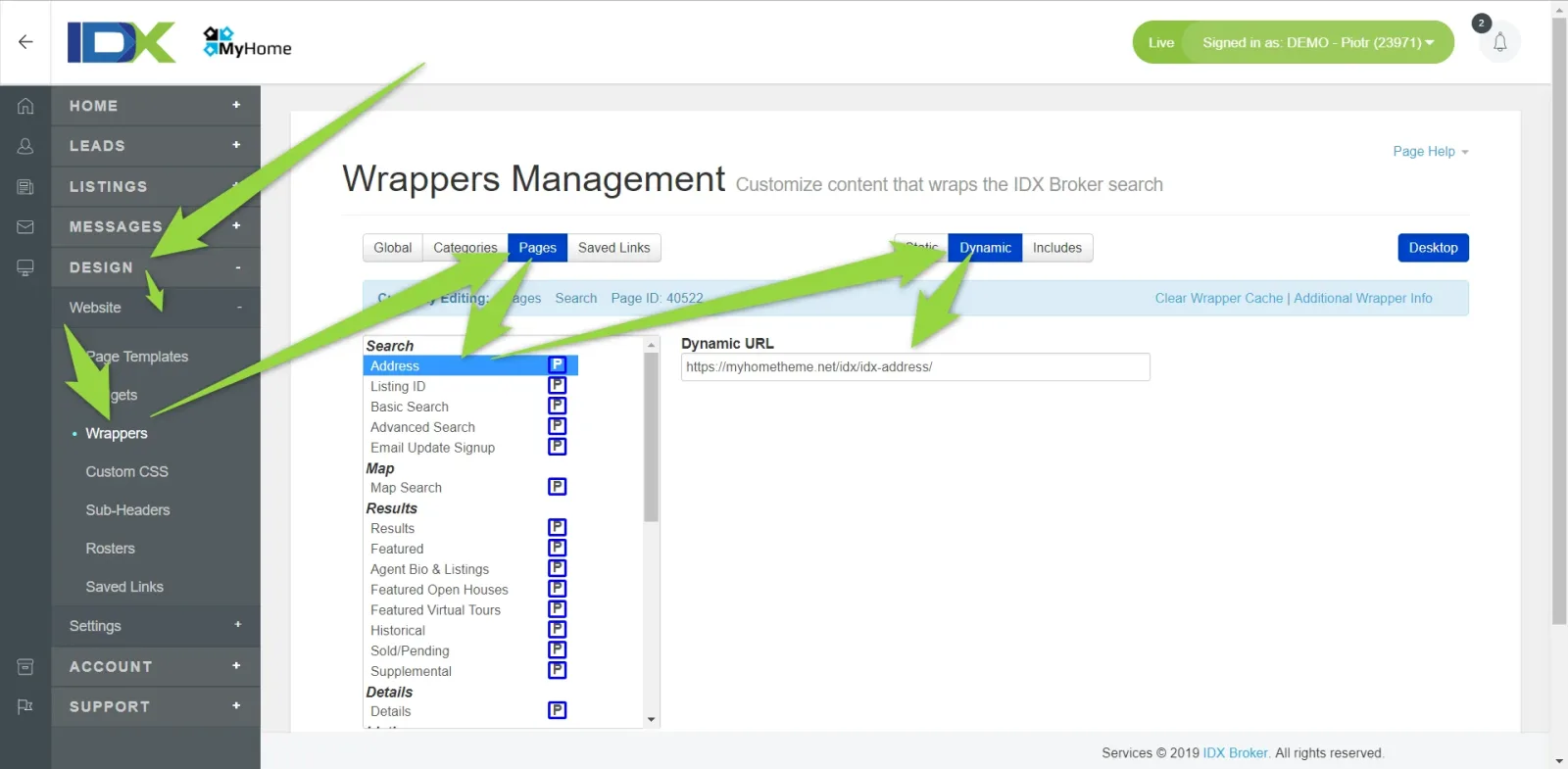
4 IDX Broker Dynamic Wrappers cannot be set automatically via API and you need to be set it manually to make it looks the same as demo example:
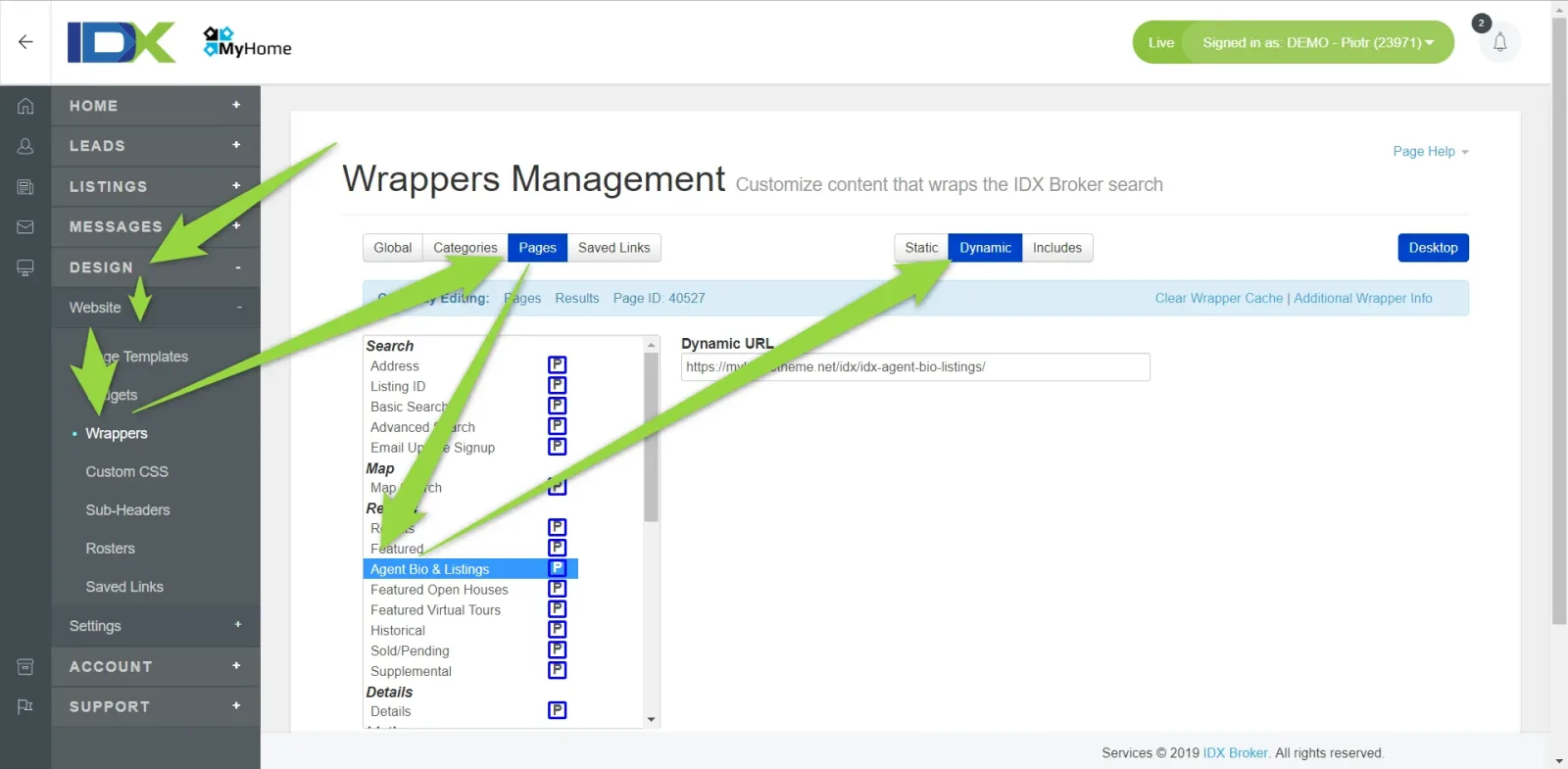
A. Agent Bio & Listings - set "Dynamic URL" to http://yourdomain.com/idx-agent-bio-listings/
B. Photo Gallery - set "Dynamic URL" to http://yourdomain.com/idx-photo-gallery/
C. More Info - set "Dynamic URL" to http://yourdomain.com/idx-more-info/
D. Schedule Showing - set "Dynamic URL" to http://yourdomain.com/idx-schedule-showing/
You can do it this way:
-
1
Click Designs > Website > Wrappers > Pages > Agent Bio & Listings > Dynamic > Paste "Dynamic URL" with correct beginning http or https - http://yourdomain.com/idx-agent-bio-listings/
-
2
Click "Save Changes"

- 3 Repeat it for other 3 Pages (B,C,D above)
Ask the people who build MyHome WPBakery
We answer by email from support@tangiblewp.com. With Premium Support, we also fix your site when something breaks.
We can also run your site for you, or build a new one.
Was this guide helpful?