
How to add agent to agency profile
1 minute read
There are 2 ways how you can connect Agent with Agency
- 1 Typing email
- 2 Invitation Code
1. Typing email
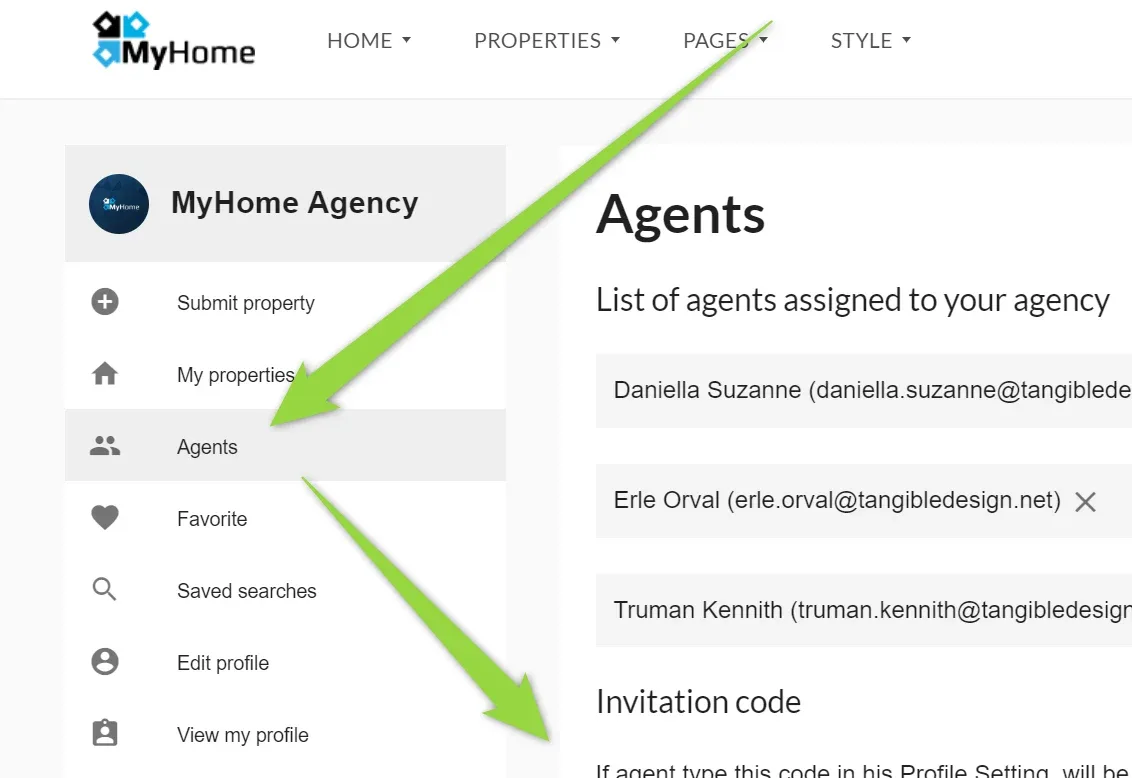
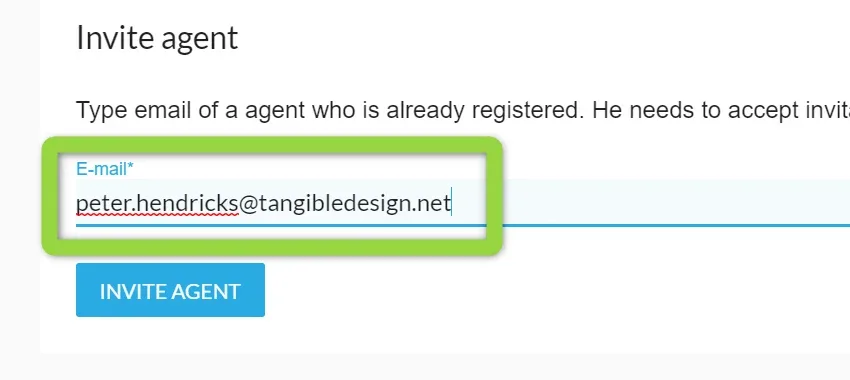
Please just login via Agency account and visit "Agents" tab. At the bottom you will see Invite Agent section.
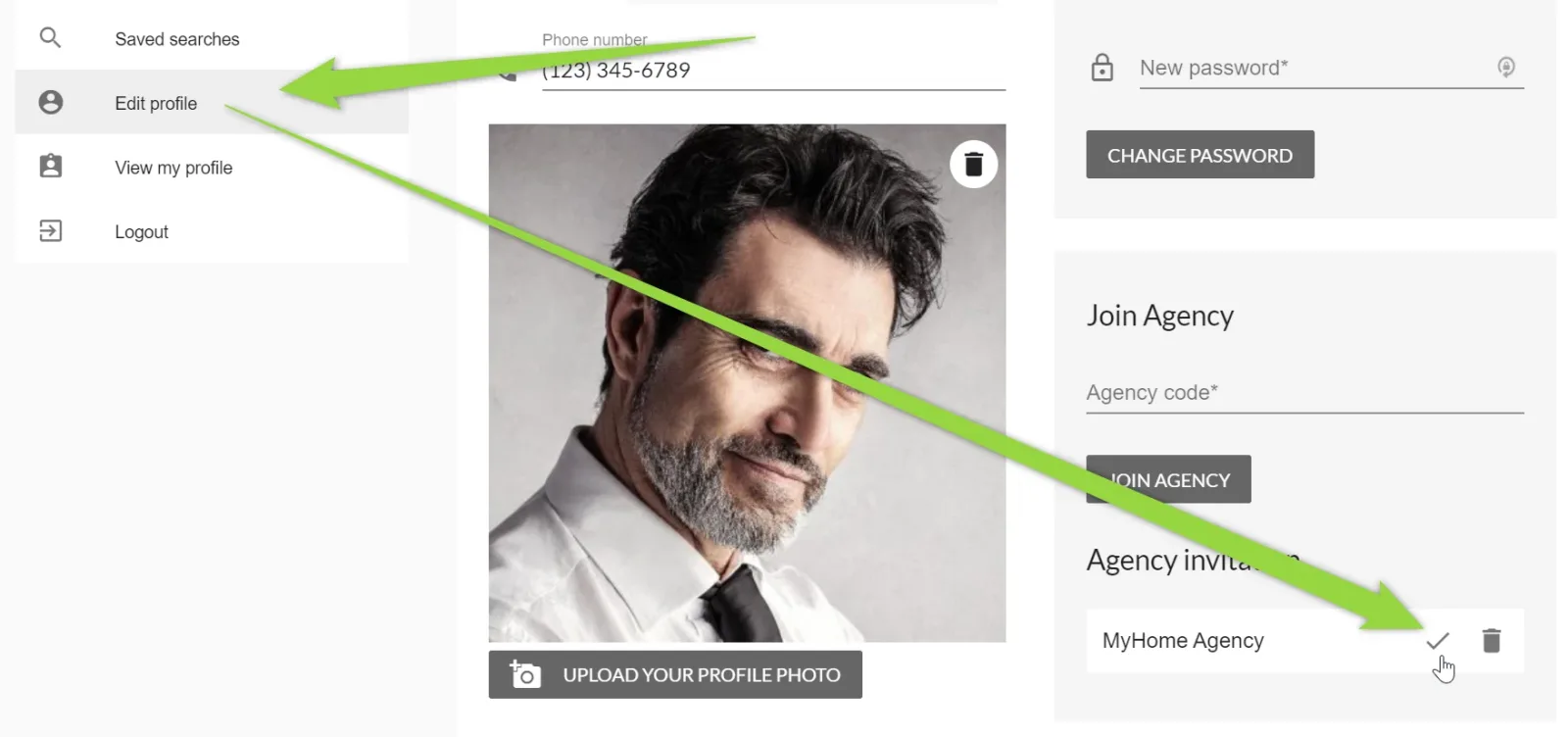
Agent can accept the invitation in own profile (Edit profile menu).
2. Invitation Code
Login to Agency Account. Copy Code
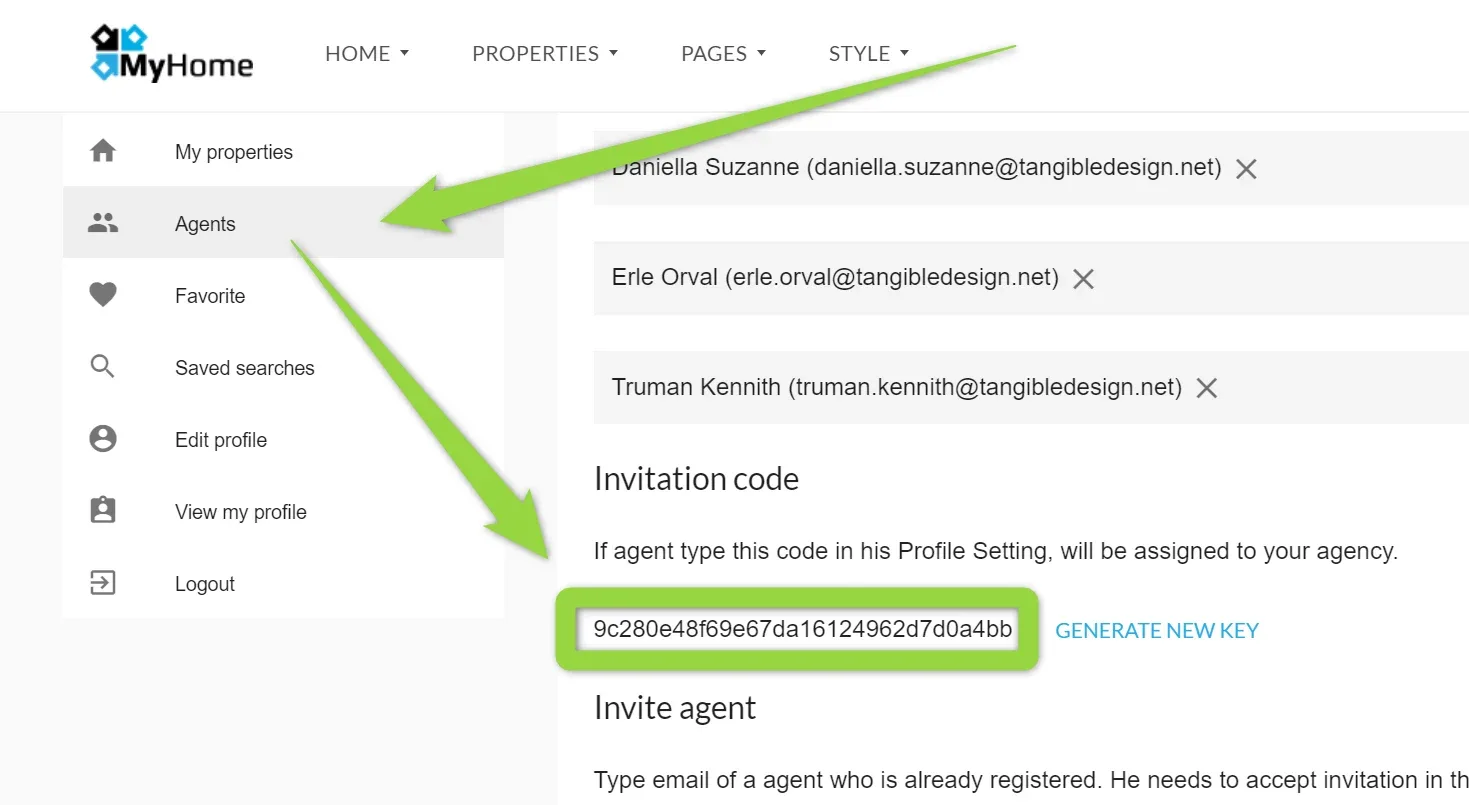
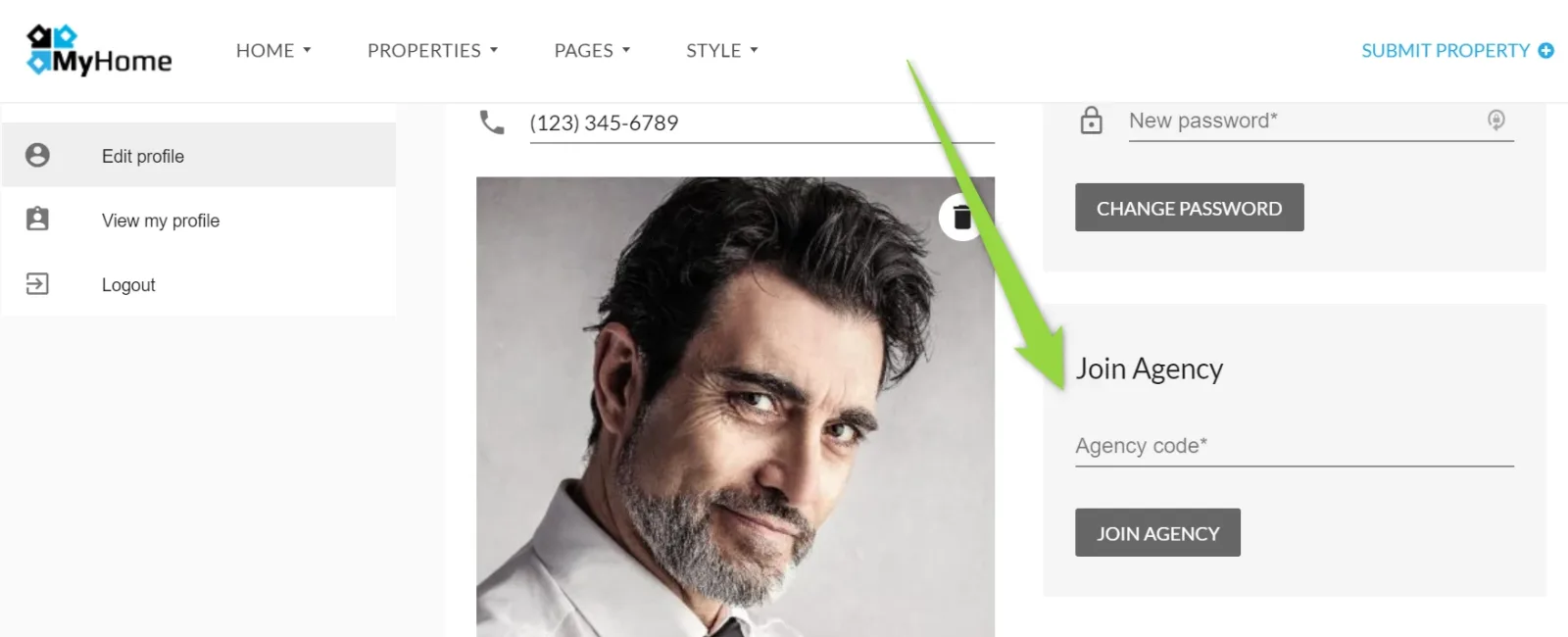
Login to Agent accoung and add it in the "Edit Profile" page and click "Join Agency"
Ask the people who build MyHome WPBakery
We answer by email from support@tangiblewp.com. With Premium Support, we also fix your site when something breaks.
We can also run your site for you, or build a new one.
Was this guide helpful?