
How to add any shortcode via Page Builder?
1 minute read
In this article, we will explain how to use WordPress Shortcodes with Visual Composer. We will base this article on the example of Contact Form 7 but you can use any other shortcode.
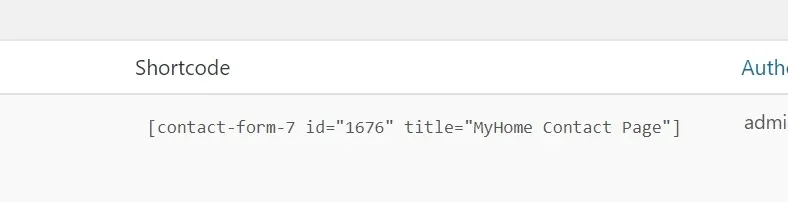
- 1 Find shortcode you wish to use - it will look like this [name xxxxx]
-
2
Copy your shortcode e.g. [contact-form-7 xxxxx]
-
3
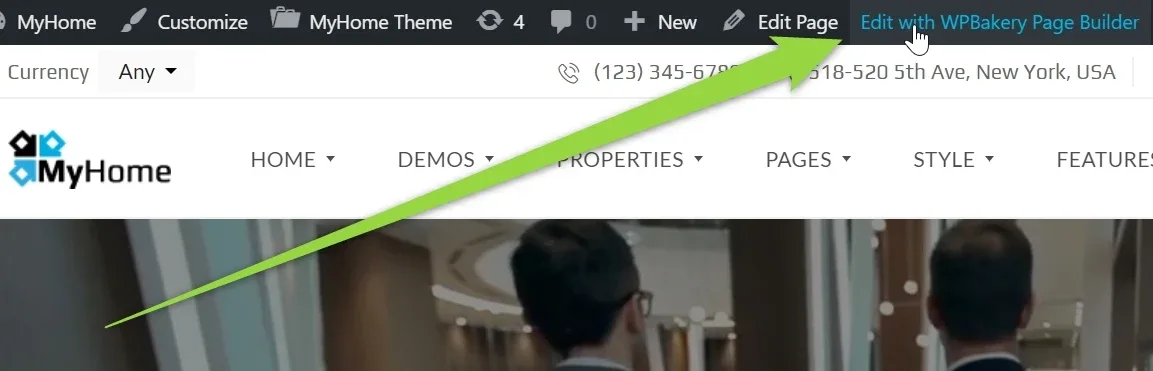
Edit your page via Visual Composer
-
4
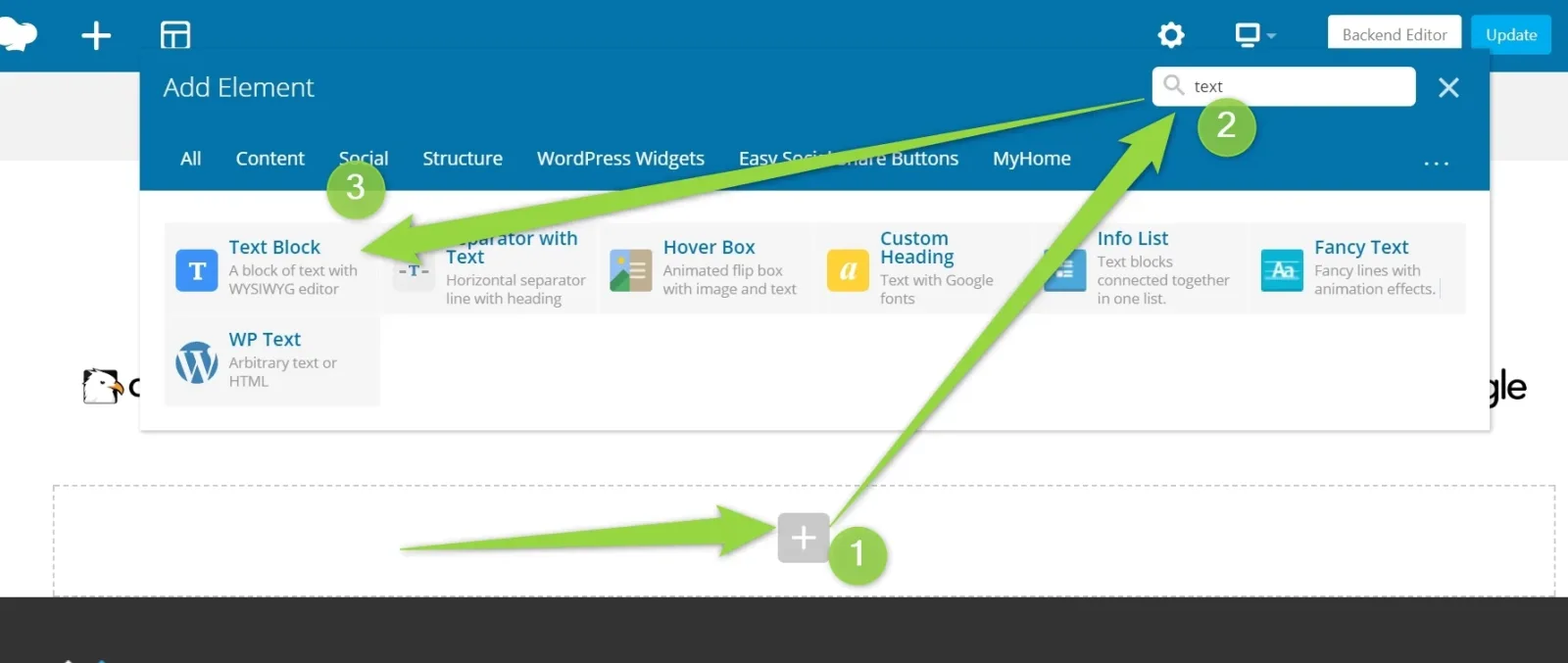
Add Element >> Search: Text >> Choose "Text Block"
-
5
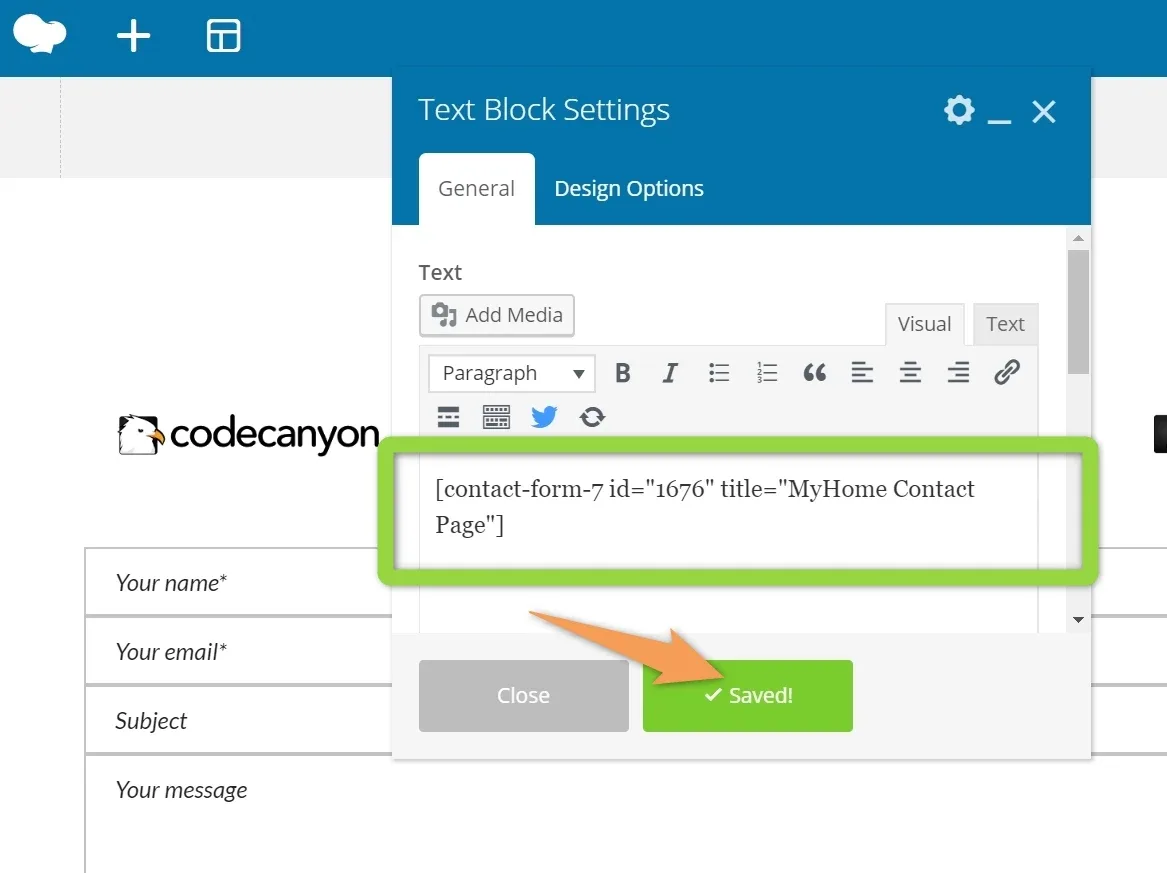
Paste your code and save
-
6
Your Shortcode will be displayed. Click the "Update" button

Ask the people who build MyHome WPBakery
We answer by email from support@tangiblewp.com. With Premium Support, we also fix your site when something breaks.
We can also run your site for you, or build a new one.
Was this guide helpful?