
How to delete MyHome theme and start again?
1 minute read
If you wish to delete all your current project / content / properties / posts / users and start again you can use this instruction:
-
1
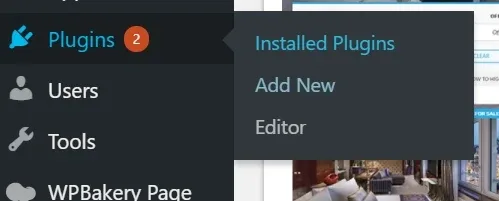
Visit your plugins page
-
2
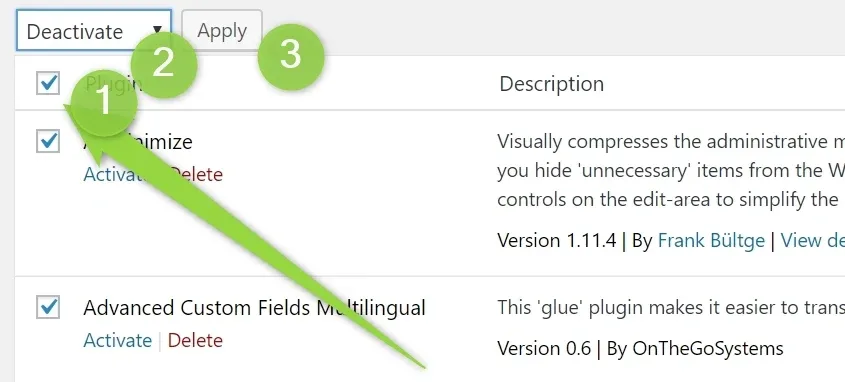
Check all plugins. Choose "Deactivate". Click Apply"
-
3
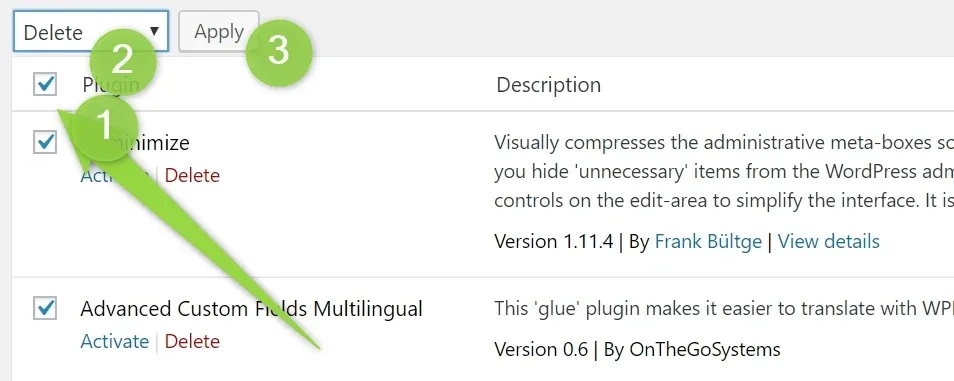
Check all plugins. Choose "Delete". Click Apply"
-
4
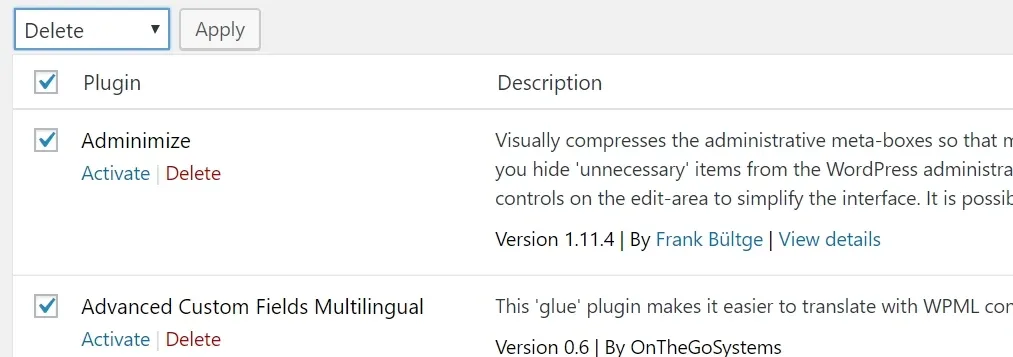
Choose all plugins again and Delete
-
5
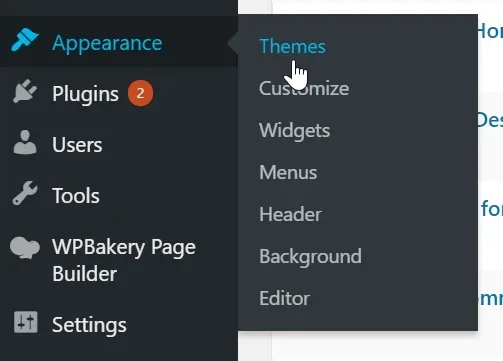
Visit Appearance > Themes
-
6
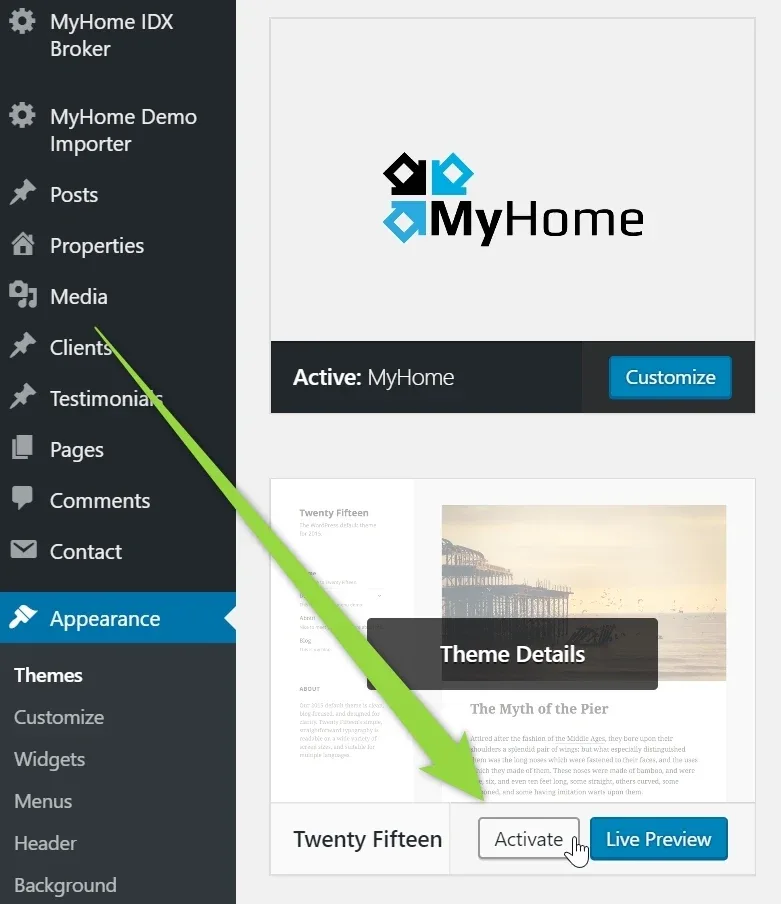
Activate any other theme
-
7
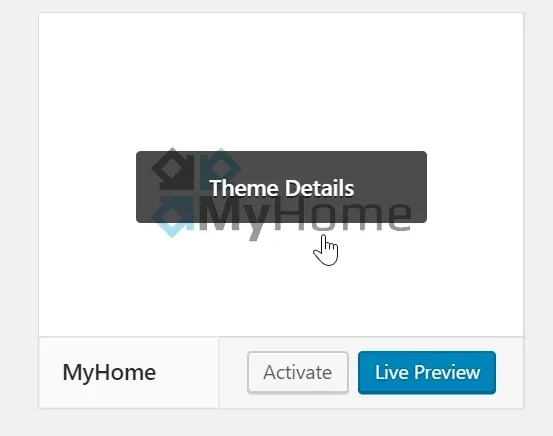
Open MyHome Theme
-
8
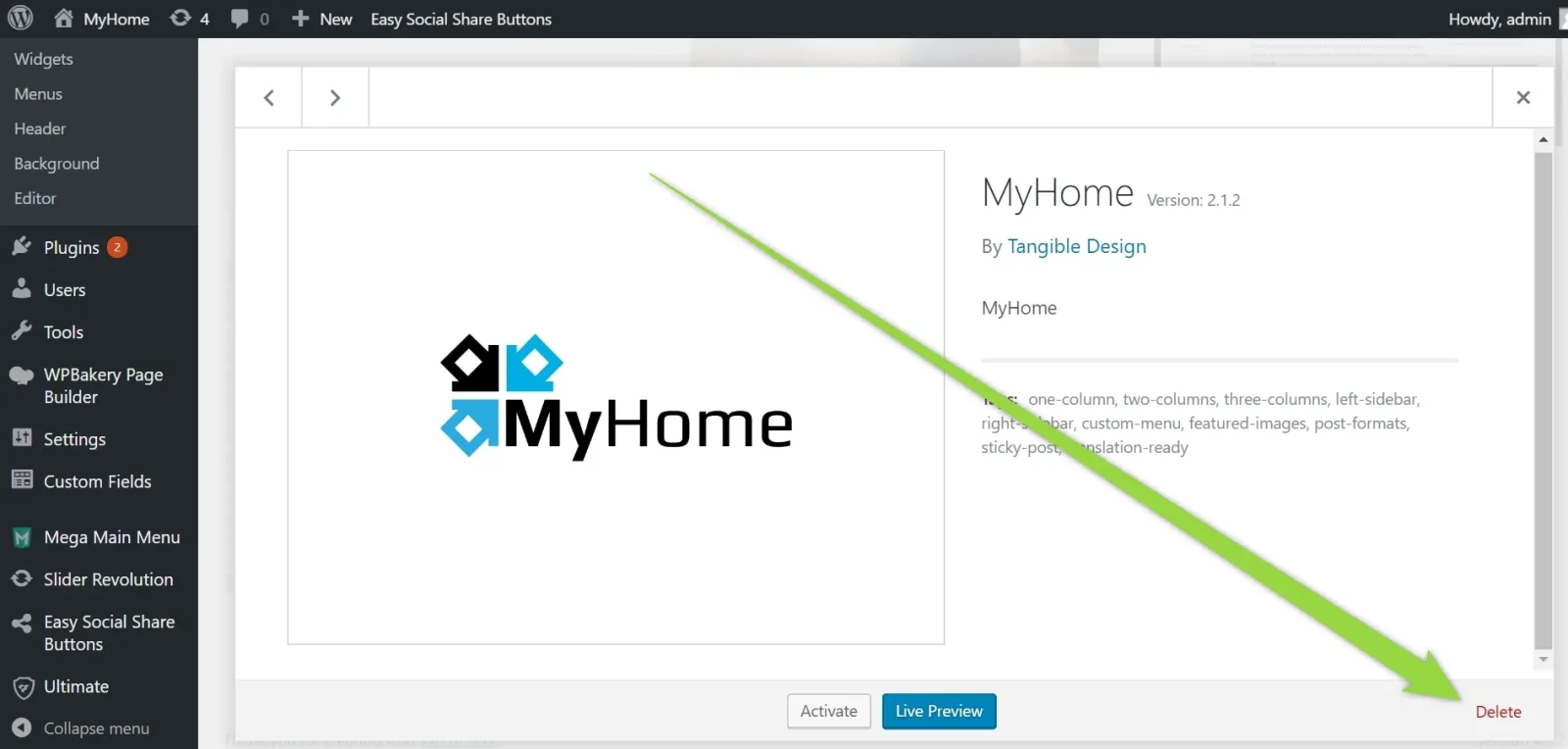
Click delete
- 9 Install theme again - please check this article
Ask the people who build MyHome WPBakery
We answer by email from support@tangiblewp.com. With Premium Support, we also fix your site when something breaks.
We can also run your site for you, or build a new one.
Was this guide helpful?