
How to display number field in the own customized way (property owner phone example)?
1 minute read
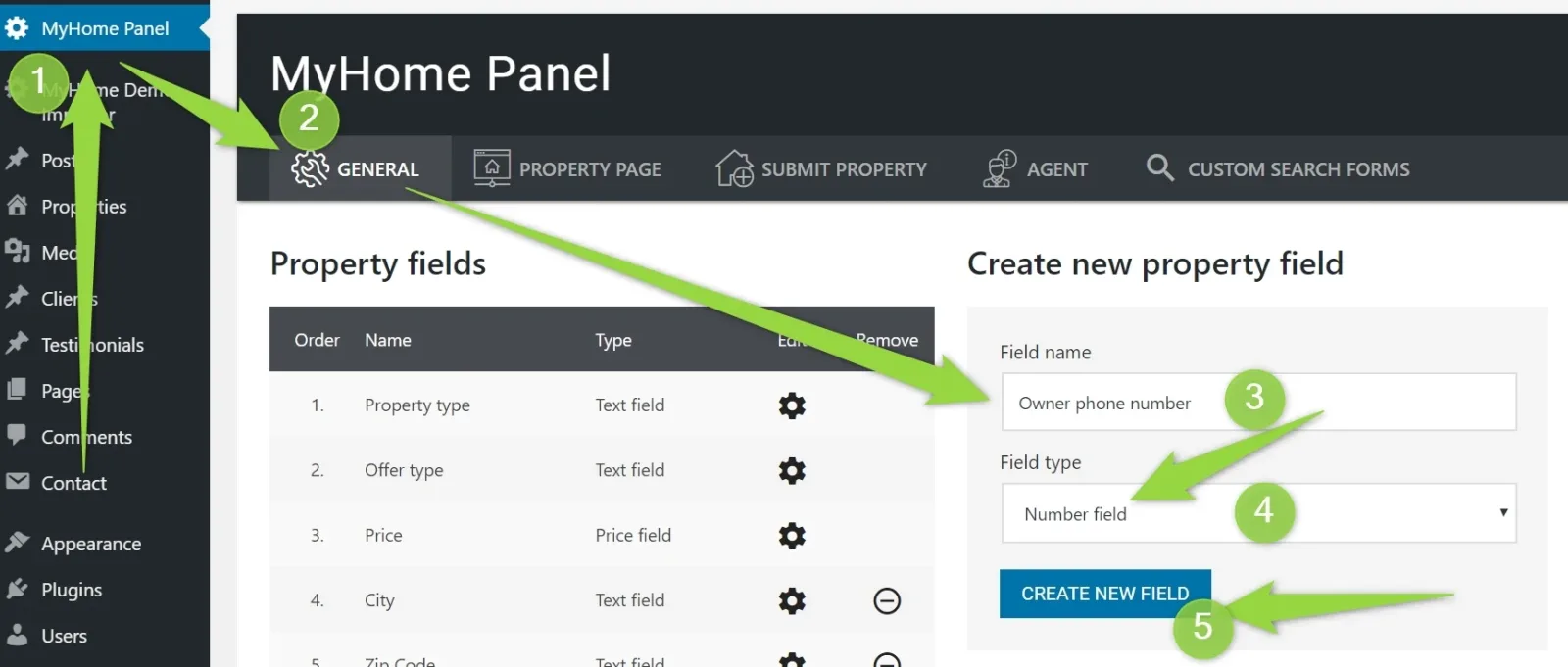
Create New Number Field e.g.
Check slug of the field in your database, table: **_myhome_attributes
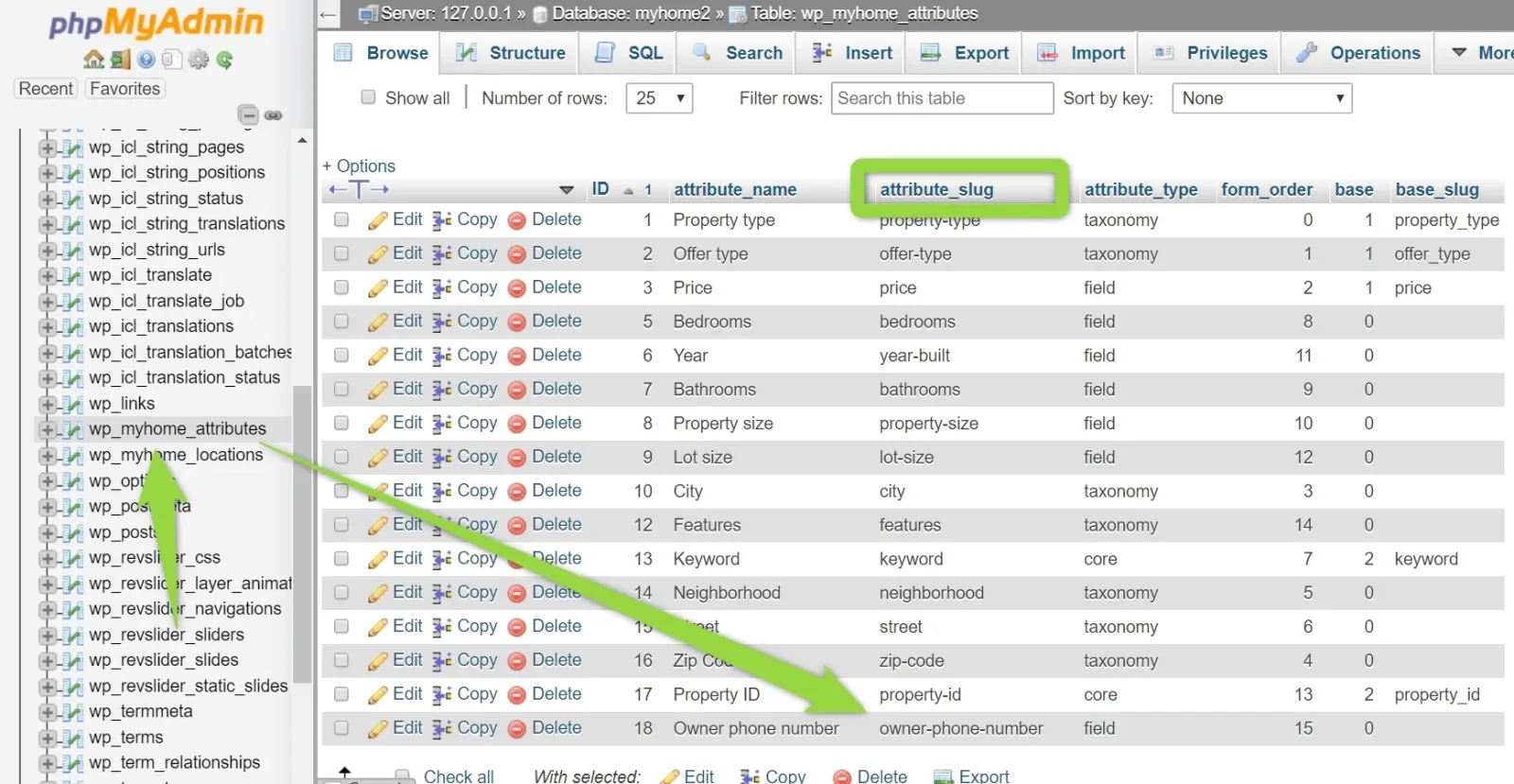
In our case, it is: owner-phone-number
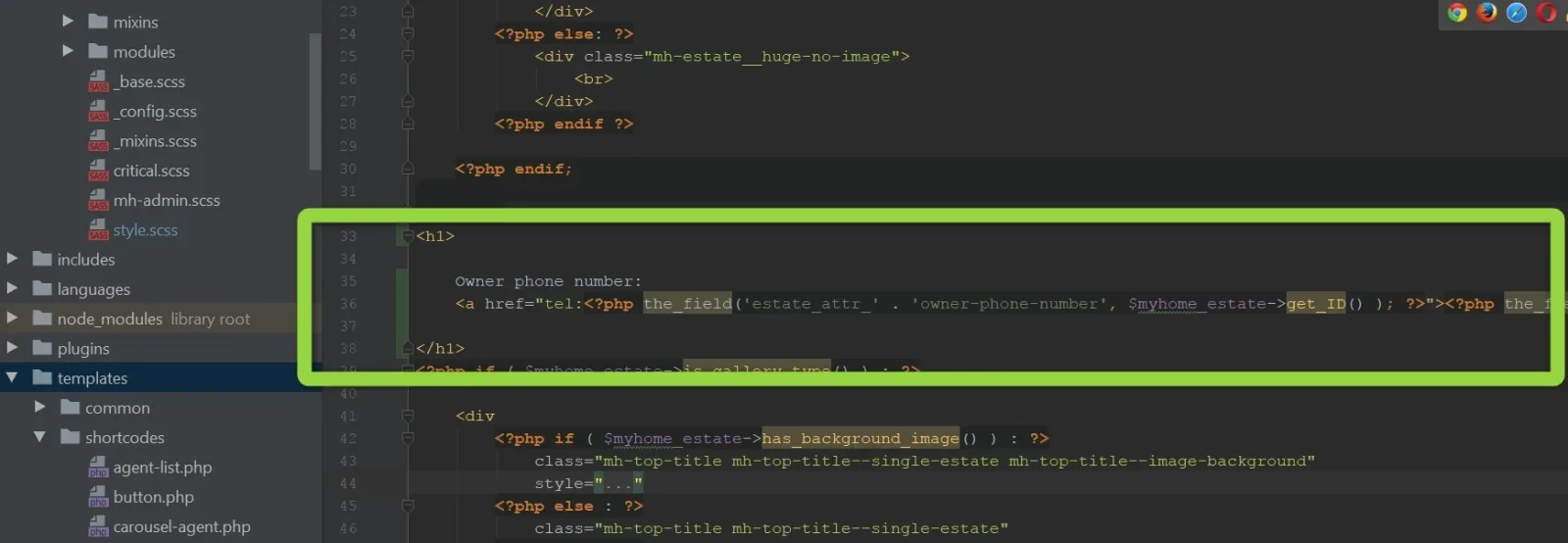
Visit your /wp-content/myhome/myhome-legacy/templates/content-single-estate.php . Add there sample code anywhere:
php
<h1>

    Owner phone number:
    <a href="tel:<?php the_field('estate_attr_' . 'owner-phone-number', $myhome_estate->get_ID() ); ?>"><?php the_field('estate_attr_' . 'owner-phone-number', $myhome_estate->get_ID() ); ?></a>

</h1>
e.g.
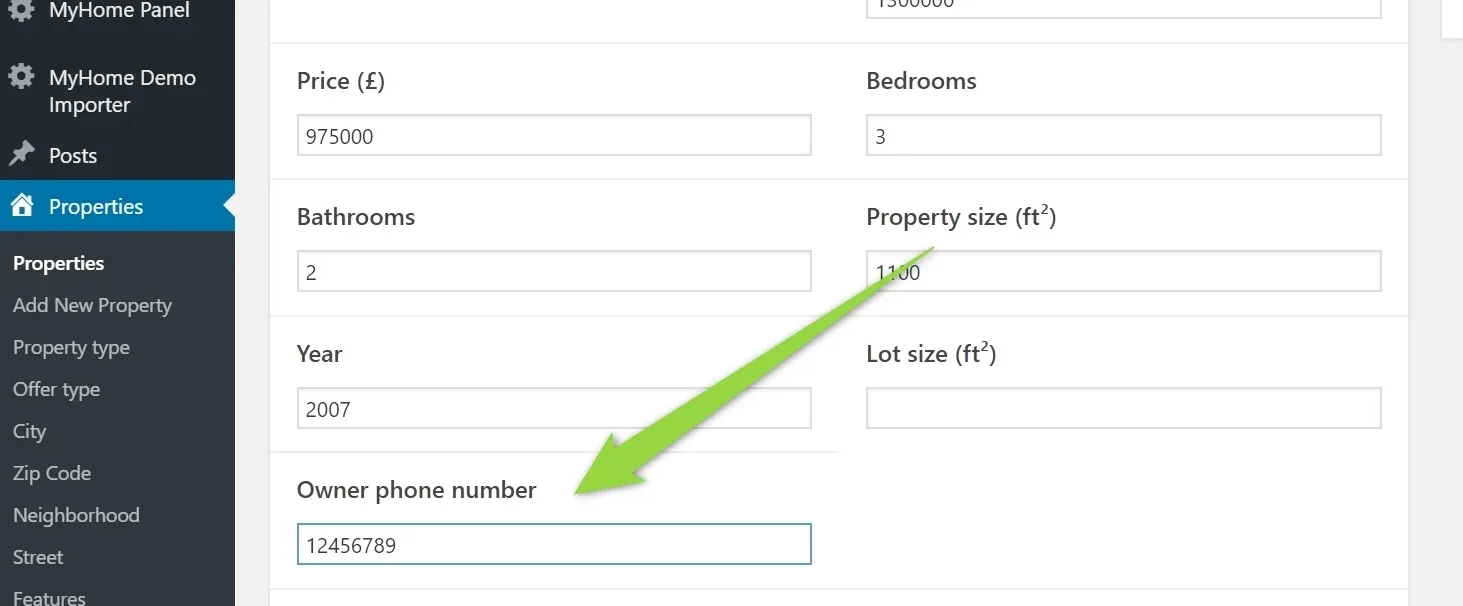
Add any property phone number:
Check if it works:
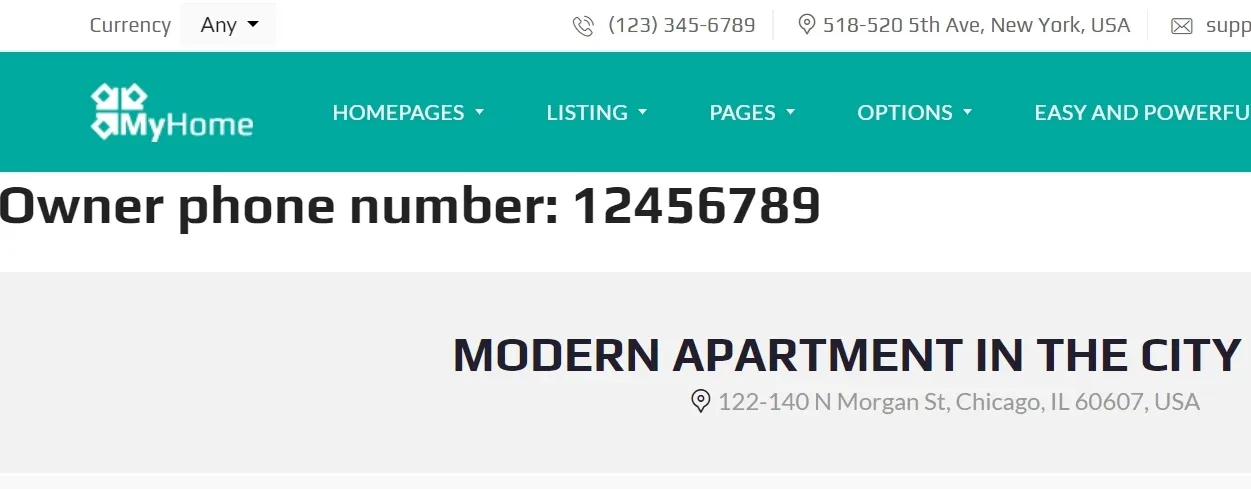
Then you can customize it your own way.
You can hide the phone number field on the search form this way: How to hide property field on the search form?
Ask the people who build MyHome WPBakery
We answer by email from support@tangiblewp.com. With Premium Support, we also fix your site when something breaks.
We can also run your site for you, or build a new one.
Was this guide helpful?