
How to update MyHome IDX Broker Plugin to the newest version?
1 minute read
If you use IDX Broker Integration, we strongly recommend to use the newest version of MyHome IDX Broker Plugin (2.1.X) - new version has better interface, new features and some bugs are fixed.
You can check which version of your MyHome IDX Broker Plugin your WordPress use:
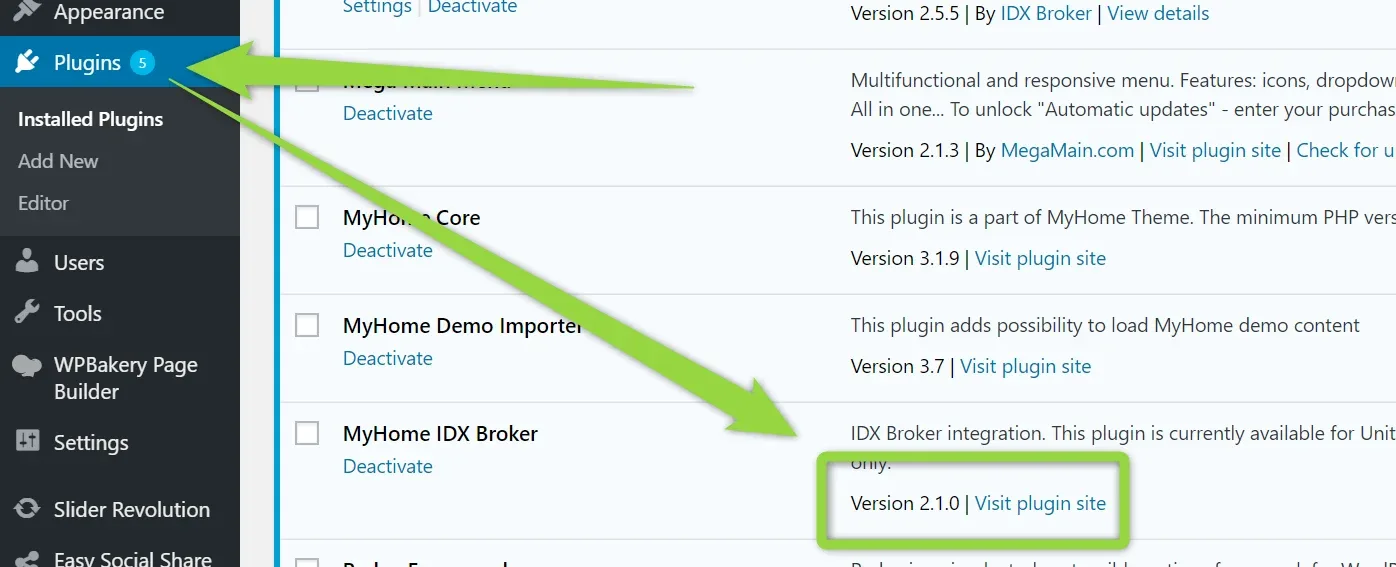
2. Please deactivate old MyHome IDX Broker Plugin
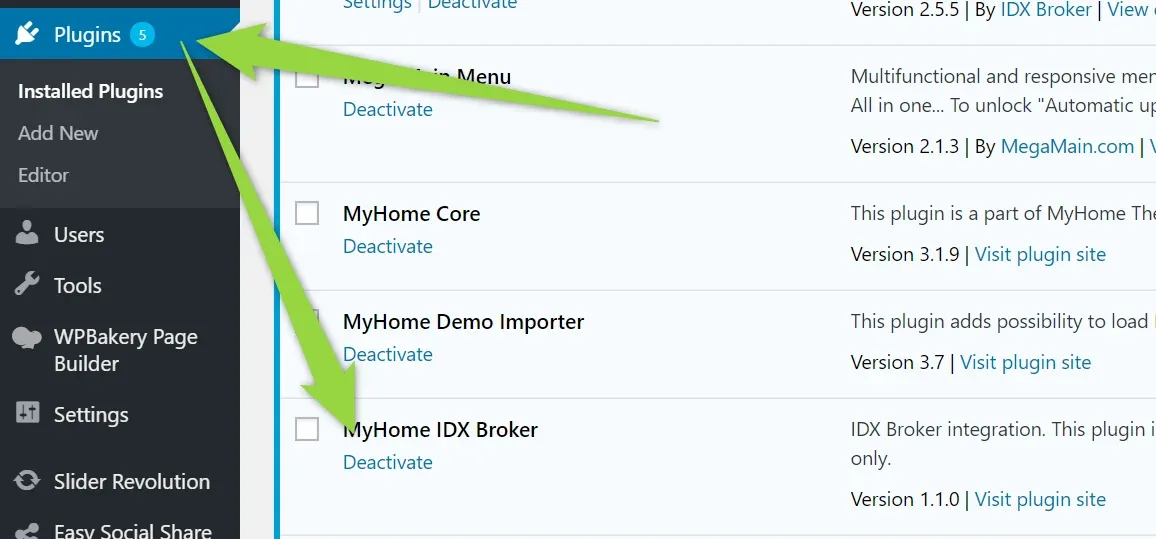
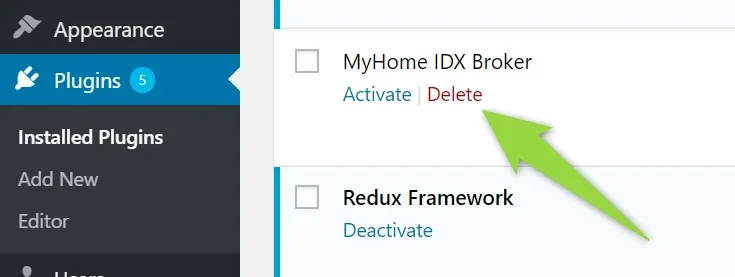
3. Please delete old MyHome IDX Broker Plugin
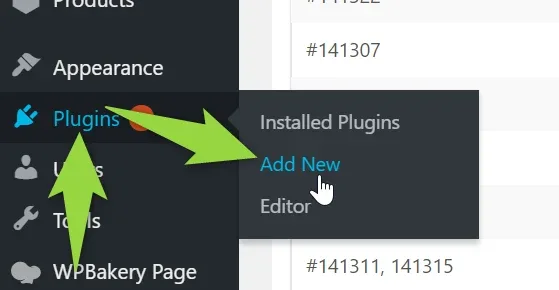
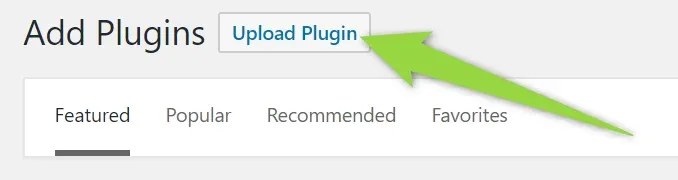
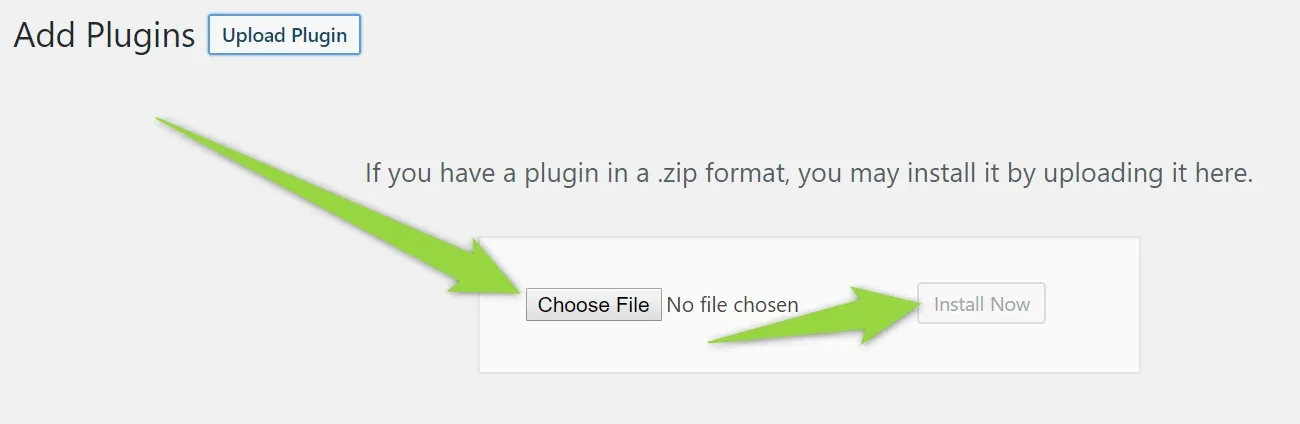
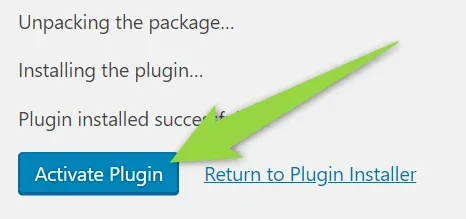
4. Please upload, install and activate new plugin you downloaded in the 1st step
5. To make sure everything works correctly, please remove Your IDX Broker API Key (please note your API KEY somewhere, we will need it in the 7th step)
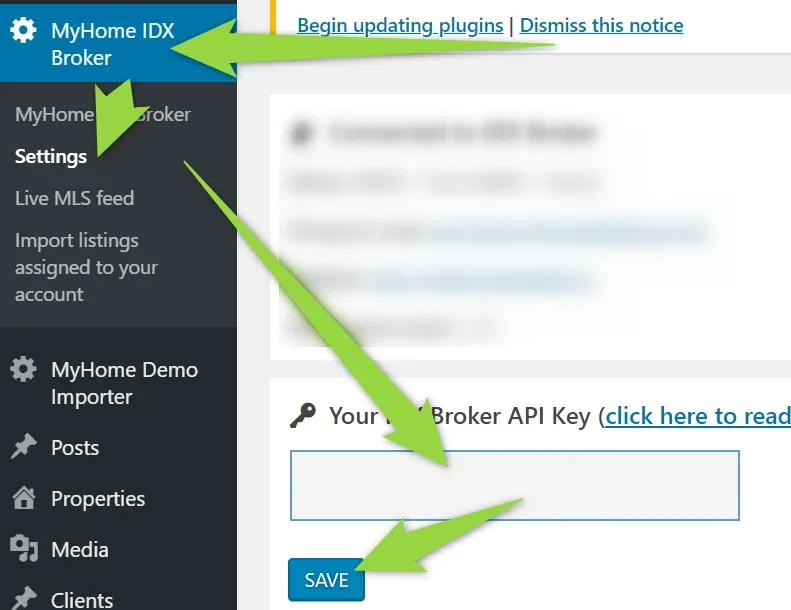
6. Click Save (when the API key field is empty)
7. Add your IDX Broker API Key again (it can be the same key as before)
Everything now should works correctly and you can benefit from the newest version of the plugin
Ask the people who build MyHome WPBakery
We answer by email from support@tangiblewp.com. With Premium Support, we also fix your site when something breaks.
We can also run your site for you, or build a new one.
Was this guide helpful?