
How to use reCAPTCHA - "I'm not a robot"
1 minute read
- 1 Visit https://www.google.com/recaptcha/
-
2
Click Get reCAPTCHA

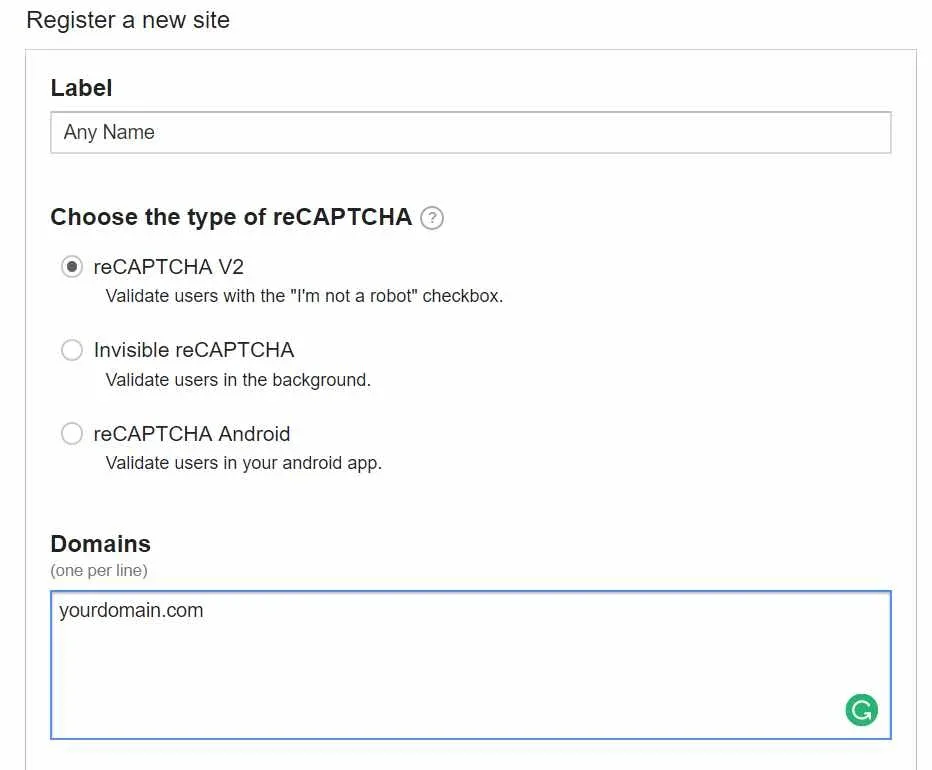
- 3 You will see "Register a new site" form
A. any label,
B. choose the type of reCAPTCHA V2 - "Validate users with the "I'm not a robot" checkbox
C. Type your domain e.g. myhometheme.net
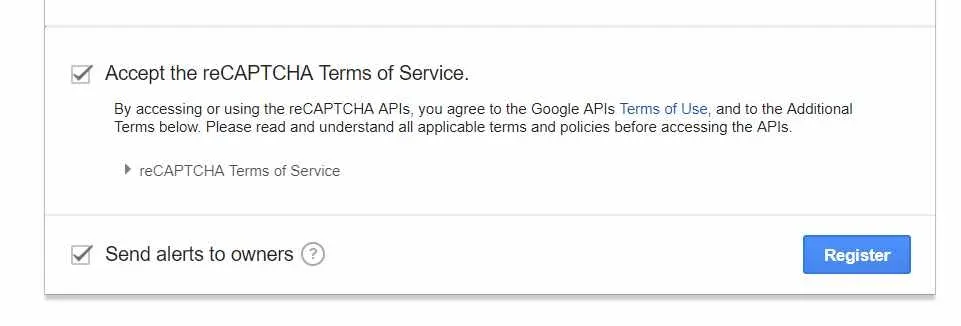
4. Accept Terms of Service and click "Register"
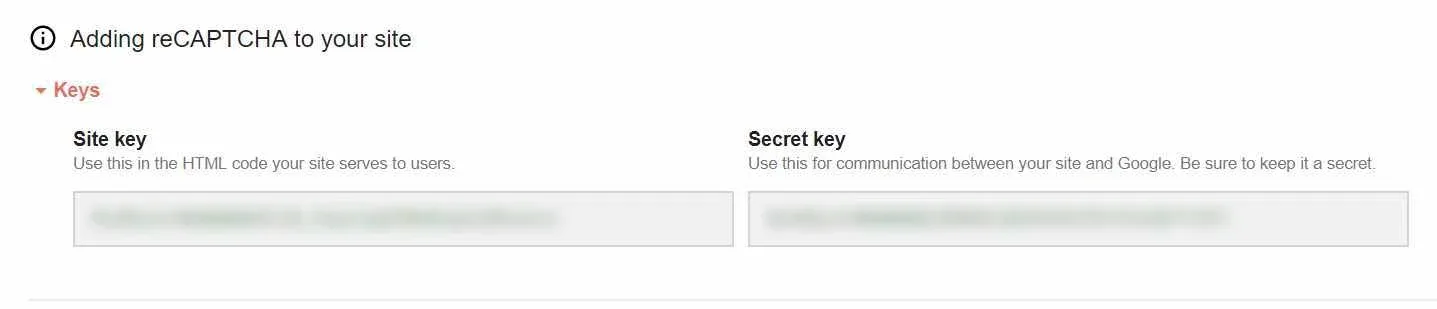
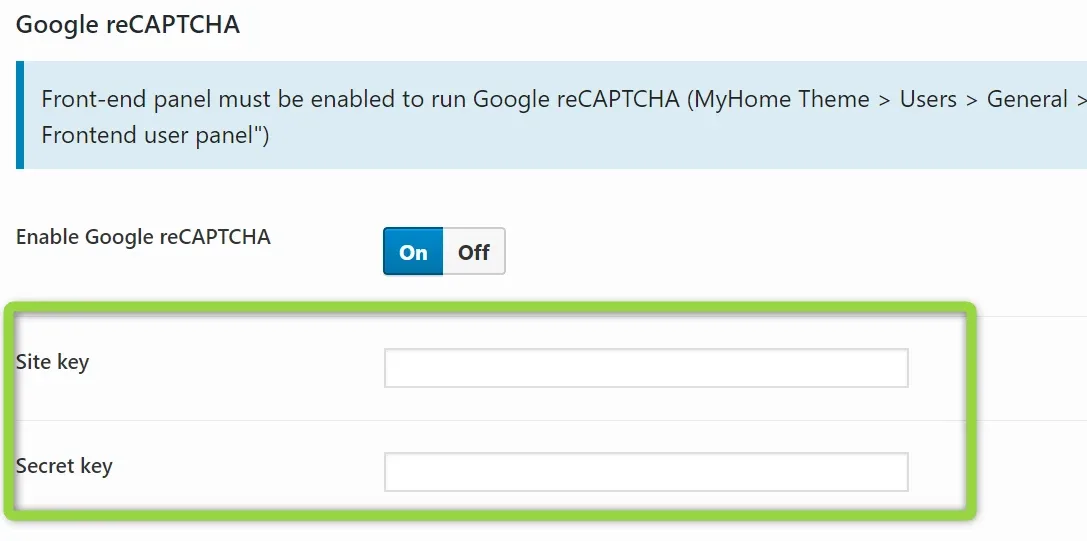
5. Copy your site key and secret key
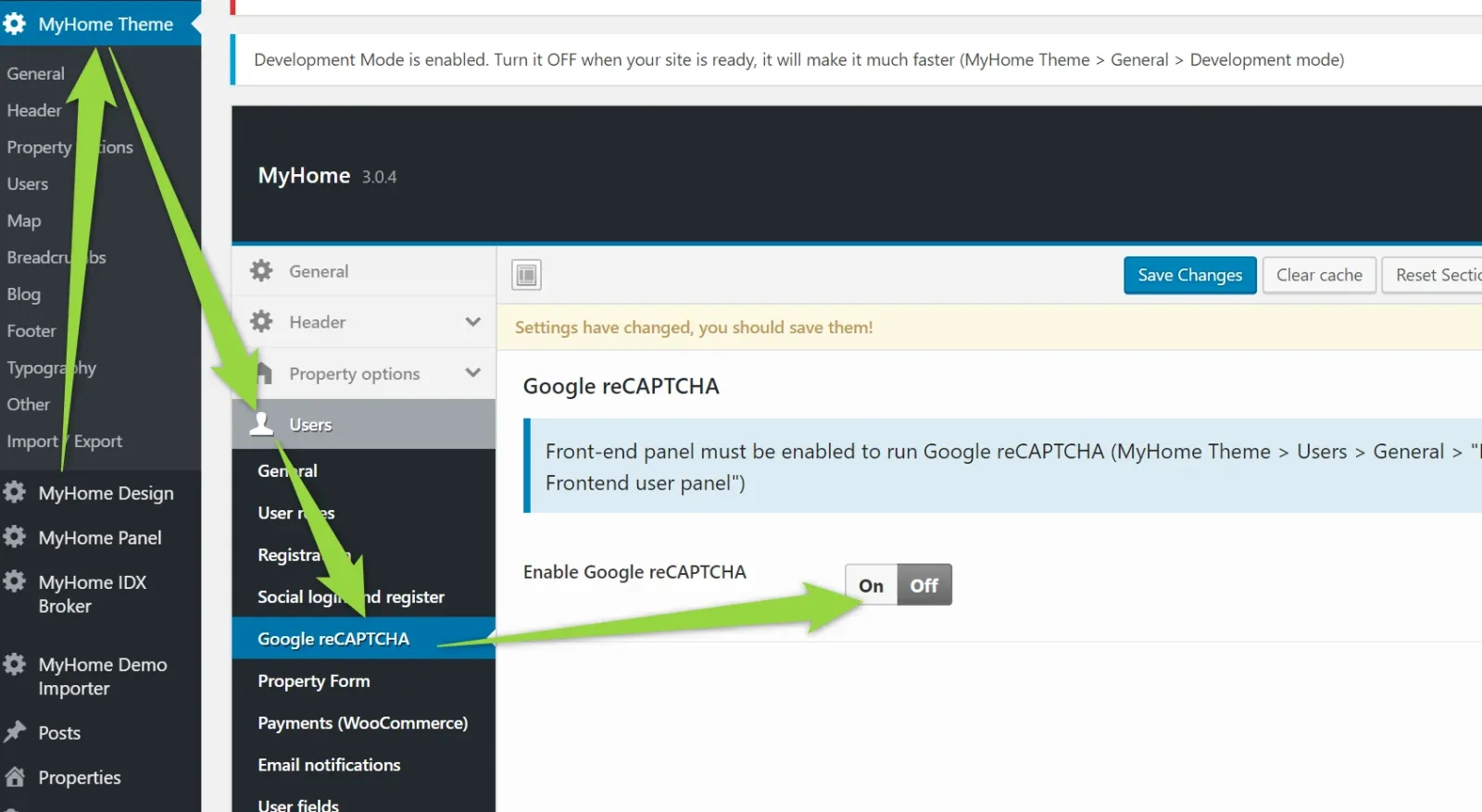
6. Paste into your admin panel
Ask the people who build MyHome WPBakery
We answer by email from support@tangiblewp.com. With Premium Support, we also fix your site when something breaks.
We can also run your site for you, or build a new one.
Was this guide helpful?