
PHP Customization - changing sort by newest query from date to modified
1 minute read
This PHP code change query order grom newest to modified.
Important: Make sure you use the latest version of MyHome Theme and MyHome Core.
Example:
You added a property one month ago and changed the images to the newest, and you want to show this property on the first page. This code changes this for you. After edit a single property post then he goes to the first place.
add_filter( 'myhome_search_args', function ( $args ) {
	if ( isset( $args['orderby']['date'] ) ) {
		$args['orderby'] = [
			'modified' => $args['orderby']['date'],
			'id'       => 'DESC'
		];
	}

	return $args;
} );
Please use this code in your Child Theme functions.php . You can read more about Child Themes here:
Open theme editor in your Wp-Admin (make sure you have selected MyHome Child to edit)
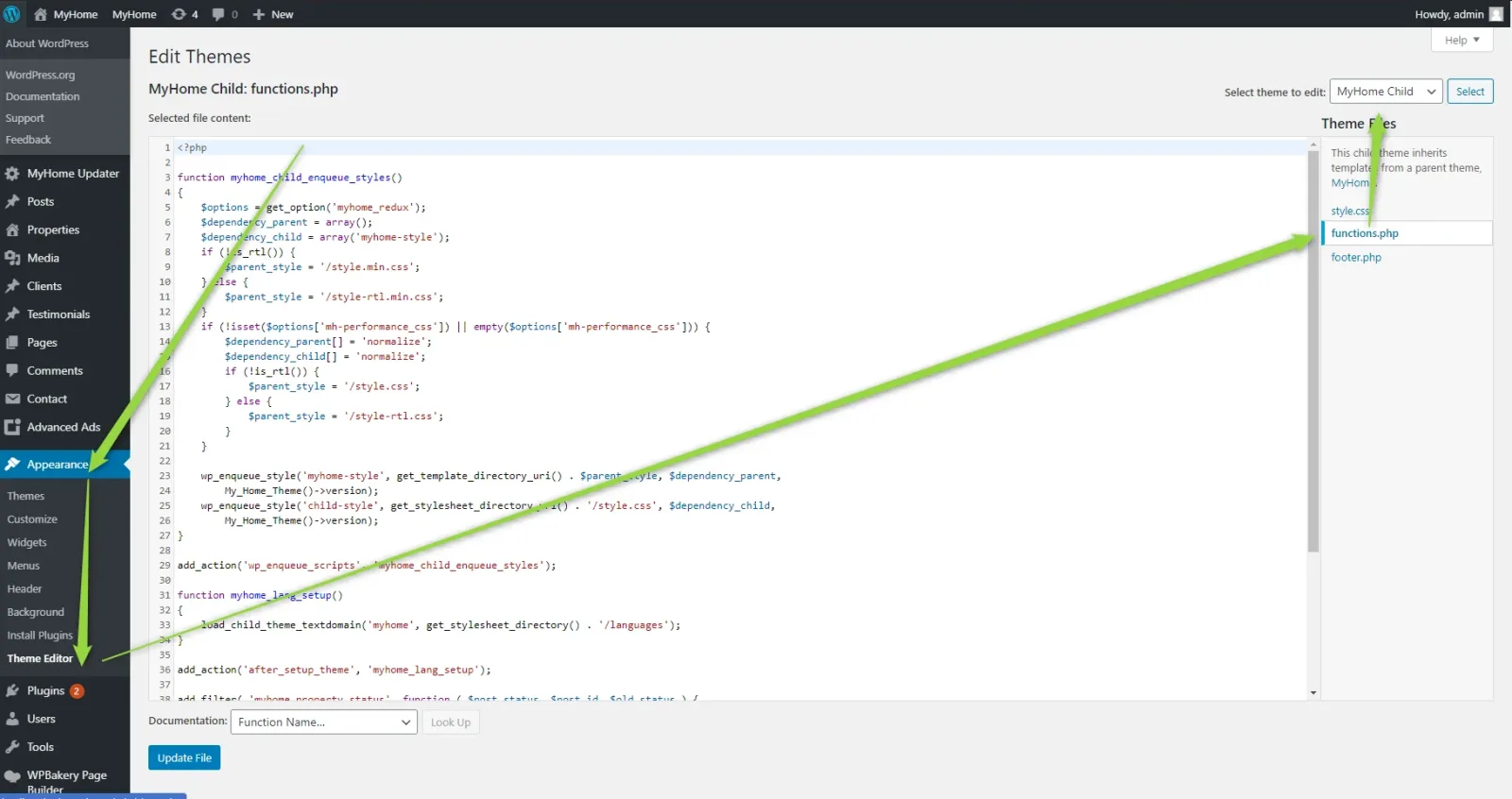
3. Paste this code at the bottom on file functions.php and hit Update file.
Ask the people who build MyHome WPBakery
We answer by email from support@tangiblewp.com. With Premium Support, we also fix your site when something breaks.
We can also run your site for you, or build a new one.
Was this guide helpful?