
PHP Customization - How to add social buttons via PHP on the single property page?
1 minute read
If you wish to display the Easy Social Share Buttons in the new place on the single property page please:
- 1 Find /wp-content/themes/myhome/content-single-estate.php file
- 2 Backup the file
- 3 Please add below code in the any place:
php
<?php \MyHomeCore\My_Home_Core()->essb->display( \MyHomeCore\Integrations\ESSB\ESSB_Init::PROPERTY ); ?>e.g. below default breadcrumbs:
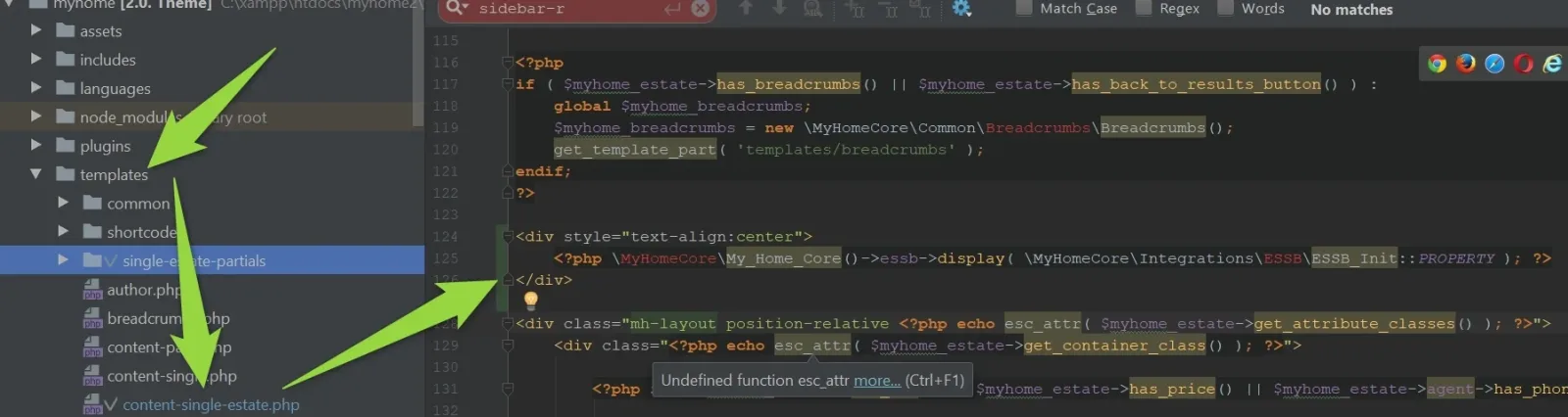
It will look like this:
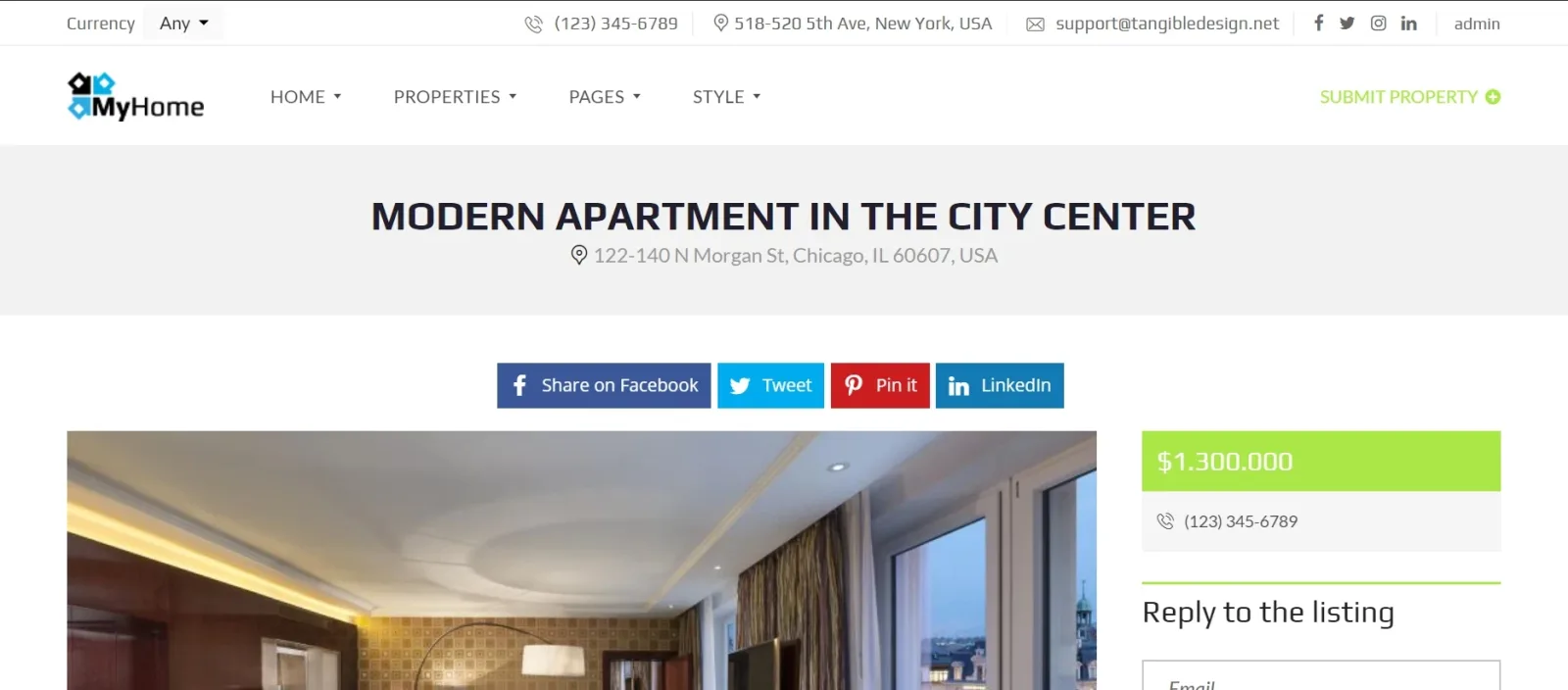
5. Style div your own way via CSS
Ask the people who build MyHome WPBakery
We answer by email from support@tangiblewp.com. With Premium Support, we also fix your site when something breaks.
We can also run your site for you, or build a new one.
Was this guide helpful?