
PHP Customization - how to register new sidebar?
1 minute read
- 1 Find /wp-content/themes/myhome/includes/class-myhome-init.php file
- 2 Backup the file
- 3 Search for add_sidebars
-
4
Add new sidebar e.g. Copy MH Sidebar
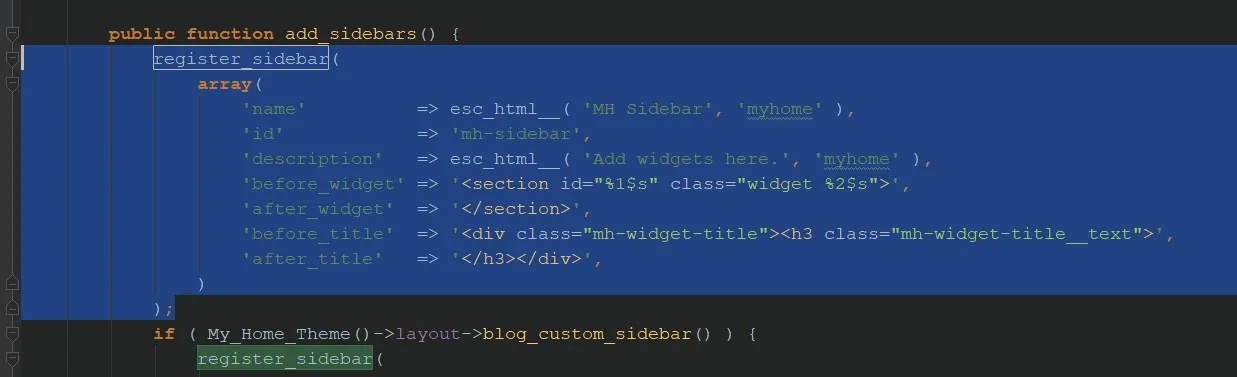
- 5 Please use unique "id" - IMPORTANT: ID should be LOWERCASE**
-
6
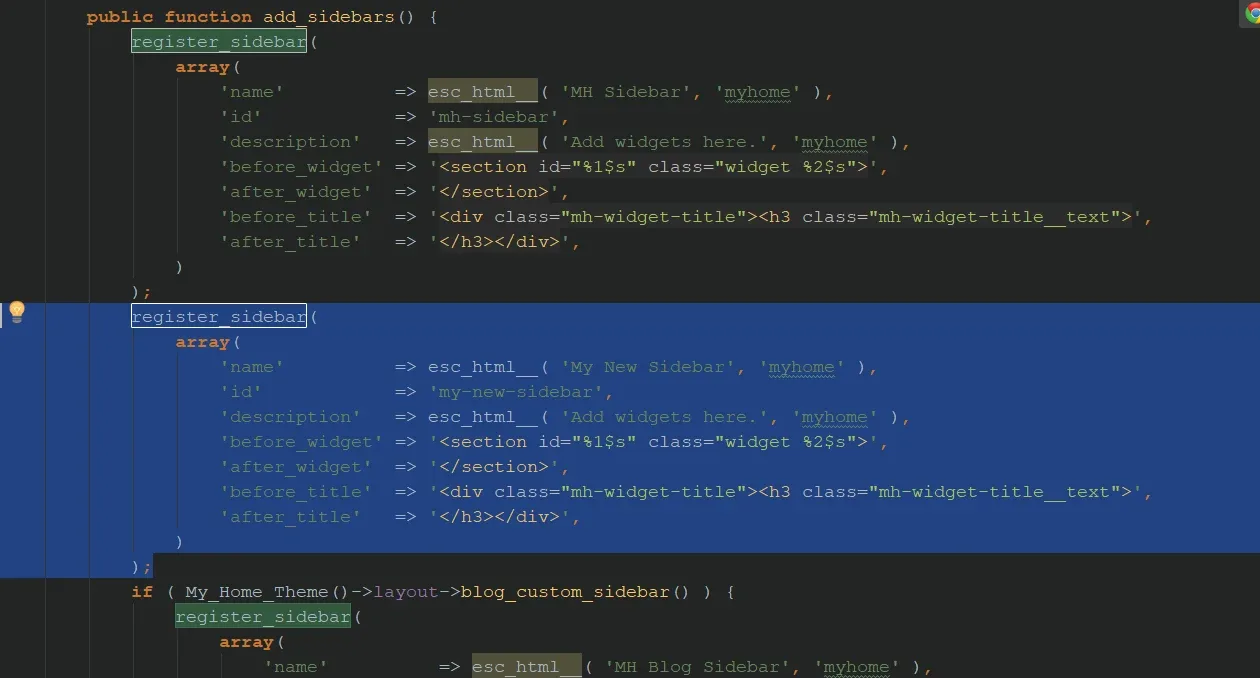
Paste and change name and id (e.g. My New Sidebar + my-new-sidebar)
-
7
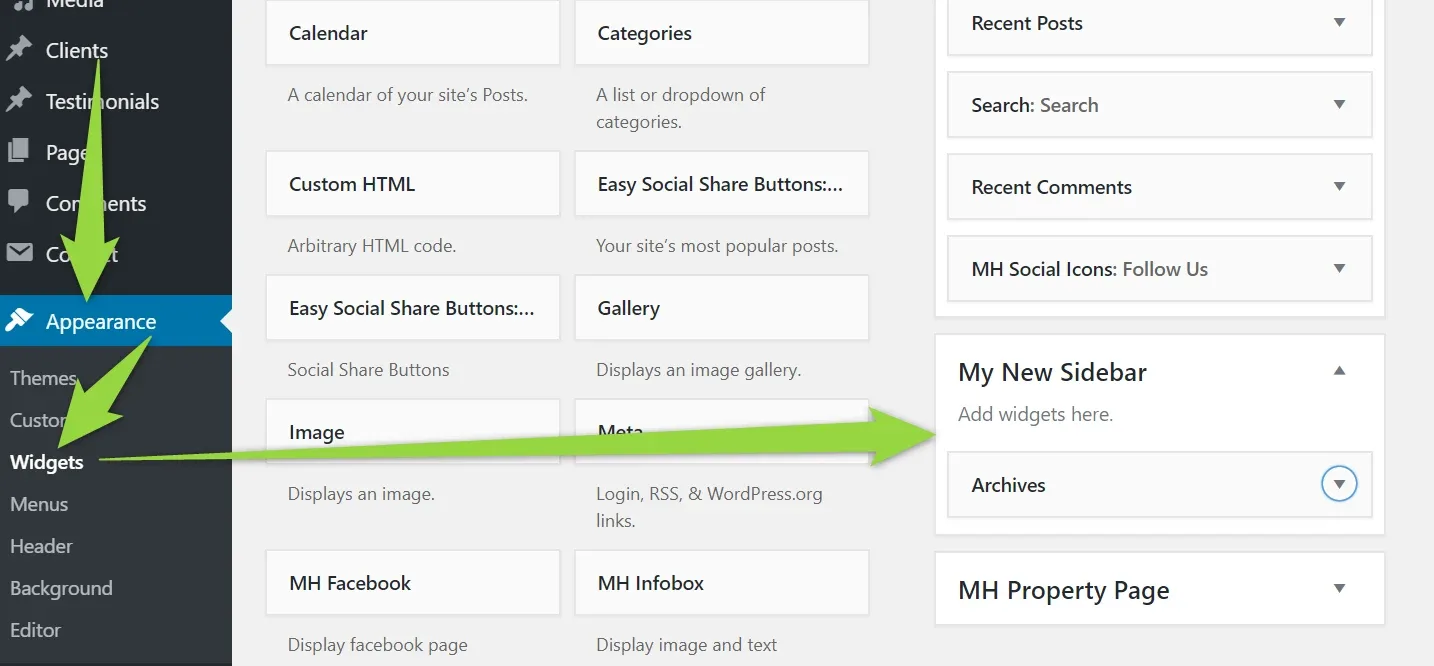
Your new sidebar will be aviable, you can drop there own widgets
-
8
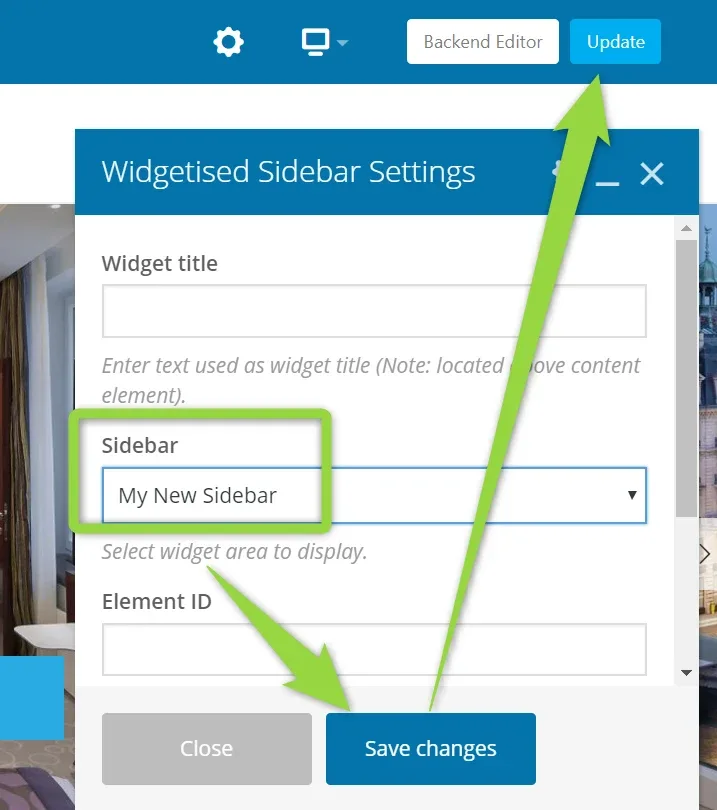
You can display it on any page e.g.
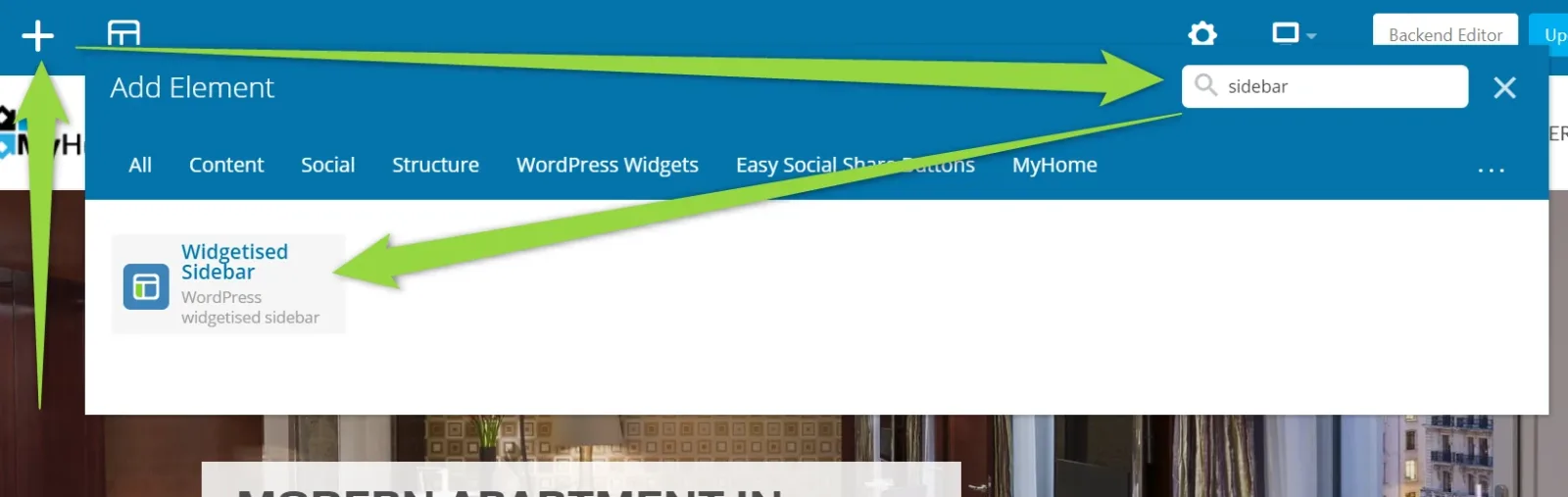
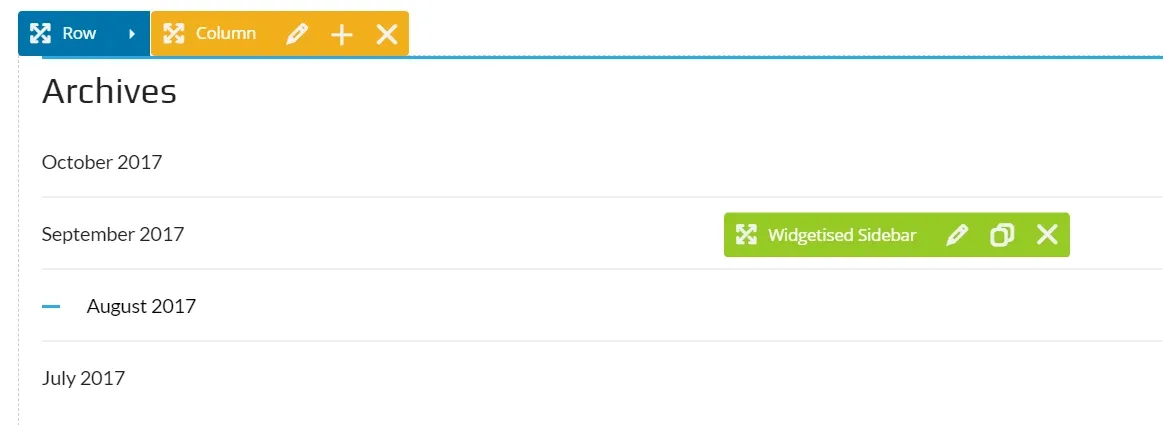
It will be displayed at the bottom of a page e.g.
Ask the people who build MyHome WPBakery
We answer by email from support@tangiblewp.com. With Premium Support, we also fix your site when something breaks.
We can also run your site for you, or build a new one.
Was this guide helpful?