
Why I see dark box "IDX Wrapper Placeholder" not Live MLS Feed?
1 minute read
Dynamic Wrapper Pages always display a black box e.g. IDX Basic Search -
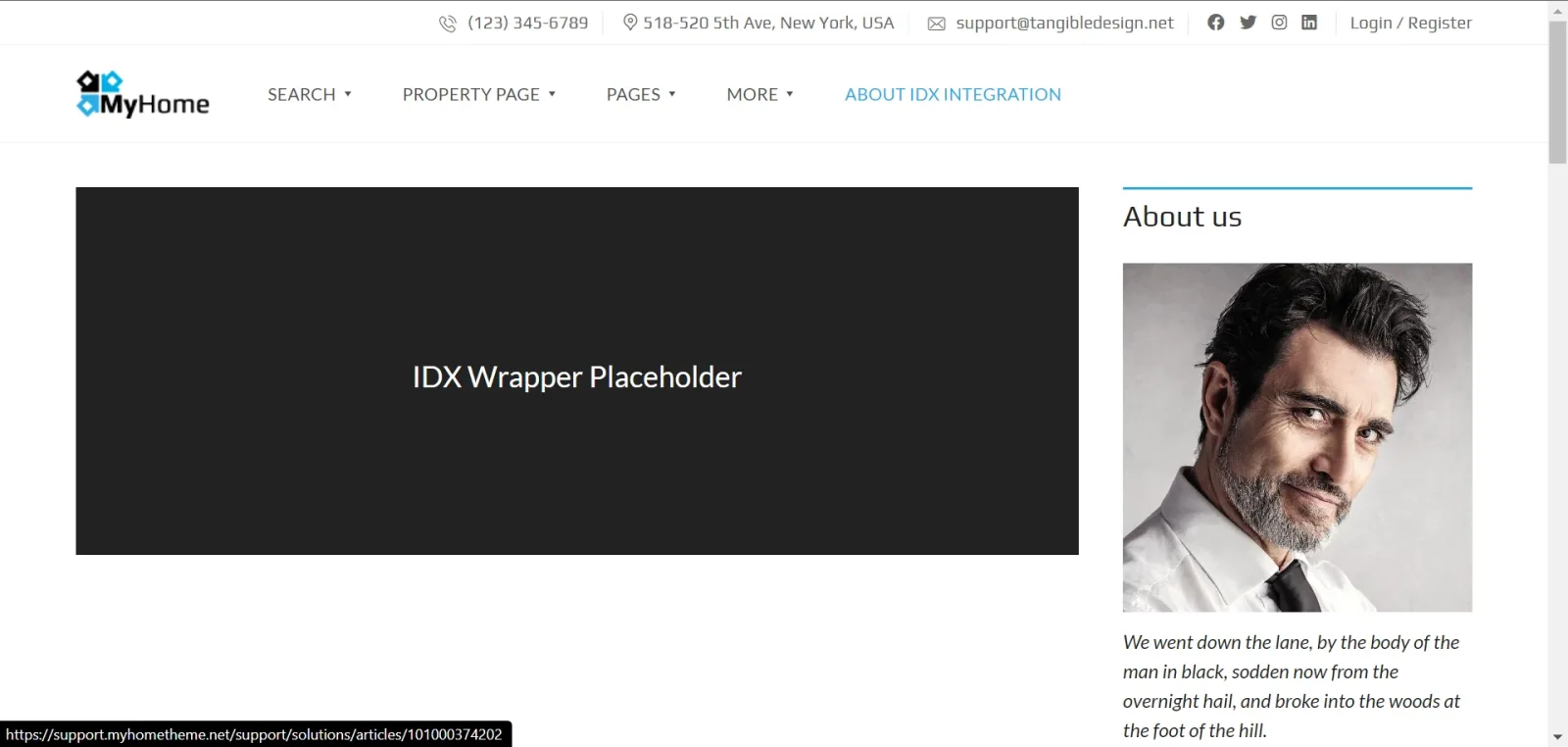
The correct link to this page can be found in your MyHome IDX Broker > Live MLS Feed >Your IDX Broker Pages
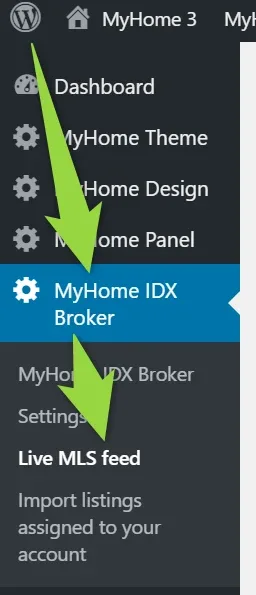
You will see list of your IDX Broker Pages
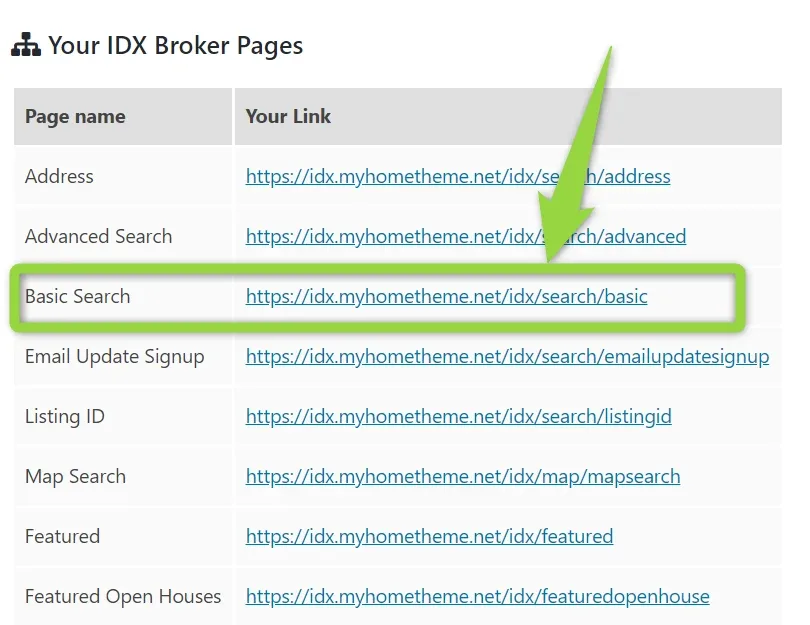
In this case it is: https://idx.myhometheme.net/idx/search/basic . You can visit this page and you will see included IDX Broker Search Fomr instead of placeholder:
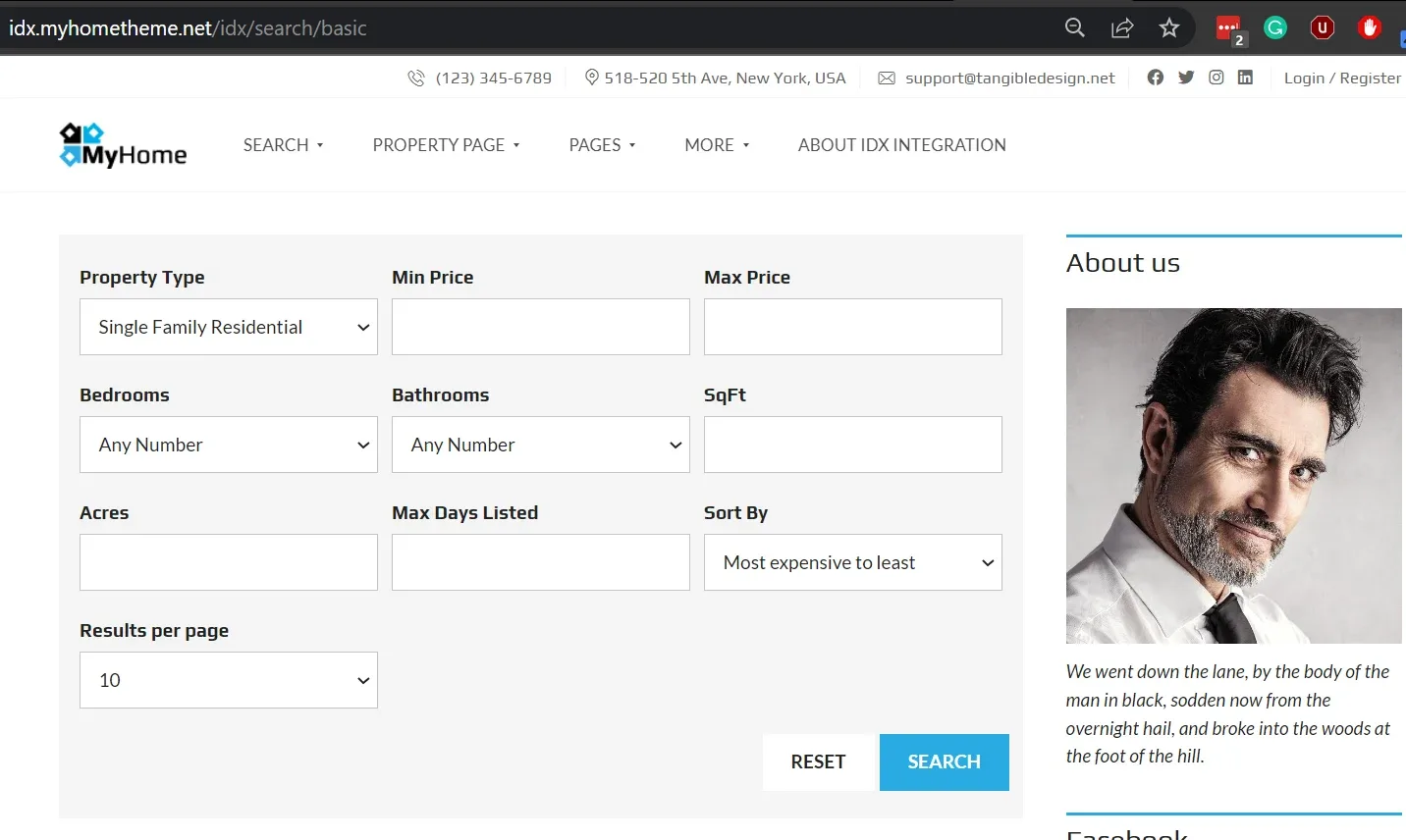
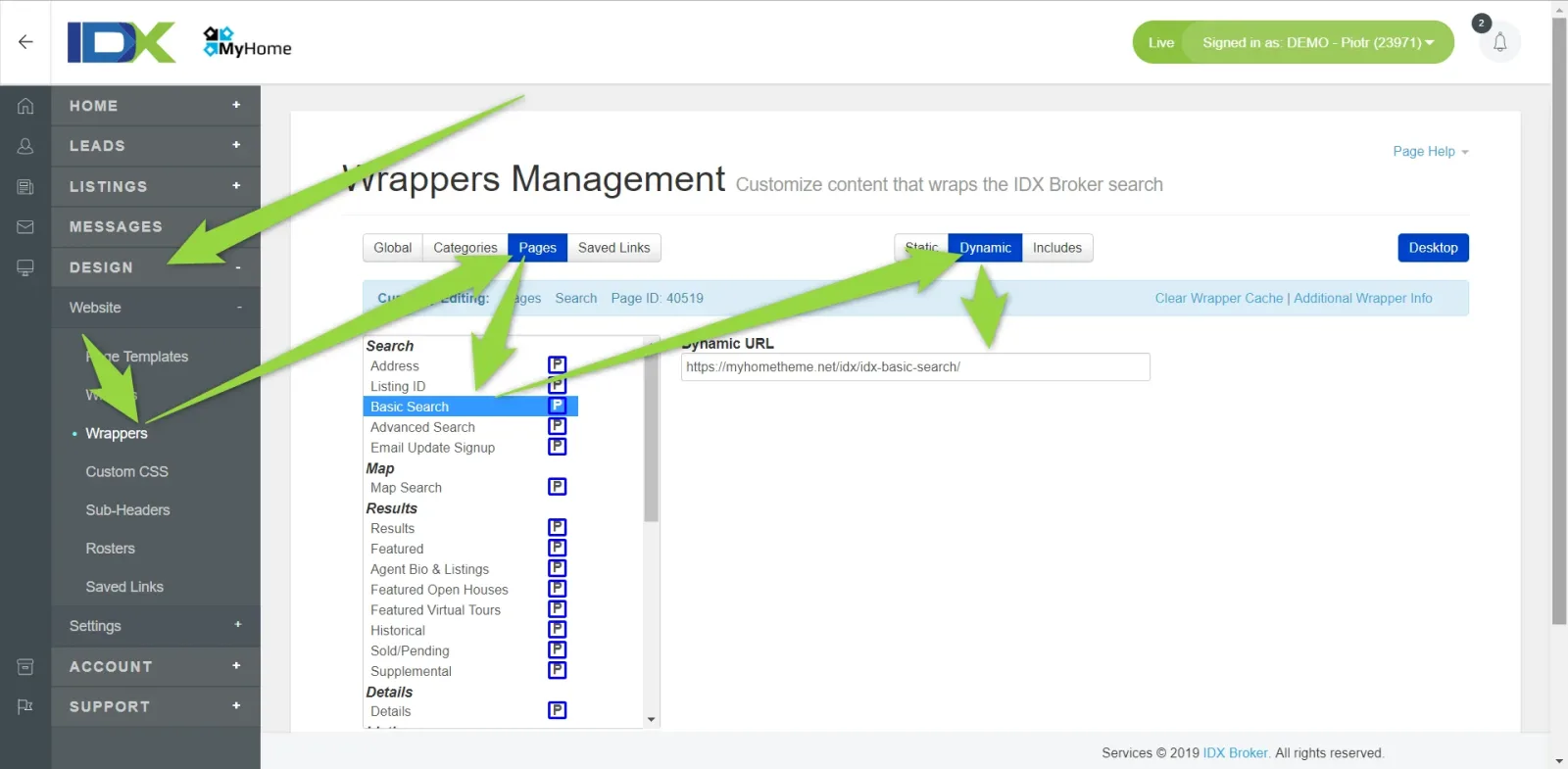
It is because this Basic Search Page ( https://idx.myhometheme.net/idx/search/basic ) use as a Dynamic Wrapper this page: https://demo9.myhometheme.net/idx-basic-search/ . If we modify anything on the
https://demo9.myhometheme.net/idx-basic-search/ page and Clear IDX Wrappers Cache it will also be visible on the Basic Search Page ( https://idx.myhometheme.net/idx/search/basic ). Dynamic Wrapper source is set this way:
Pages that are in your WordPress will always display Placeholder box, only IDX Broker Pages can display in the place of placeholder working code.
Ask the people who build MyHome WPBakery
We answer by email from support@tangiblewp.com. With Premium Support, we also fix your site when something breaks.
We can also run your site for you, or build a new one.
Was this guide helpful?