
WPML Customization: How to change top bar Language Switcher flag images?
1 minute read
MyHome Language Switcher was designed to work only with WPML Plugin. However if you wish to customize it other way you can use this article.
- 1 Language switcher is located in the /wp-content/themes/myhome/header.php file
- 2 Please backup the file for security reason
- 3 Find Language Switcher Code in this file:
php
if ( My_Home_Theme()->layout->show_language_switcher() ) : ?>
   <div class="mh-wpml-top-bar">
      <?php foreach ( My_Home_Theme()->layout->get_language_flags() as $myhome_lang ) : ?>
         <?php if ( ! empty( $myhome_lang['url'] ) ) : ?>
            <div class="mh-wpml-top-bar__item
                                      <?php if ( ! empty( $myhome_lang['active'] ) && $myhome_lang['active'] == '1' ) : ?>
                                          mh-active-lang
                                      <?php endif; ?>
                                  ">
               <a href="<?php echo esc_url( $myhome_lang['url'] ); ?>">
                  <img src="<?php echo esc_attr( $myhome_lang['country_flag_url'] ); ?>" alt="">
               </a>
            </div>
         <?php endif; ?>
      <?php endforeach; ?>
   </div>
<?php endif; ?>
4. Change all above code lines into this new code:
html
<div class="mh-wpml-top-bar">
    <div class="mh-wpml-top-bar__item">
        <a href="http://domain.com/en/">
            <img src="https://dummyimage.com/24x18/000000/ffffff.jpg" alt="">
        </a>
    </div>
    <div class="mh-wpml-top-bar__item">
        <a href="http://domain.com/es/">
            <img src="https://dummyimage.com/24x18/cccccc/ffffff.jpg" alt="">
        </a>
    </div>
</div>
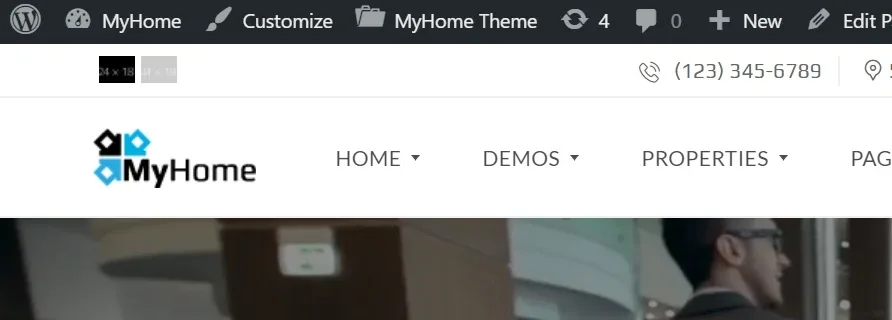
5. Change below links to your domain and folders: http://domain.com/en/ http://domain.com/es/ 6. Change below links to flags images https://dummyimage.com/24x18/cccccc/ffffff.jpg https://dummyimage.com/24x18/000000/ffffff.jpg It will look like this:
Ask the people who build MyHome WPBakery
We answer by email from support@tangiblewp.com. With Premium Support, we also fix your site when something breaks.
We can also run your site for you, or build a new one.
Was this guide helpful?