Featured option – how to move featured listings to the top of the inventory and display in the special sections
Featured listings are the ones you want seen first. This guide shows how to mark a listing as featured and how to set the inventory sort order so featured listings always come out on top.
1 minute read
The Featured option was designed to move some of your listings to the top of the inventory list. You choose which listing is featured while editing it.
-
1
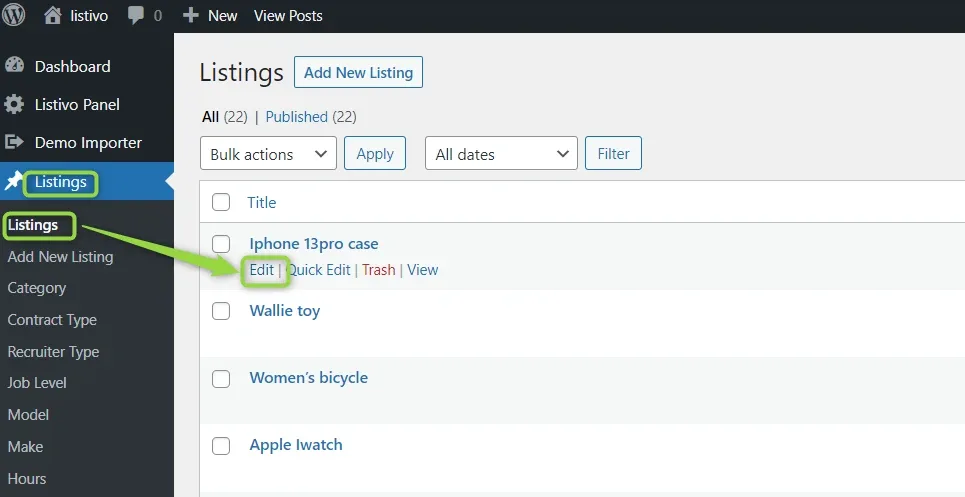
Open the listing
In WordPress, go to Listings and edit the listing you want to promote.
-
2
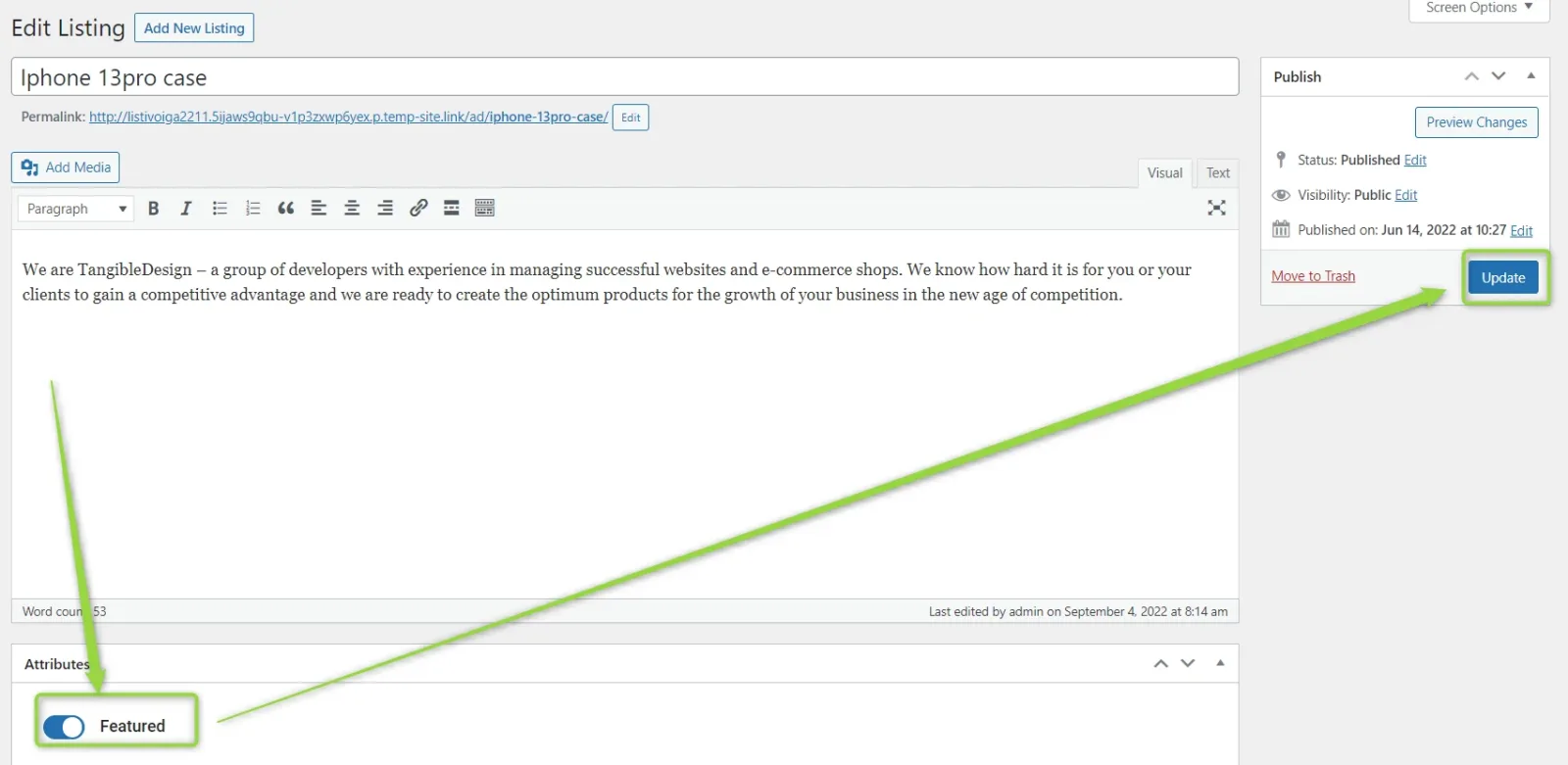
Switch on Featured
In the Attributes box below the editor, turn on Featured, then click Update.
-
3
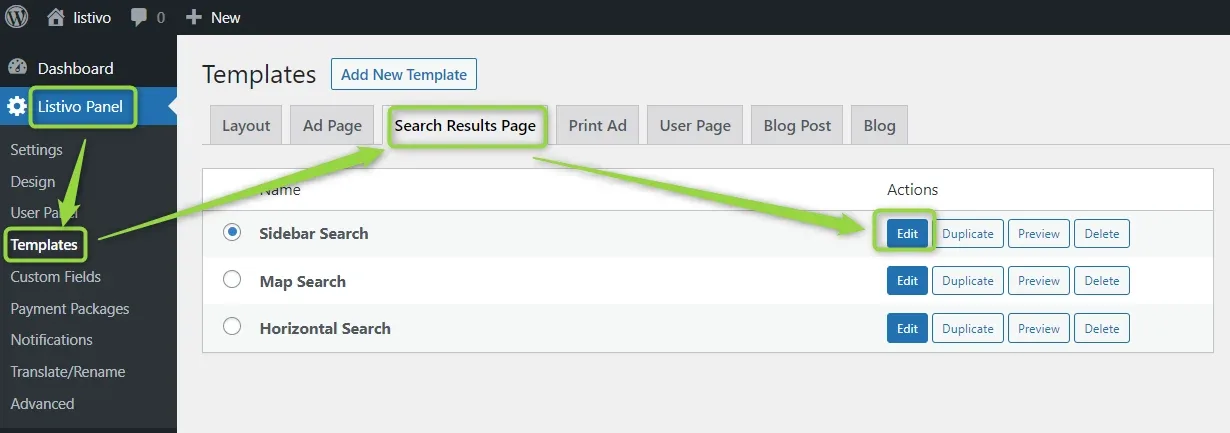
Edit the inventory page
Edit the Inventory page and change its Sort by option to Relevant — that forces featured listings to always sit on top.
-
4
Set Initial Sort By to Relevant
In the search widget, open Sort By and set Initial Sort By to Relevant.
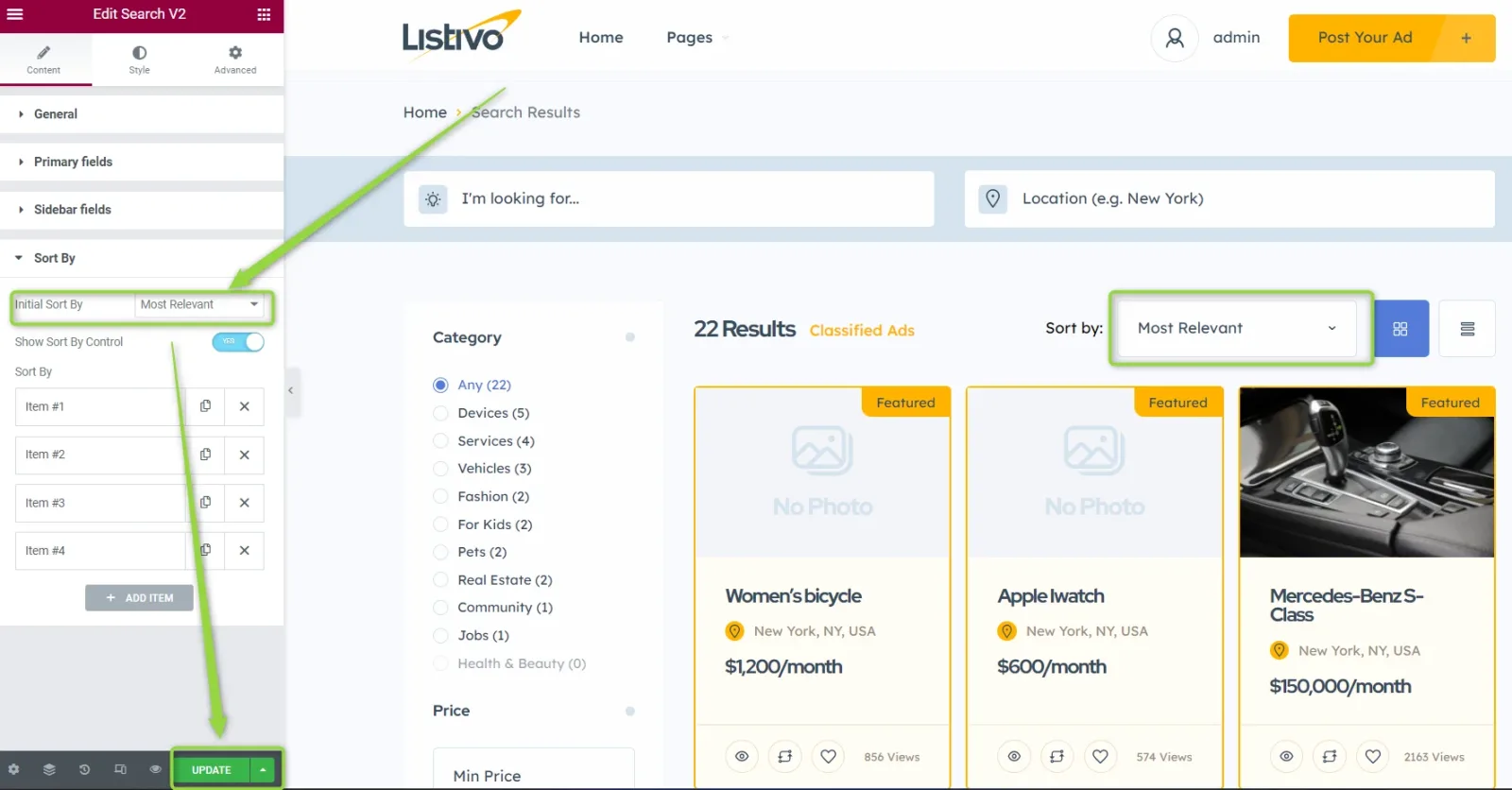
This way featured listings will always be on top.
Ask the people who build MyHome
We answer by email from support@tangiblewp.com. With Premium Support, we also fix your site when something breaks.
We can also run your site for you, or build a new one.
Was this guide helpful?