Phone country code
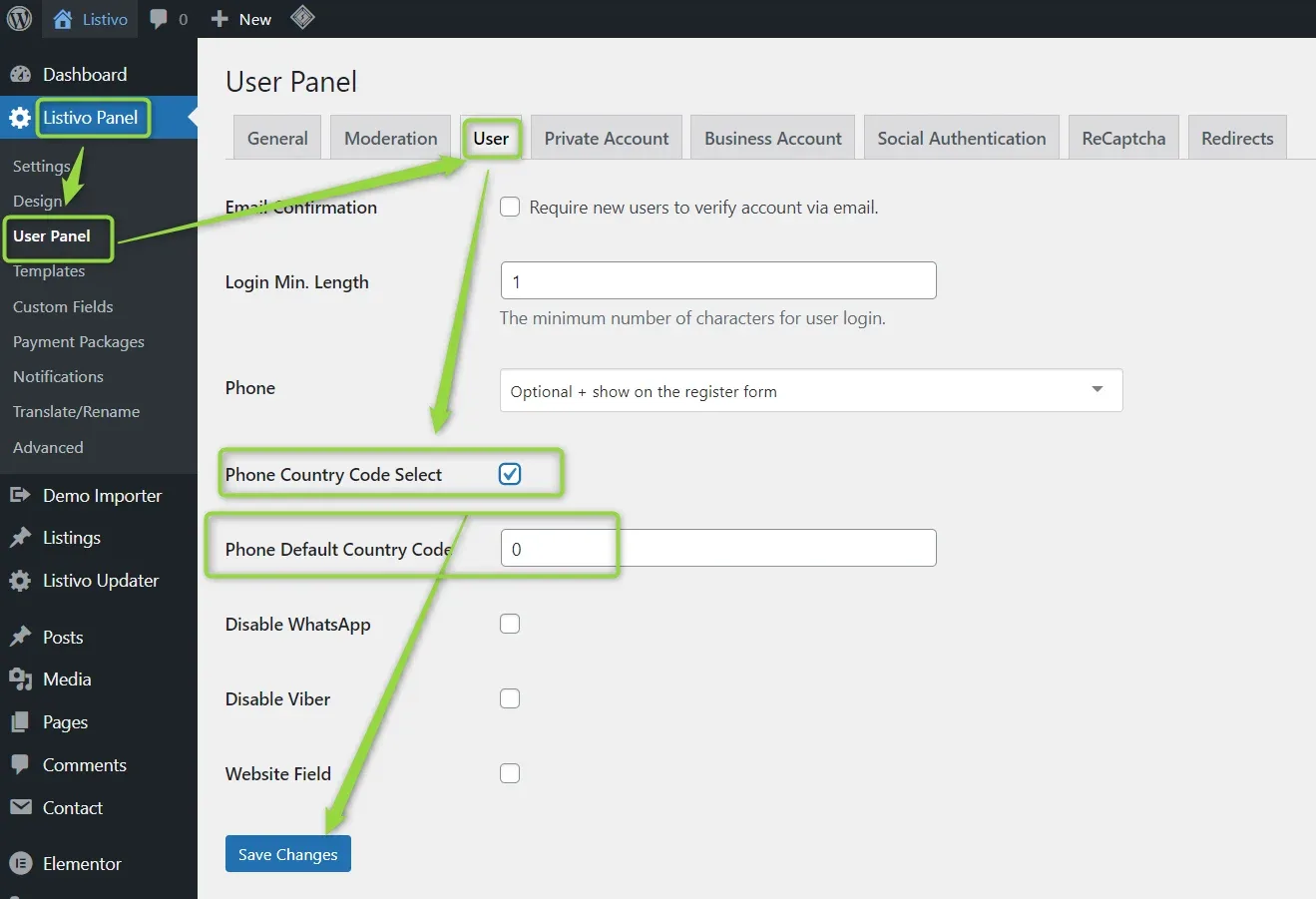
Switch on the country-code selector next to Listivo phone fields, choose the default code applied to numbers that do not have one, and see where your users change it afterwards.
1 minute read
This article will teach you how to establish the phone country code for your users.
The initial action to take is to go to wp-admin > Listivo Panel > User Panel > User, where you will find the Phone Country Code Select option.
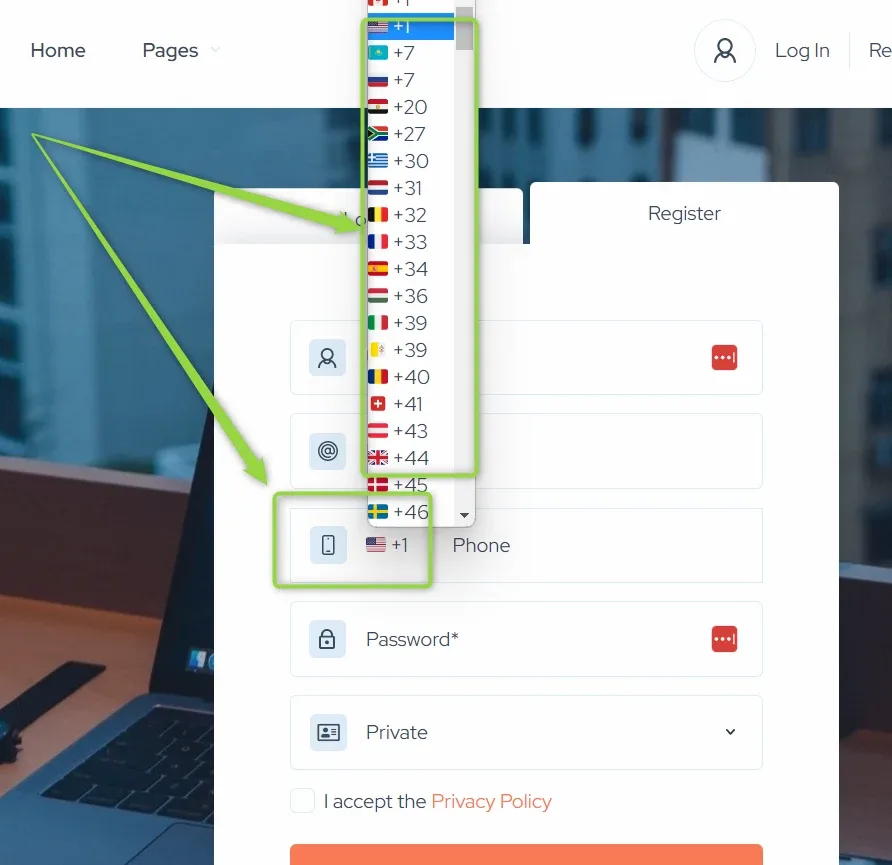
On the registration form the country code is preselected from the user's IP address, and the user can change it if they want to.
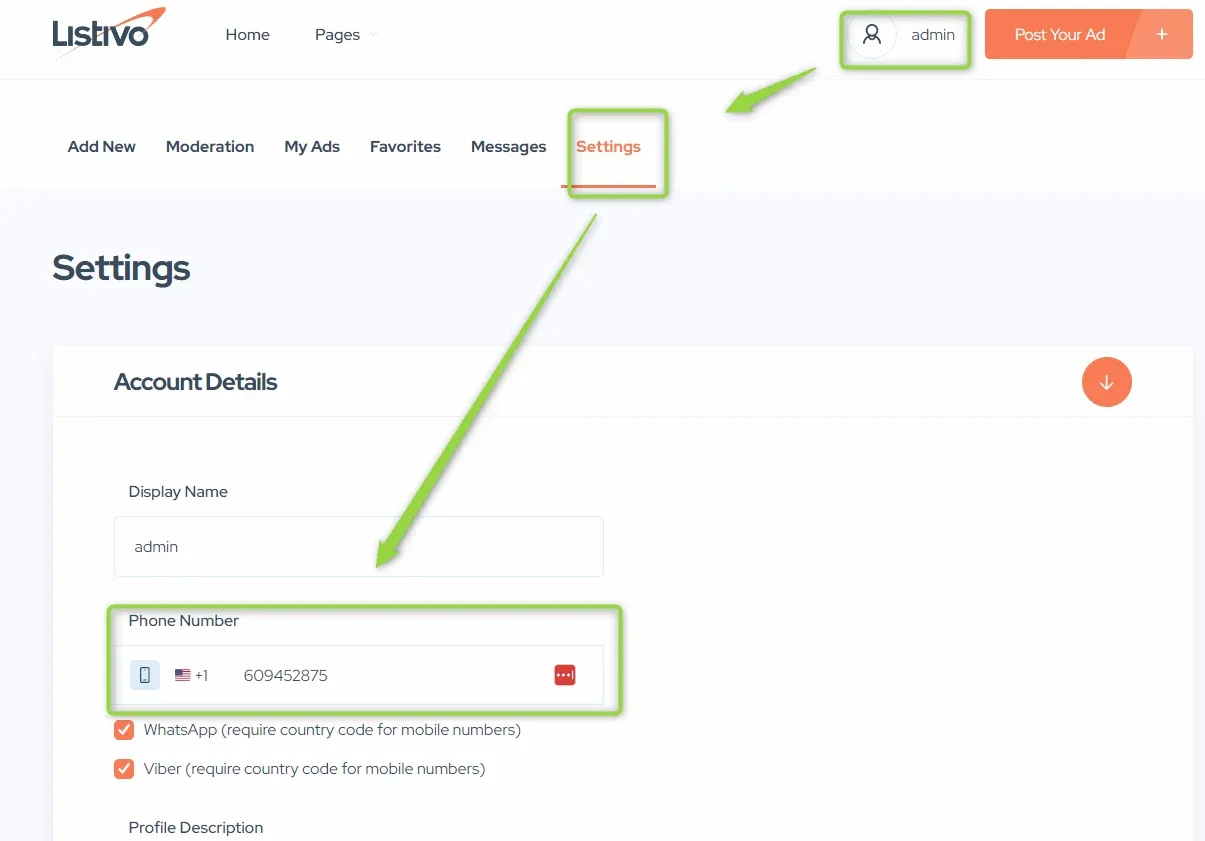
After registration, users can change it in their account settings.
Ask the people who build Listivo
We answer by email from support@tangiblewp.com. With Premium Support, we also fix your site when something breaks.
We can also run your site for you, or build a new one.
Was this guide helpful?