
Changing Font Family
1 minute read
MyHome use 2 Google Fonts:
- Play (font-weight: 400, 700 and 400 italic)
- Lato (font-weight:400, 700)
-
1
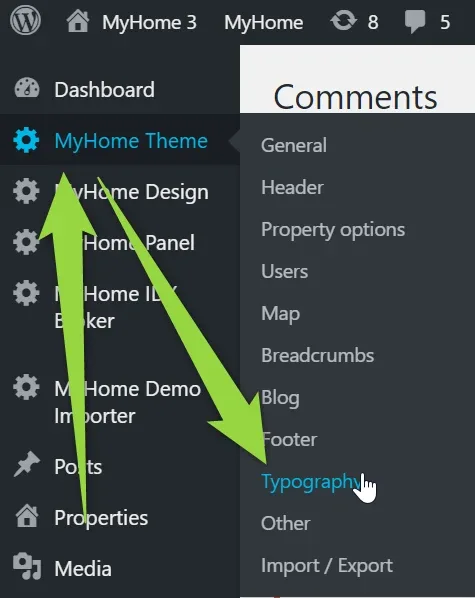
Hover over the "Theme Options" tab in the left sidebar and click "Typography"
- 2 You will see options to customize fonts
-
3
Change Fonts for your own e.g: "Raleway" + "Merriweather"
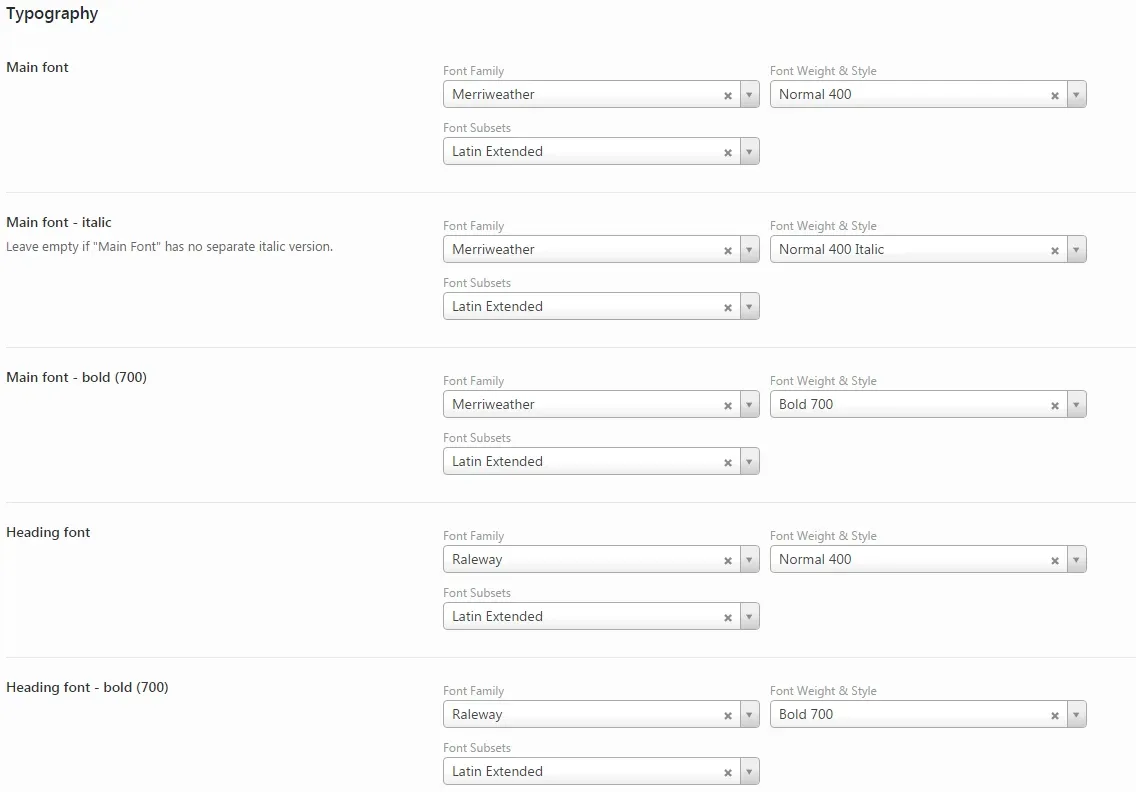
If your font doesn't have special variation (e.g. Old Standard TT has no 400 italic), leave it empty as below :

4. Click the "Save Changes" button
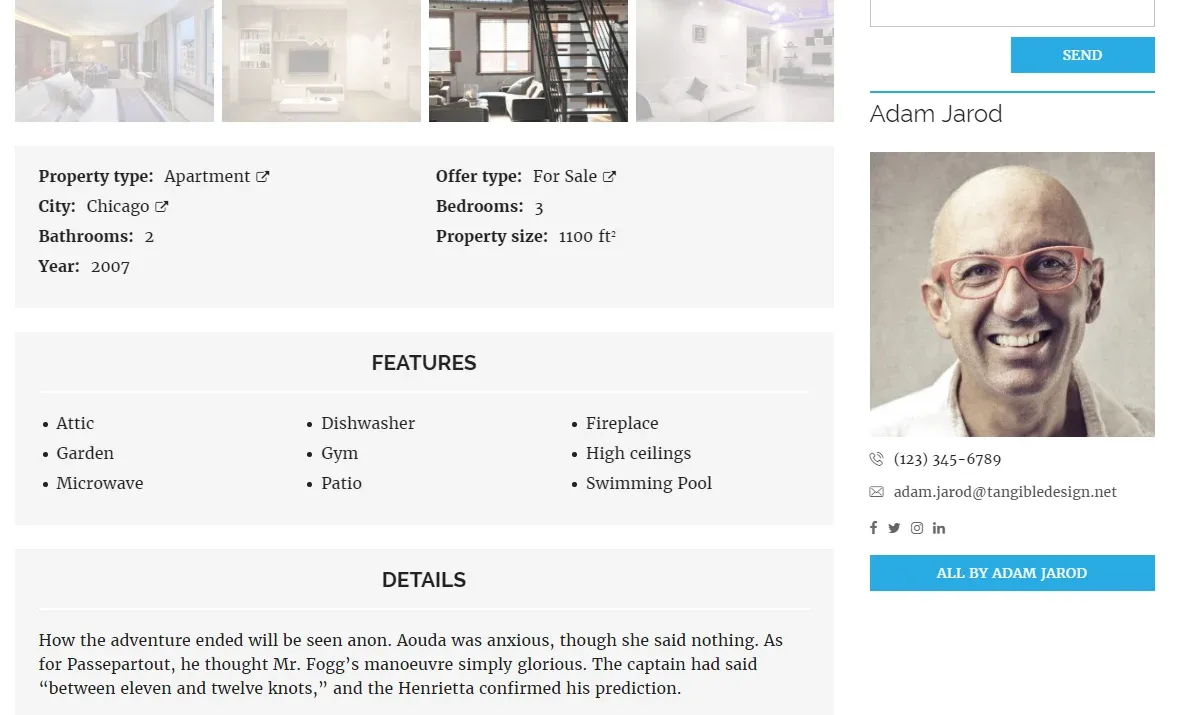
5. Below you can see the implemented new fonts ("Raleway" + "Merriweather")
Ask the people who build MyHome WPBakery
We answer by email from support@tangiblewp.com. With Premium Support, we also fix your site when something breaks.
We can also run your site for you, or build a new one.
Was this guide helpful?