
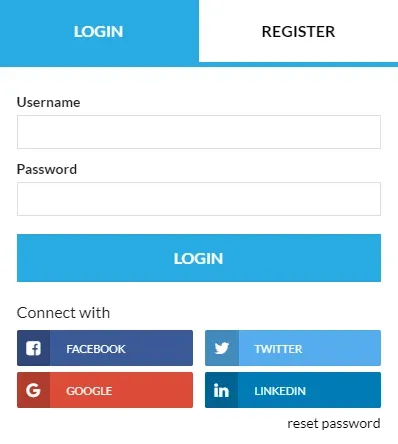
Customization: How to change "Login" text to "Username" on the login / register form
1 minute read
You can use this CSS to change "Login" field label to "Username"
.mh-popup-login-field--login .mh-register-login-field__label:after, .mh-register-field--login .mh-register-login-field__label:after { content: 'Username'; background: #fff!important; padding-right: 40px!important; display: block; top:0; position: absolute; }
.mh-register-login-field__label { position:relative!important; }
.mh-login-register-panel__inner > form .input-group--prepend-icon:first-child > label:before { content: 'Username'!important; display: block!important; }
.mh-login-register-panel__inner > form .input-group--prepend-icon:first-child .input-group__messages { display:none!important; }
In this article you can find information how to add custom CSS to any WordPress Theme: How to add CSS code that is future update compatible
Ask the people who build MyHome WPBakery
We answer by email from support@tangiblewp.com. With Premium Support, we also fix your site when something breaks.
We can also run your site for you, or build a new one.
Was this guide helpful?