
How to use cache to speed up MyHome (W3 Total Cache Plugin)?
1 minute read
We recommend W3 Total Cache plugin.
-
1
Go to plugins and search for it
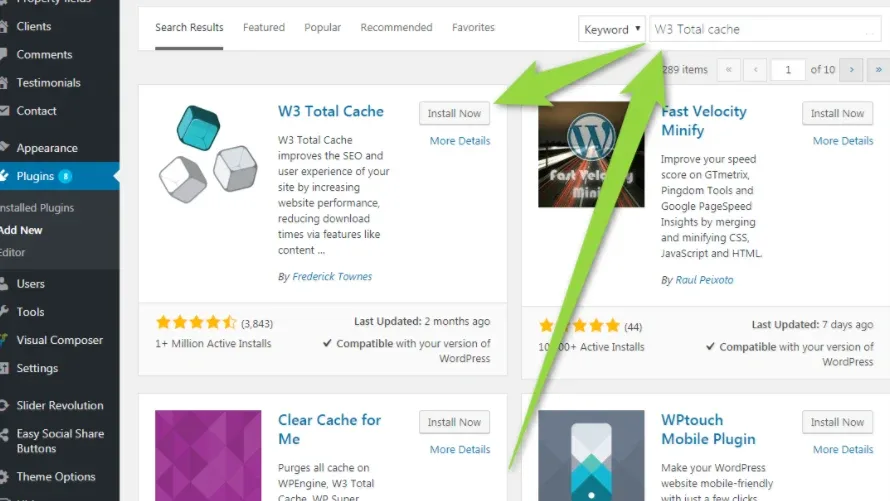
- 2 Install and Activate
-
3
Click General Settings:
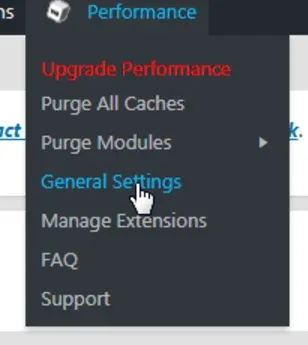
Set following options only:
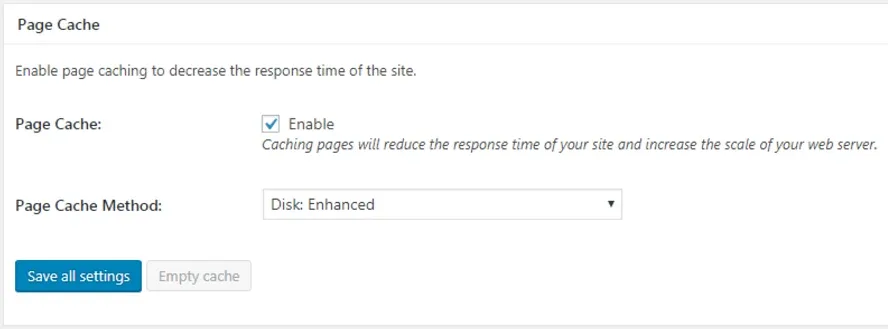
Page Cache
Page Cache: enable
Page Cache Method: Disk: Enhanced
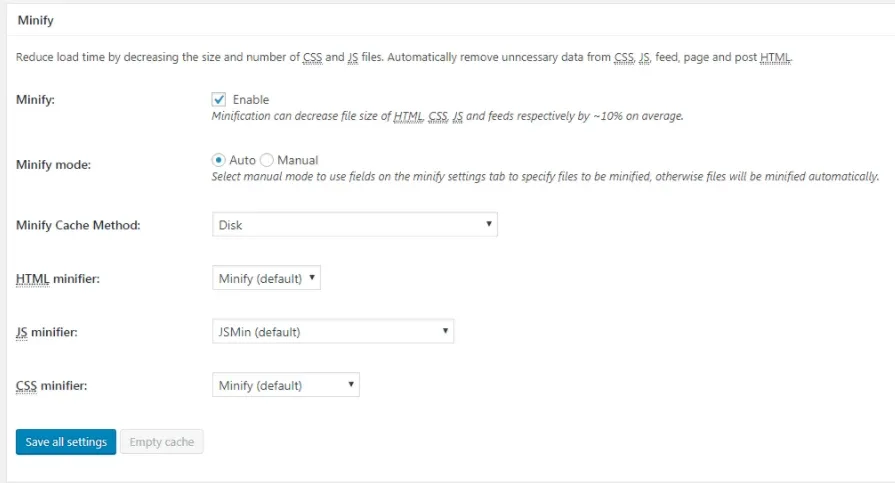
Minify
Minify: enable
Minify mode: Auto
Minify Cache Method: Disk
HTML minifier: Minify (default)
JS minifier: JSMin (default)
CSS minifier: Minify (default)
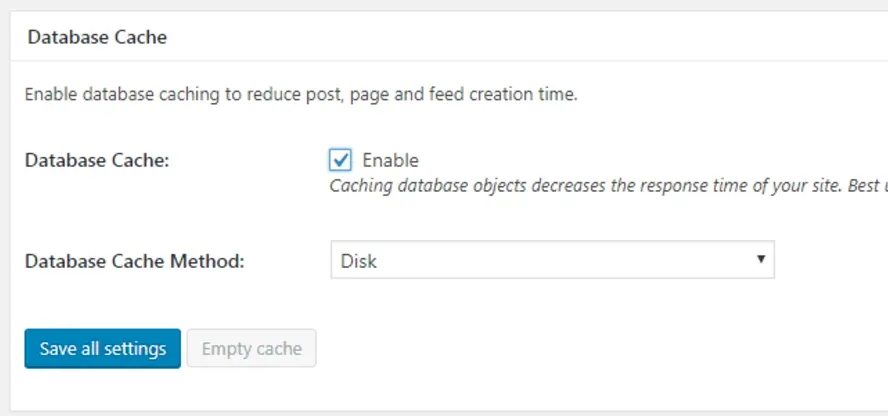
Database Cache
Database Cache: Enable
Database Cache Method: Disk
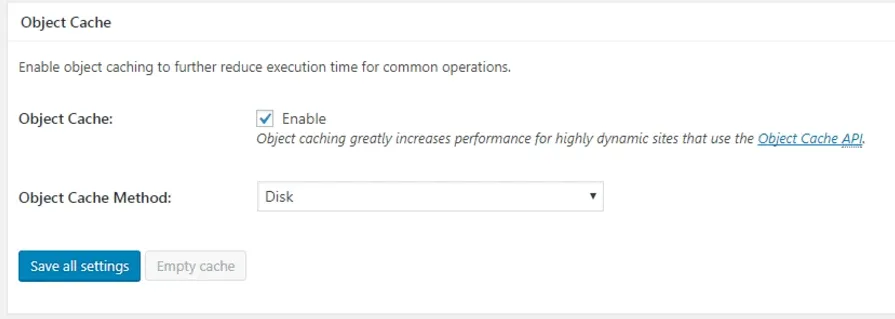
Object Cache
Object Cache: Enable
Object Cache Method: Disk
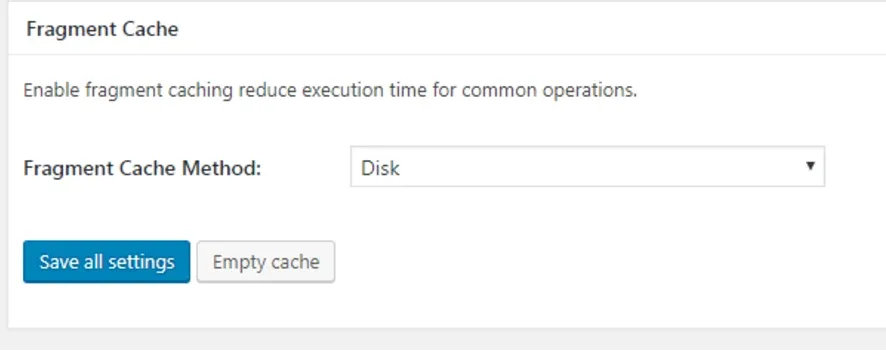
Fragment cache disk
Fragment Cache Method: Disk
Save all settings
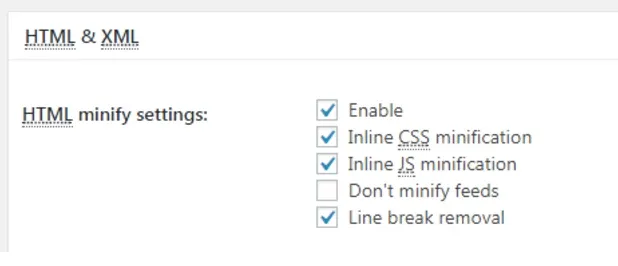
Go to Minify via left menu

HTML & XML settings: Enable
Inline CSS minification: Enable
Inline JS minification: Enable
Line break removal: Enable
Save all settings
7.Go To Revolution Slider Global Settings:

Set “Insert JavaScript Into Footer” ON
Set “Load all JavaSCript libraries” ON
Ask the people who build MyHome WPBakery
We answer by email from support@tangiblewp.com. With Premium Support, we also fix your site when something breaks.
We can also run your site for you, or build a new one.
Was this guide helpful?