
How can I change Agent/Office IDs used for importing listings to the WordPress database?
1 minute read
In the IDX Broker account you can choose which agent listings you wish to import to MyHome.
-
1
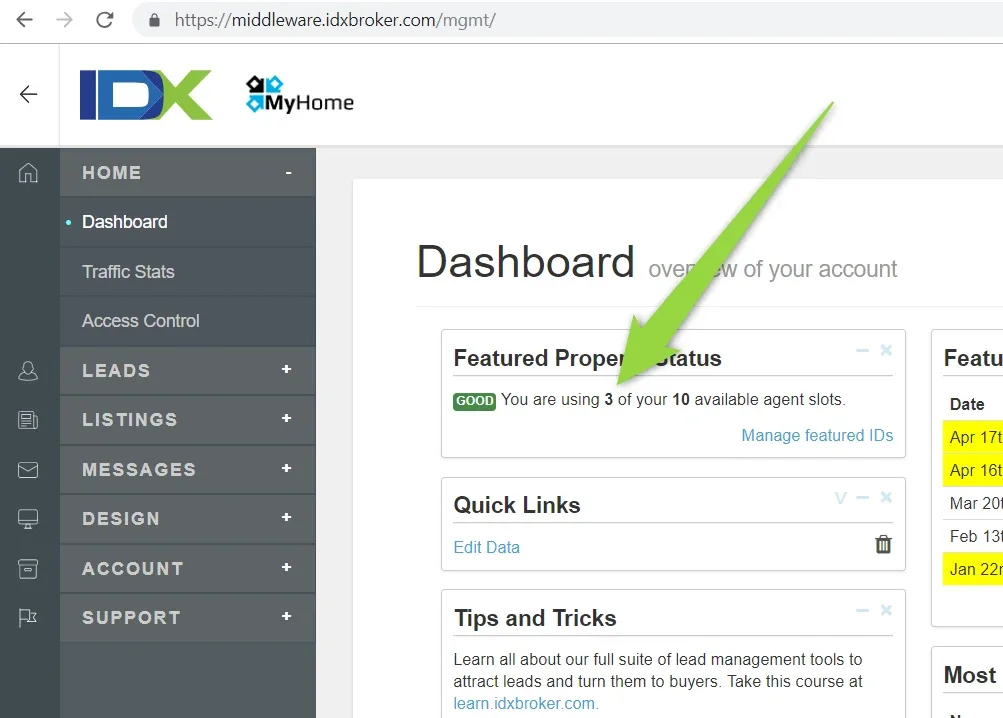
Please check if you have access to more than 1 agent - https://middleware.idxbroker.com/mgmt/
-
2
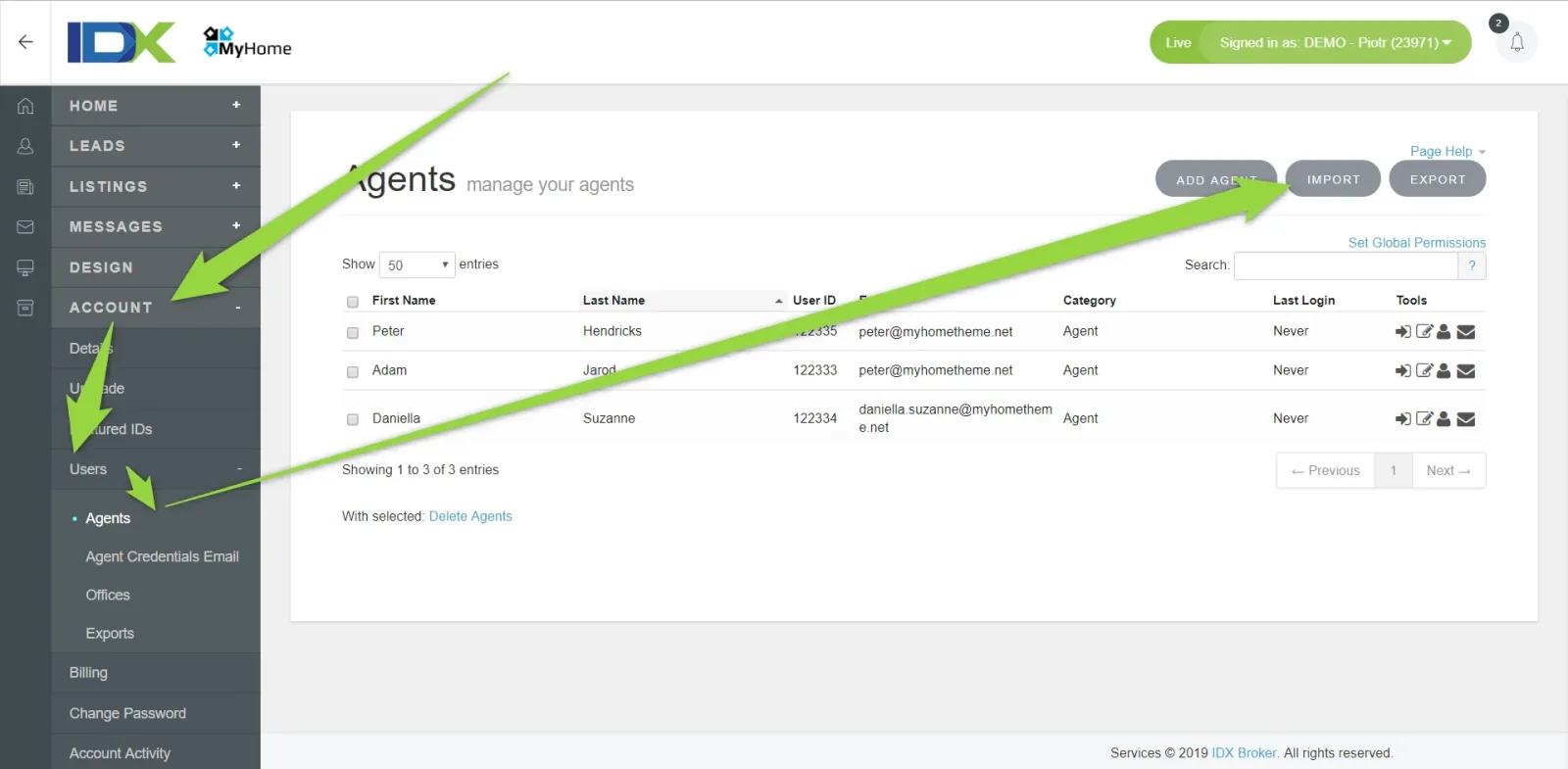
Choose Featured ID's
-
3
Choose new agent and save
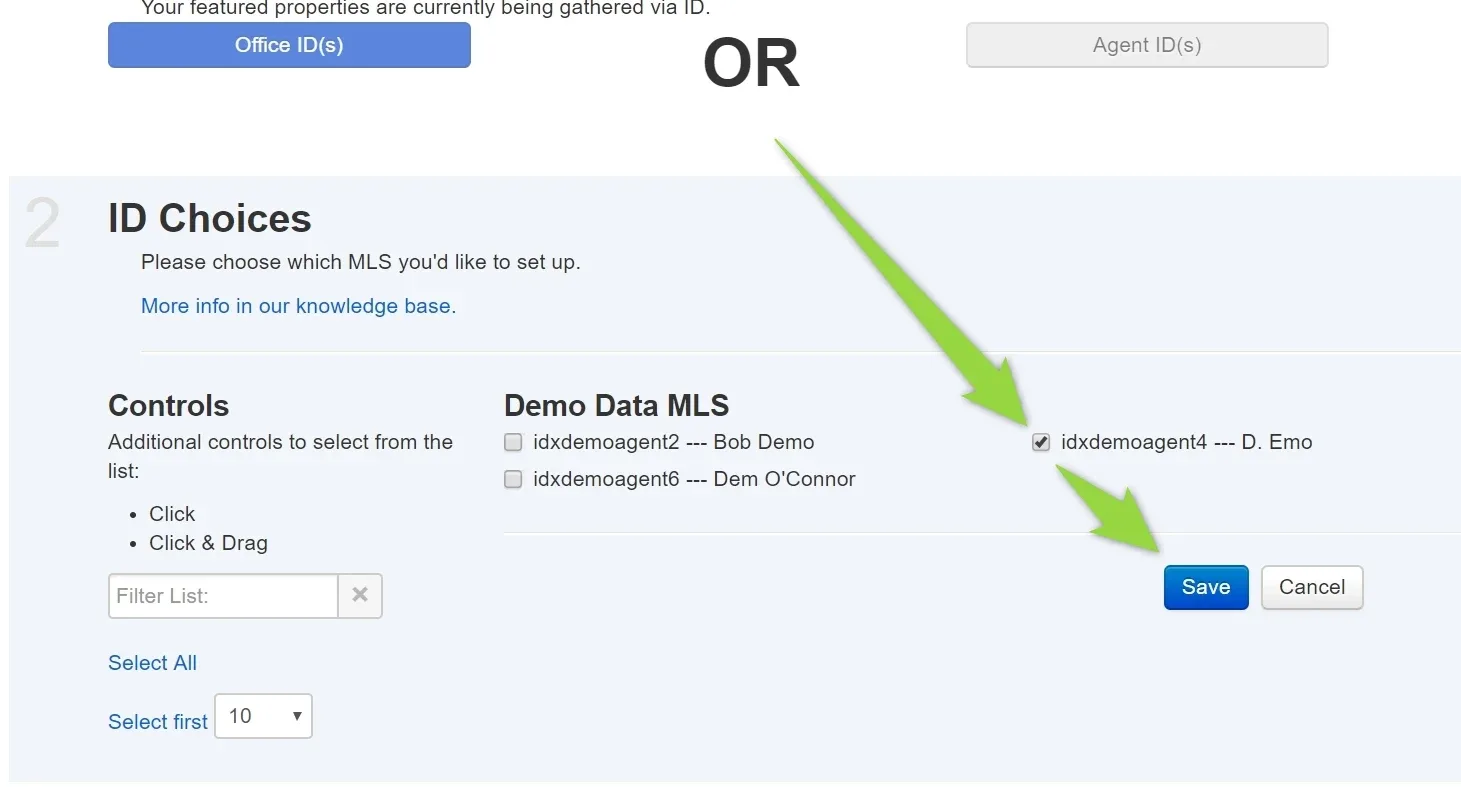
When you change Featured IDs, next step is to click "Import Listings" in your /wp-admin/ > MyHome IDX Broker > Import listings assigned to your account

Ask the people who build MyHome WPBakery
We answer by email from support@tangiblewp.com. With Premium Support, we also fix your site when something breaks.
We can also run your site for you, or build a new one.
Was this guide helpful?