
How to edit sidebar on the IDX Broker Pages
1 minute read
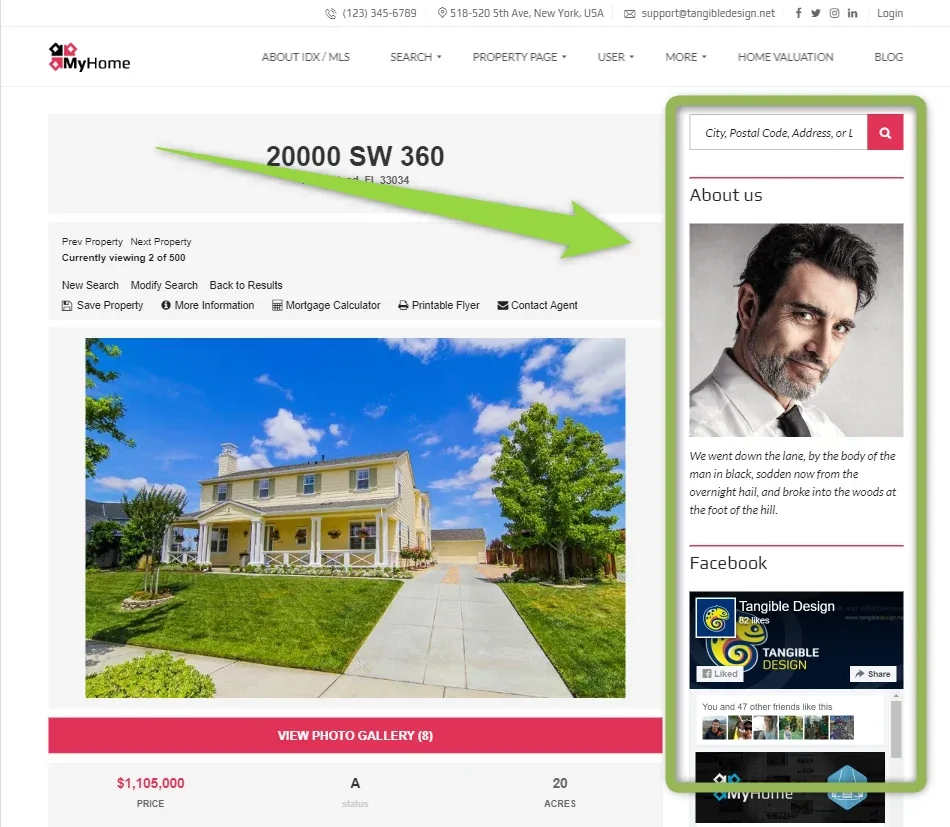
This article explains how to edit this part of the IDX Broker Pages
-
1
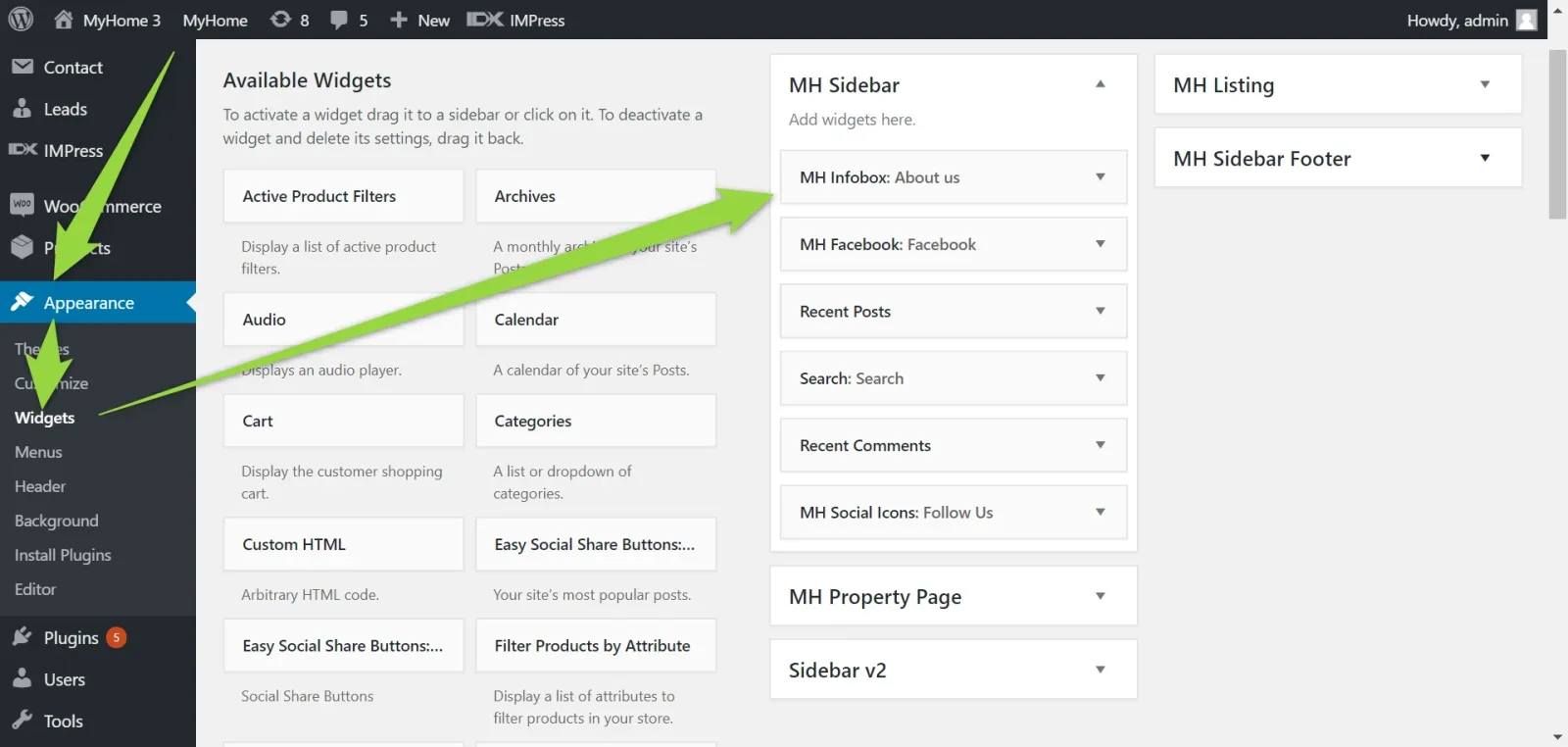
Please click Appearance >> Widgets >> MH Sidebar
-
2
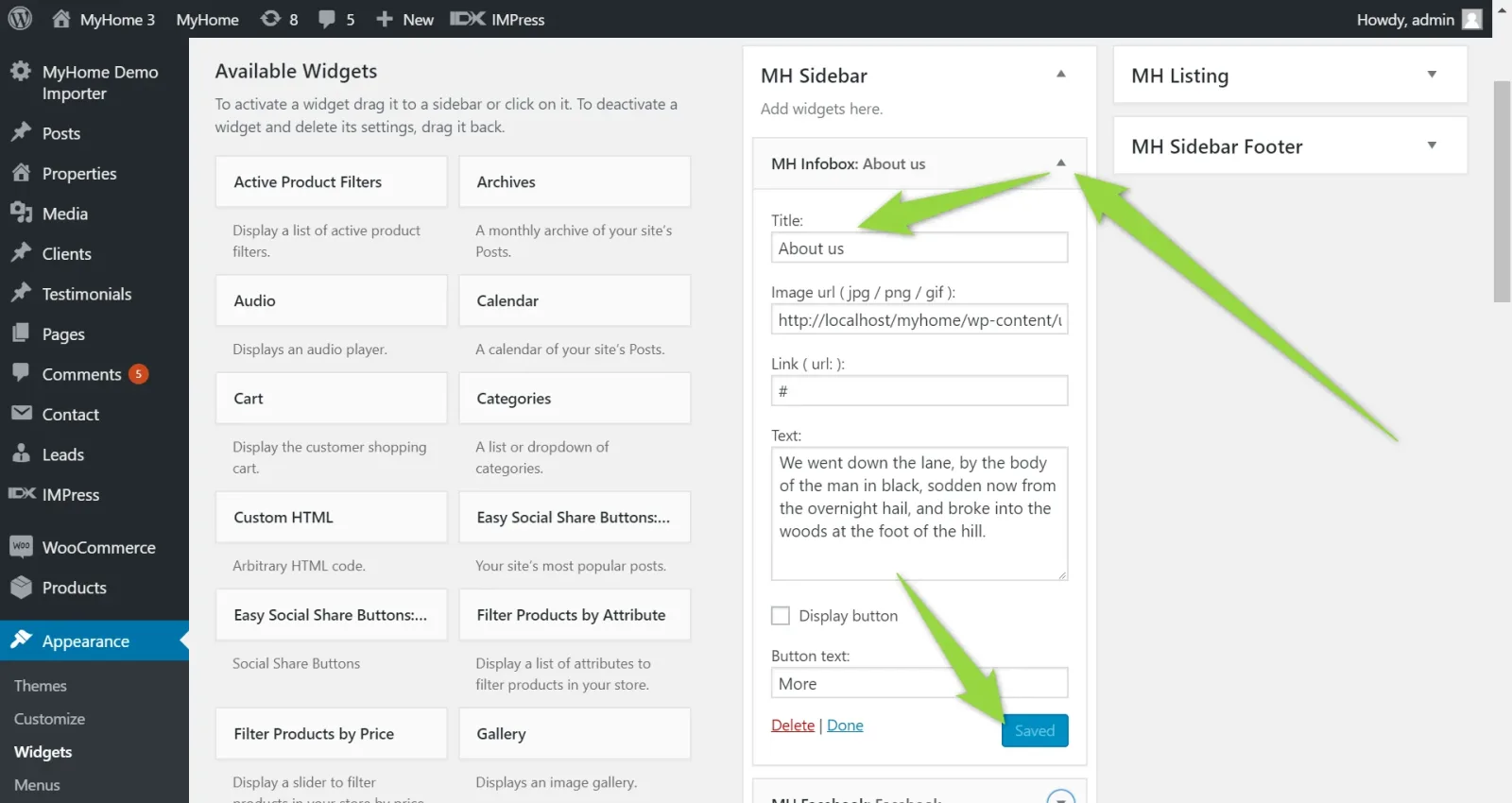
Change what you wish e.g. modify "About us" information
-
3
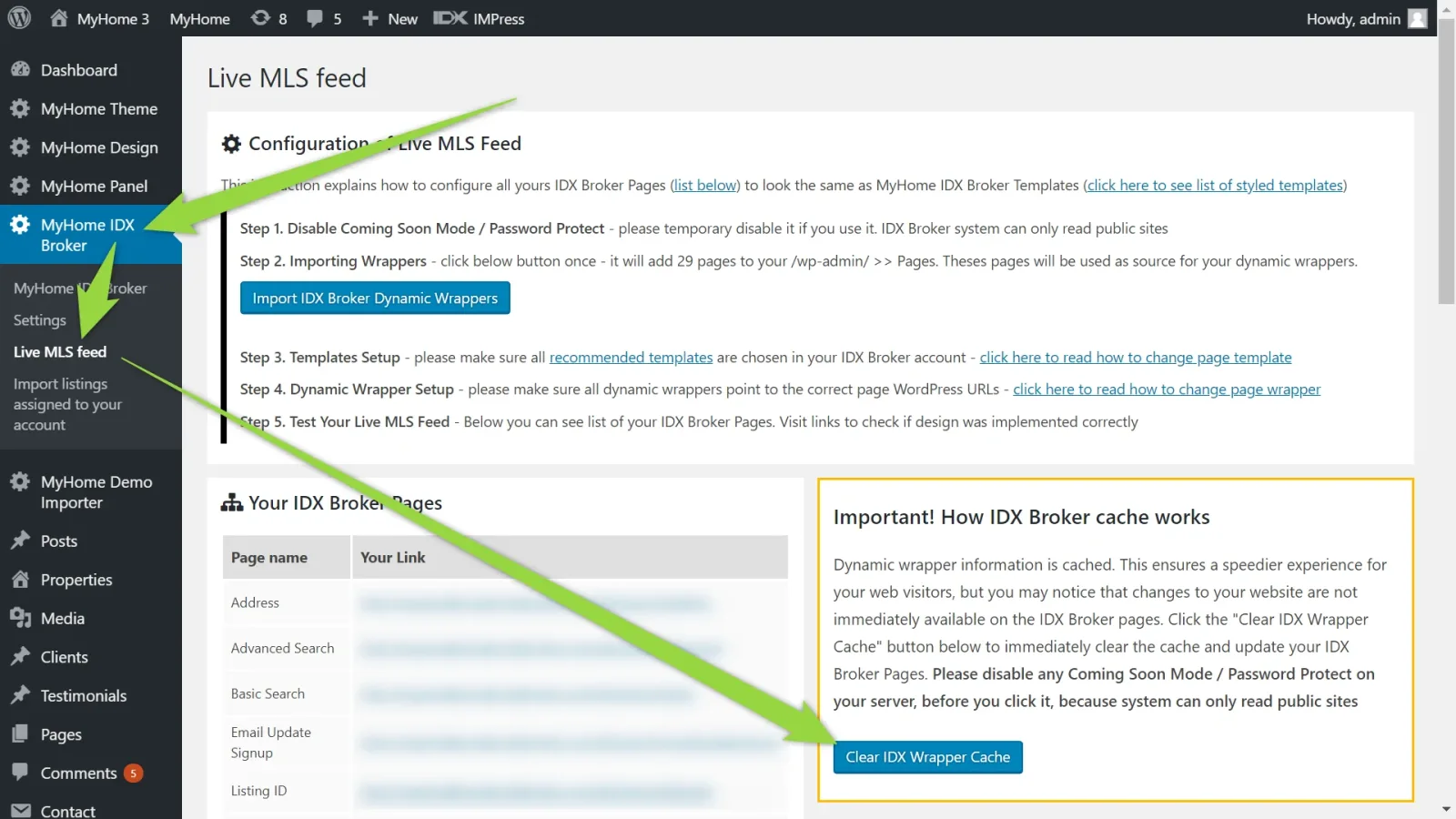
Please clear IDX Wrapper Cache (screen below is based on the MyHome IDX Broker Plugin 2.1.3+ if you use older version of the plugin please click here to read how to update plugin)
Ask the people who build MyHome WPBakery
We answer by email from support@tangiblewp.com. With Premium Support, we also fix your site when something breaks.
We can also run your site for you, or build a new one.
Was this guide helpful?