
How can I create IDX Broker saved search pages?
1 minute read
-
1
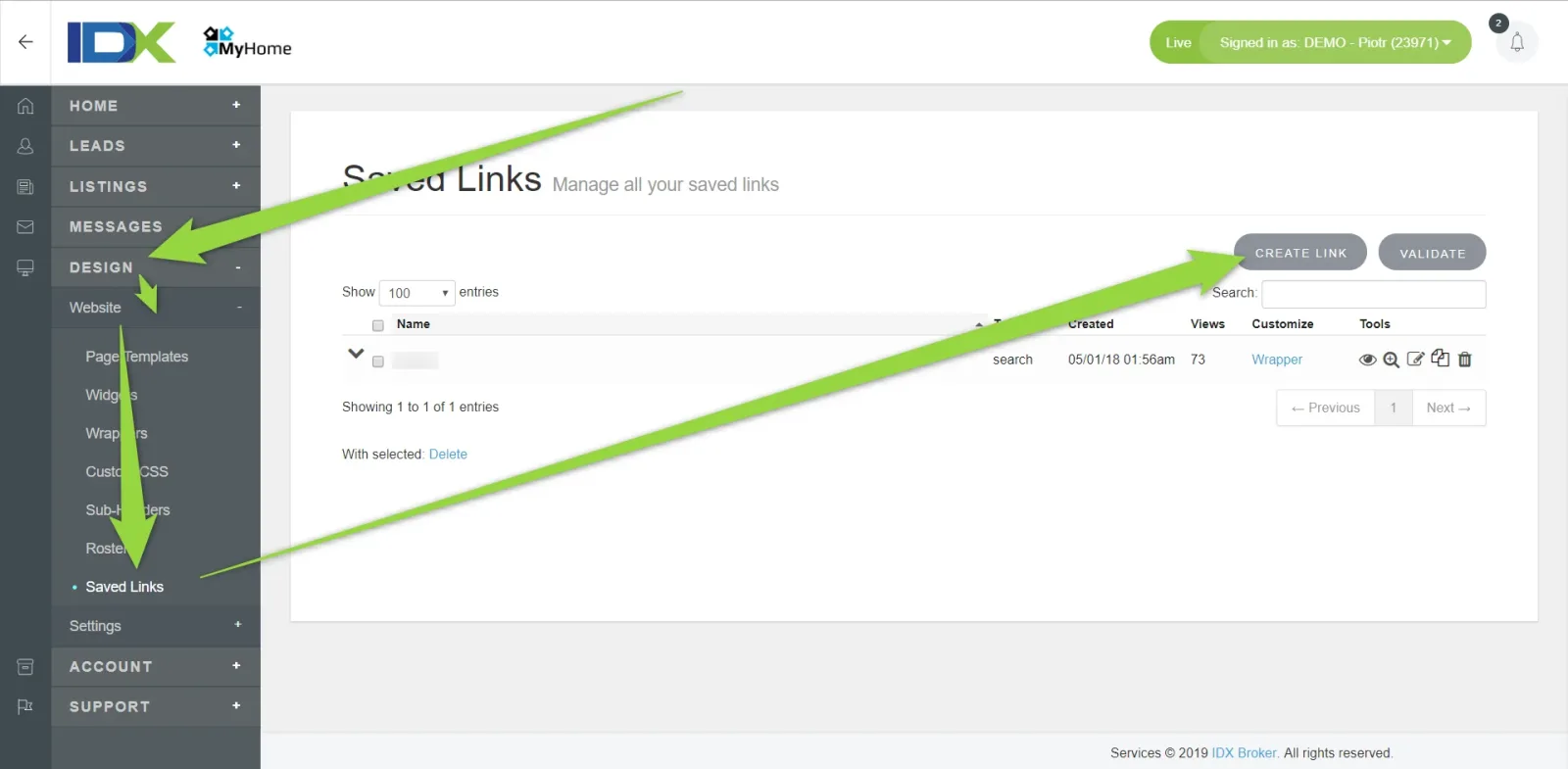
Visit your IDX Broker Panel > Designs > Saved Links > Create
-
2
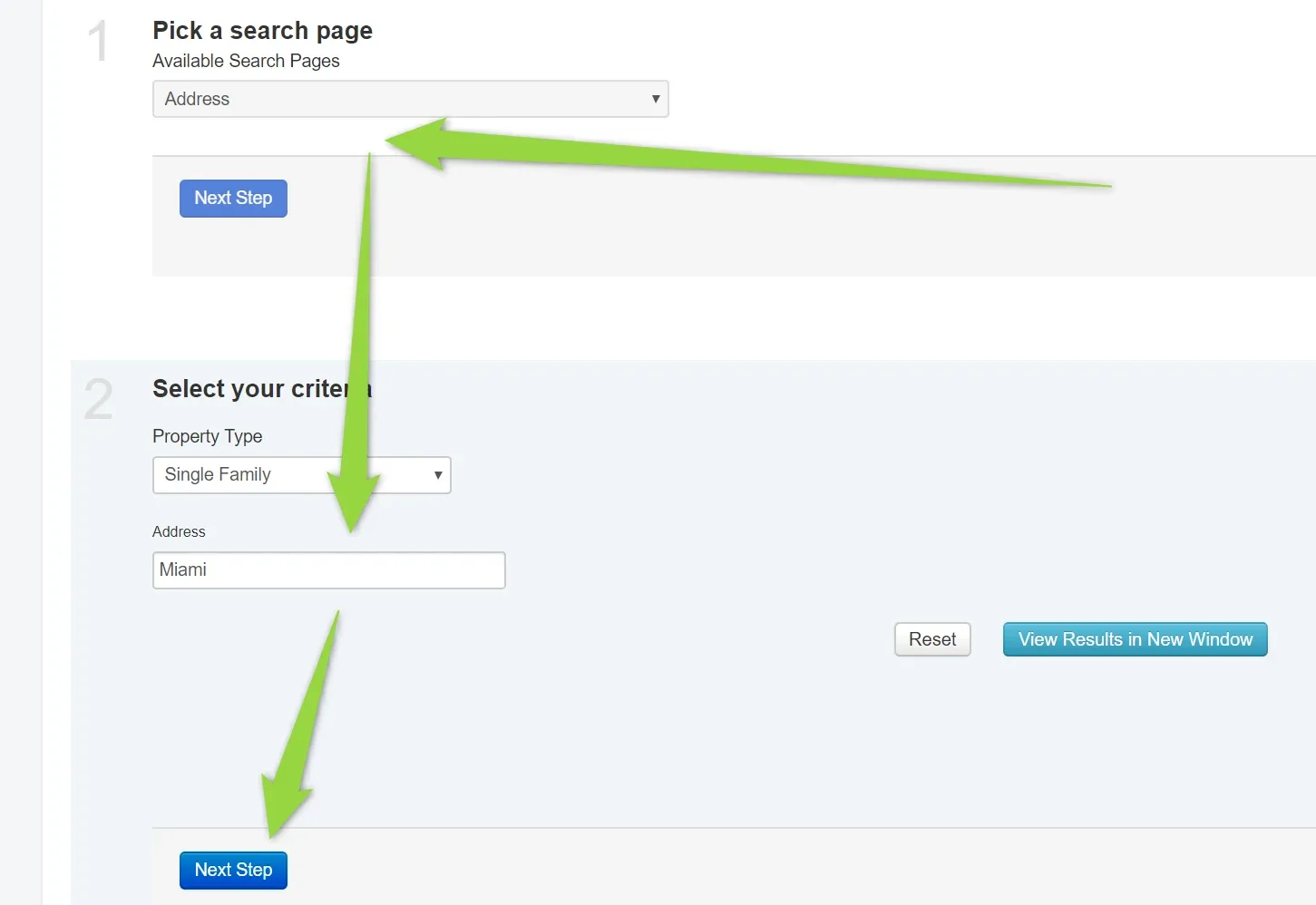
Choose properties that will be displayed there anyway you wish e.g. via Address
-
3
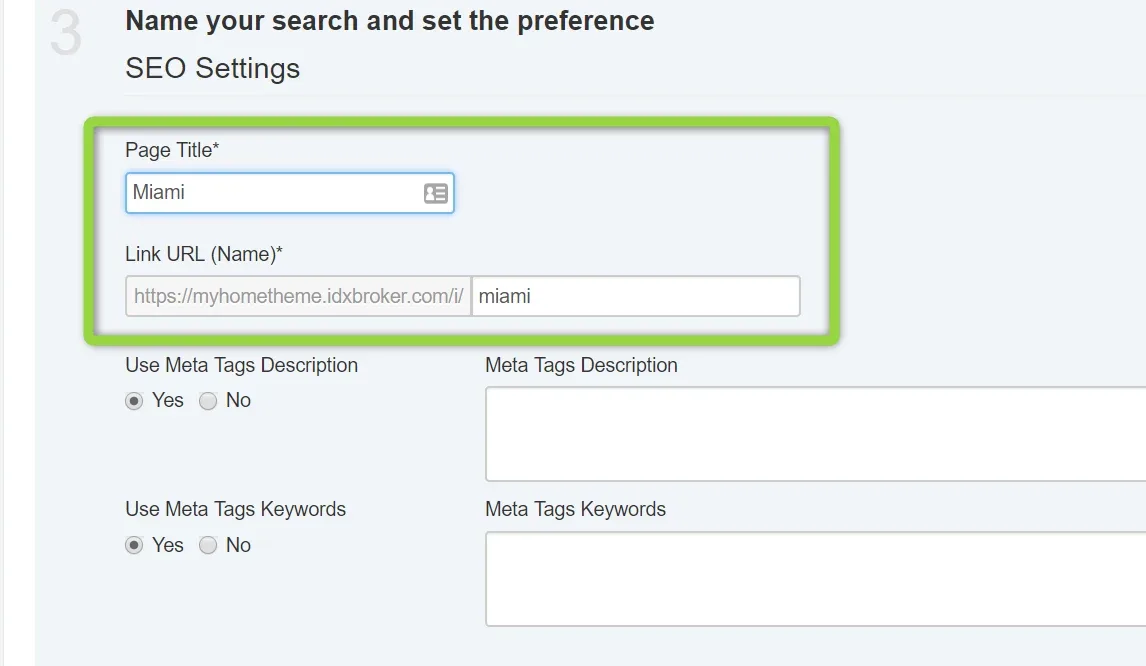
Name the page and Link URL will be auto-generated
-
4
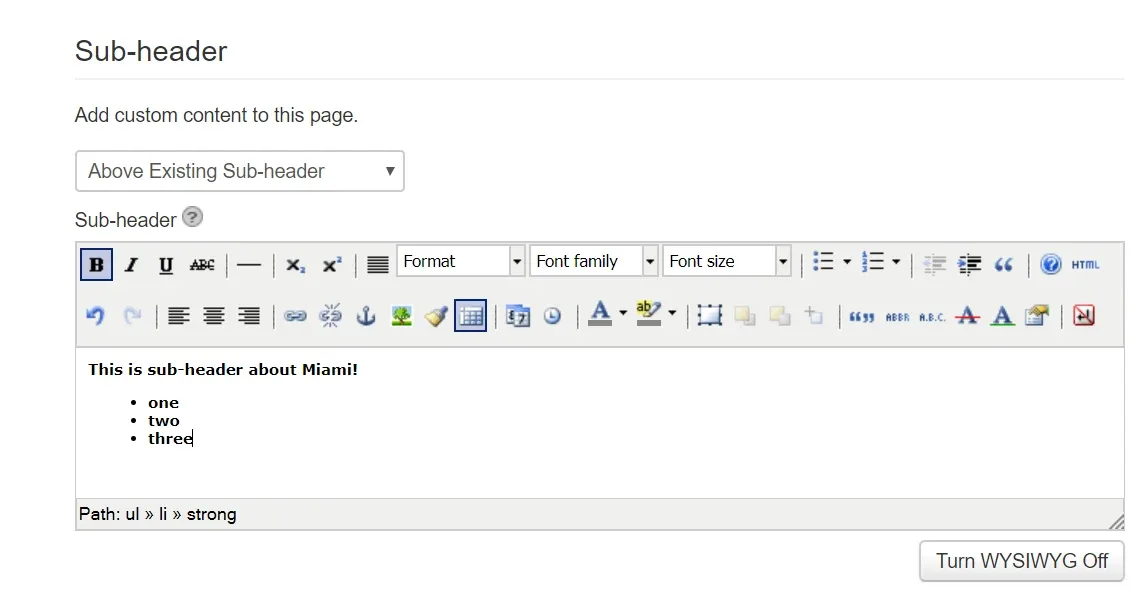
Add custom sub-header if you wish
-
5
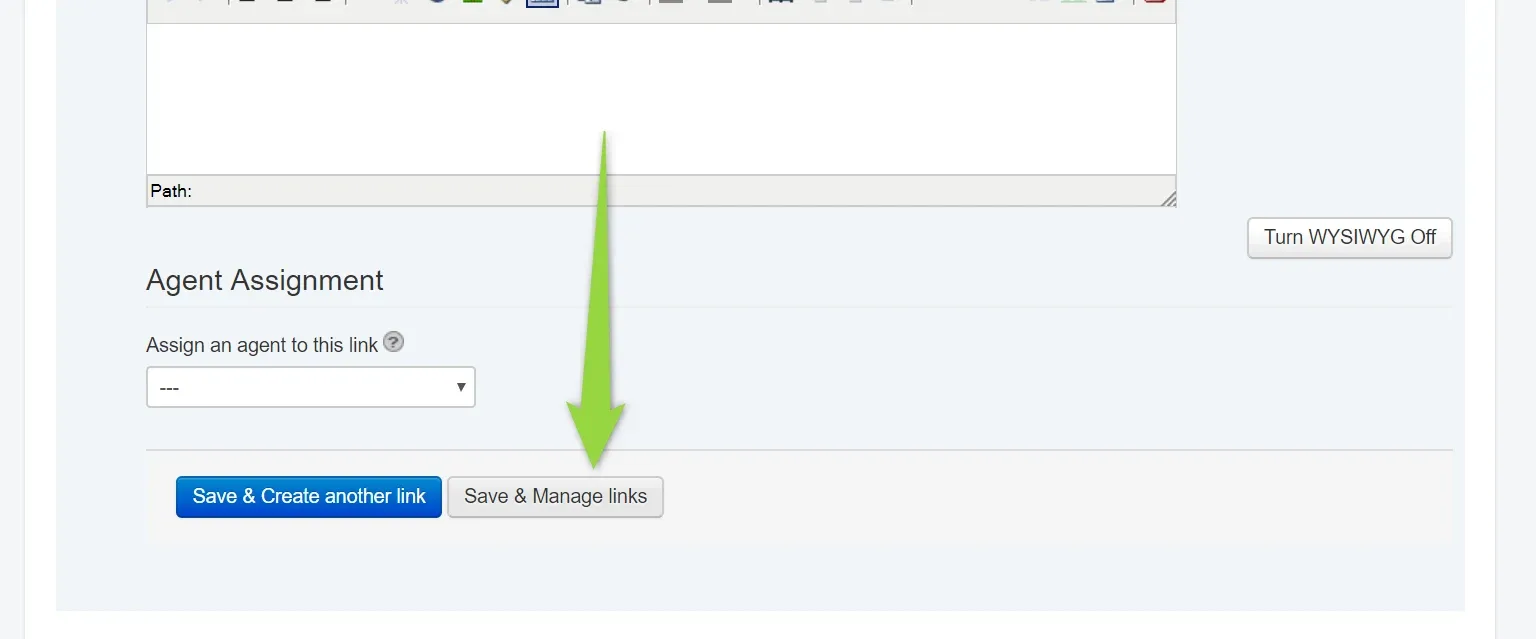
Click Save and manage links button
-
6
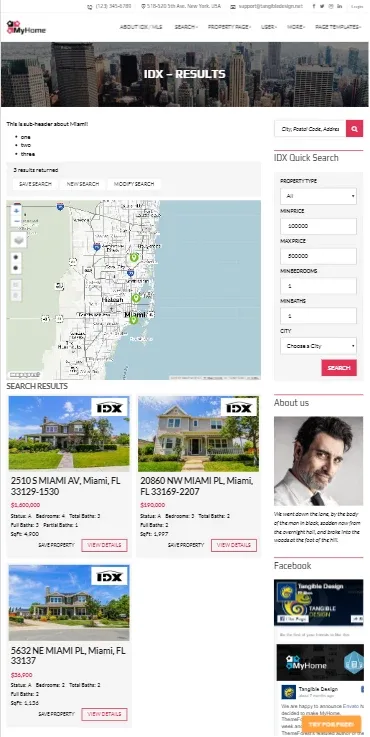
New Page will be available: https://myhometheme.idxbroker.com/i/miami . It will use your Result Page Wrapper
Ask the people who build MyHome WPBakery
We answer by email from support@tangiblewp.com. With Premium Support, we also fix your site when something breaks.
We can also run your site for you, or build a new one.
Was this guide helpful?