
How can I migrate my WordPress IDX Broker Dynamic wrappers to the new domain (I move my WordPress)?
1 minute read
If you use IDX Broker "Live MLS Feed" and move your WordPress to the new domain you will need to update all your Dynamic Wrappers URL
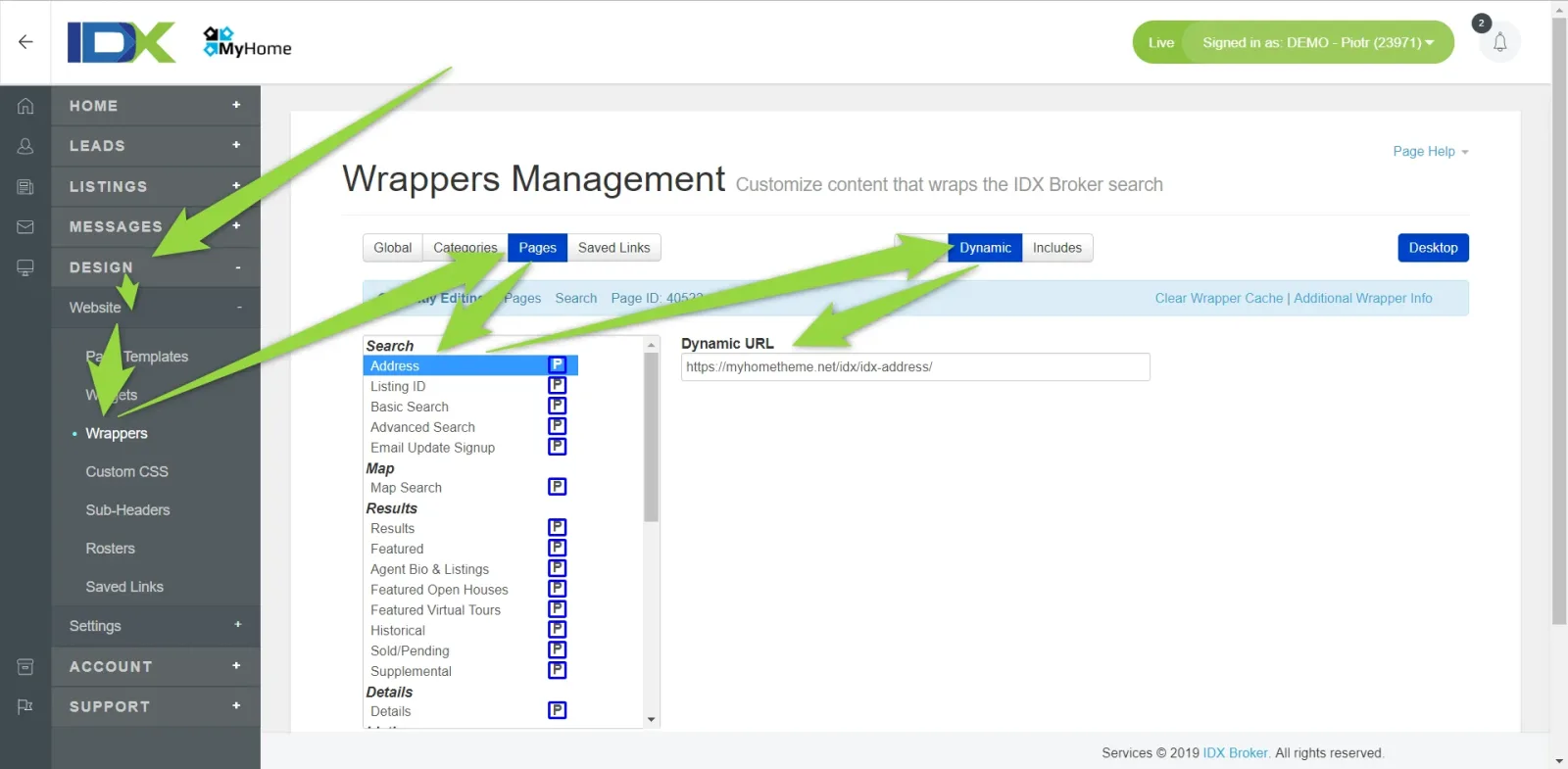
- 1 Please visit Your IDX Broker Account (https://middleware.idxbroker.com/mgmt/)
- 2 Update all Pages "Dynamic URL" to the new domain.
- Please remember to add good beginning of the URL: https or https
- Please do not leave "empty space" at the beginning or the end of the URL
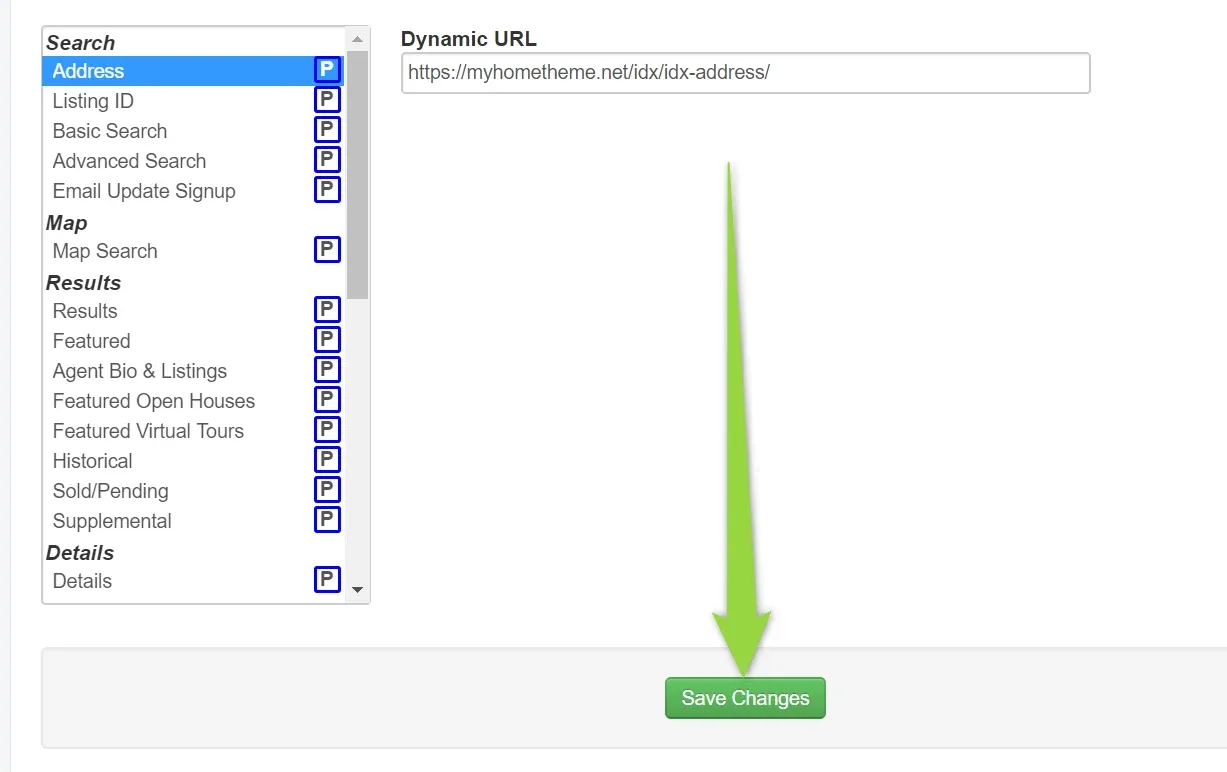
3. Save changes
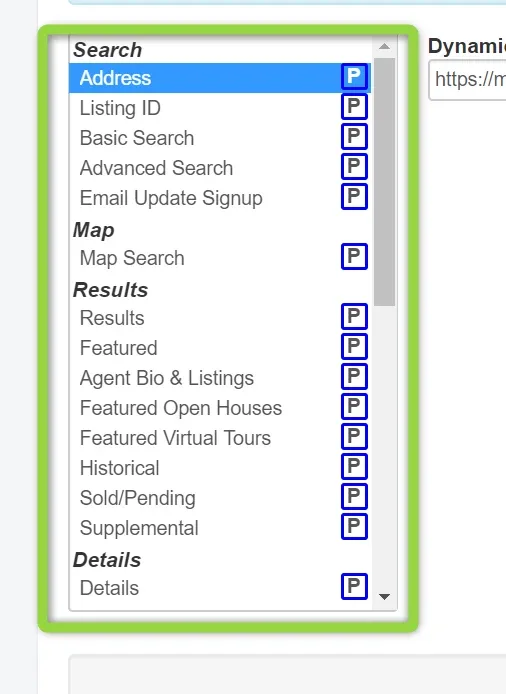
4. Update it for all pages that has blue [P] label
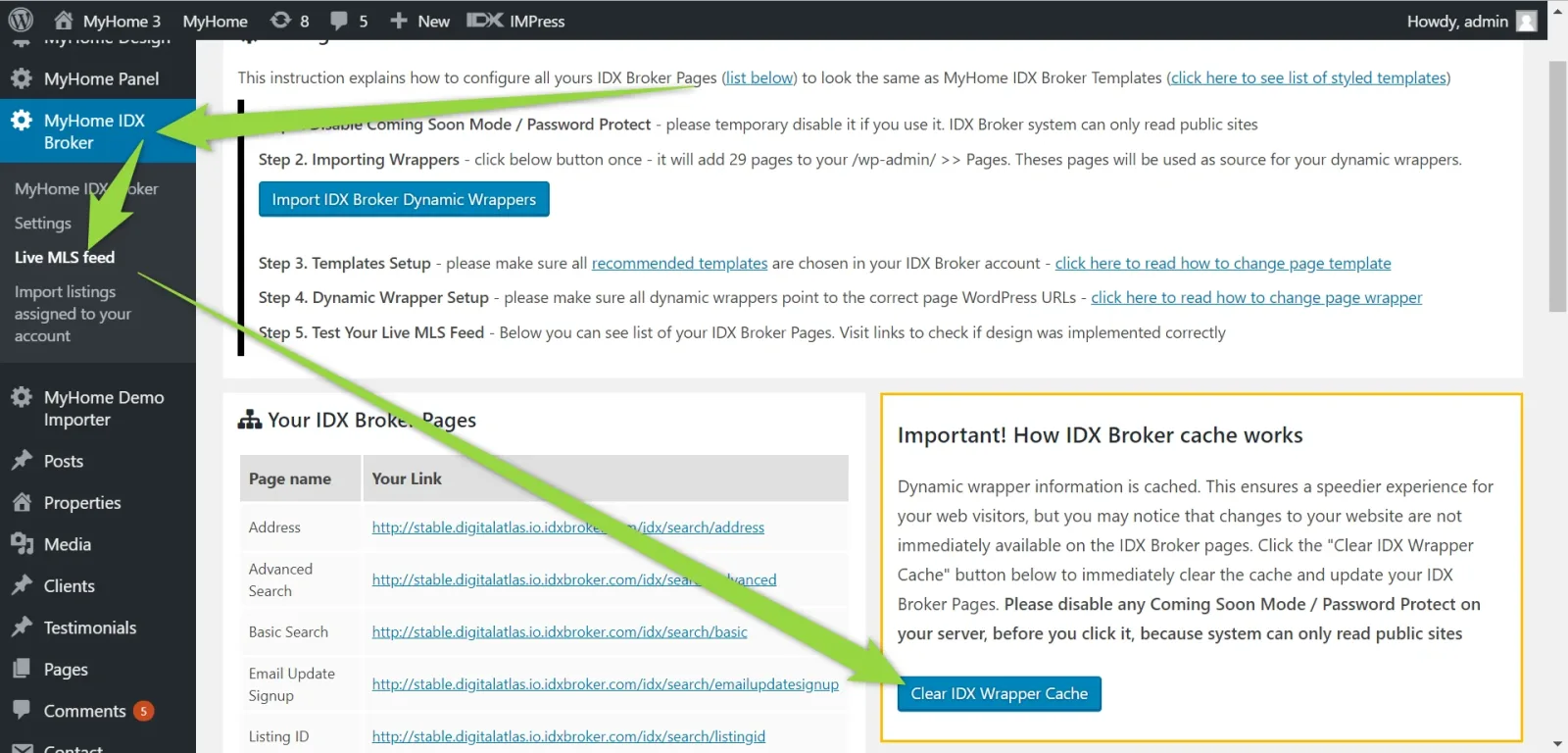
5. Clear IDX Broker Wrapper Cache
Ask the people who build MyHome WPBakery
We answer by email from support@tangiblewp.com. With Premium Support, we also fix your site when something breaks.
We can also run your site for you, or build a new one.
Was this guide helpful?