
How to add IDX Broker Omnibar that will Search All MLS Listings?
1 minute read
-
1
Please make sure IMPress for IDX Broker plugin is installed https://wordpress.org/plugins/idx-broker-platinum/
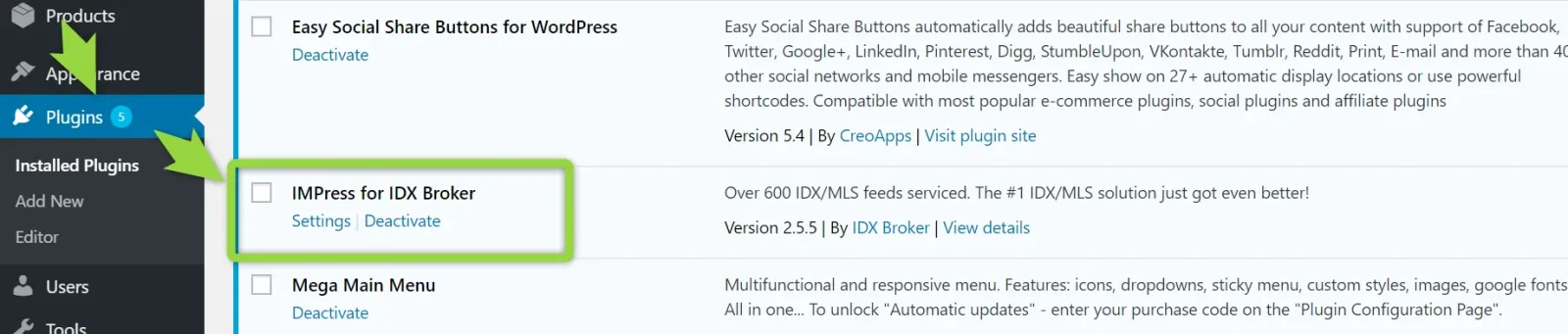
-
2
Edit Page with WPBakery Page Builder

-
3
Add new element Omnibar
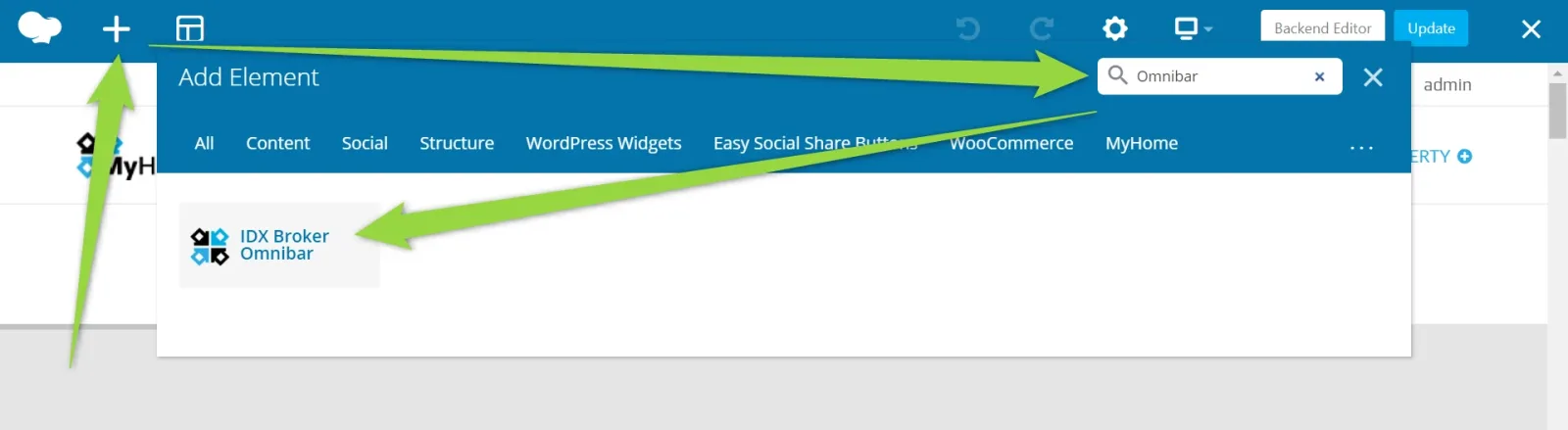
-
4
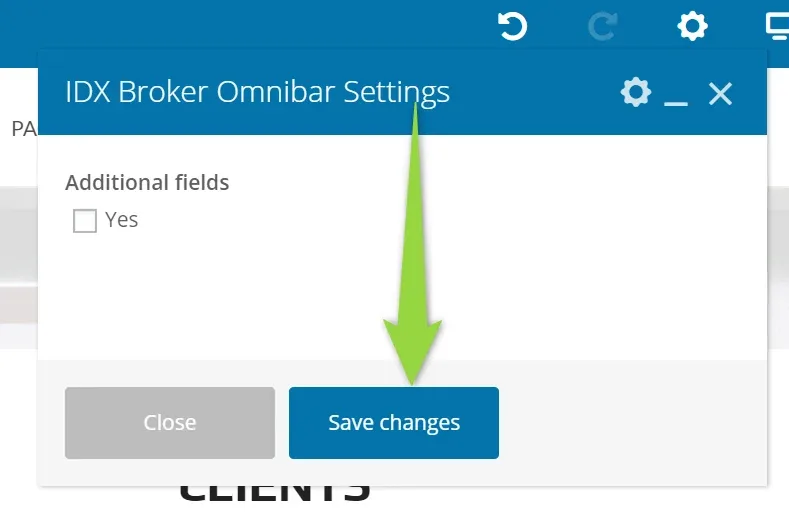
Click Save Changes ("Additional Fields" option is available since MyHome 3.1.8)
-
5
Your Omnibar will be added at the end of the page. You can drag and drop it.
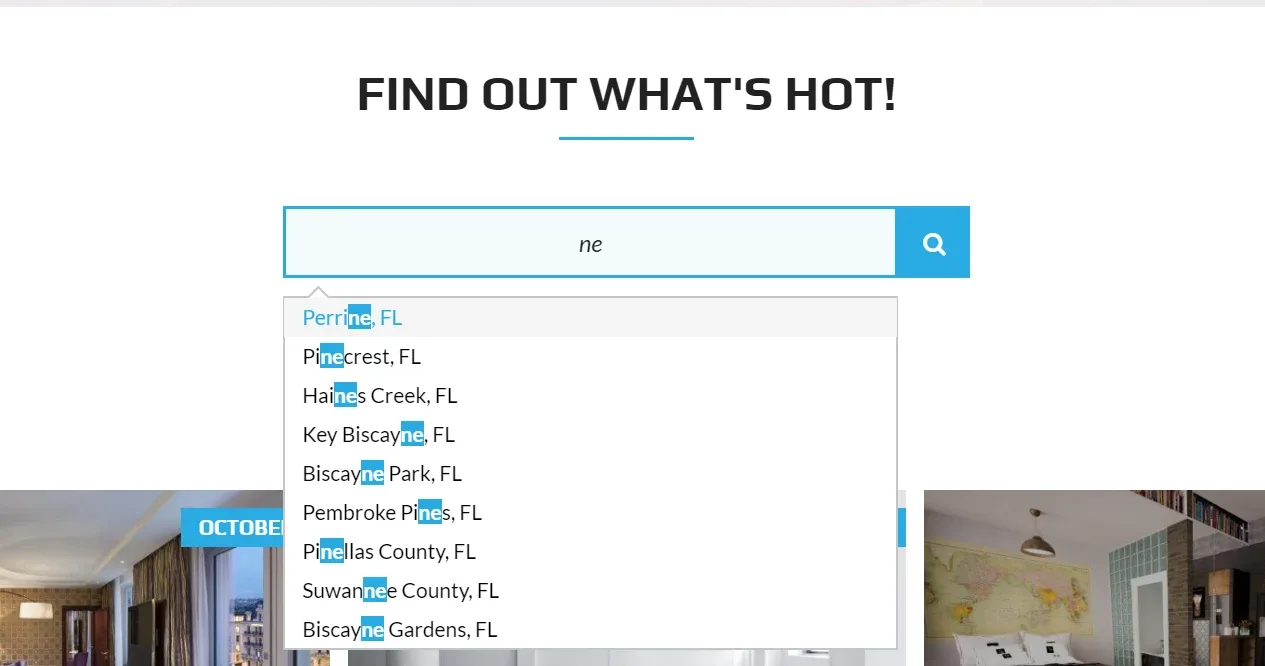
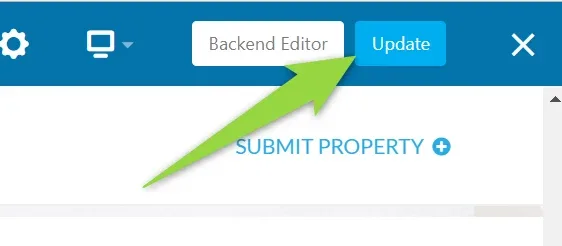
5. Update Page
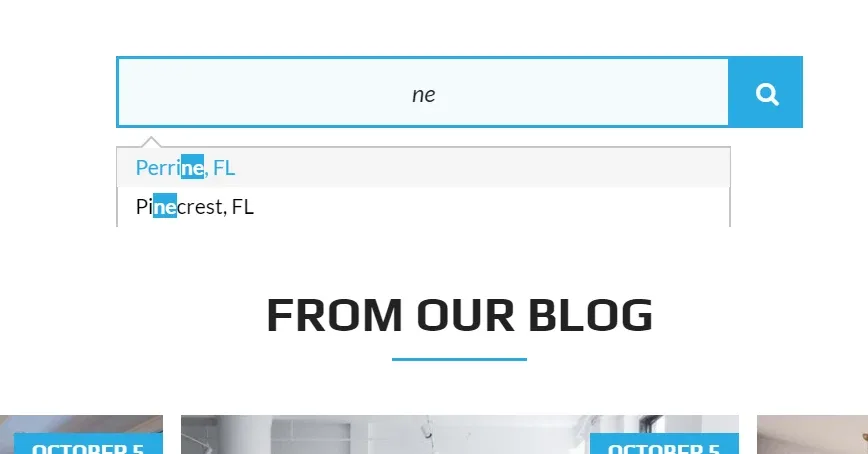
6. If the dropdown list is cut e.g. like this example below - it is because your container has CSS rule overflow hidden
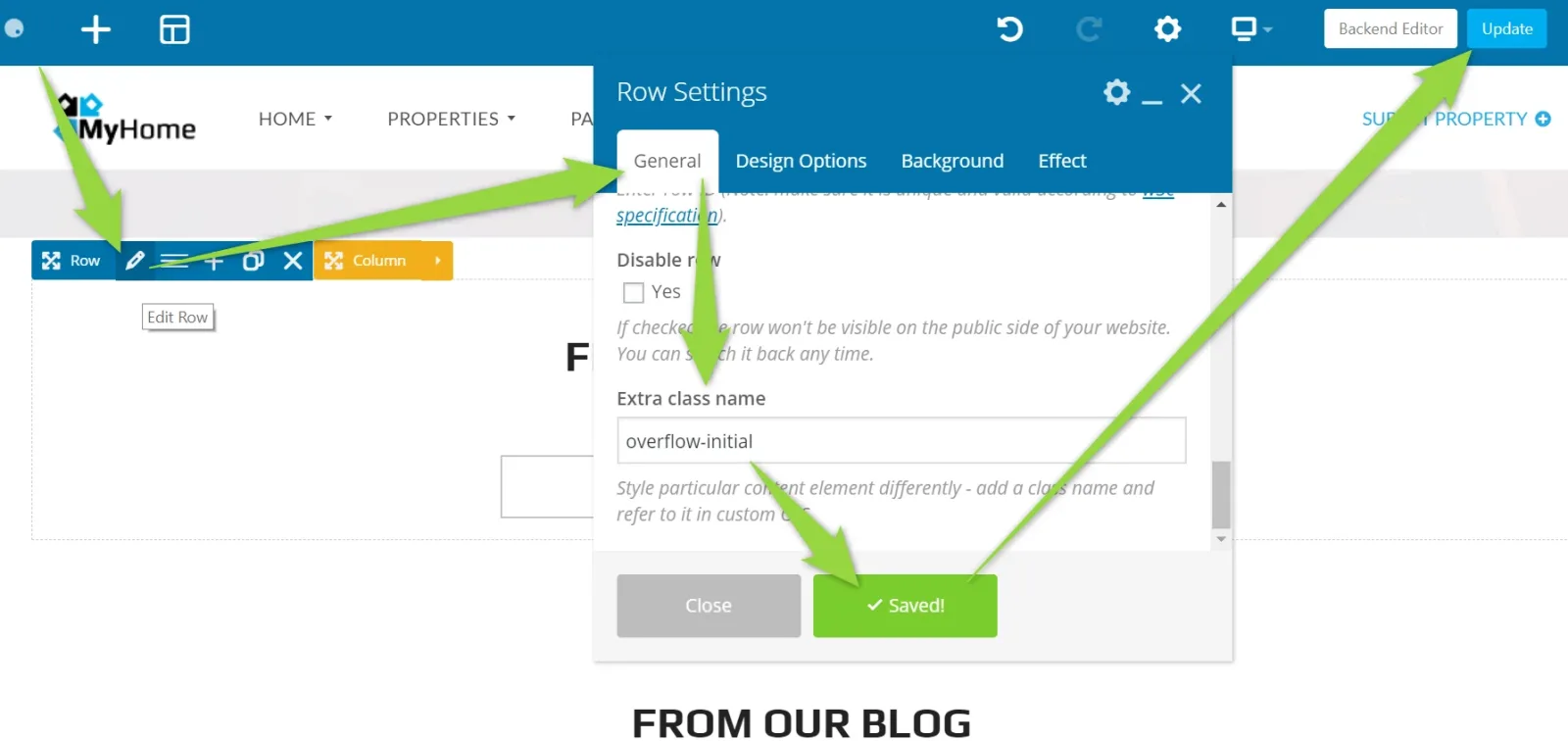
7. You can fix it by editing container (in this example it is Row) and add overflow-initial class to it
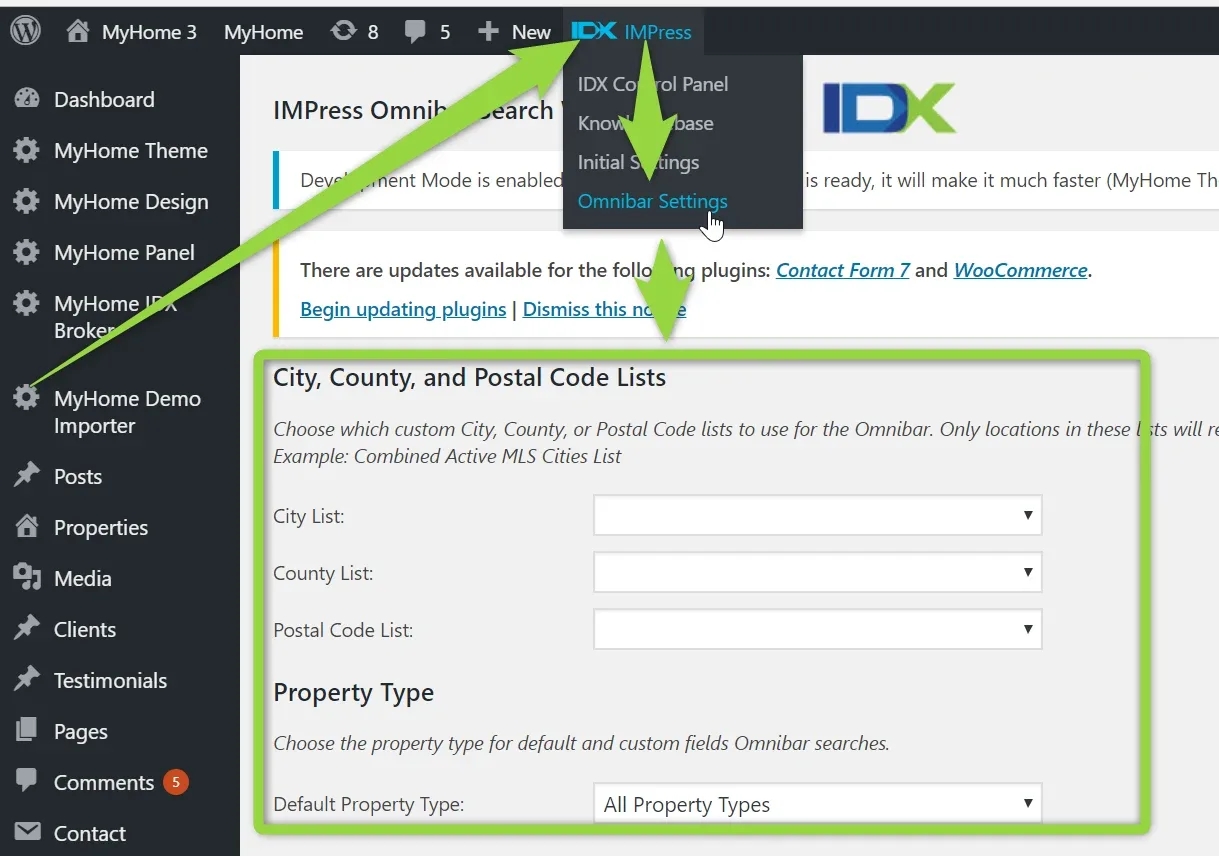
8. You can customize your Omnibar settings via IDX IMPress Plugin. To see this page below make sure your IDX Broker API Key is added in the IDX IMPress > Initial settings):
Ask the people who build MyHome WPBakery
We answer by email from support@tangiblewp.com. With Premium Support, we also fix your site when something breaks.
We can also run your site for you, or build a new one.
Was this guide helpful?