
How can I add IDX Broker widgets via Page Builder e.g. search forms / cards / carousels (for all MLS Listings)
1 minute read
This article has 2 parts:
- How to manage and create IDX Broker Widgets
- How to add IDX Broker Widget via Page Builder on your website
1. How to manage and create IDX Broker Widgets
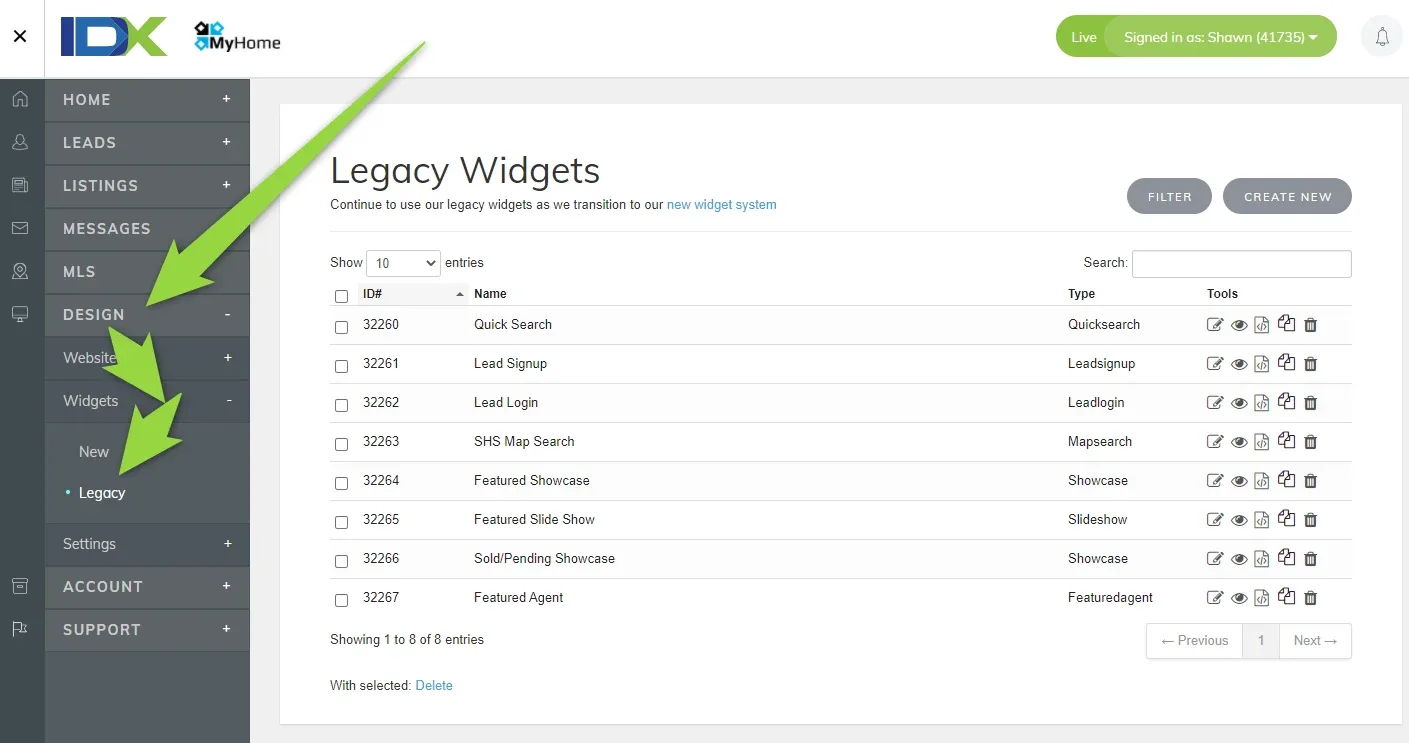
IDX Broker has its own widgets that can be displayed on your website. You can find it here:
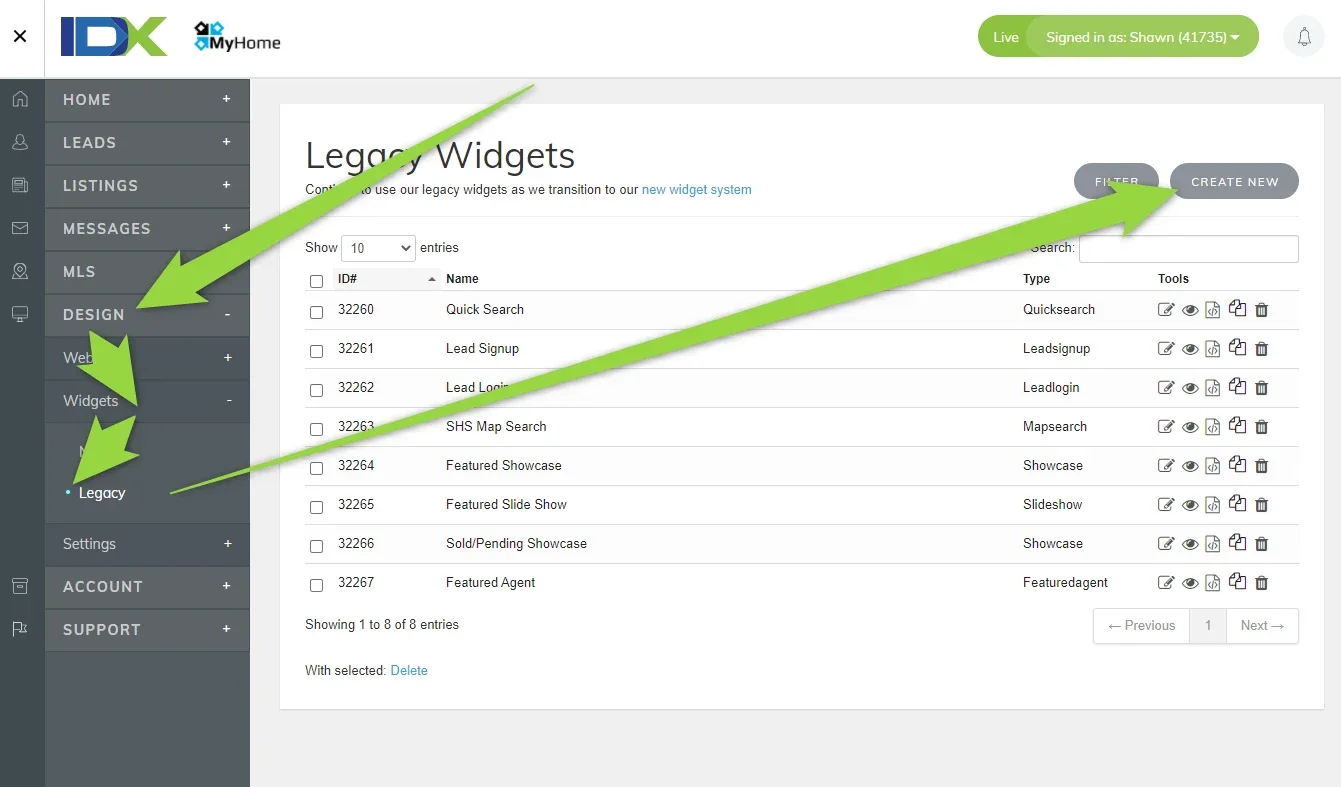
If you wish to create new please click here:
2. How to add widget via Page Builder Element on your website
-
1
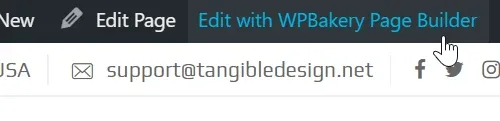
Edit a page
-
2
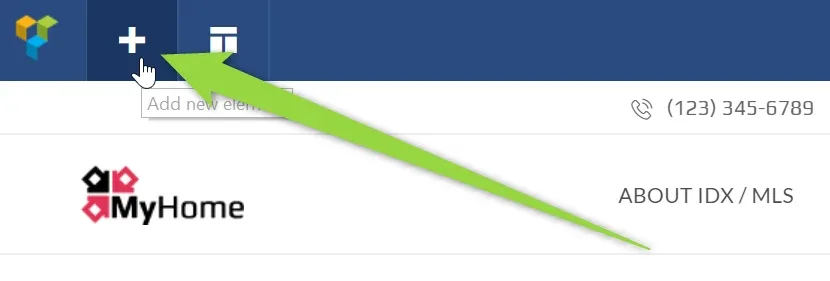
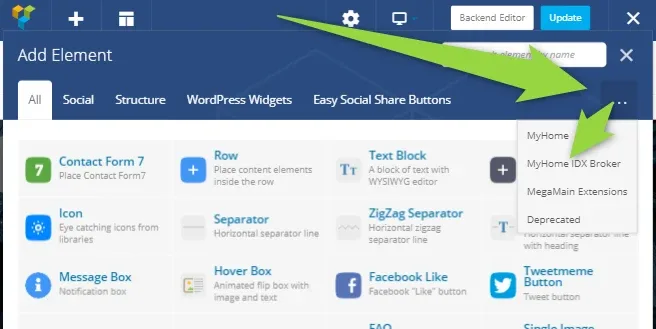
Add new element
-
3
Choose MyHome IDX Broker
-
4
Choose IDX Broker Widget

-
5
You can choose which widget to add:
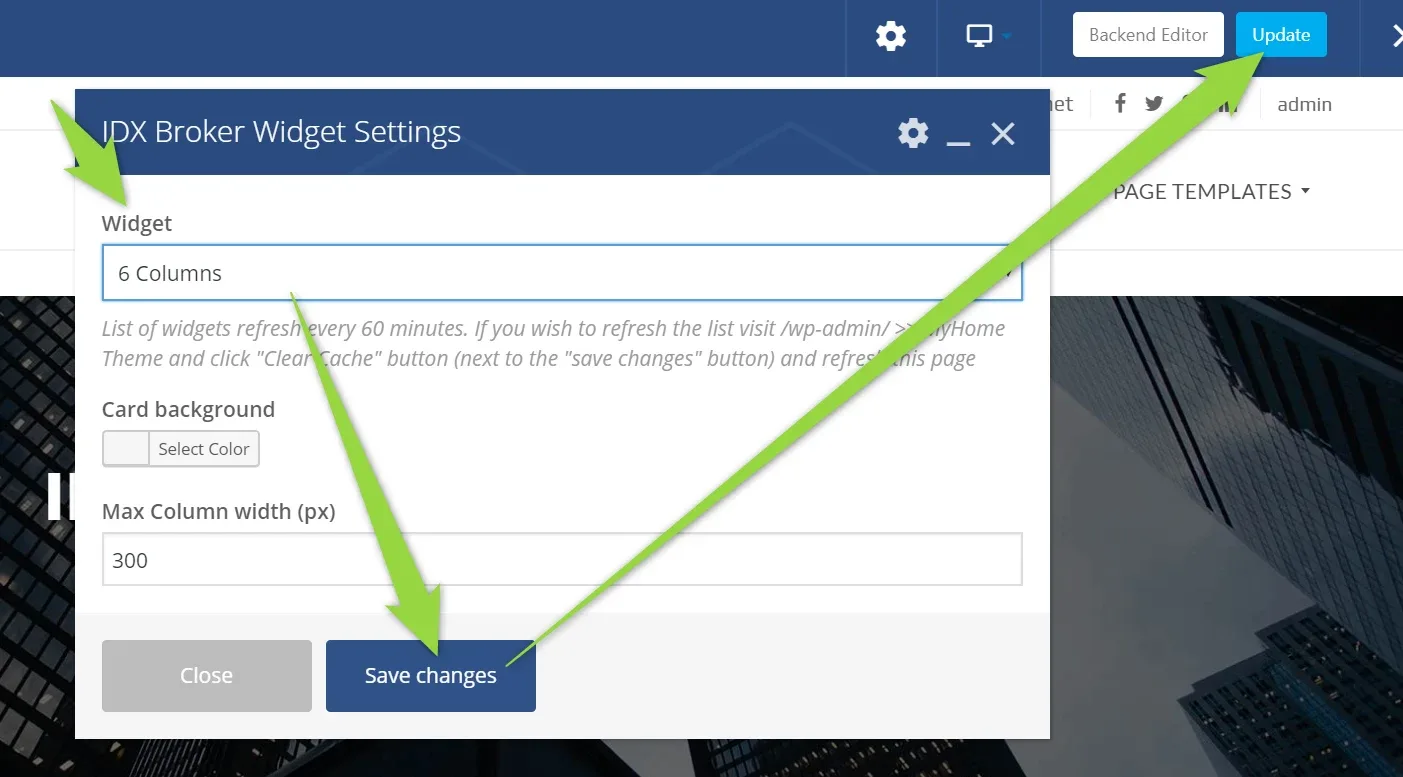
- 6 Save changes and update the page
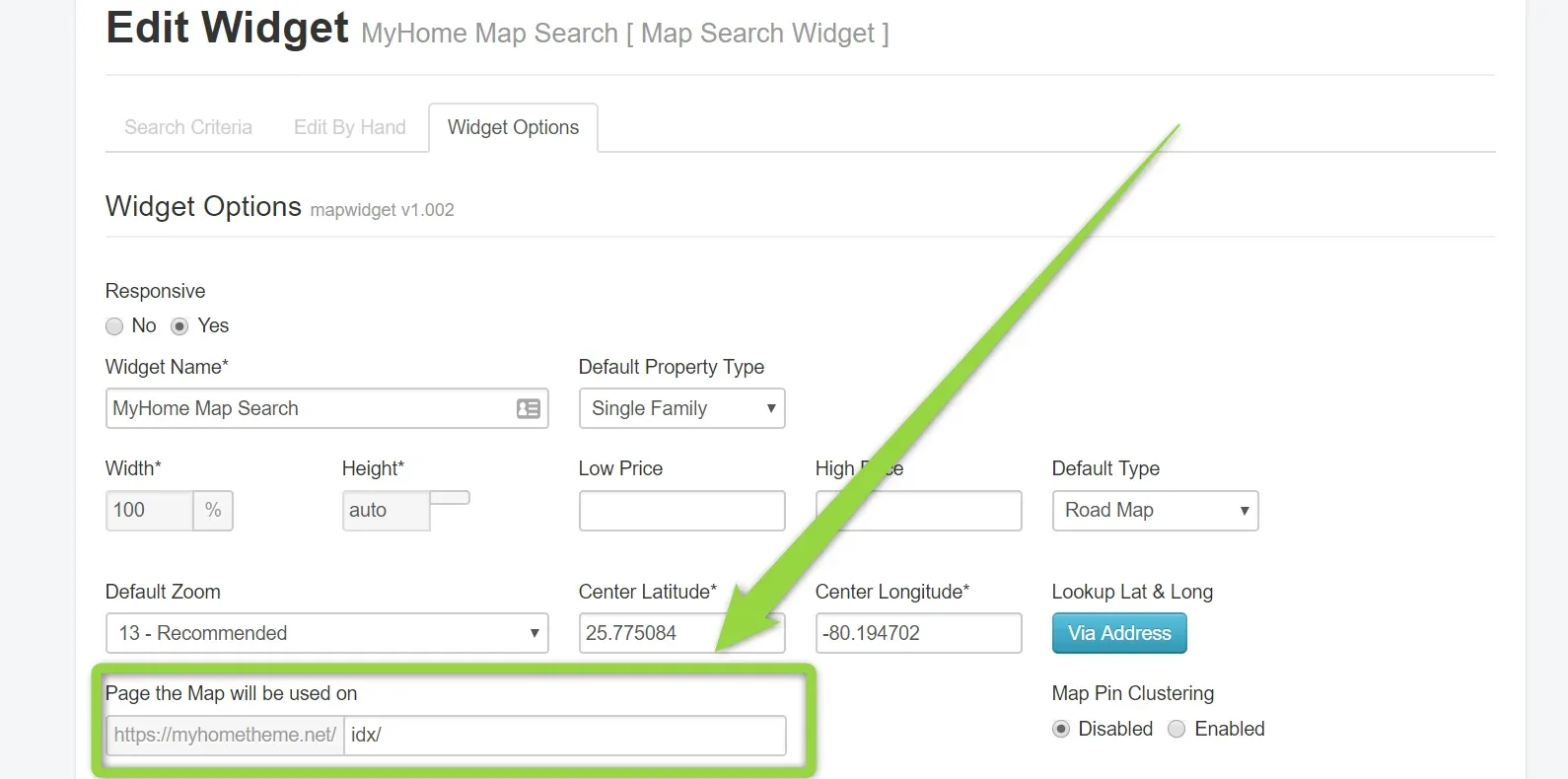
Please remember that Map widget (IDX Broker Platinum) can be only displayed on the page you pointed in this widget settings
Ask the people who build MyHome WPBakery
We answer by email from support@tangiblewp.com. With Premium Support, we also fix your site when something breaks.
We can also run your site for you, or build a new one.
Was this guide helpful?