
How to add image / icon to the 1st level menu item via CSS?
1 minute read
-
1
Check ID of the menu URL ( e.g. Google Chrome - Inspect )
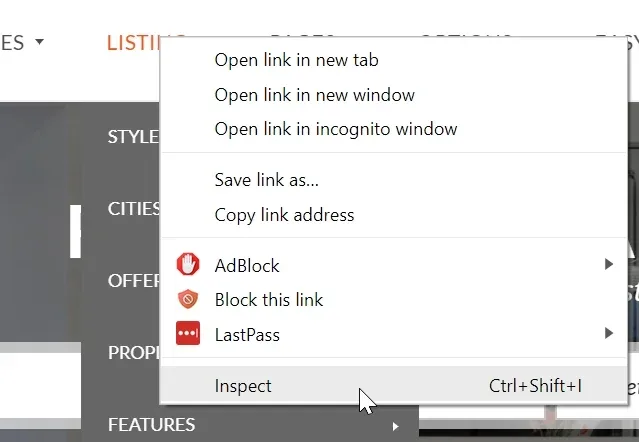
-
2
Check ID of the menu (here 240):

- 3 Add CSS code and modify it to your needs:
- menu-item-ID
- padding-left (space at the left of the link)
- URL to your image
- margin-top - controls vertical position
css
#menu-item-240 > a > .link_content > .link_text {
padding-left:30px!important;
position:relative!important;
}
 #menu-item-240 > a > .link_content > .link_text:before {
content: url(https://dummyimage.com/25x25/ff00ff/fff.jpg);
position: absolute;
left: 0;
margin-top: -5px;
}
4. In this article, you can find information how to add custom CSS to any WordPress Theme: How to add CSS code that is future update compatible
5. Final effect with sample purple 25x25 image

Ask the people who build MyHome WPBakery
We answer by email from support@tangiblewp.com. With Premium Support, we also fix your site when something breaks.
We can also run your site for you, or build a new one.
Was this guide helpful?