
Property ID - How it works and how to customize via number field
1 minute read
In the current version of MyHome, property ID is generated automatically by WordPress
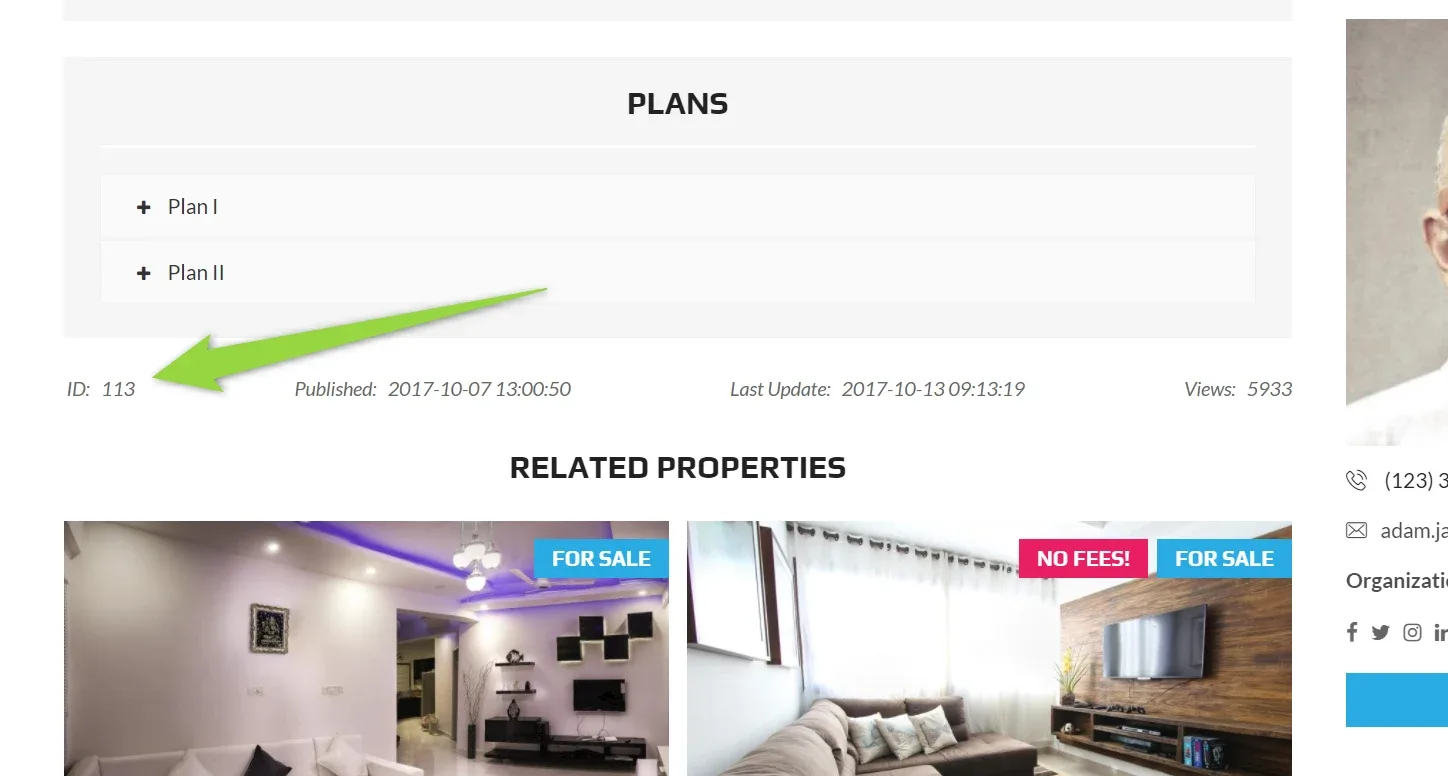
e.g. property below have ID: 113
WordPress ID is also 113
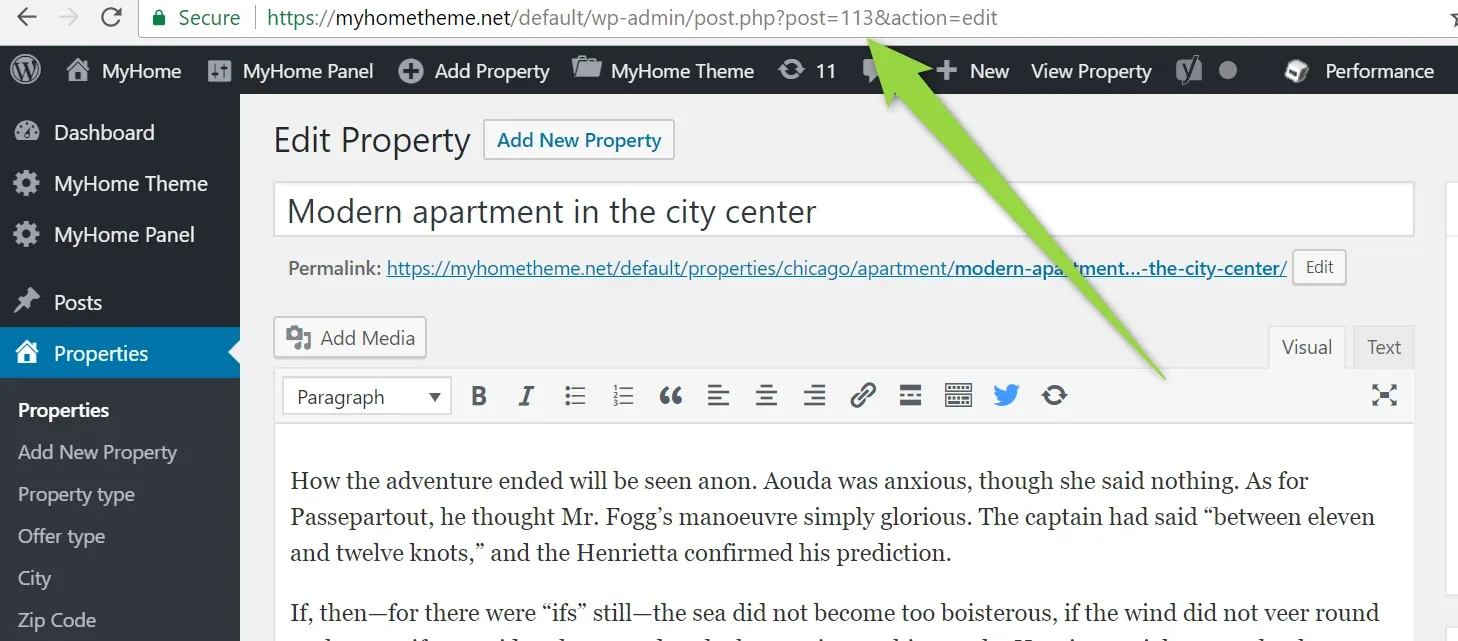
It is not possible to customize it because it is fully related to WordPress.
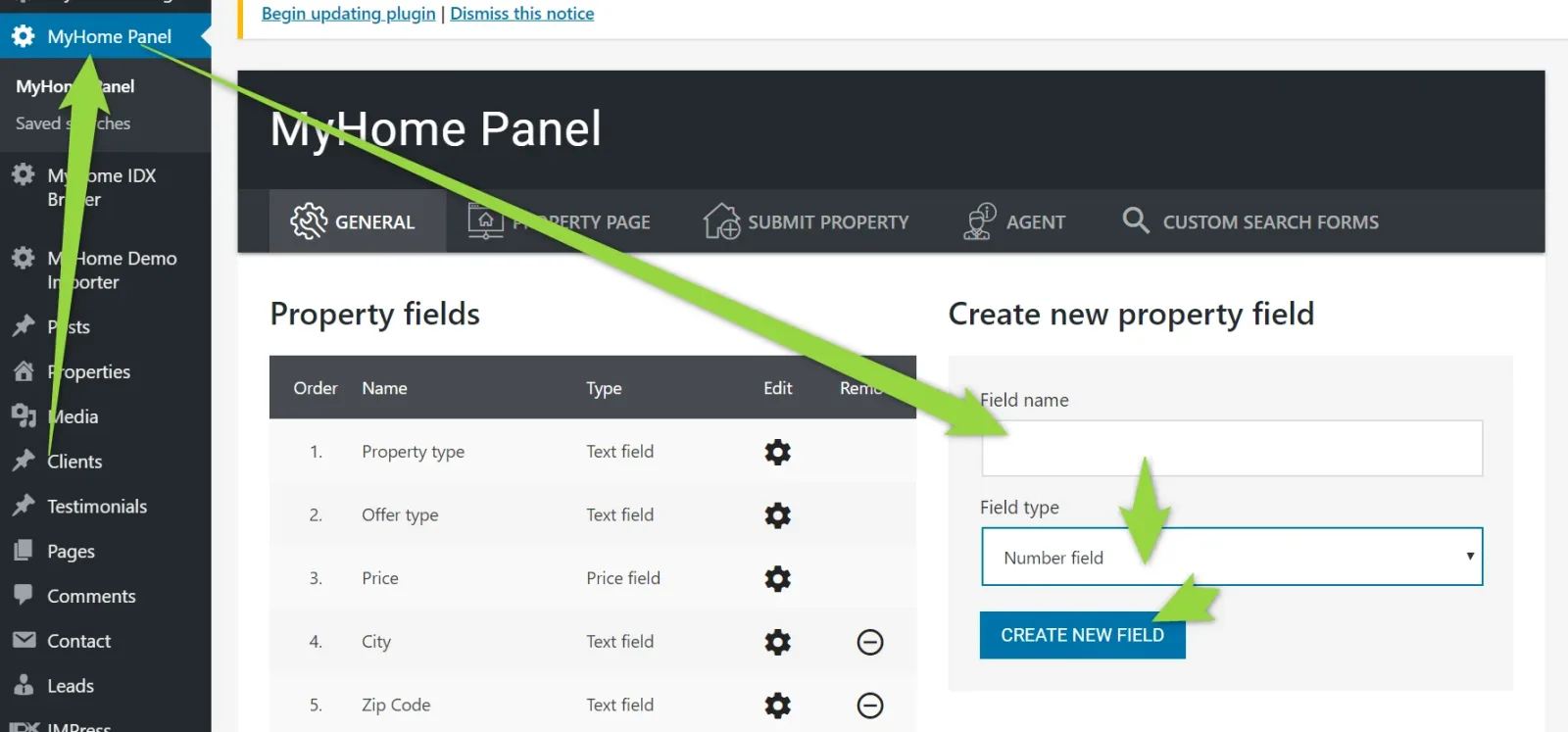
The only option to make it more flexible is to create new new number field (/wp-admin/ >> MyHome Panel ) and add it to single property manually.
Additionally you can hide default id on the property page:
via this CSS:
css
.mh-estate__estate-info > ul > li:first-child {

display: none!important;

}
Ask the people who build MyHome WPBakery
We answer by email from support@tangiblewp.com. With Premium Support, we also fix your site when something breaks.
We can also run your site for you, or build a new one.
Was this guide helpful?