
How to add old price?
1 minute read
If you wish to add old price like this example:
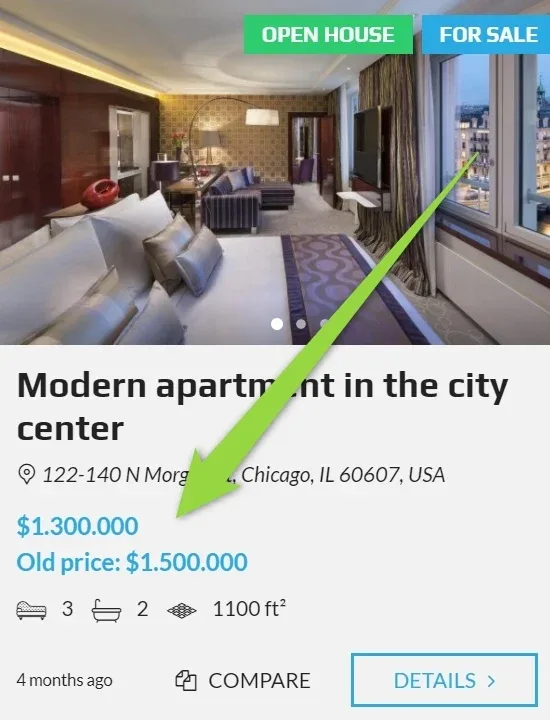
and on the single property page:
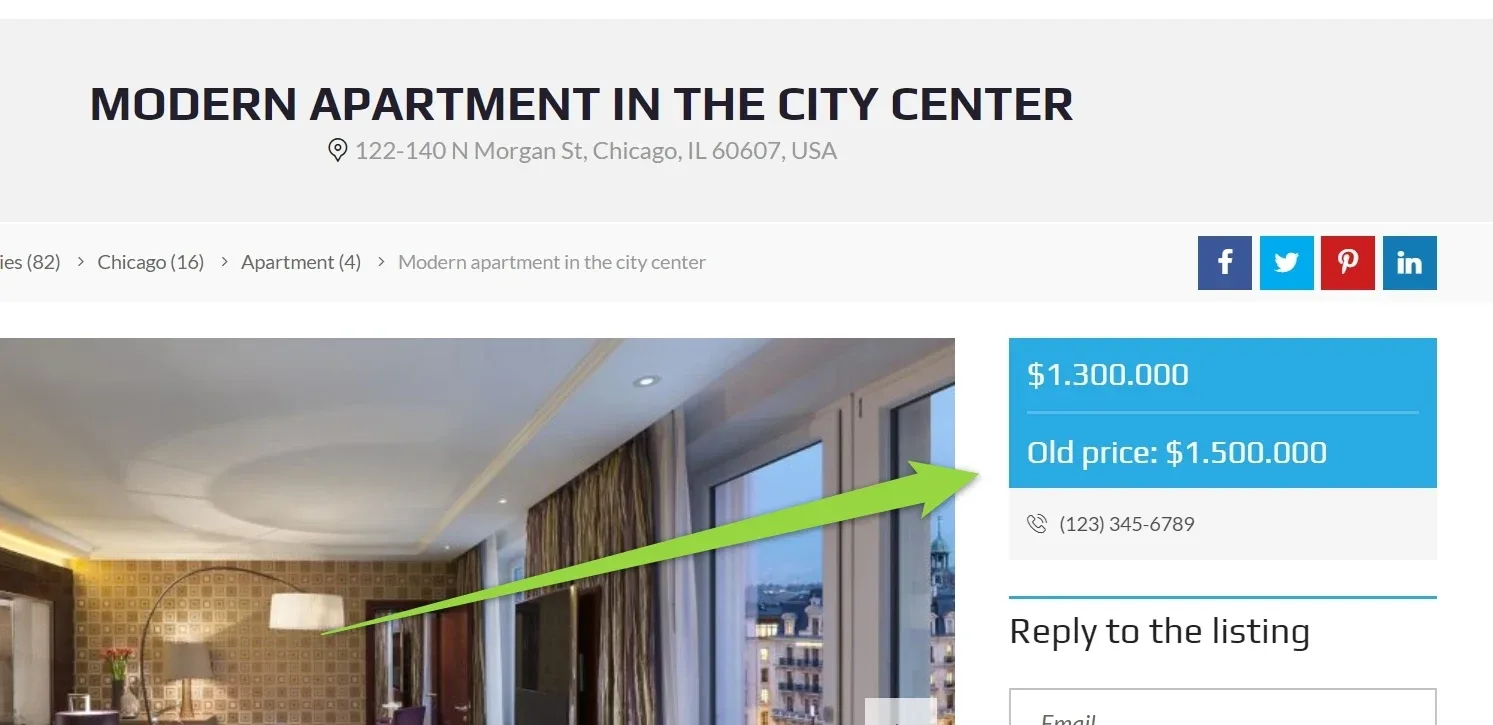
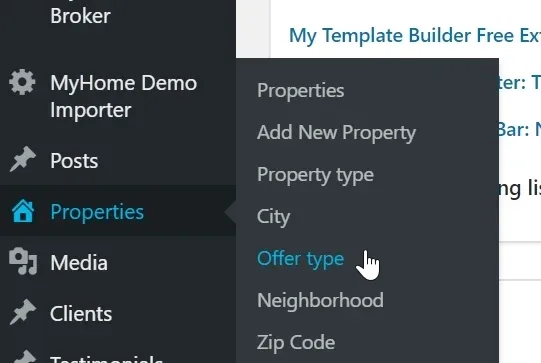
To start please go to Offer Types:
1. Add new Offer type "Old price". Configure "Display before price" and set "show label on the property card"
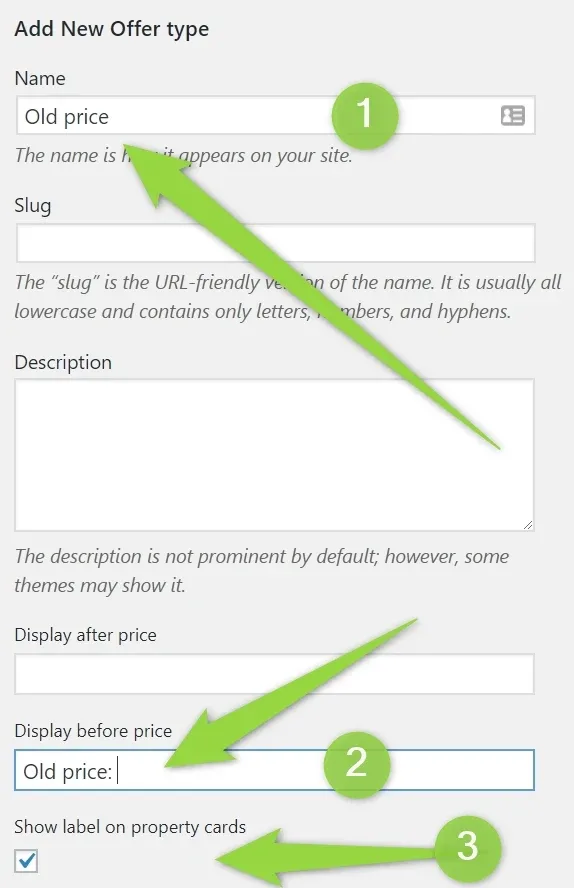
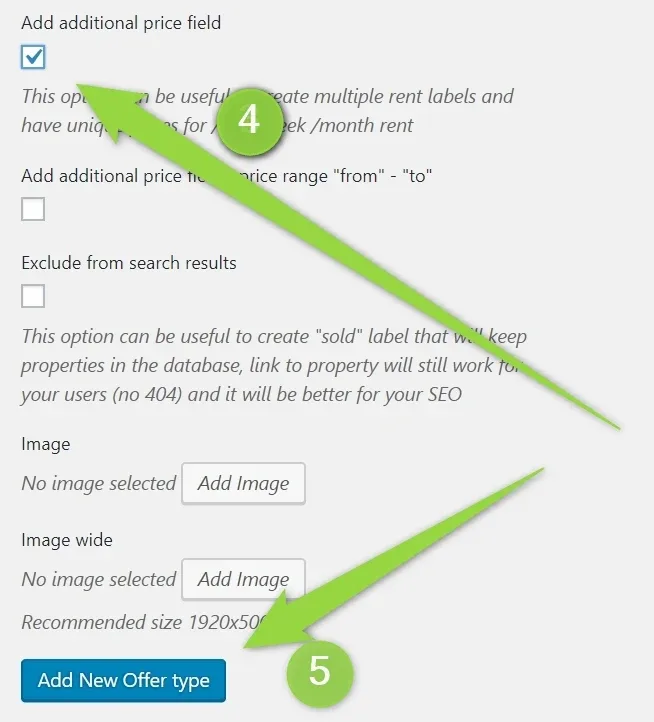
then check "Add additional price field" and click "Add New Offer Type"
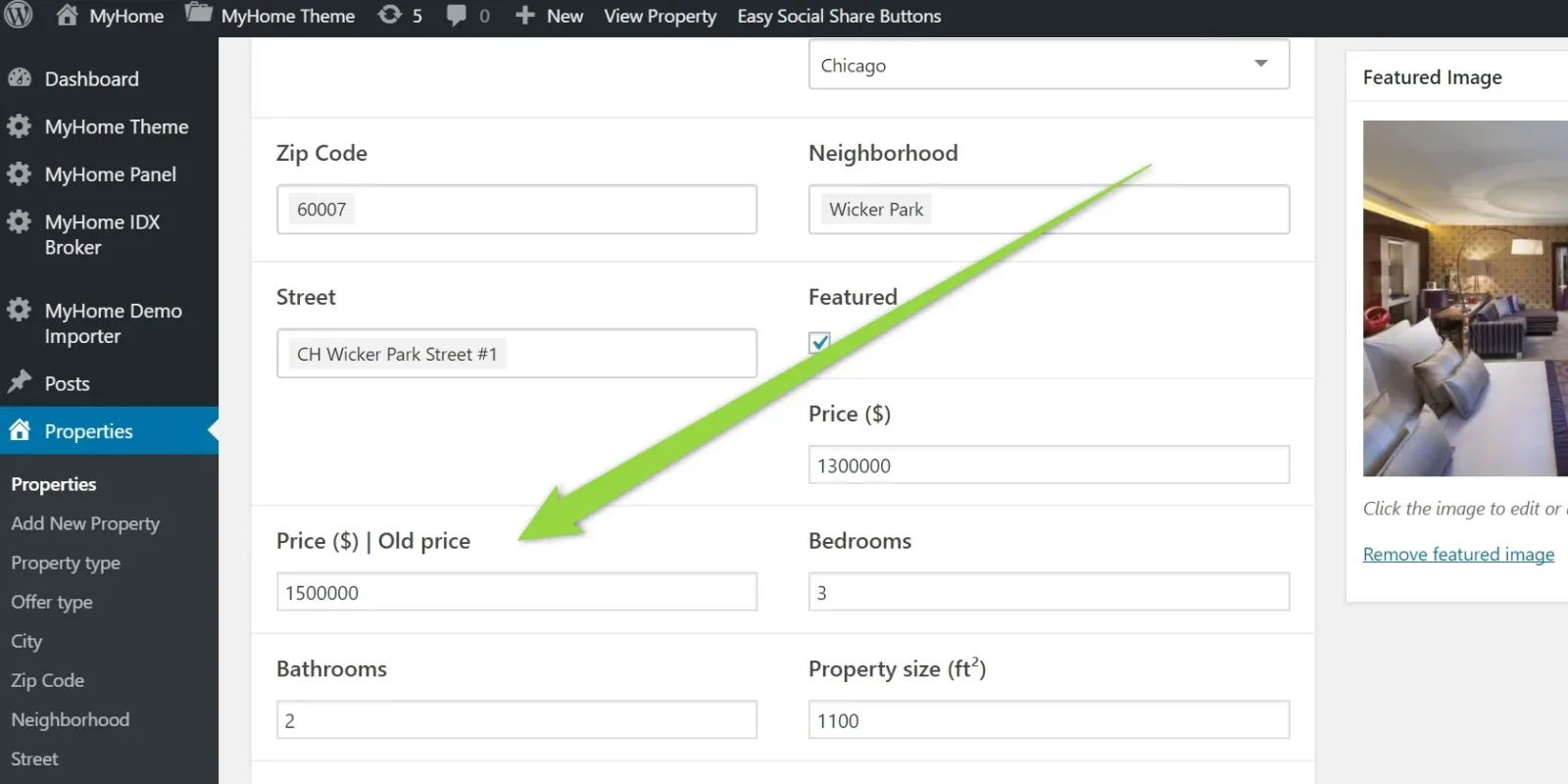
You will see new field on your backend property edition
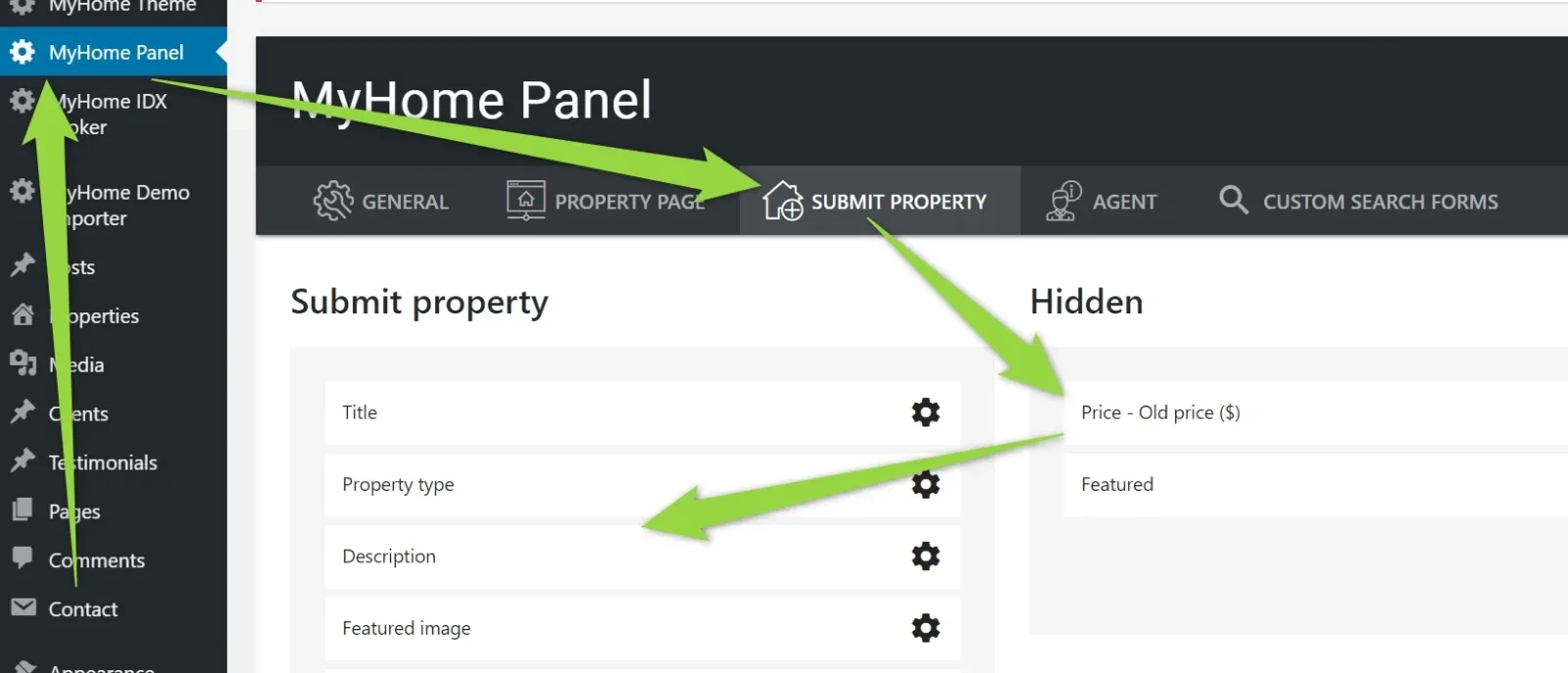
To make it visible on the frontend submit property panel please visit MyHome Panel >
Ask the people who build MyHome WPBakery
We answer by email from support@tangiblewp.com. With Premium Support, we also fix your site when something breaks.
We can also run your site for you, or build a new one.
Was this guide helpful?