
How to configure Menu?
1 minute read
This article explains how to customize menu.
-
1
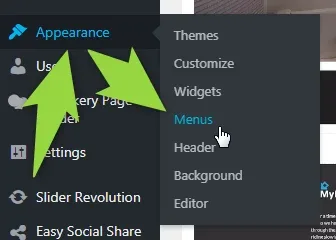
Click Appearance >> Menus
-
2
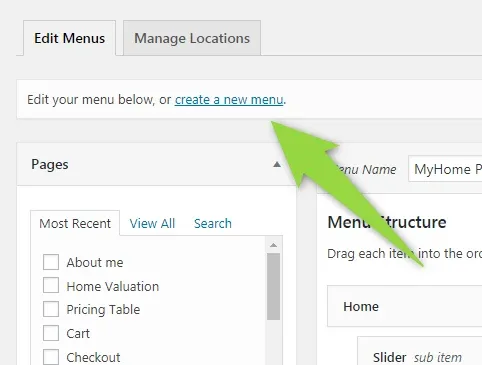
Click "create a new menu"
-
3
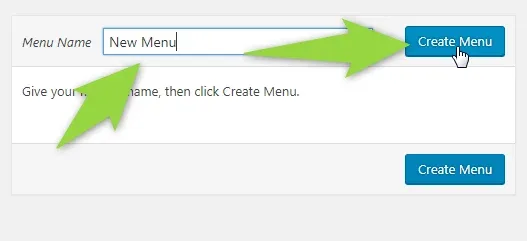
Add menu name and click "Create Menu"
-
4
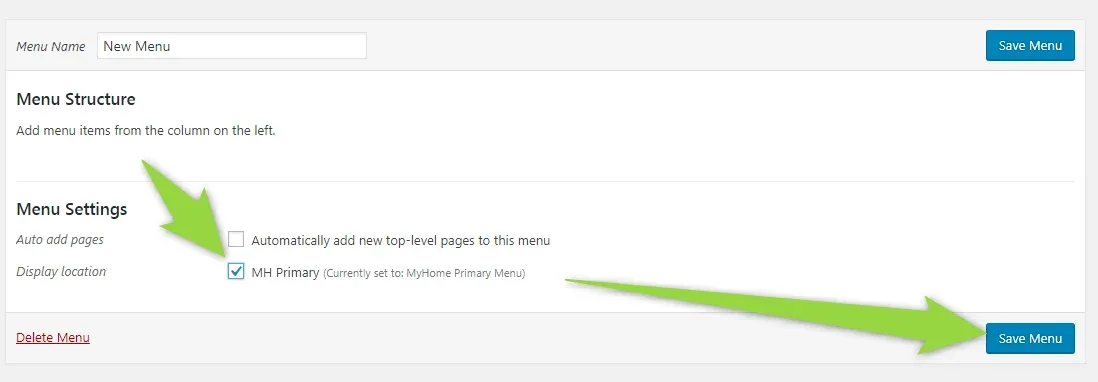
Check MH Position and save
-
5
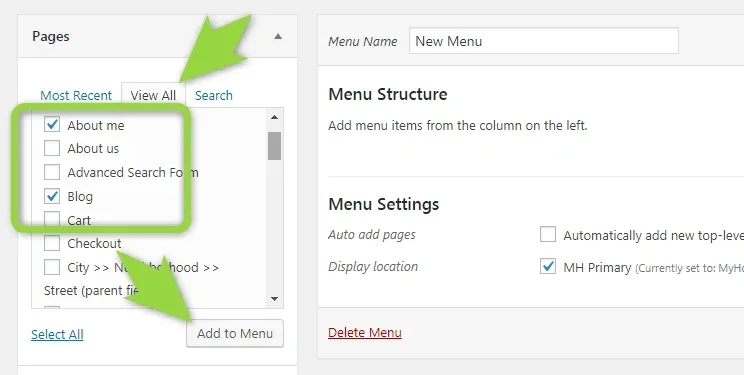
Add your links
-
6
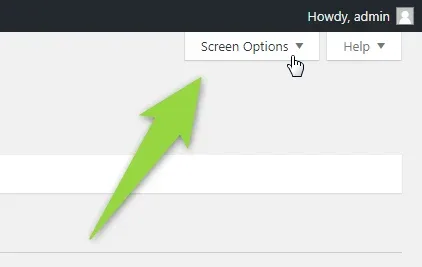
If you wish add links to automaticly generated pages please scroll to top and click "Screen Options"
-
7
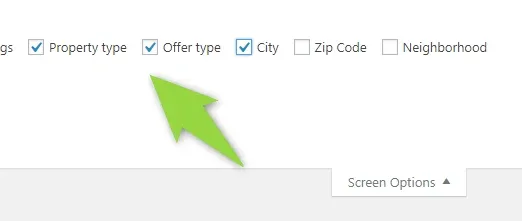
Select text fields
-
8
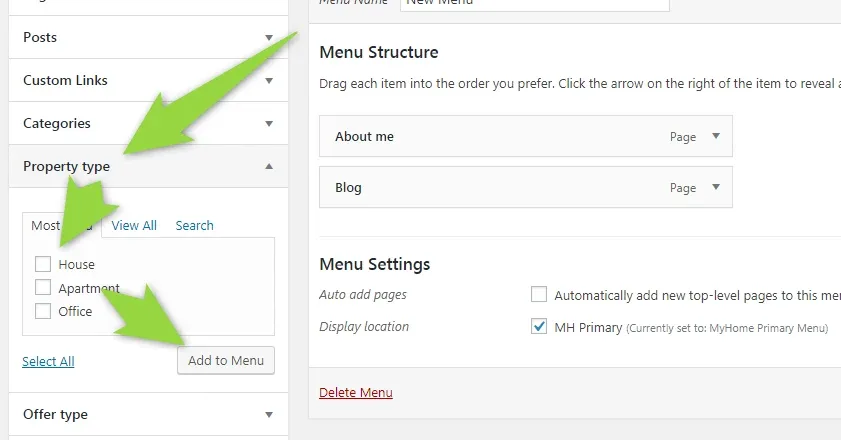
You can now add it to menu
-
9
If you wish to add link to page that is not in the system you can do it via "Custom Links"
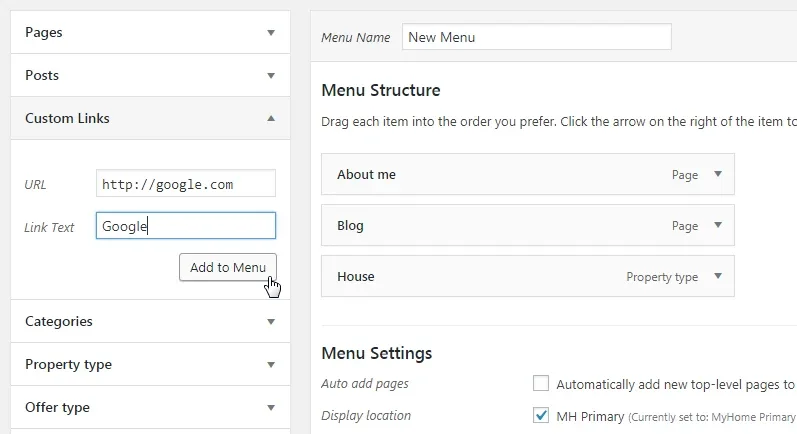
-
10
Save Menu (please make sure MH Position is checked)
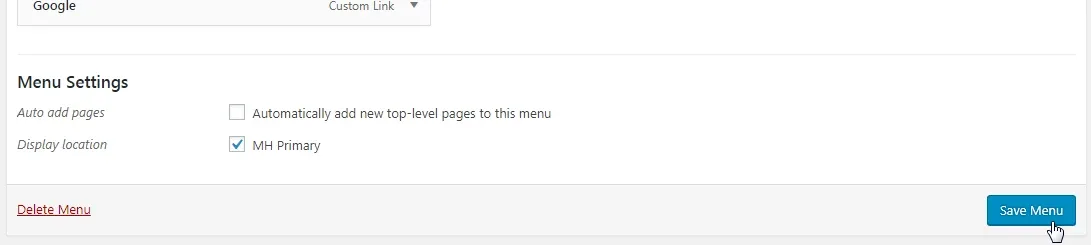
12. Your new menu will be visible

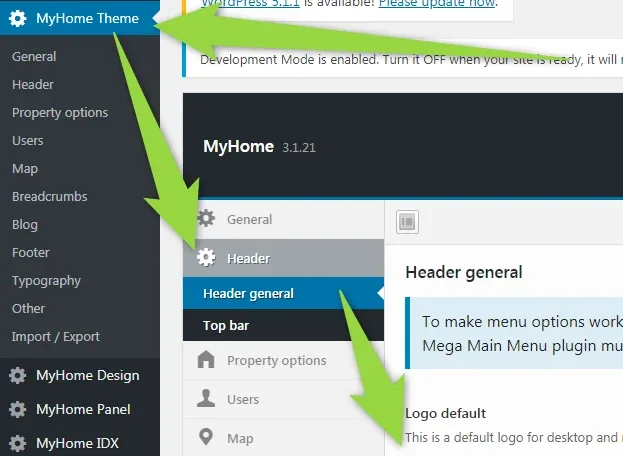
13. More options related to menu can be found in the MyHome Theme > Header > General
- Upload Logo
- Display "Submit Property" button
- Sticky Menu
- menu height / logo height
- and more
14. To customize Top Bar, please choose MyHome Theme > Header > Top Bar
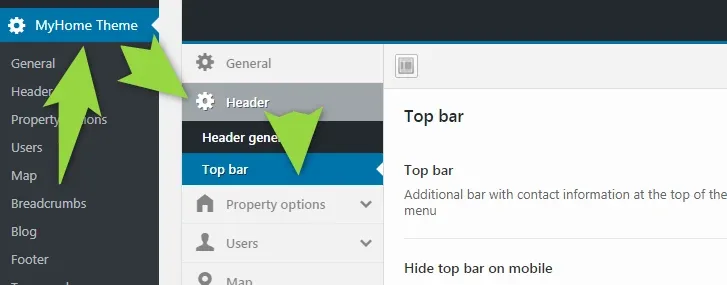
15. You can customize there phone, address and more. To remove Social Icons, please remove "#" sign or change it to your own link
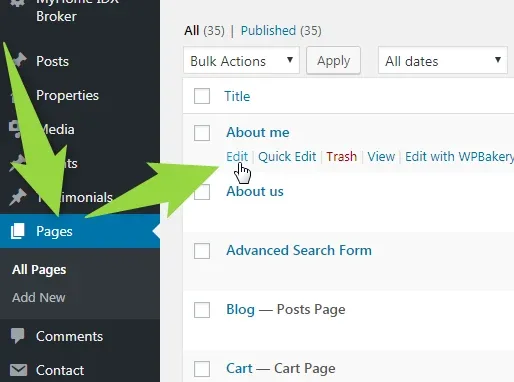
16. Transparent menu option can be set for each page independly in the page options:
Ask the people who build MyHome WPBakery
We answer by email from support@tangiblewp.com. With Premium Support, we also fix your site when something breaks.
We can also run your site for you, or build a new one.
Was this guide helpful?