
How to fix: How to recreate demo blog page if it was deleted?
1 minute read
-
1
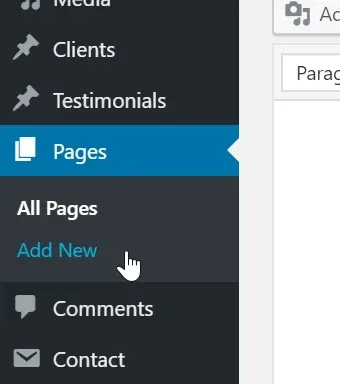
Create new page
-
2
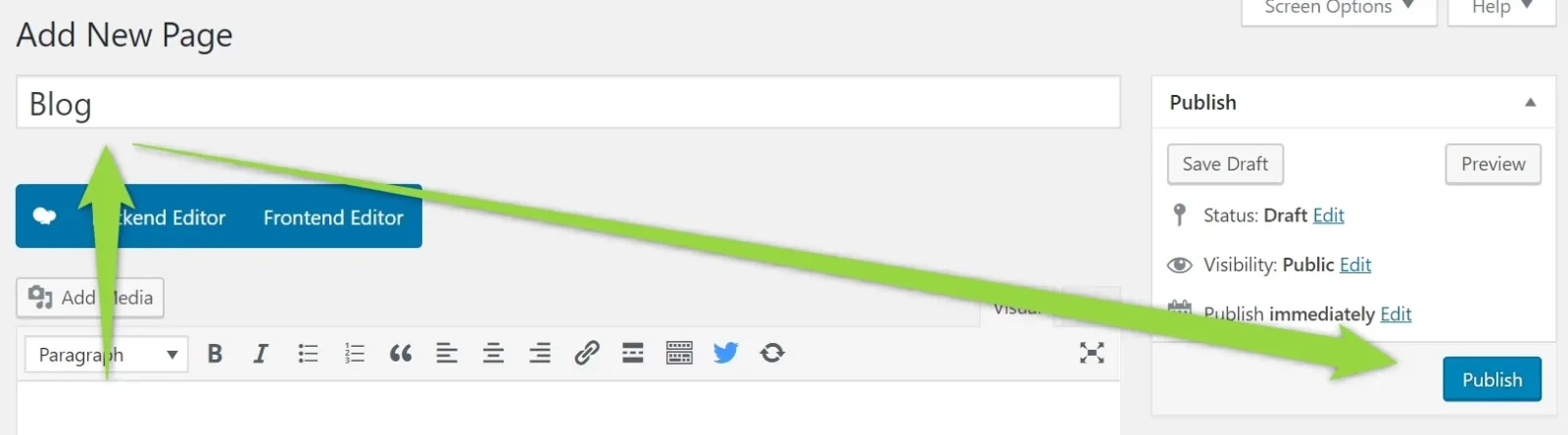
Name it how you wish e.g. Blog and click Publish
-
3
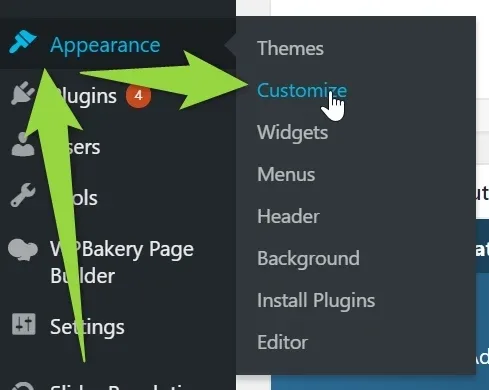
Click Apperance > Customize
-
4
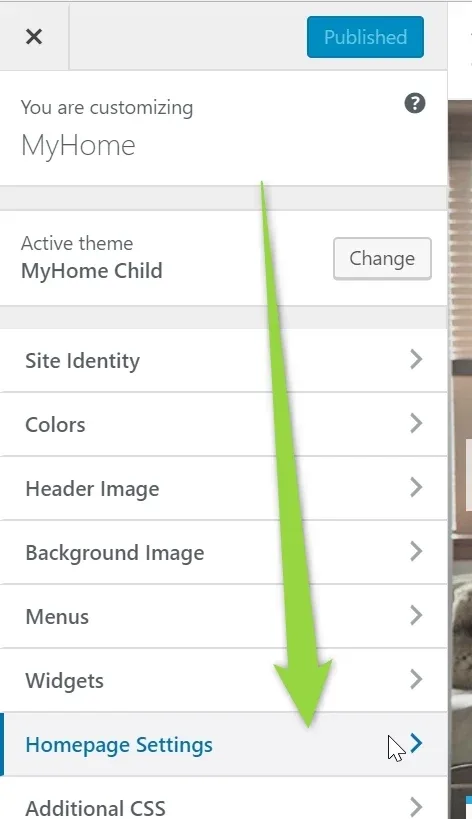
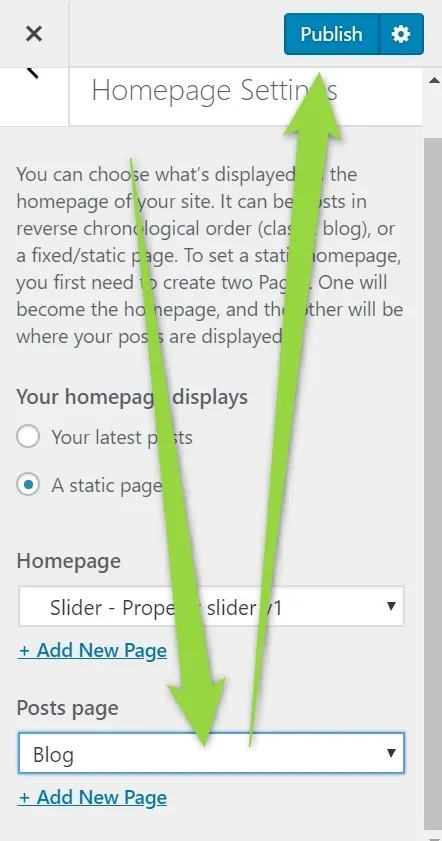
Click Homepage settings
-
5
Choose blog page and click Publish
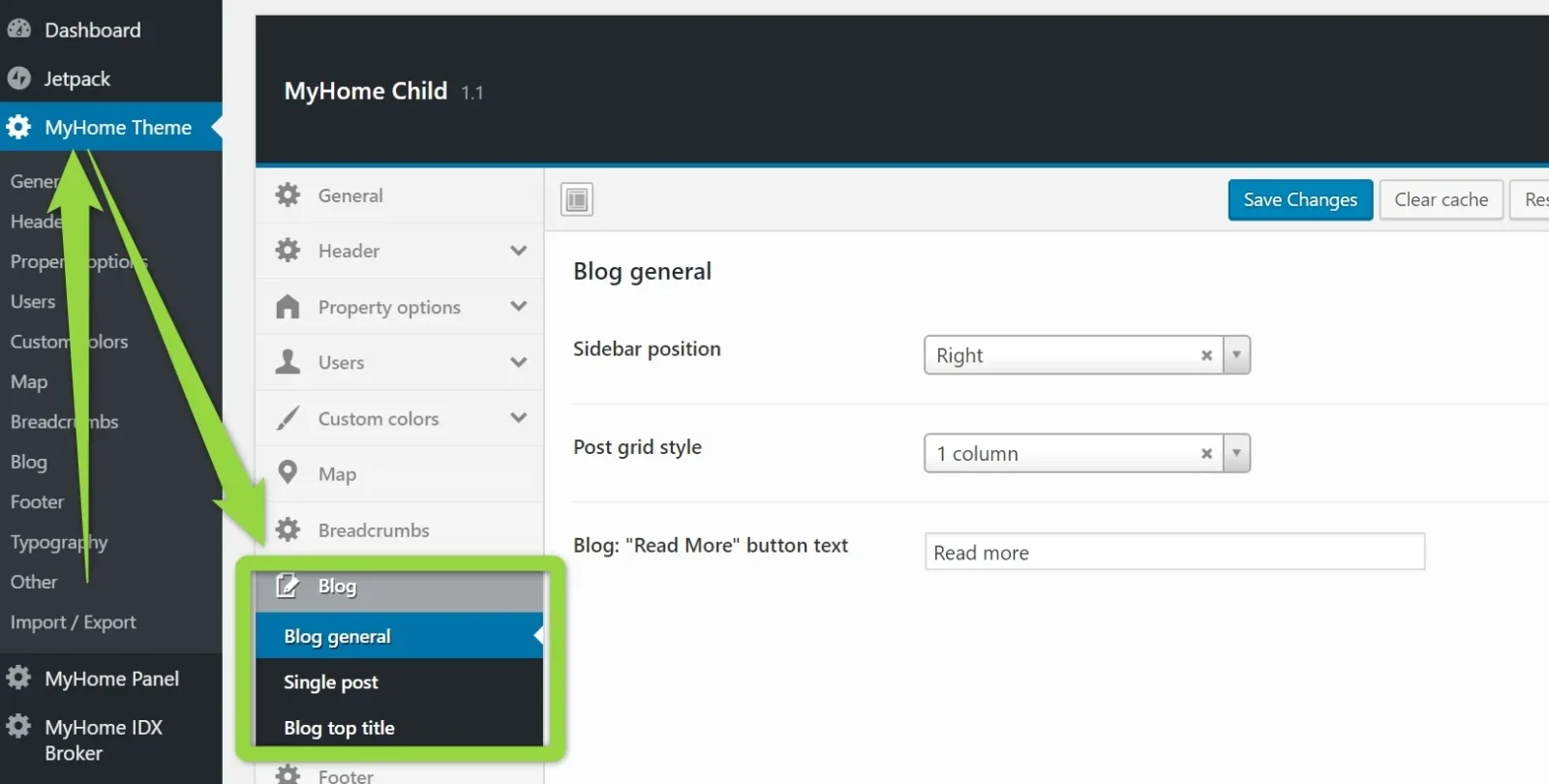
Now this page will use MyHome Blog options that are here:
Ask the people who build MyHome WPBakery
We answer by email from support@tangiblewp.com. With Premium Support, we also fix your site when something breaks.
We can also run your site for you, or build a new one.
Was this guide helpful?