
How to Customize Video Dynamic Search Intro?
1 minute read
-
1
Hover over the "Slide Revolution" tab in the left sidebar and click "Slider Revolution"
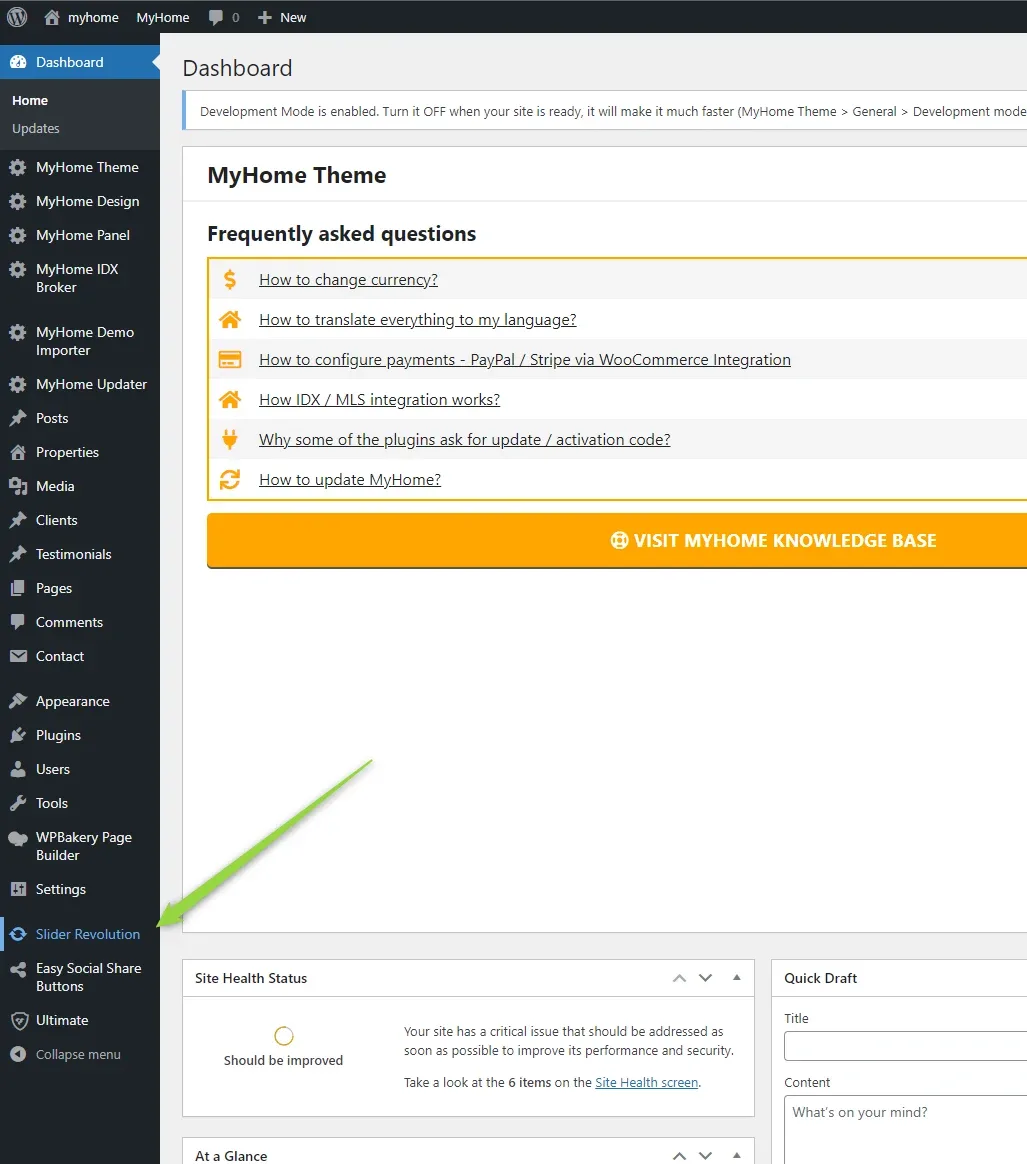
-
2
Click the "MH Video Single" thumbnail

-
3
Click "Change Video" and then upload / choose your own
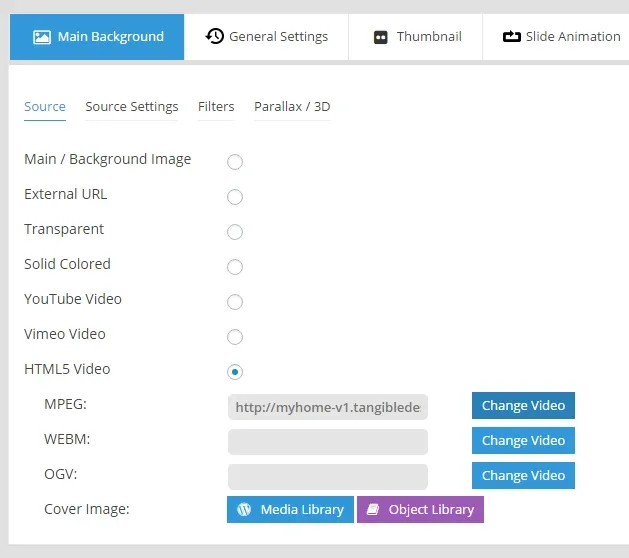
-
4
Change “Cover Image”

-
5
Customize texts - select layer and click pencil icon

-
6
Buttons are HTML code. Select Layer:

-
7
Click Pencil icon

-
8
Edit HTML code

- 9 Save Slide
Ask the people who build MyHome WPBakery
We answer by email from support@tangiblewp.com. With Premium Support, we also fix your site when something breaks.
We can also run your site for you, or build a new one.
Was this guide helpful?