
How to disable social icons in the breadcrumbs
1 minute read
This note explains how to turn off this icons:
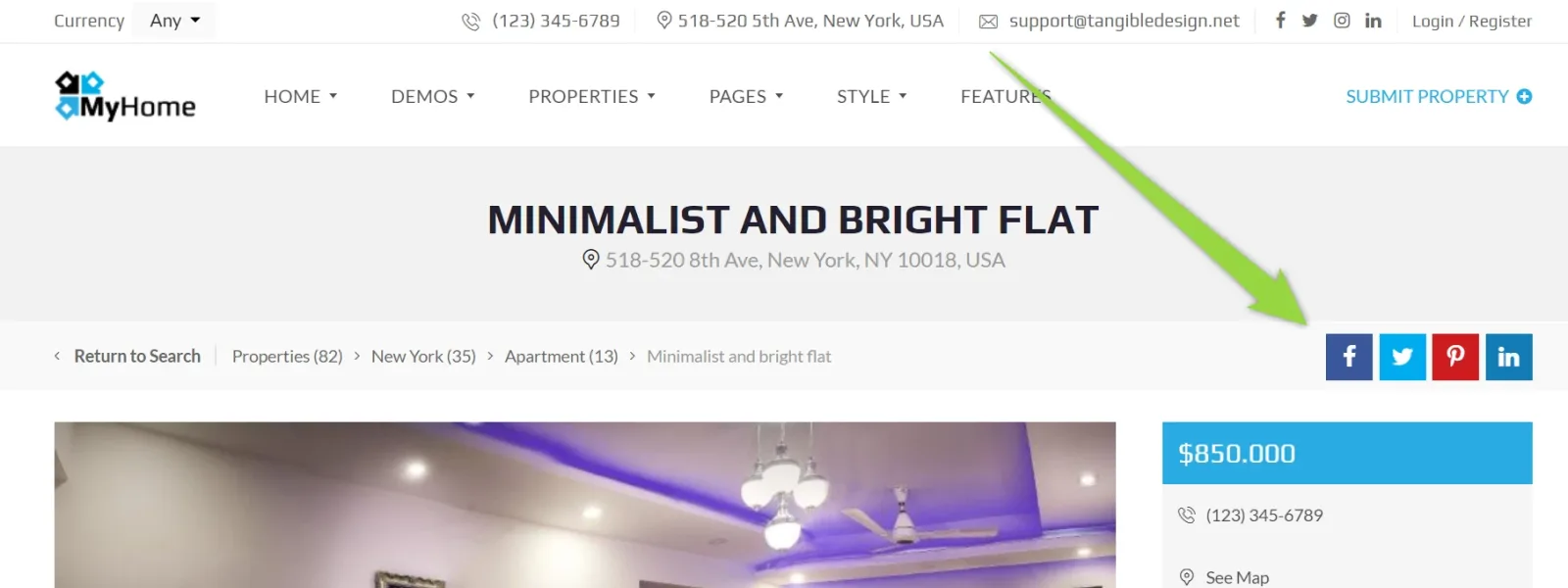
- 1 Visit your WordPress admin panel
-
2
Click "Easy Social Share Buttons"
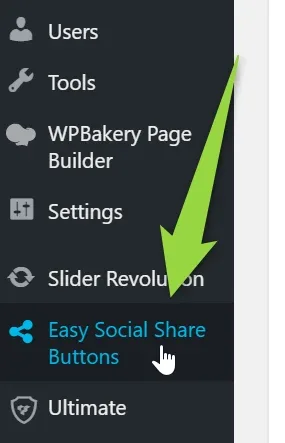
-
3
Click "Where to display"
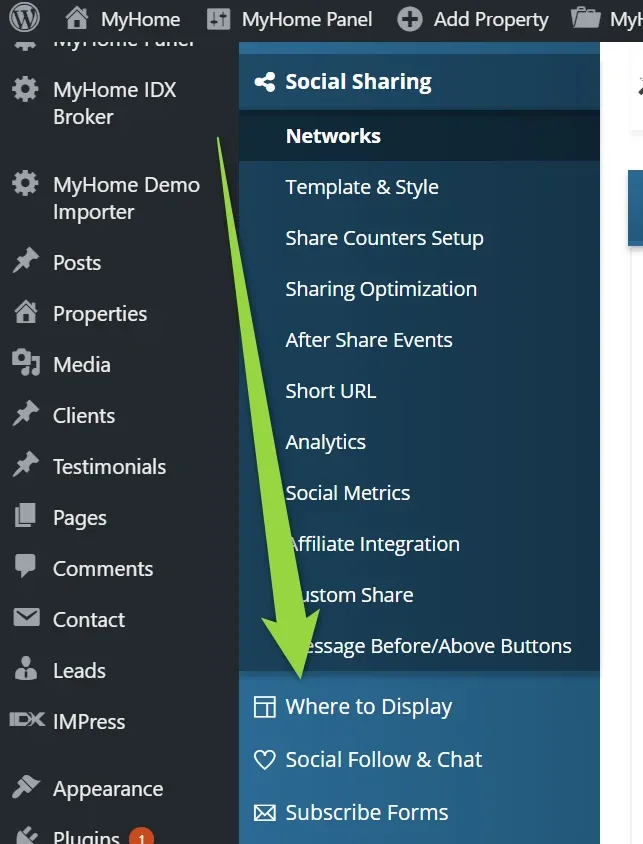
-
4
Click "Positions"
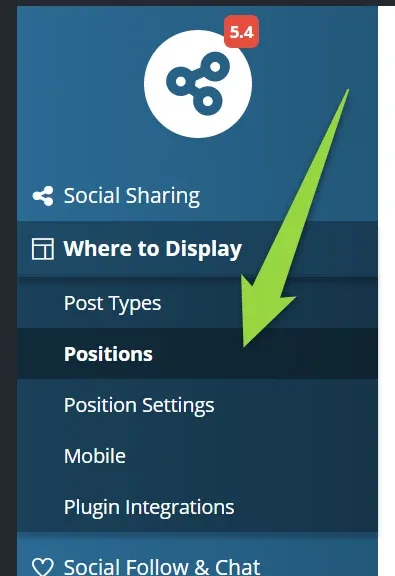
-
5
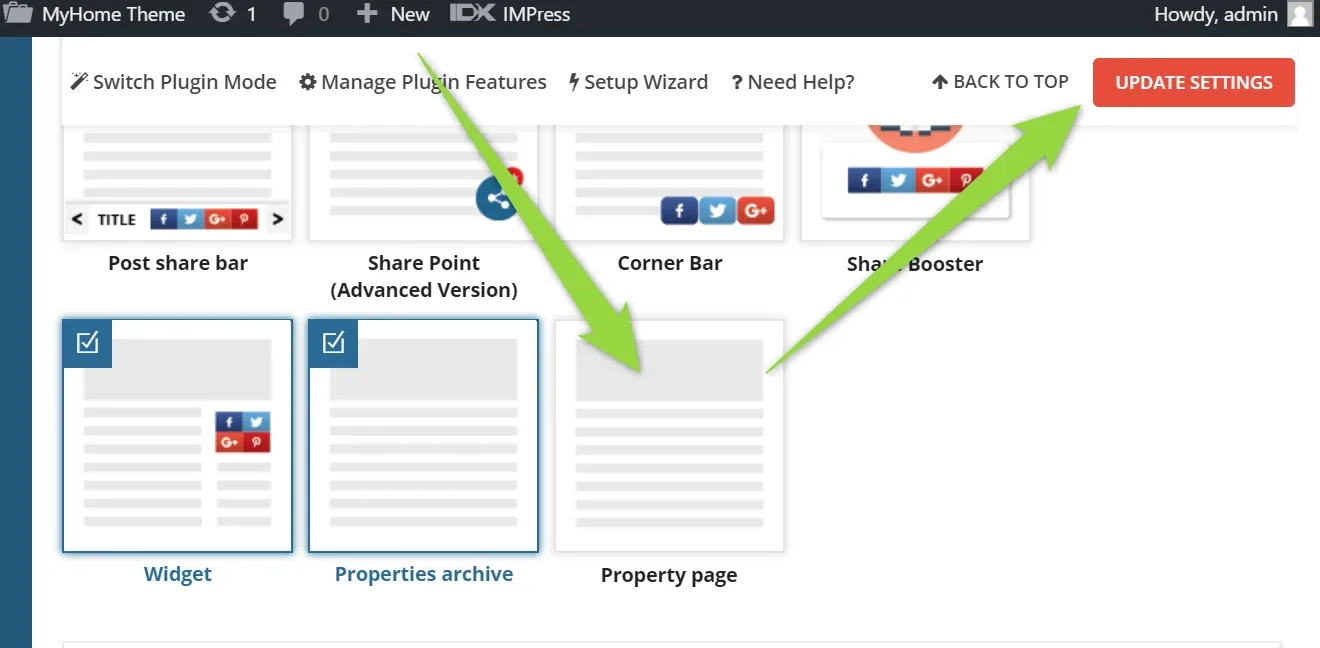
Uncheck Property Page and click the "Update settings" button
Ask the people who build MyHome WPBakery
We answer by email from support@tangiblewp.com. With Premium Support, we also fix your site when something breaks.
We can also run your site for you, or build a new one.
Was this guide helpful?