
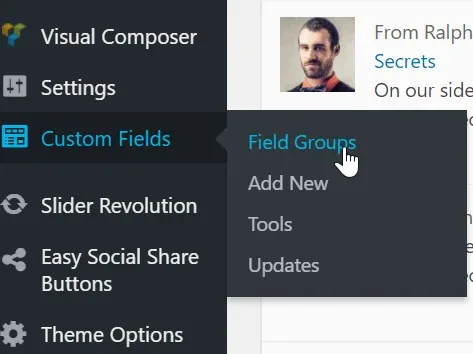
How to enable Advanced Custom Field (ACF PRO) menu icon in the /wp-admin/?
1 minute read
Advanced Custom Field is used as a backbone for MyHome Property Fields. This way all options are suited to Real Estate Business and connected with Search Form Property Page.
- 1 If you wish to enable this ACF developers panel please find /wp-content/themes/myhome/includes/class-myhome-init.php file
- 2 Please backup the file
- 3 Please find function: remove_menu_elements()
php
public function remove_menu_elements() {
            remove_menu_page( 'mega_main_menu_options' );
            remove_menu_page( 'edit.php?post_type=acf-field-group' );
        }
and remove this line
plain
remove_menu_page( 'edit.php?post_type=acf-field-group' );4. Please refresh the page (CTRL + F5)
ACF icon will be available in your /wp-admin/
Ask the people who build MyHome WPBakery
We answer by email from support@tangiblewp.com. With Premium Support, we also fix your site when something breaks.
We can also run your site for you, or build a new one.
Was this guide helpful?