
How to Fix: One of a plugins cannot be installed - "Installation failed: Destination folder already exists."
1 minute read
If you have a problem with installation or activation of any plugin probably it is because your server interrupted installation of it. This kind of problem can happen if your server have very low limits related to connection e.g. time limit. Please delete broken folder and install problematic plugin again.
-
1
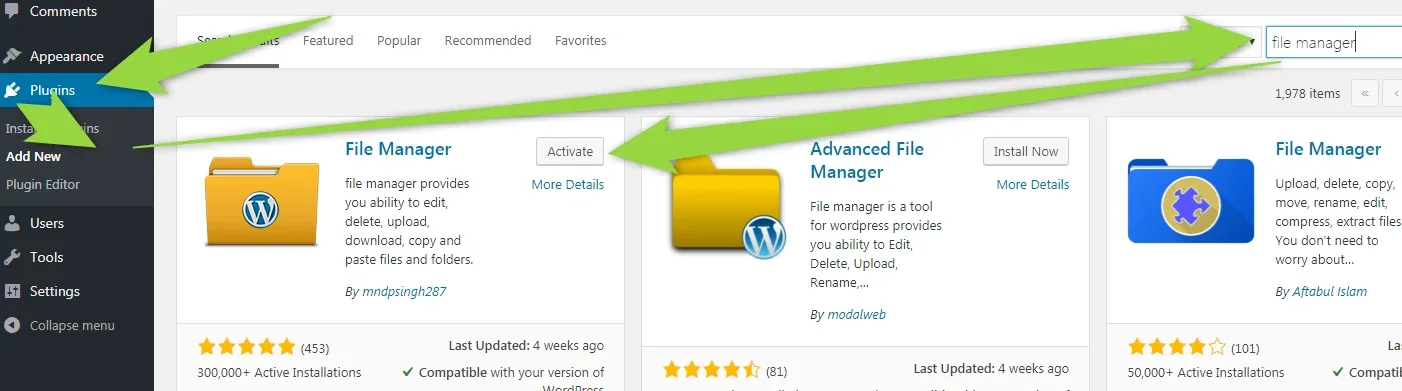
Install File Manager
-
2
Visit /wp-content/plugins/ folder
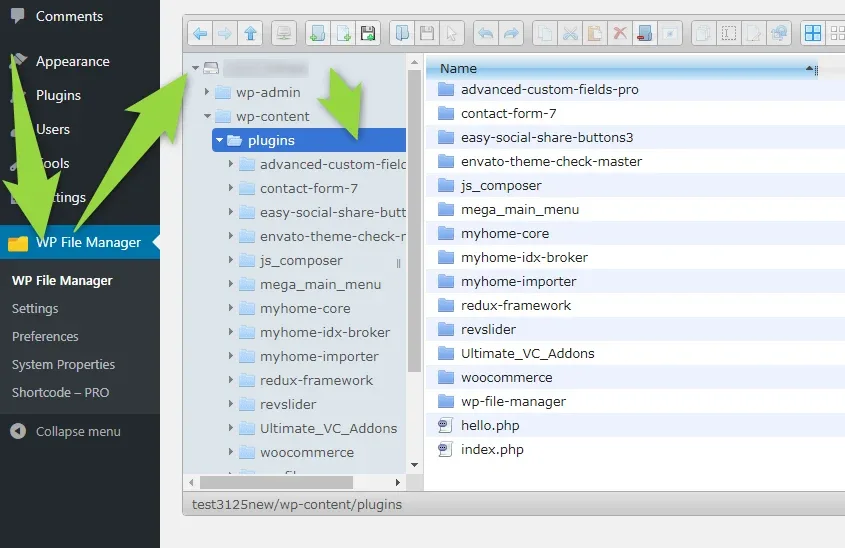
- 3 Delete problematic folder:
| Plugin Name | Folder name |
|---|---|
| Advanced Custom Fields PRO | advanced-custom-fields-pro |
| Contact Form 7 | contact-form-7 |
| Easy Social Share Buttons for WordPress | easy-social-share-buttons3 |
| WPBakery Page Builder | js_composer |
| Mega Main Menu | mega_main_menu |
| MyHome Core | myhome-core |
| MyHome IDX Broker | myhome-idx-broker |
| MyHome Demo Importer | myhome-importer |
| Redux Framework | redux-framework |
| Slider Revolution | revslider |
| Ultimate Addons for WPBakery Page Builder | Ultimate_VC_Addons |
| WooCommerce | woocommerce |
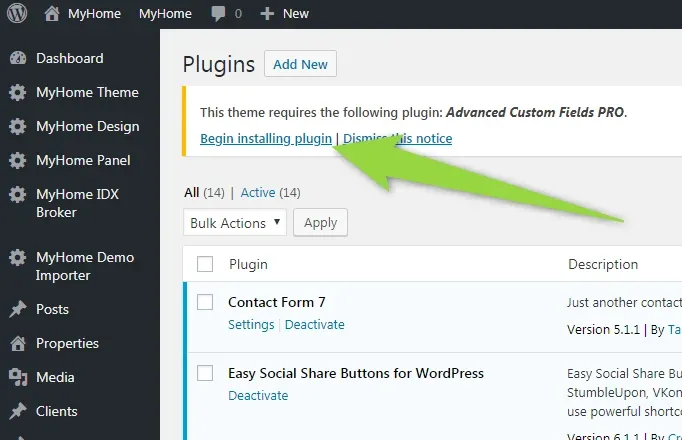
4. Install plugin again
Ask the people who build MyHome WPBakery
We answer by email from support@tangiblewp.com. With Premium Support, we also fix your site when something breaks.
We can also run your site for you, or build a new one.
Was this guide helpful?