
How to fix: Single Property Page is not working
1 minute read
If you visit property page and it is not working (e.g. error 404) and the link looks broken and part of is %name-of-field% e.g. https://domain.com/properties/%property-type%/%city%/name-of-the-property/
The problem is related to the fact that breadcrumbs are "on" and required field is not set. When the field is a part of breadcrumbs and value is deleted (e.g. Property Type: Apartment) it can break the page on some servers.
You can disable breadcrumbs:
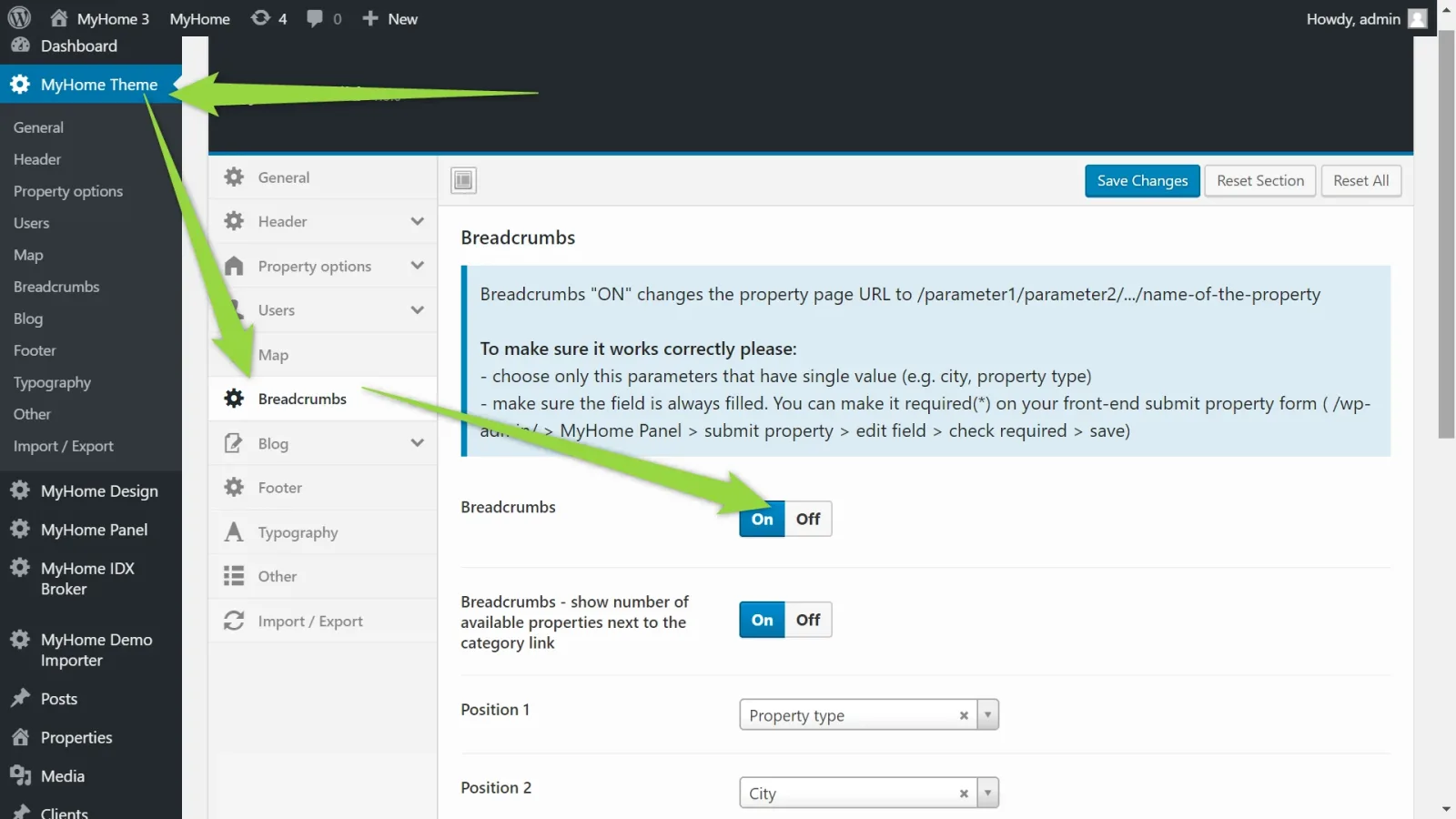
or make sure all fields are filled for all listings so all links works correctly.
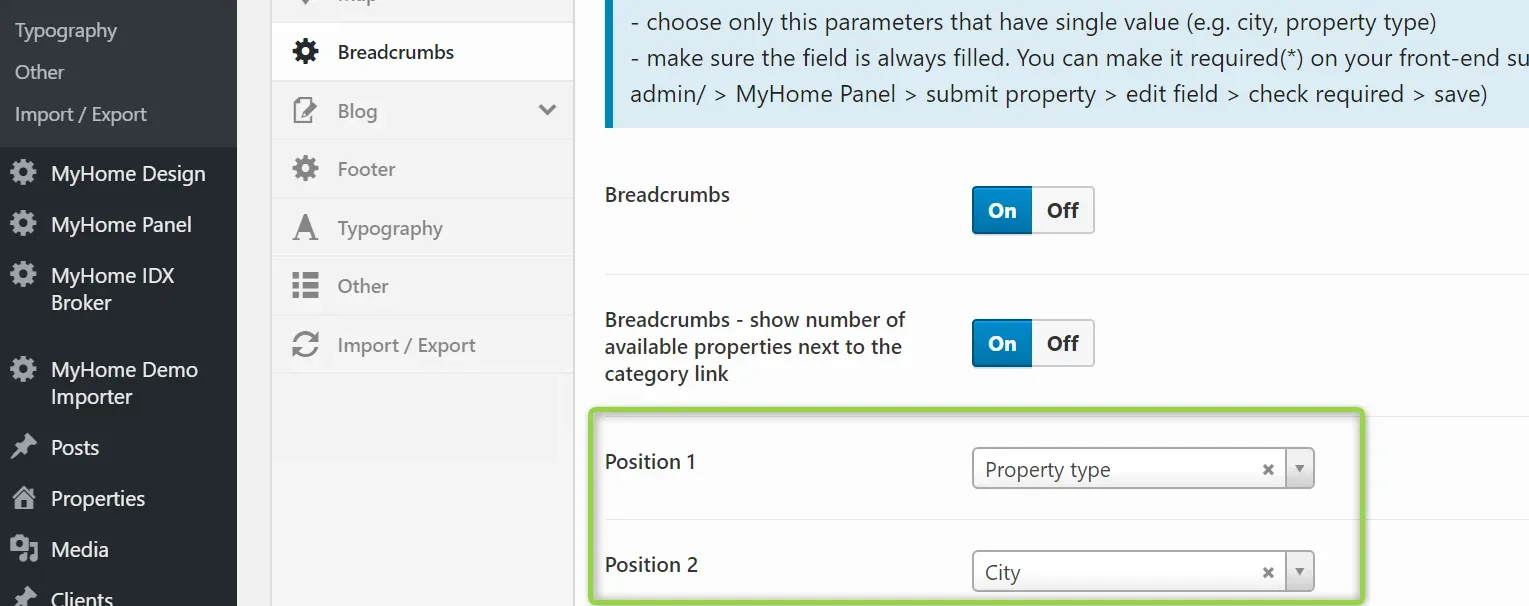
Please send us WordPress link and /wp-admin/ login and password if there is any problem with it. We will make sure it works correctly.
Ask the people who build MyHome WPBakery
We answer by email from support@tangiblewp.com. With Premium Support, we also fix your site when something breaks.
We can also run your site for you, or build a new one.
Was this guide helpful?