
PHP customization - How to display "text field" in the new customized location (single property sidebar example)?
1 minute read
Lets Try to move "City" to right sidebar:
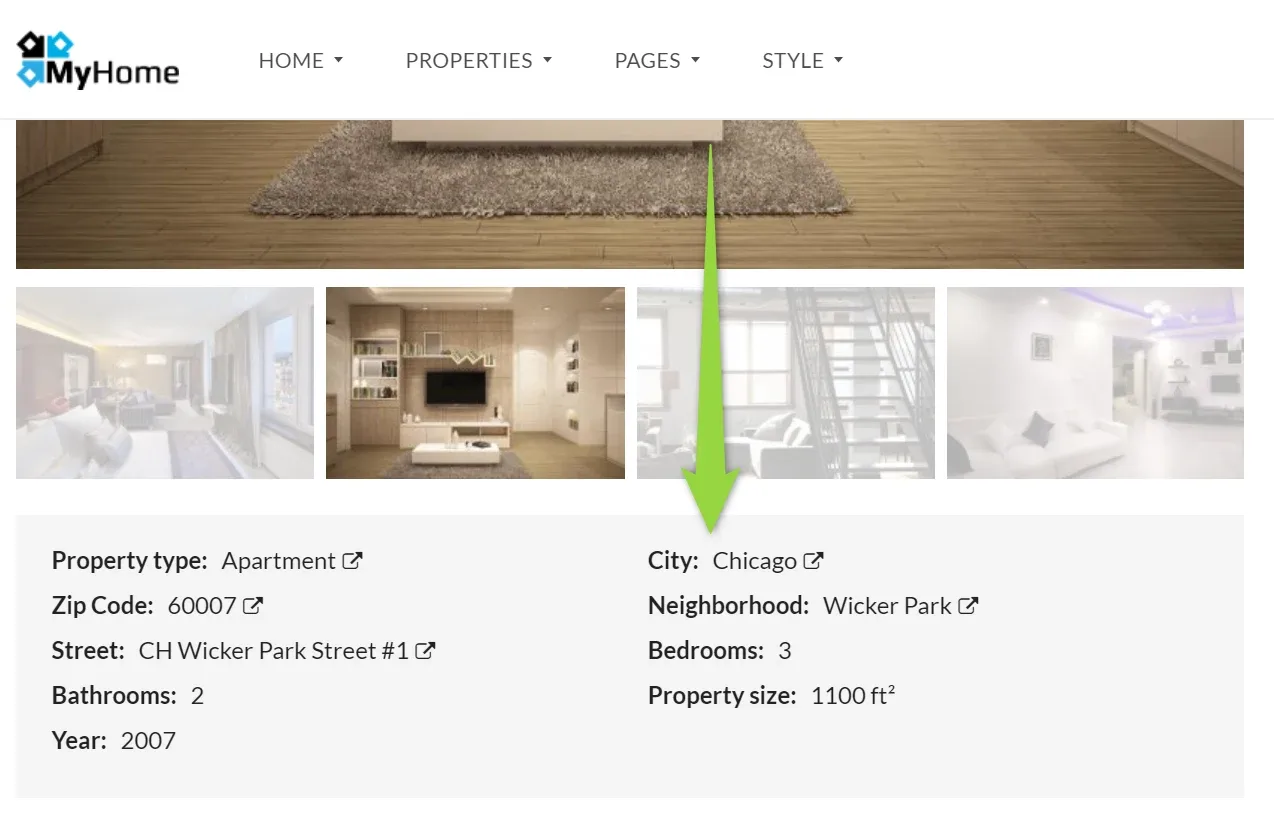
to the right sidebar:
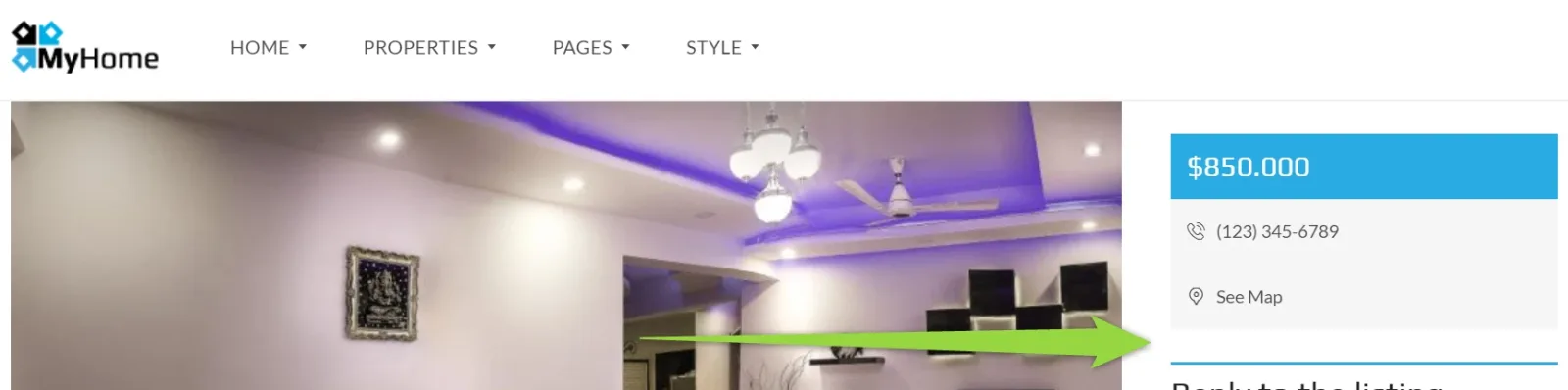
- 1 Login to the /wp-admin/
-
2
Hide City in the default location:
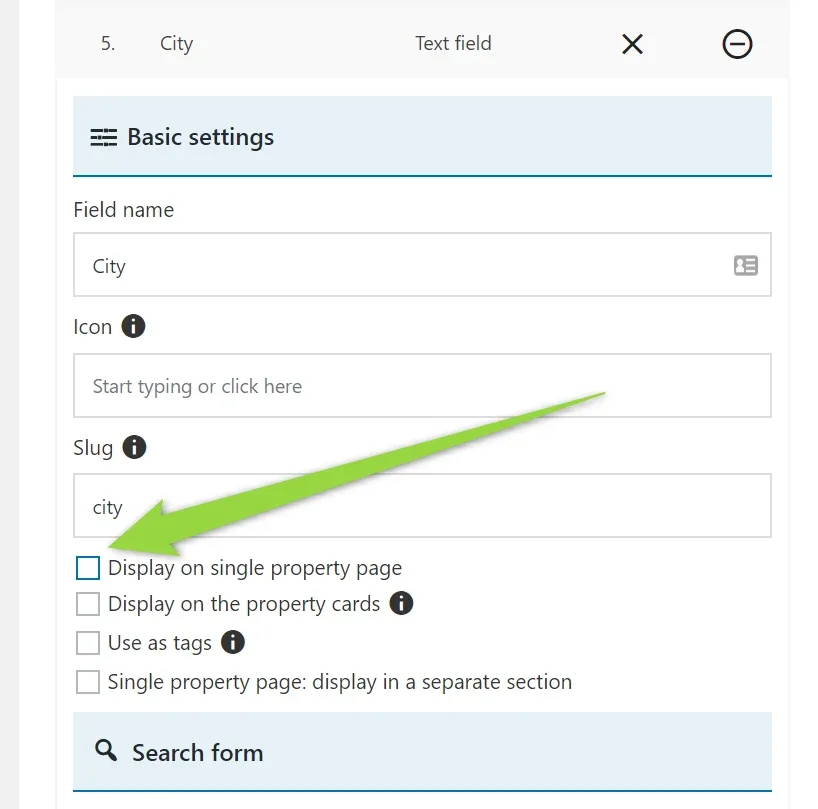
4. Save
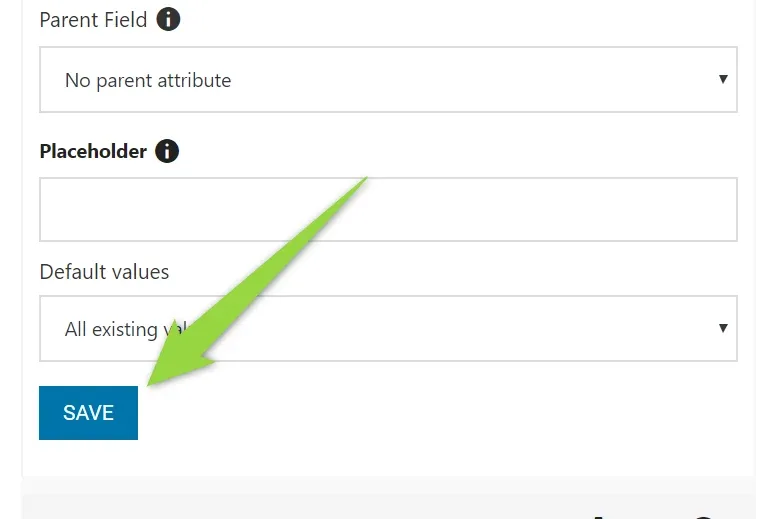
5. Check the slug of the field (here "city") - we will need it later
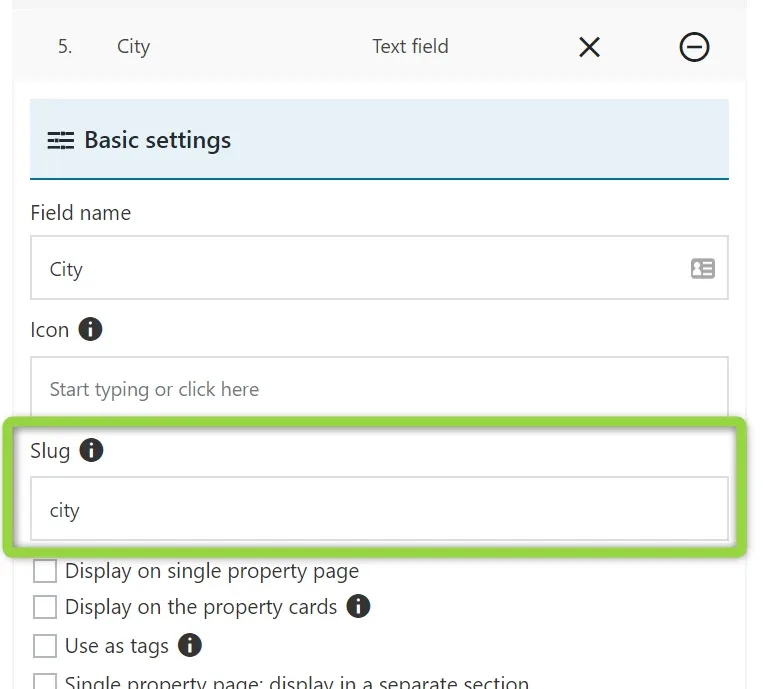
6. Find /wp-content/themes/myhome/myhome-legacy/templates/single-estate-partials/sidebar.php file
7. Backup the file
8. Add there code (sample CSS):
php
<?php
$terms = get_the_terms( $post->ID, 'city' );
foreach($terms as $term) {
    echo '<div style="background:orange; color:#fff; padding:24px; font-size:24px; text-align:center; margin-bottom:24px;">';
    echo $term->name;
    echo '</div>';
}
?>
9. It should look like this:
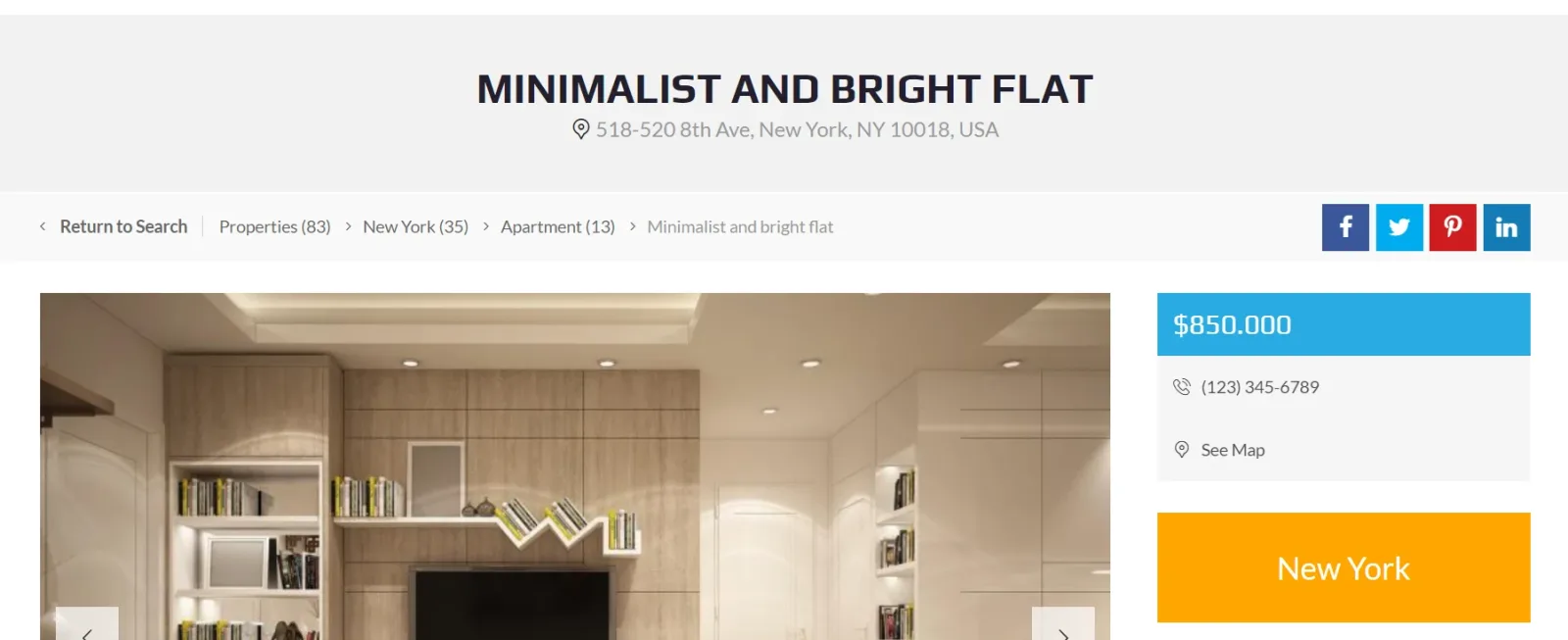
Ask the people who build MyHome WPBakery
We answer by email from support@tangiblewp.com. With Premium Support, we also fix your site when something breaks.
We can also run your site for you, or build a new one.
Was this guide helpful?