
How to get Google Maps latitude and longitude?
1 minute read
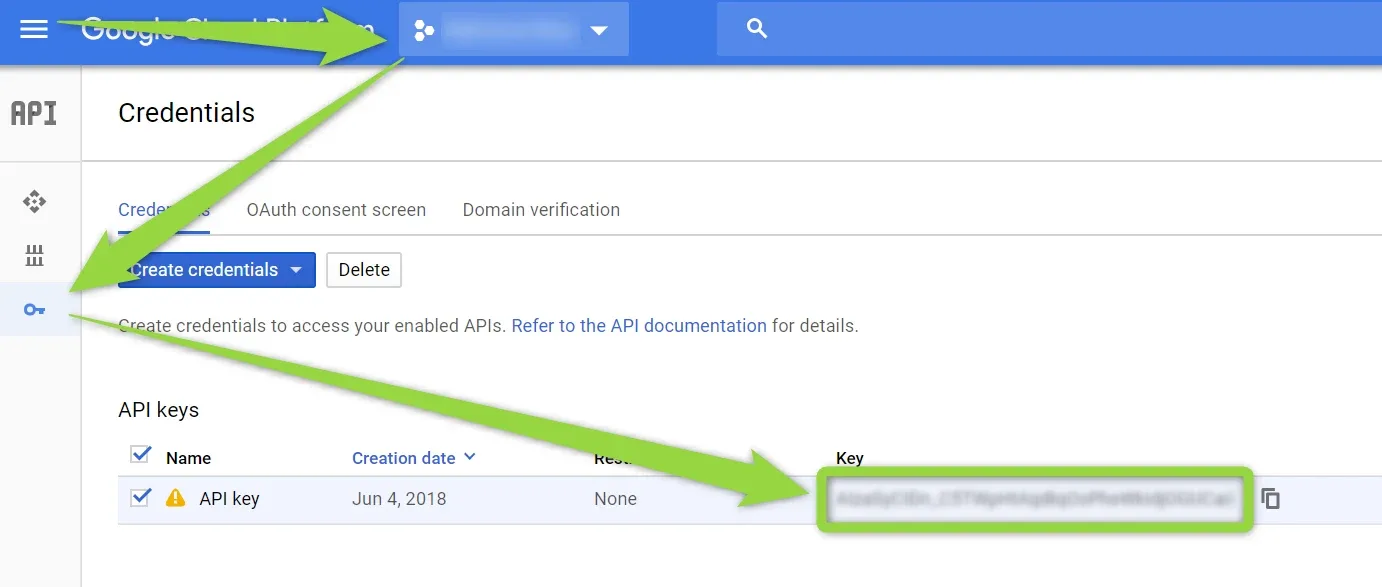
To run Google Maps on your website you will need to generate Google Maps API Key and add it to you MyHome Theme Panel. It is required to enable 3 APIs to run it correctly: JavaScript API, Geocoding API, Places API. Article below explains how to create this kind of key:
-
1
Visit https://developers.google.com/maps/documentation/javascript/
- 2 Sign in with your Google Account
-
3
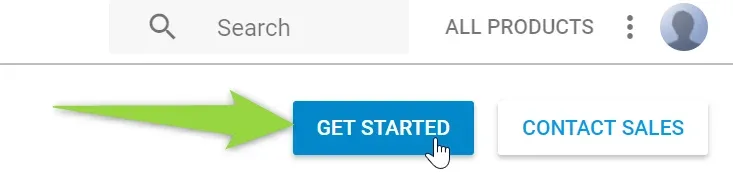
Click the “GET STARTED” button
-
4
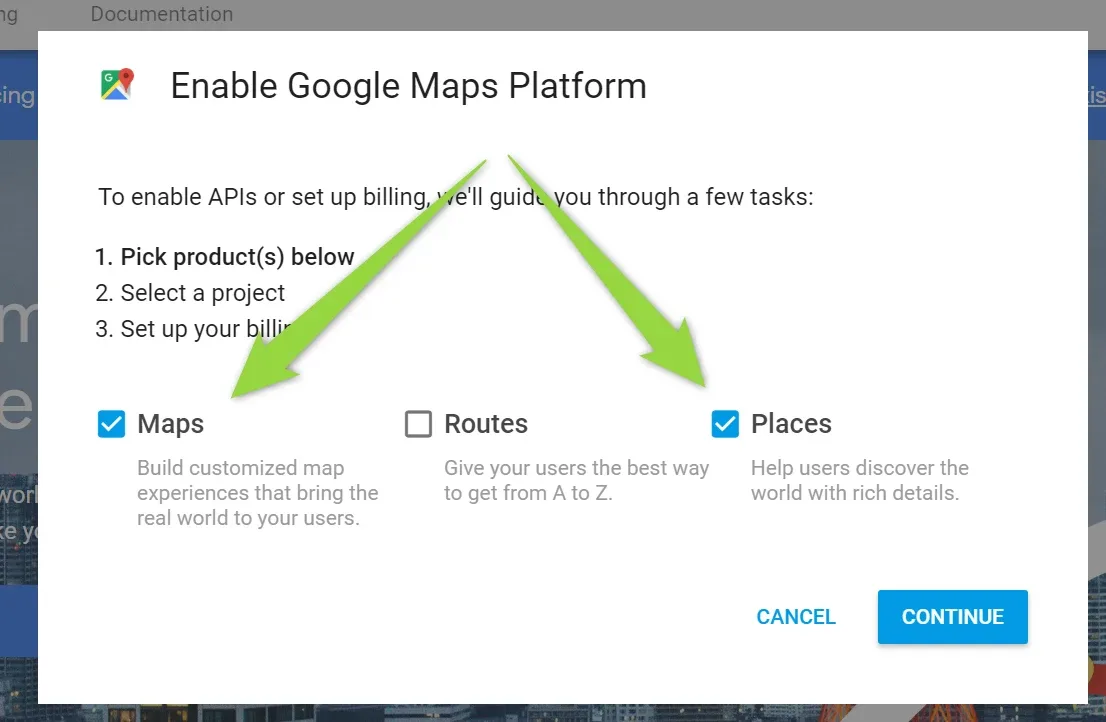
Check "Maps" and "Places"
-
5
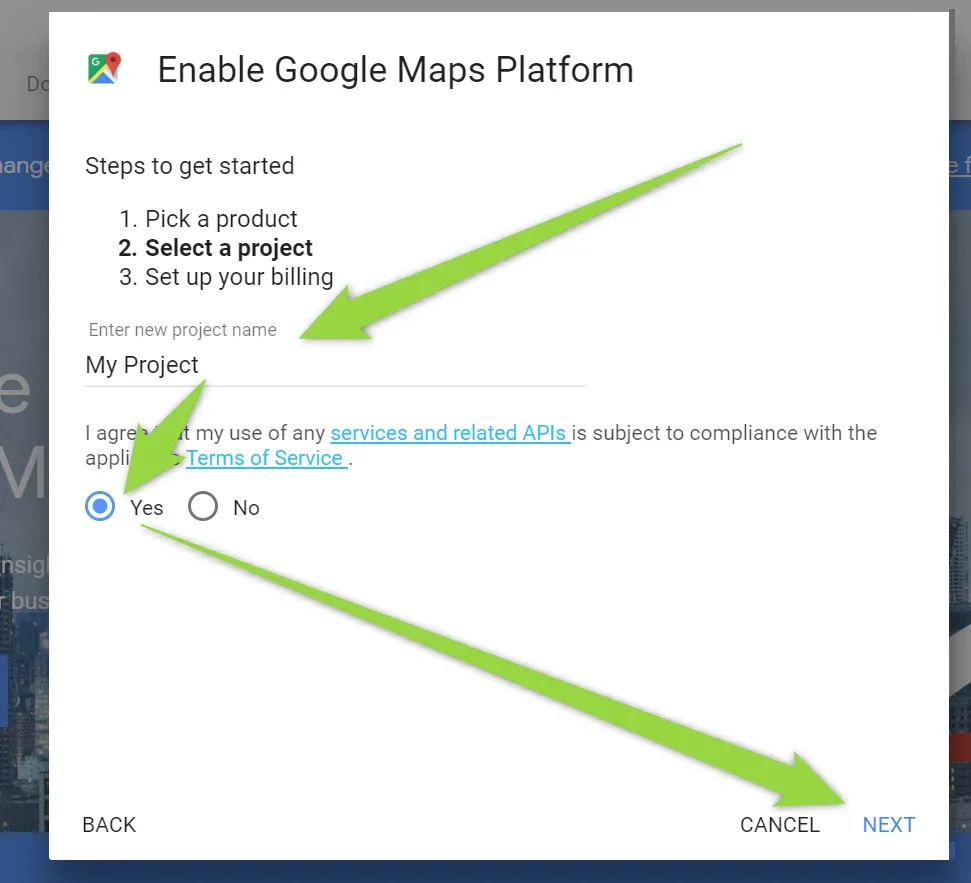
Enter a new project name
-
6
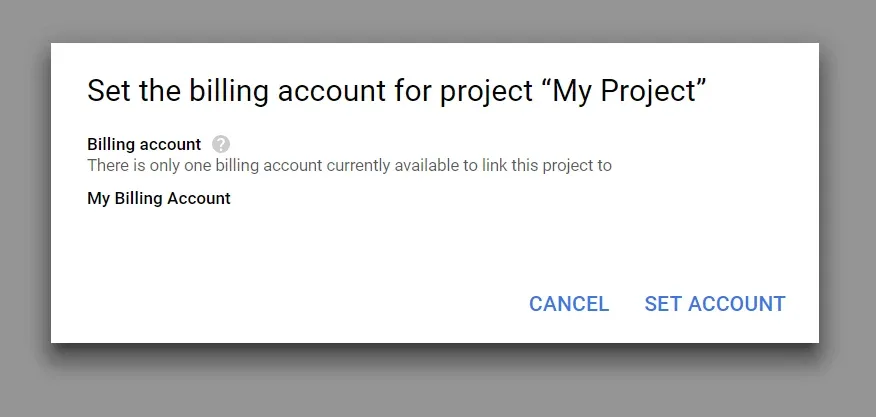
Choose your billing account or create a new billing account (Google charge only very popular websites, you can read more about it here: https://cloud.google.com/maps-platform/pricing/ ) Adding Billing account is required to display Google Maps on your website
- 7 Please make sure following APIs are enabled:
- Maps JavaScript API
- Geocoding API
- Places API
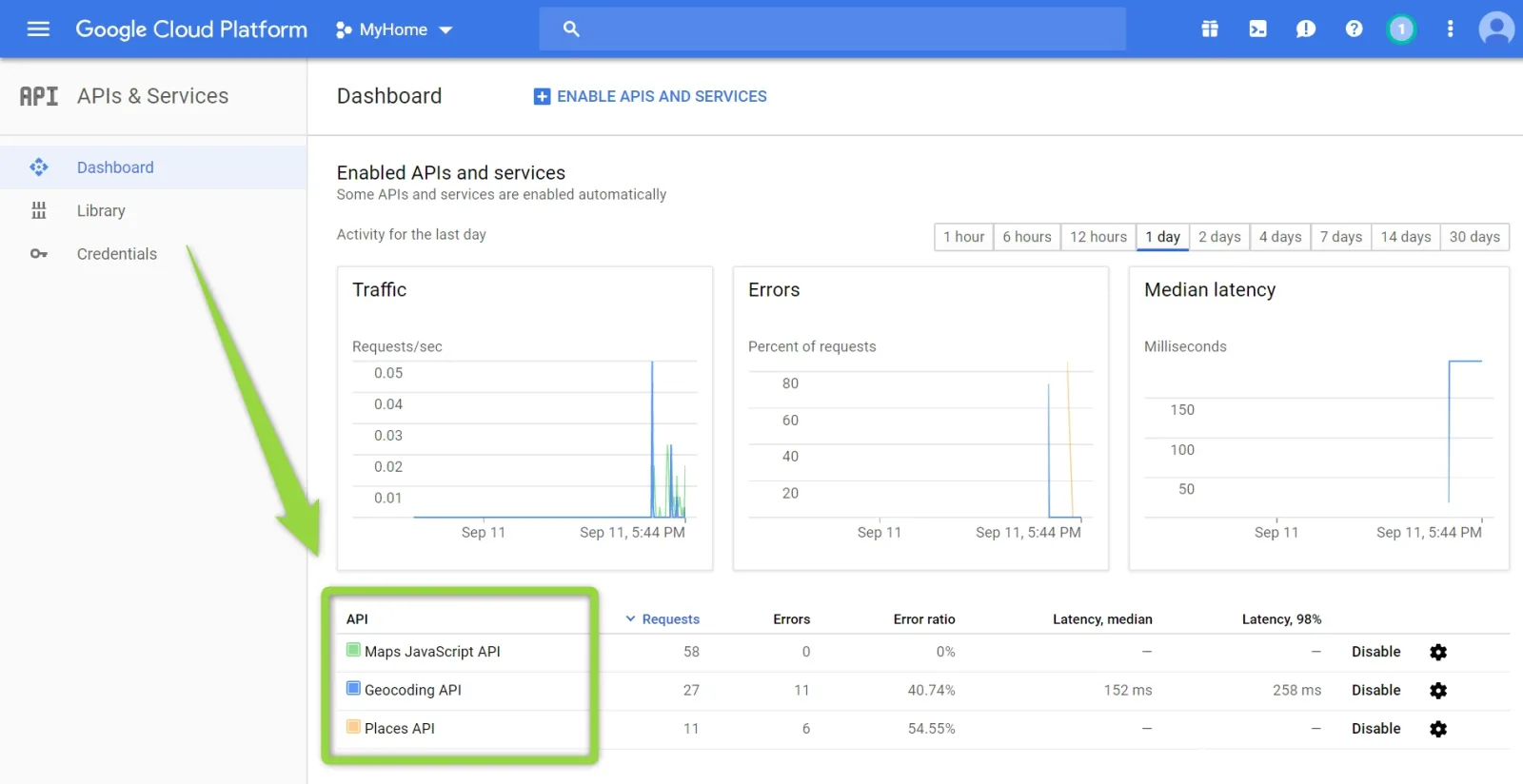
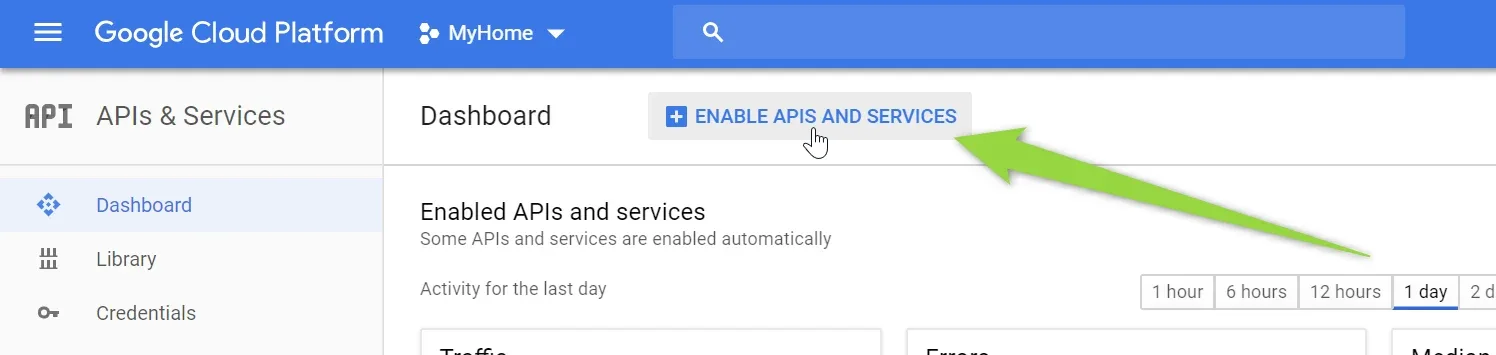
You can enable it this way by clicking "ENABLE APIS AND SERVICES":
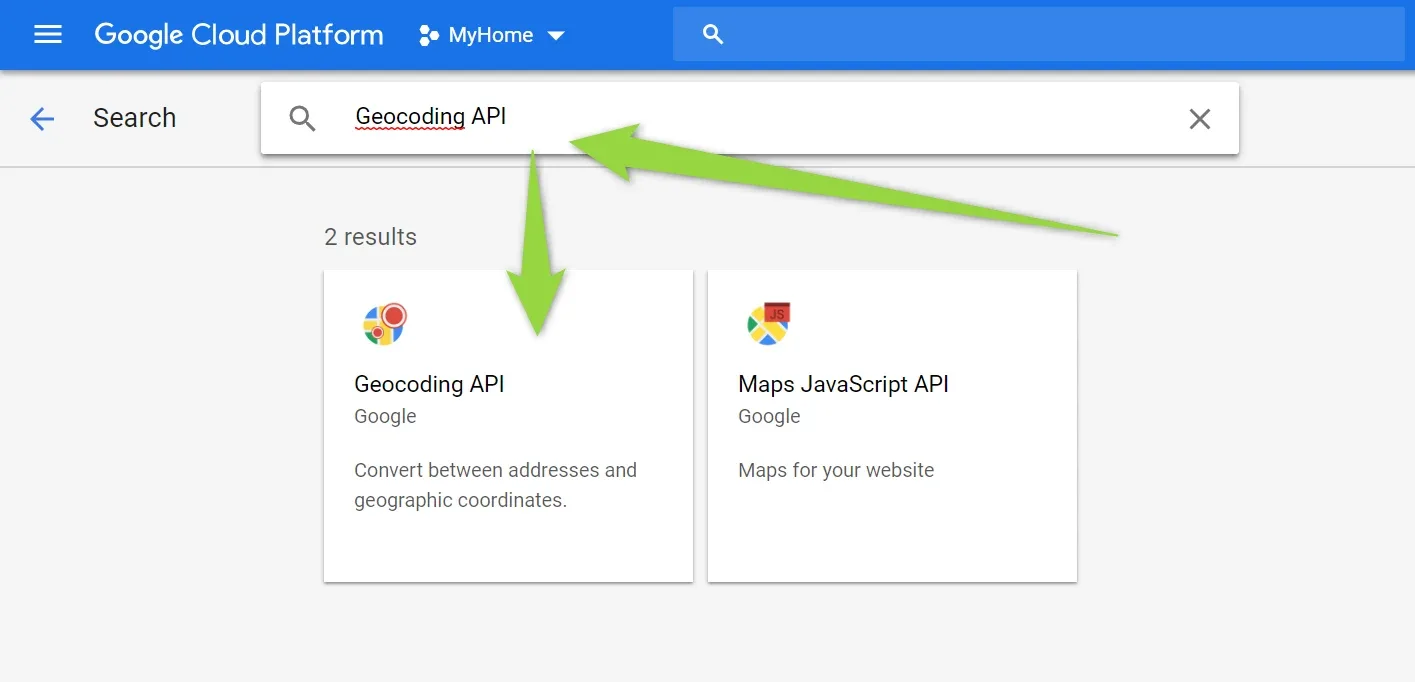
and search e.g. "Geocoding API" and click on it
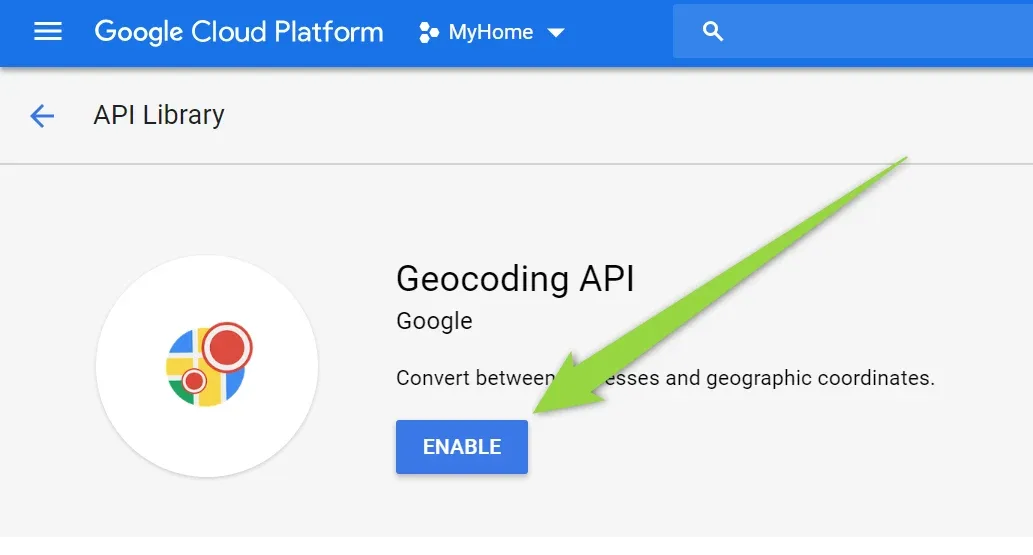
Enable
8. Copy Google Map API Key into your MyHome Theme > Map
Ask the people who build MyHome WPBakery
We answer by email from support@tangiblewp.com. With Premium Support, we also fix your site when something breaks.
We can also run your site for you, or build a new one.
Was this guide helpful?