
How to import / export theme settings (Redux Theme Options) ?
1 minute read
A. Export
- 1 Please visit your /wp-admin/
-
2
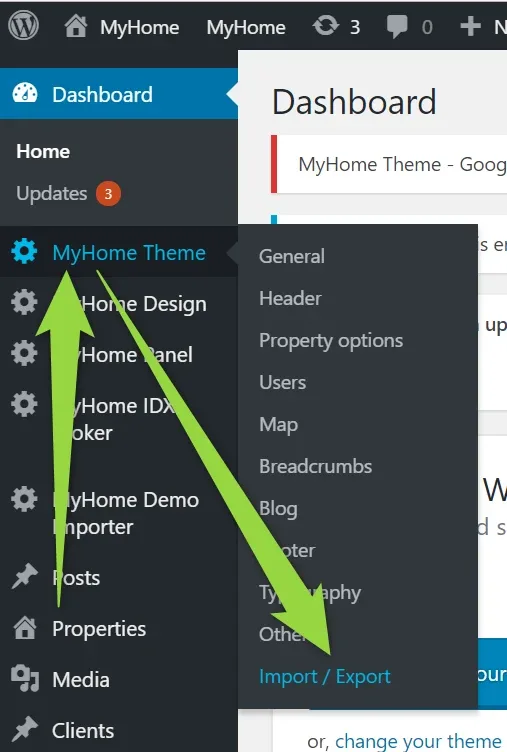
Please visit MyHome Theme > Import / Export
-
3
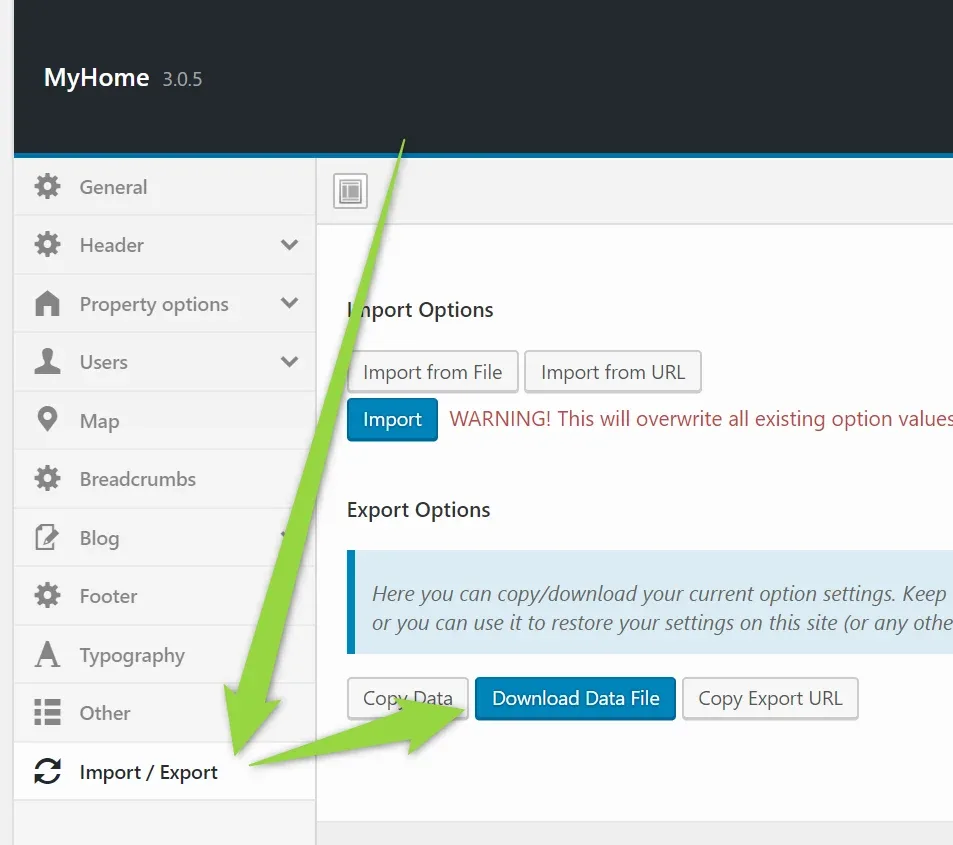
Click Download Data File
B. Import
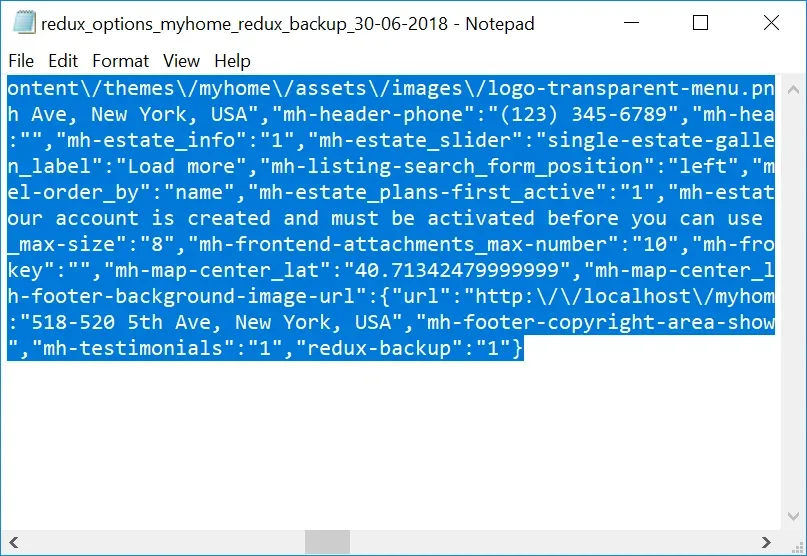
- 1 Open this file e.g. via notepad
-
2
Click CTRL + A to "select everything" and CTRL + C to Copy it
-
3
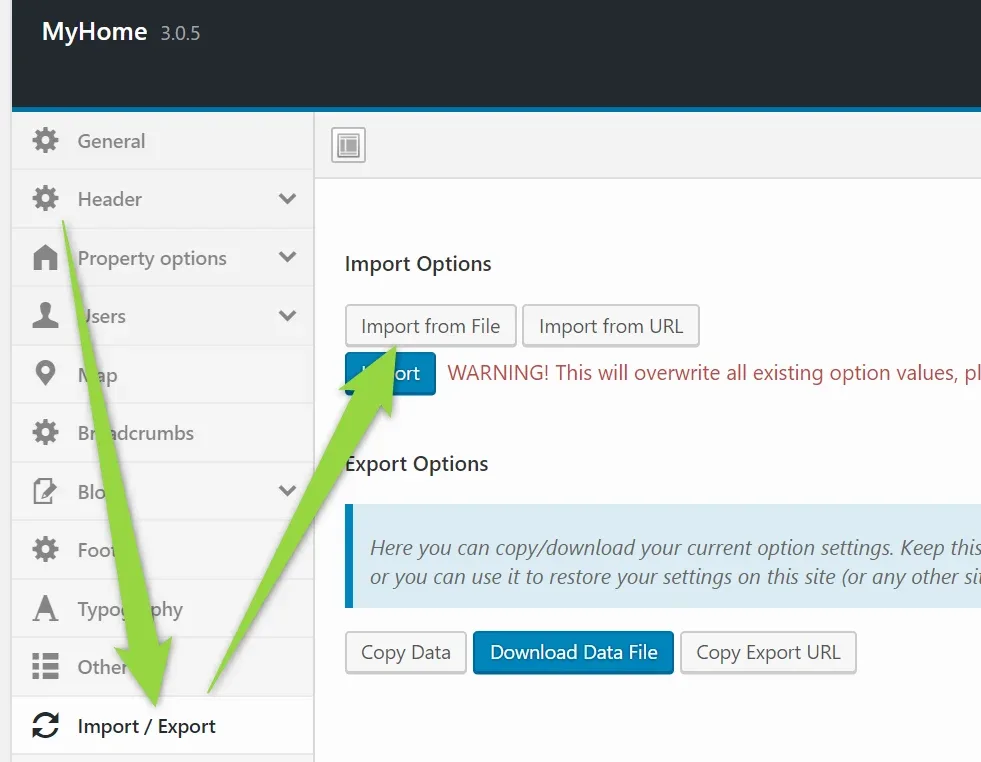
Click "Import from File"
-
4
Paste your code and click Import (2 times, first time the text area will hide, second will import)
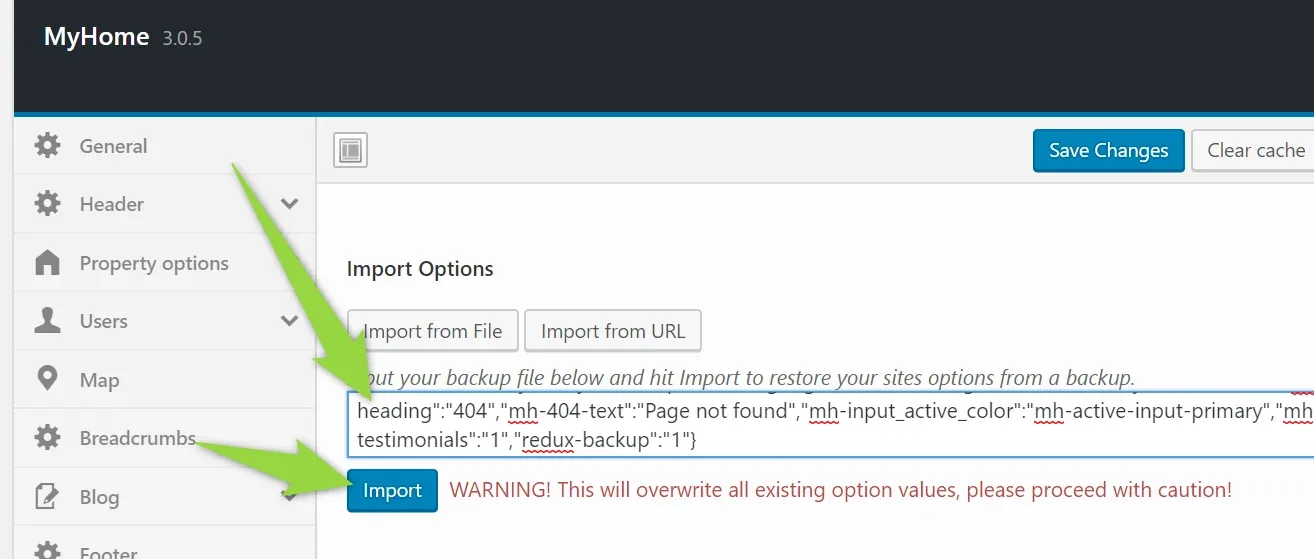
- 5 Your settings are imported
Ask the people who build MyHome WPBakery
We answer by email from support@tangiblewp.com. With Premium Support, we also fix your site when something breaks.
We can also run your site for you, or build a new one.
Was this guide helpful?