
How to make old version of MyHome ( < 3.1.17) - WordPress 5 Ready
1 minute read
How to make old version of MyHome ( < 3.1.17) - WordPress 5 Ready
MyHome 3.1.17 is fully WordPress 5.0. ready. If you have older versions of a theme it will require update of a theme and all plugins.
- 1 Please visit: https://themeforest.net/downloads
-
2
Download MyHome - "Installable WordPress file only"
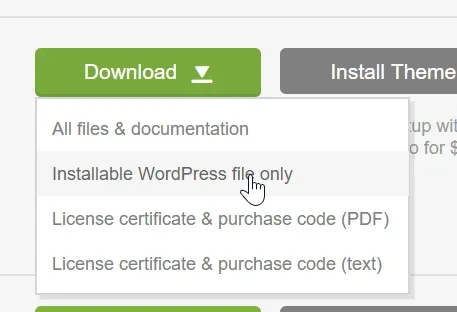
- 3 Unzip file
- 4 Please create backup of:
- /wp-content/themes/myhome/
- /wp-content/plugins/myhome-core/
4. Copy new theme files into /wp-content/themes/myhome/
5. Go to /wp-admin/ => Plugins
6. Click "Update Required" next to any plugin that requires it. It is very important to update MyHome Core plugin because it is strongly connected with the Theme
7. Deactivate and remove 5 plugins:
- Advanced Custom Fields PRO
- Easy Social Share Buttons for WordPress
- Slider Revolution
- Ultimate Addons for Visual Composer
- WPBakery Page Builder
e.g.
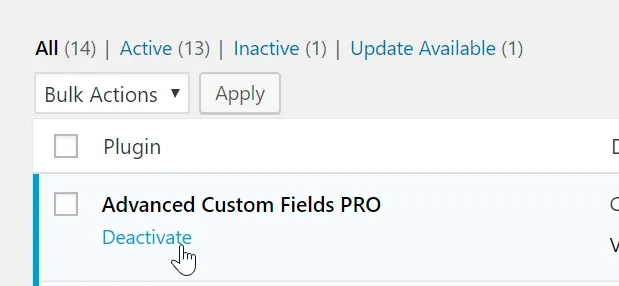
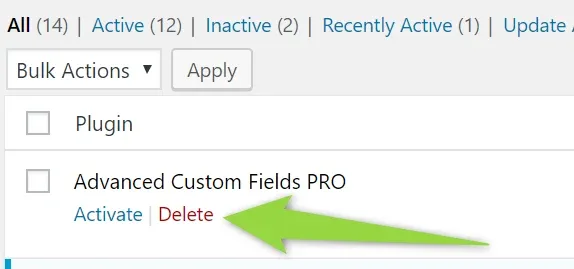
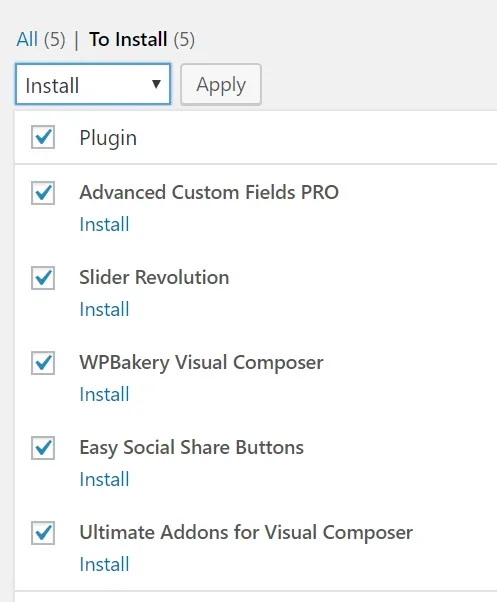
8. Install it again

Ask the people who build MyHome WPBakery
We answer by email from support@tangiblewp.com. With Premium Support, we also fix your site when something breaks.
We can also run your site for you, or build a new one.
Was this guide helpful?