
PHP Customization - how to add redirect after purchase (Only for Woocommerce system)
1 minute read
This article shows how to redirect the user after purchase of WooCommerce Package to any page you wish.
Please use this code in your Child Theme functions.php . You can read more about Child Themes here:
add_action( 'template_redirect', 'woocommerce_redirect_after_checkout' );
function woocommerce_redirect_after_checkout() {
global $wp;
if ( is_checkout() && ! empty( $wp->query_vars['order-received'] ) )
{$redirect_url = 'https://yoursite/url-to-redirect-after-checkout';
wp_redirect($redirect_url );exit;
}
}
Open theme editor in your Wp-Admin (make sure you have selected MyHome Child to edit)
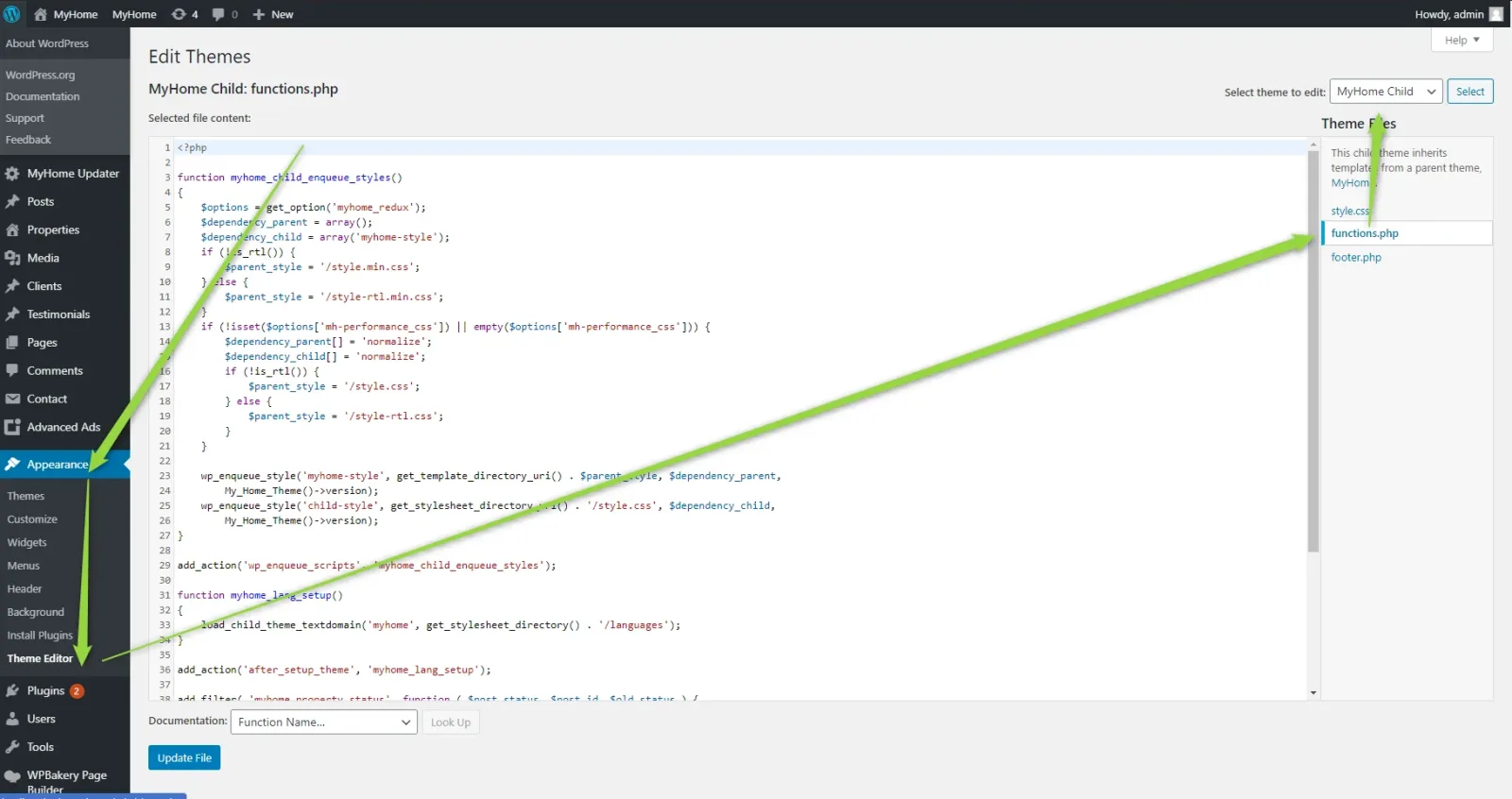
3. Paste this code at the bottom on file functions.php
4. Change https://yoursite/url-to-redirect-after-checkout to link what you want redirect your user and after this hit Update file.
Ask the people who build MyHome WPBakery
We answer by email from support@tangiblewp.com. With Premium Support, we also fix your site when something breaks.
We can also run your site for you, or build a new one.
Was this guide helpful?