
PHP Customization: How to change filtering "AND" condition to "OR" condition (Features example)
1 minute read
1. Please check Field internal ID e.g. Features:
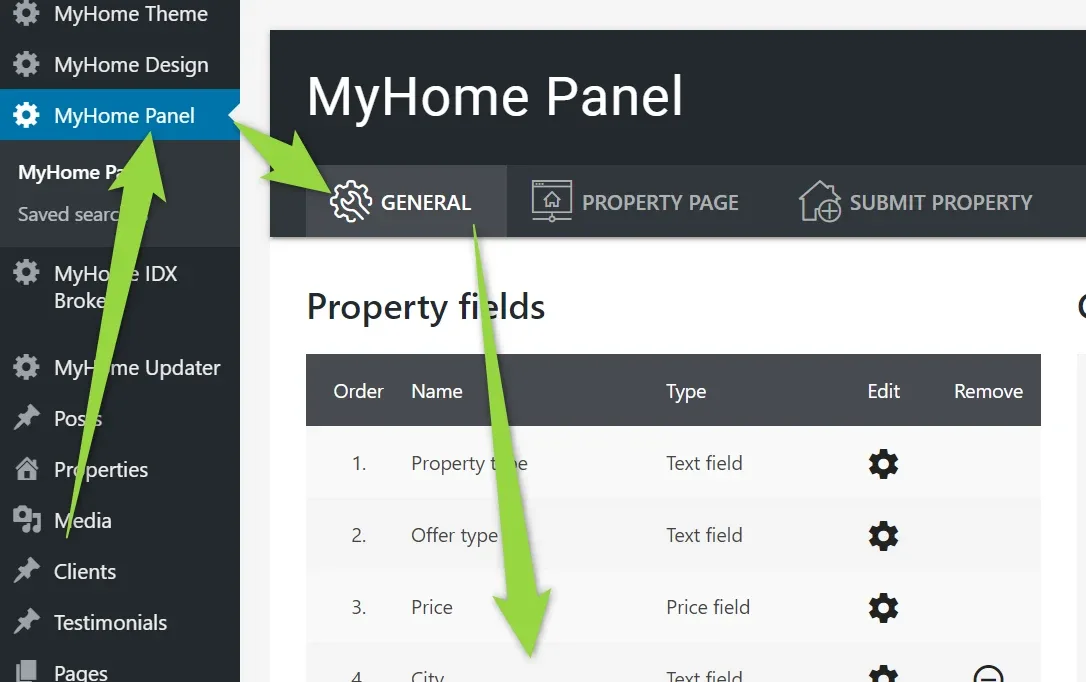
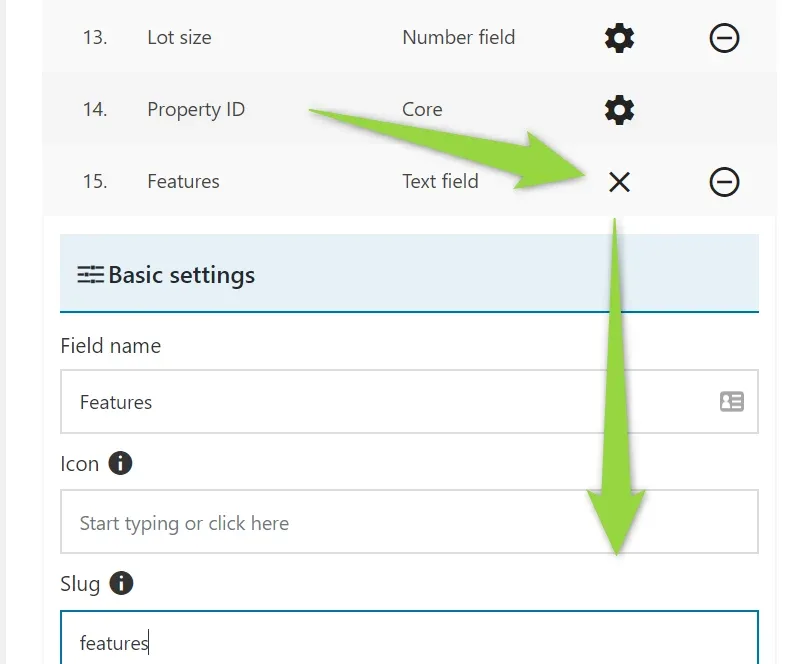
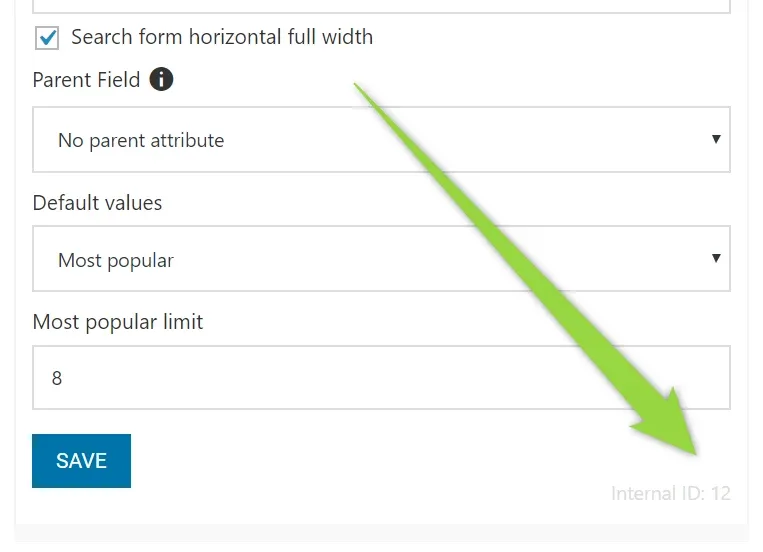
as you can see here it is 12.
Add code you see below this paragraph to your Child Theme. If you do not have child theme installed yet, please check this article: https://tangiblewp.freshdesk.com/support/solutions/articles/101000373821-how-to-use-child-theme-how-to-change-files-php-css-js-and-keep-theme-future-update-compatibili . The code need to be added to functions.php file ( /wp-content/themes/myhome-child/functions.php )
remember to change 12 to your ID. Please do not change other lines (e.g. 10, 2).
add_filter( 'myhome_search_field_operator', function ( $operator, $attribute_id ) {
            if ($attribute_id !== 12) {
                return $operator;
            }
            return 'IN';
            //return 'AND';
        }, 10, 2 );
Ask the people who build MyHome WPBakery
We answer by email from support@tangiblewp.com. With Premium Support, we also fix your site when something breaks.
We can also run your site for you, or build a new one.
Was this guide helpful?