
How to use "Bulk Add Terms" plugin to add multiple terms (e.g. cities, zip codes, neighborhoods)?
1 minute read
-
1
Please visit Plugins >> Add New
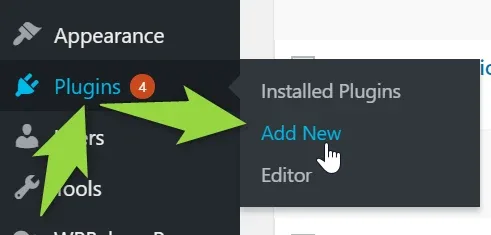
-
2
Install "Bulk Add Terms" Plugin
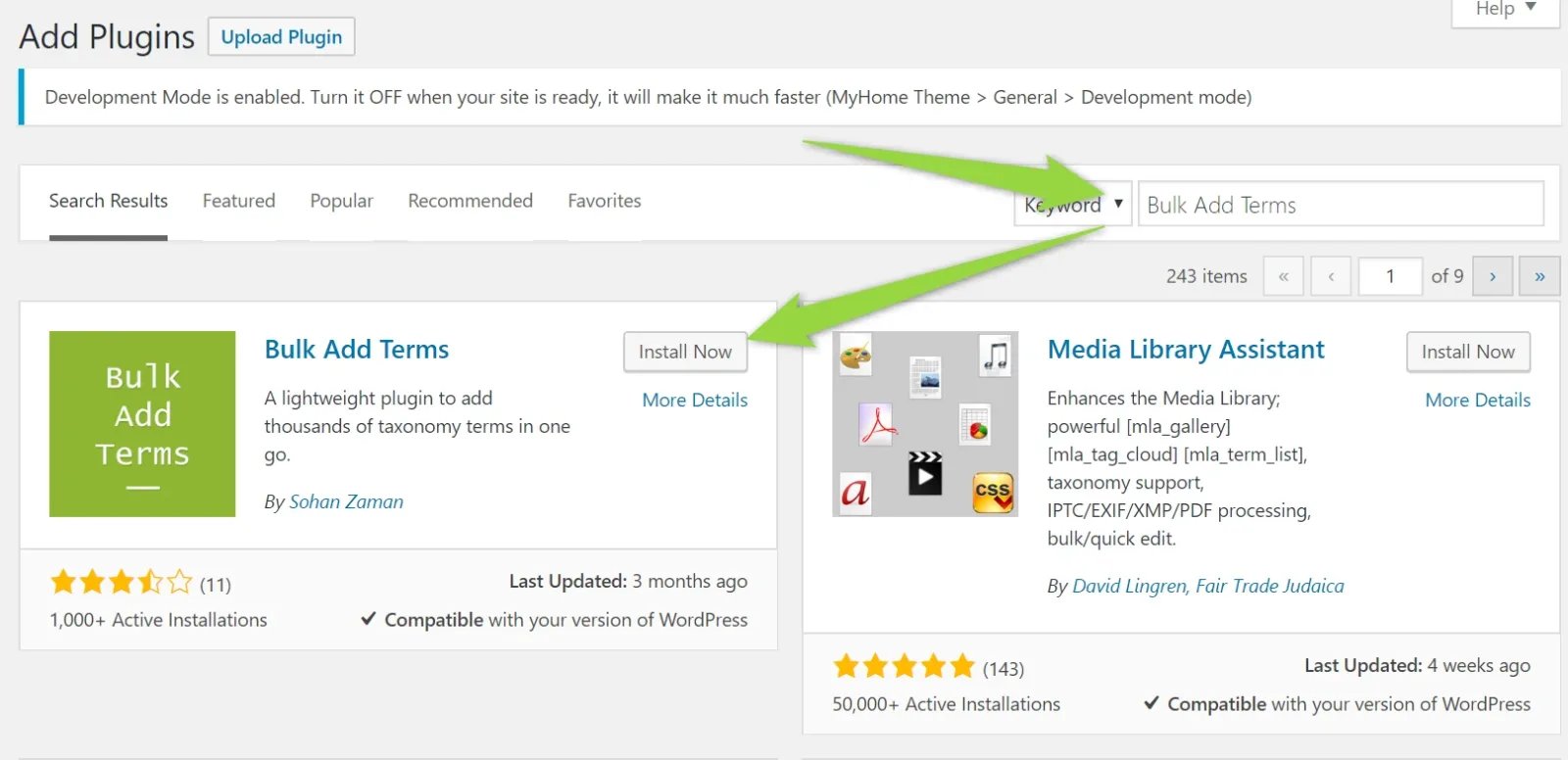
-
3
Activate the plugin
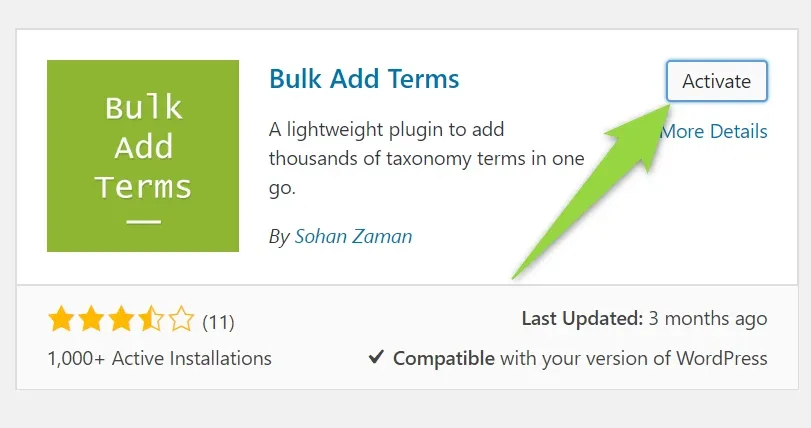
-
4
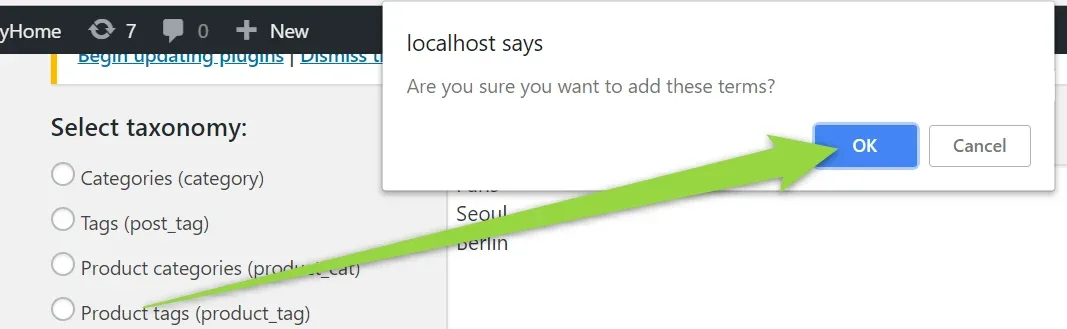
Select taxonomy and add list of terms (one in line). Click "Add now".
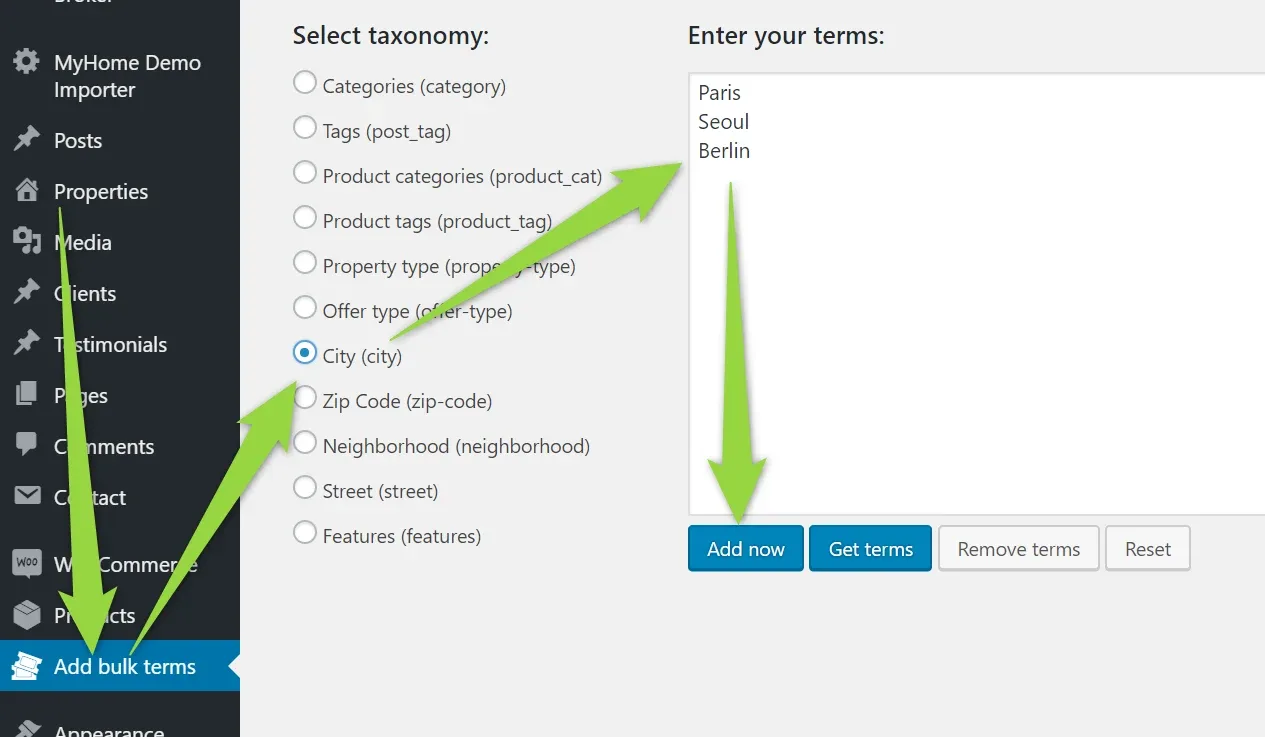
-
5
Confirm
-
6
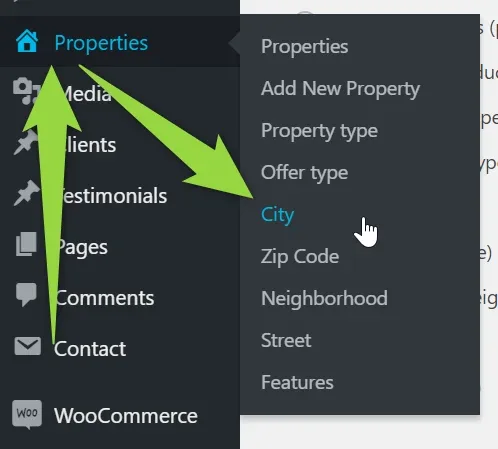
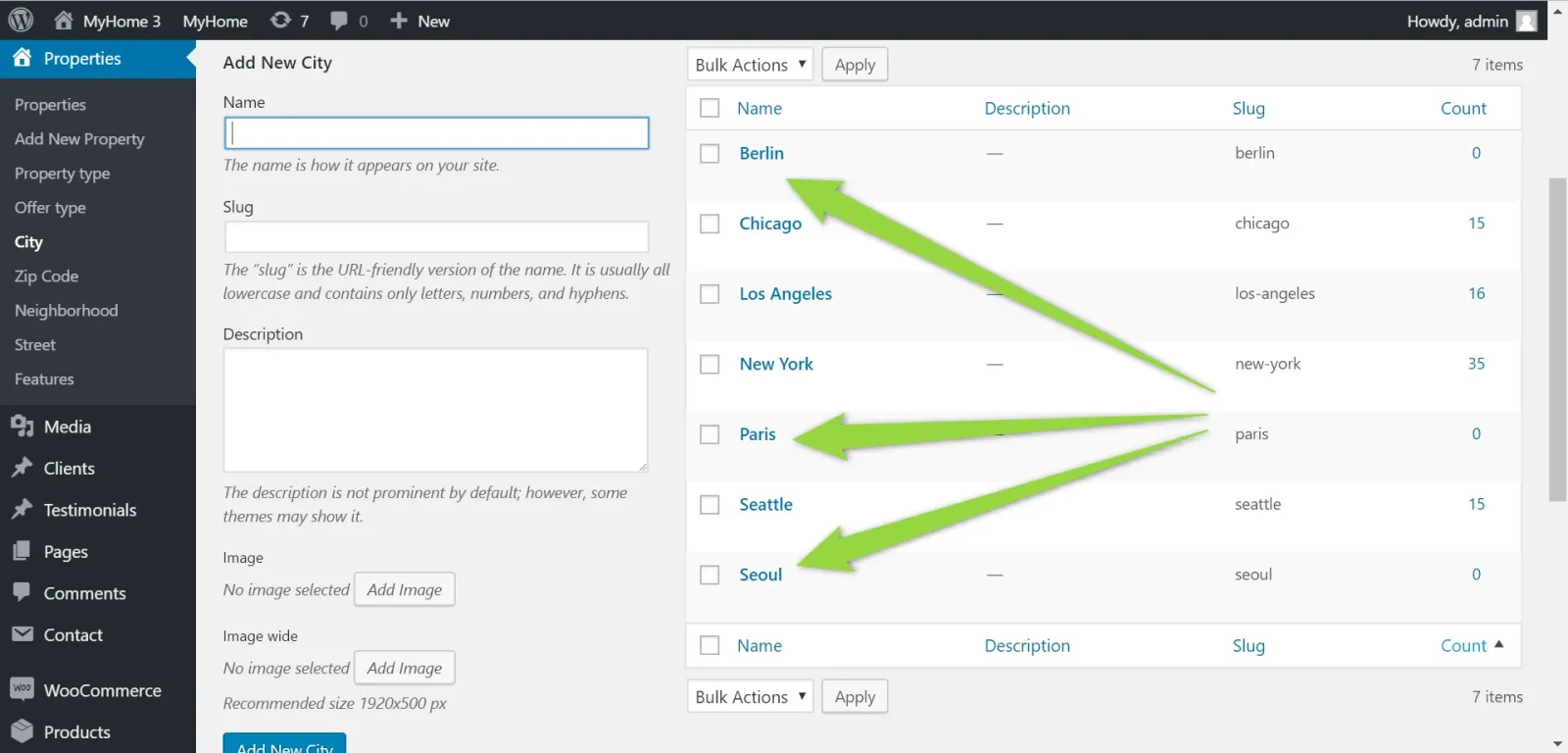
Your new cities will be added
Ask the people who build MyHome WPBakery
We answer by email from support@tangiblewp.com. With Premium Support, we also fix your site when something breaks.
We can also run your site for you, or build a new one.
Was this guide helpful?