
WooCommerce Payment Gateways Integration option (e.g. PayPal / Stripe) - user need to pay to submit properties
2 minute read
Table of Contents
I. Integration Overview
II. How to configure pricing table
III. Payment Gateways
I. Integration Overview
Memberships and packages enable you to turn your website into a source of revenue. MyHome is integrated with WooCoomerce. With flexible payment packages, you can create customized offers for your clients that will meet their varied needs e.g. https://demo8.myhometheme.net/pricing-table/
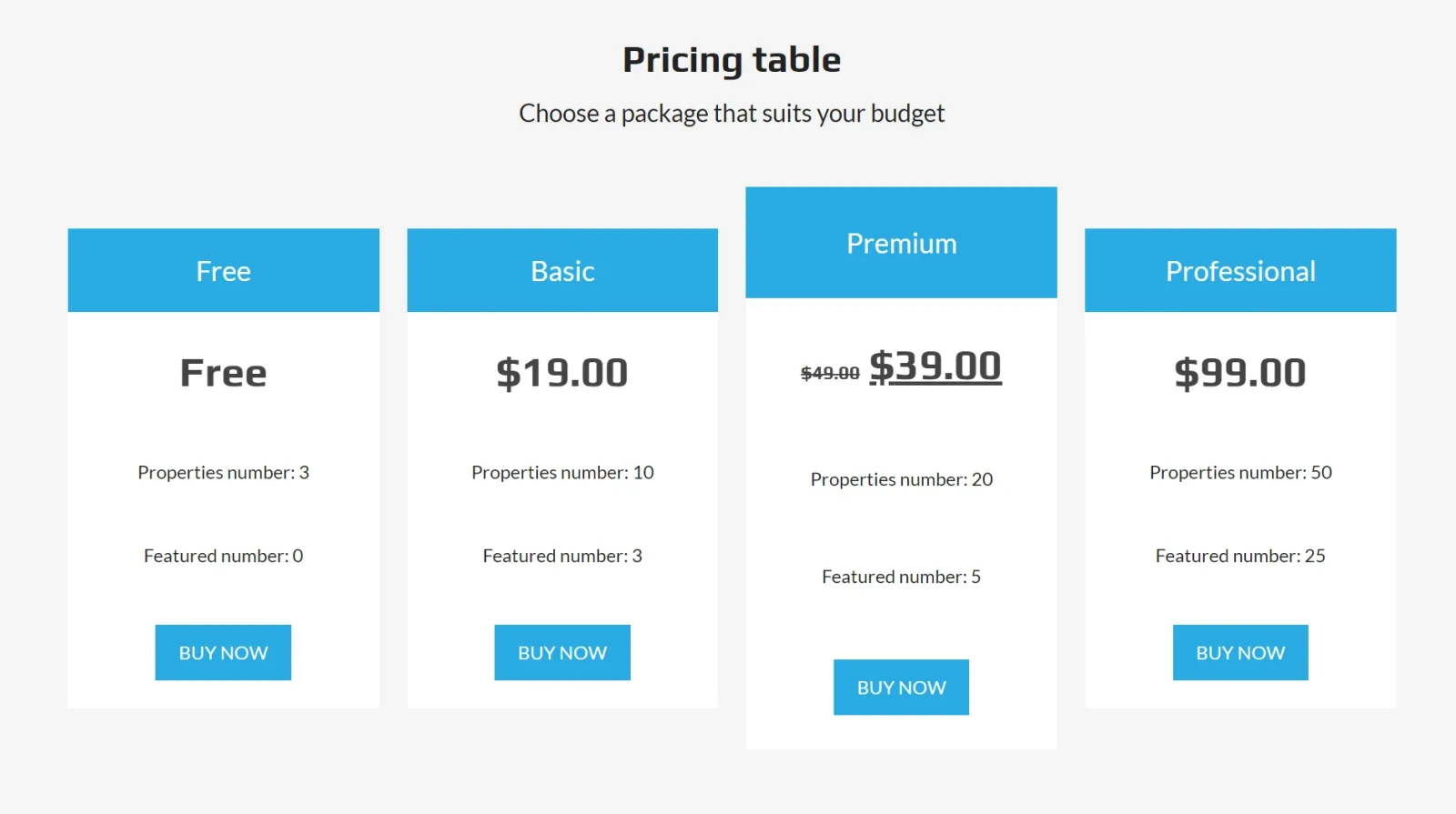
II. How to configure Pricing Table
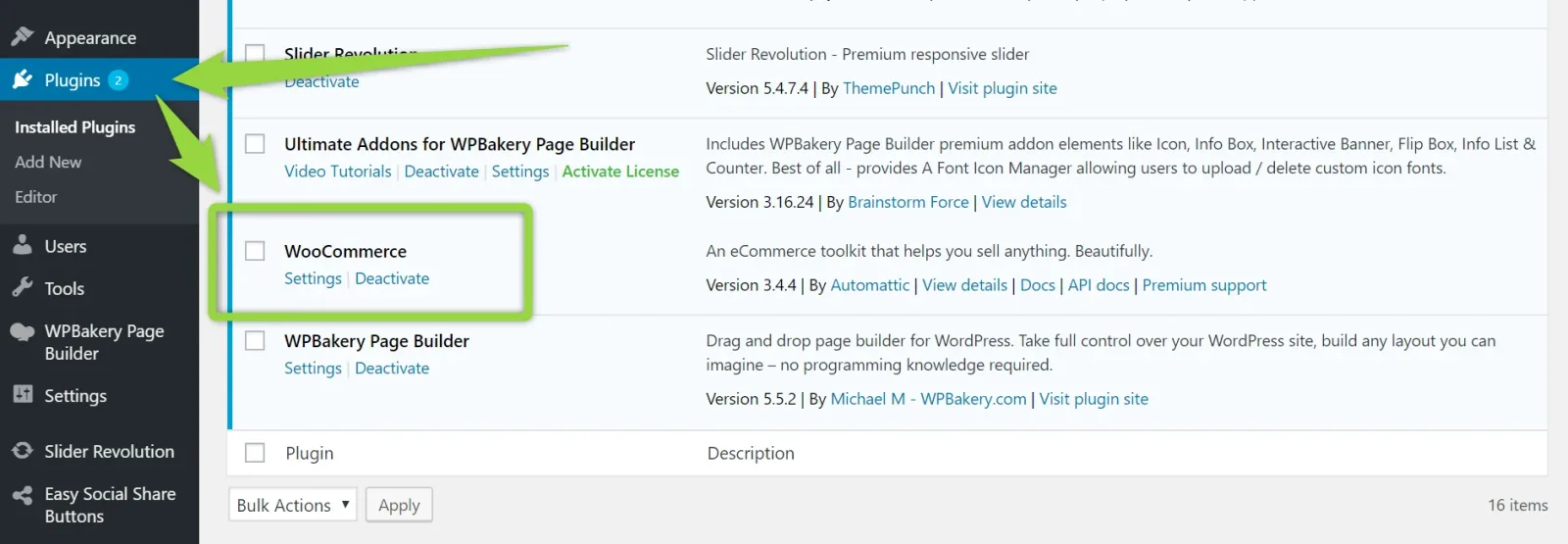
WooCommerce plugin is a part of MyHome Theme. Please make sure it is installed (https://wordpress.org/plugins/woocommerce/)
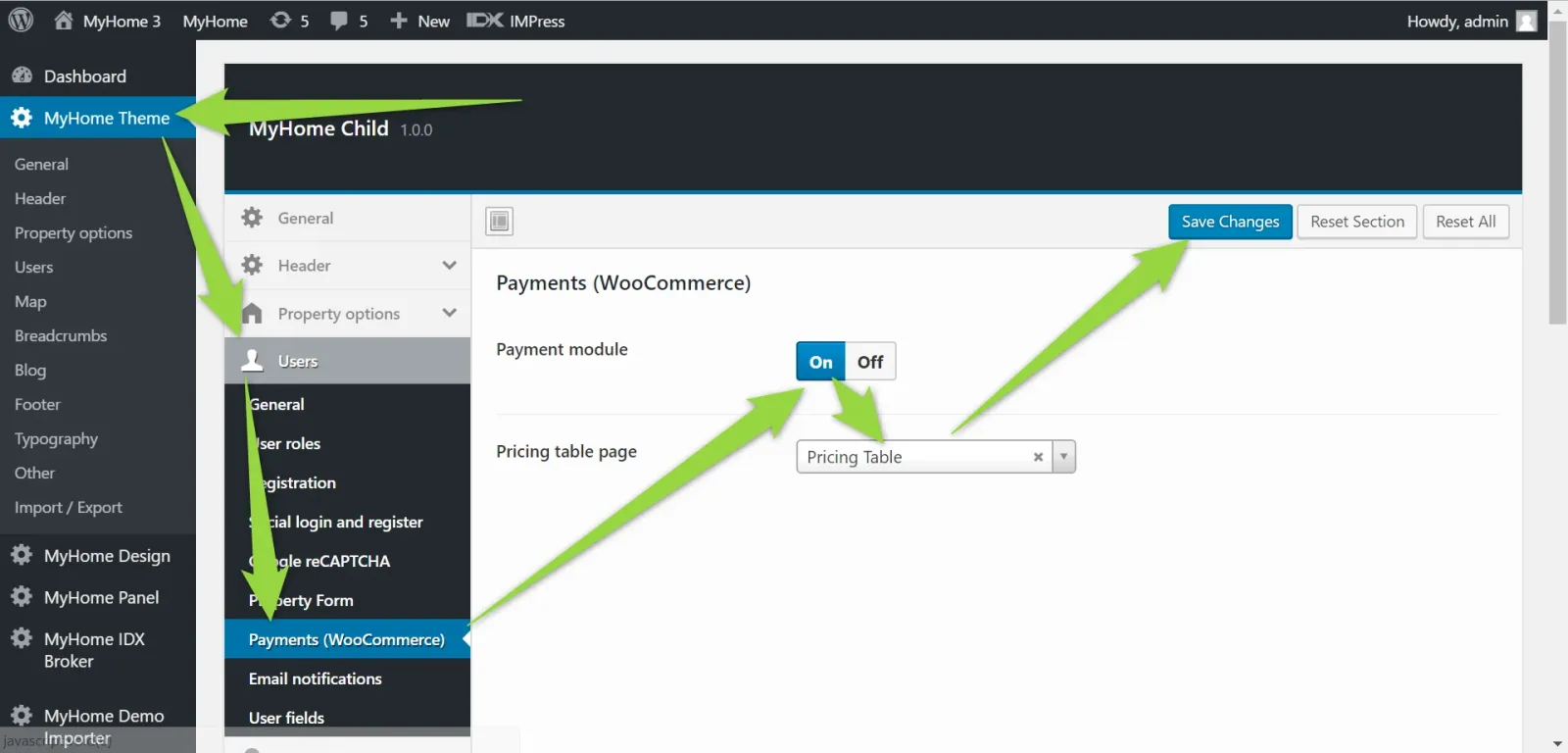
2. Turn on payment module, choose pricing table page (Submit property form will redirect to it when someone fill the form):
You can find 2 links in your /wp-admin/
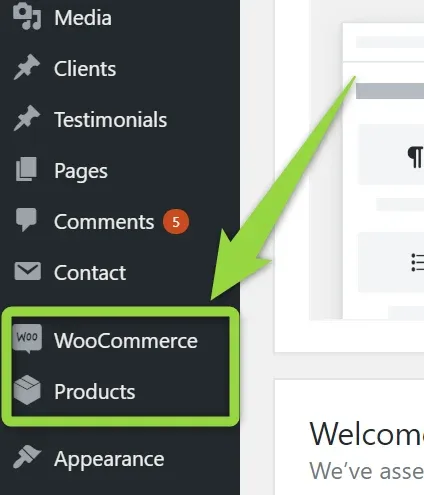
Please visit Product and you will see available packages
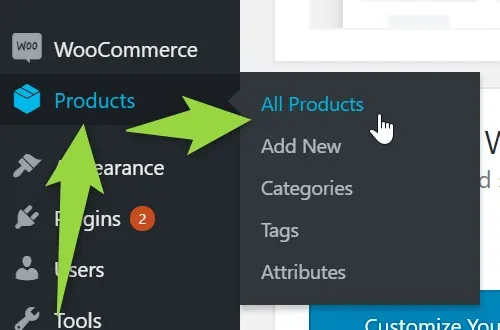
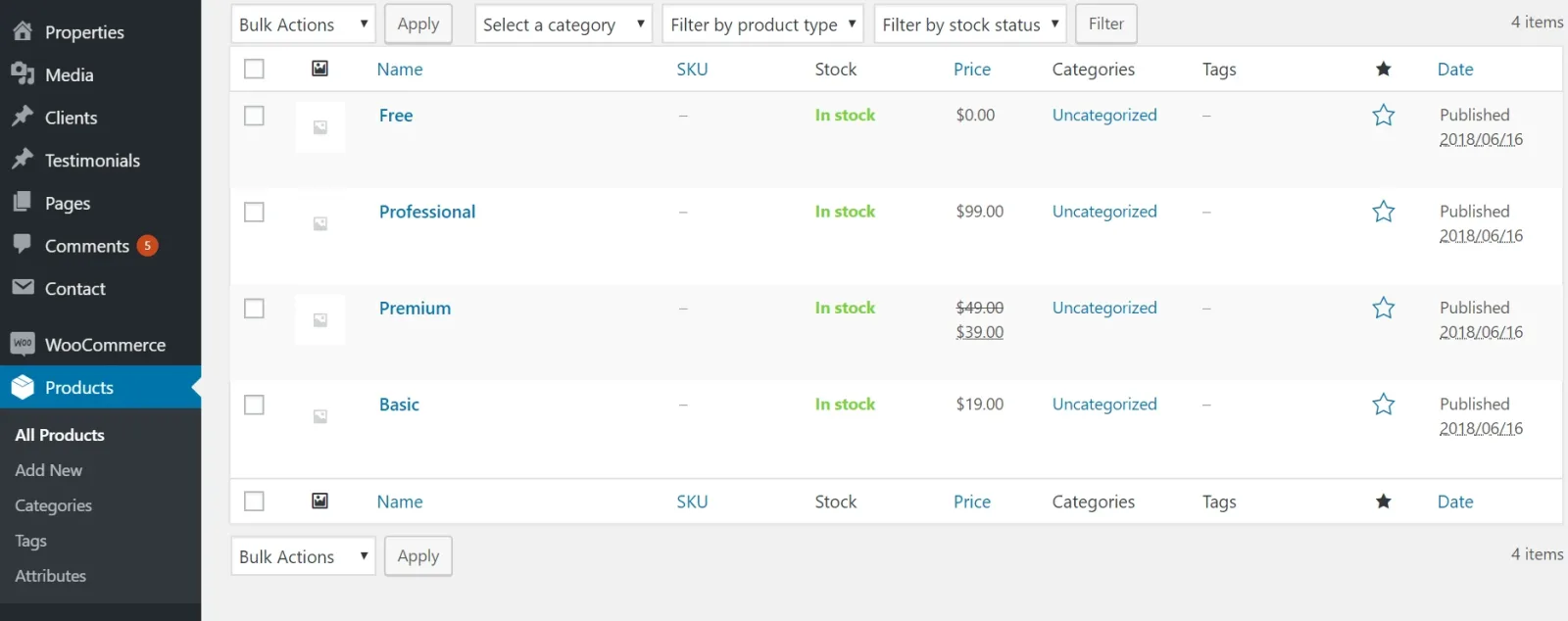
By default after demo impor you will see:
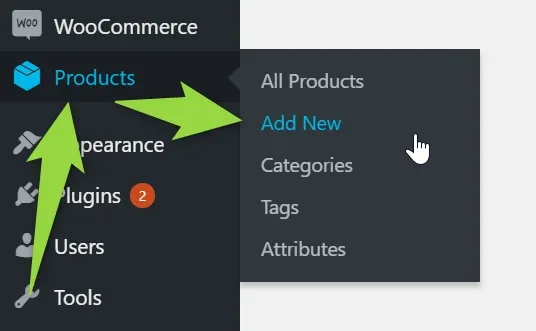
You can remove any of it or add new:
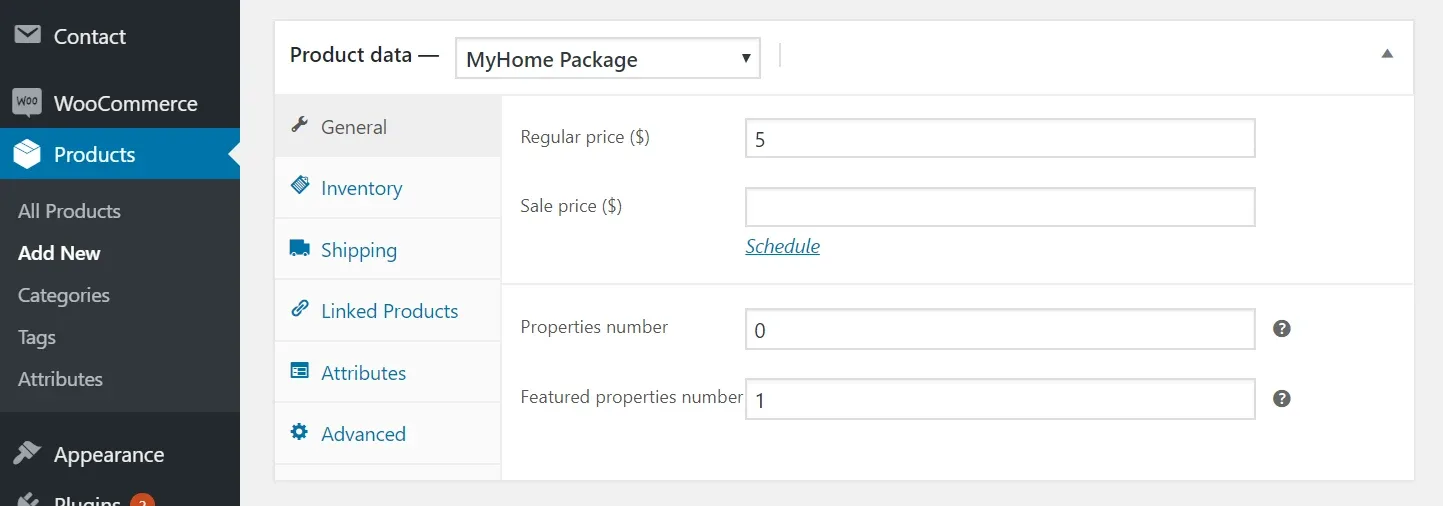
Add sample package e.g. "1 Featured" and set Product Data: MyHome Package
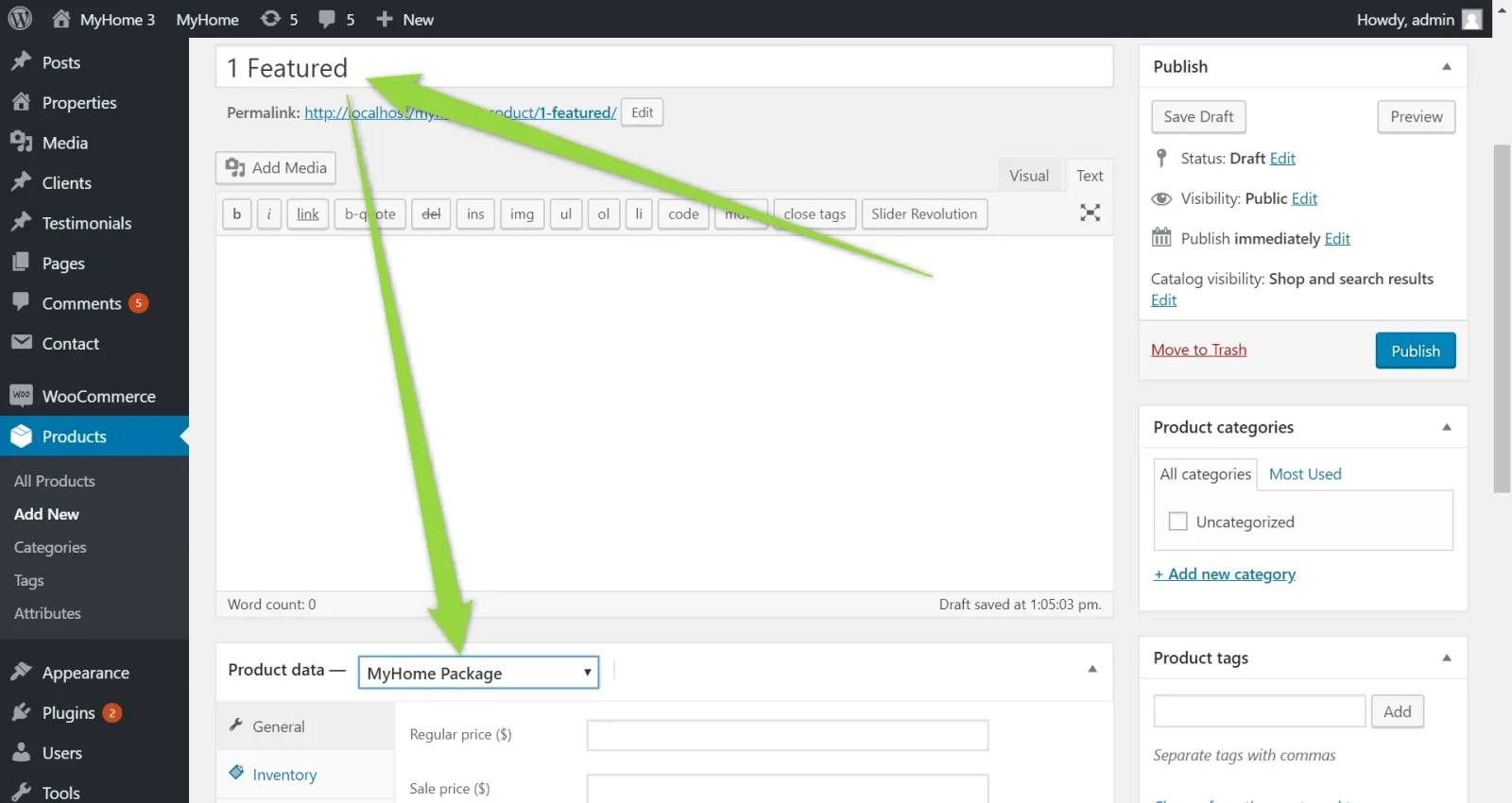
Configure package,
- regular price
- optional sale price
- properties number = number of regular properties
- featured properties number = number of featured properties
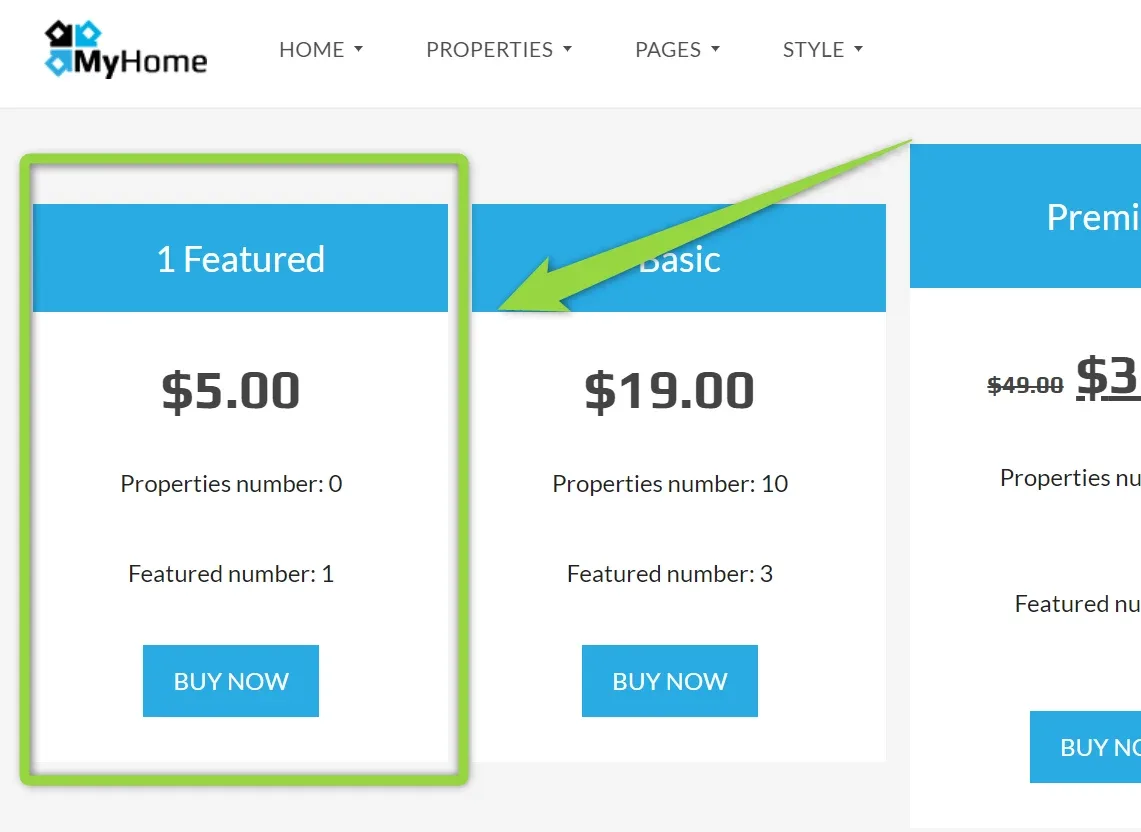
e.g. $5 for 1 featured property
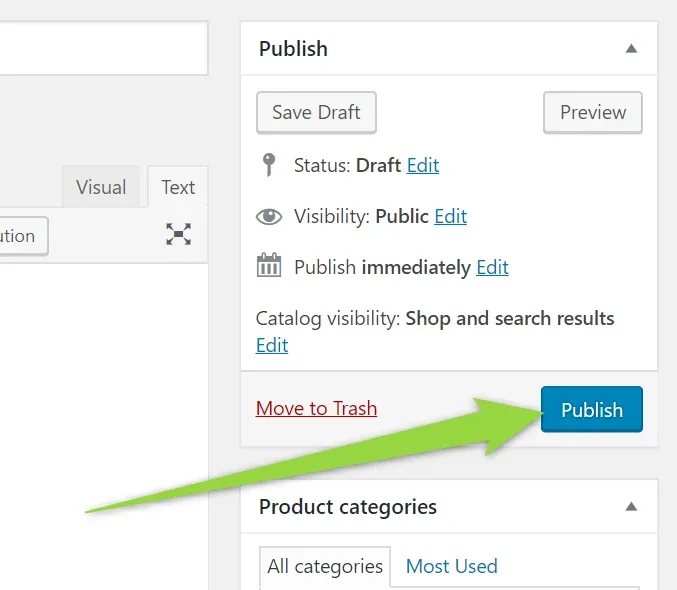
Please Publish
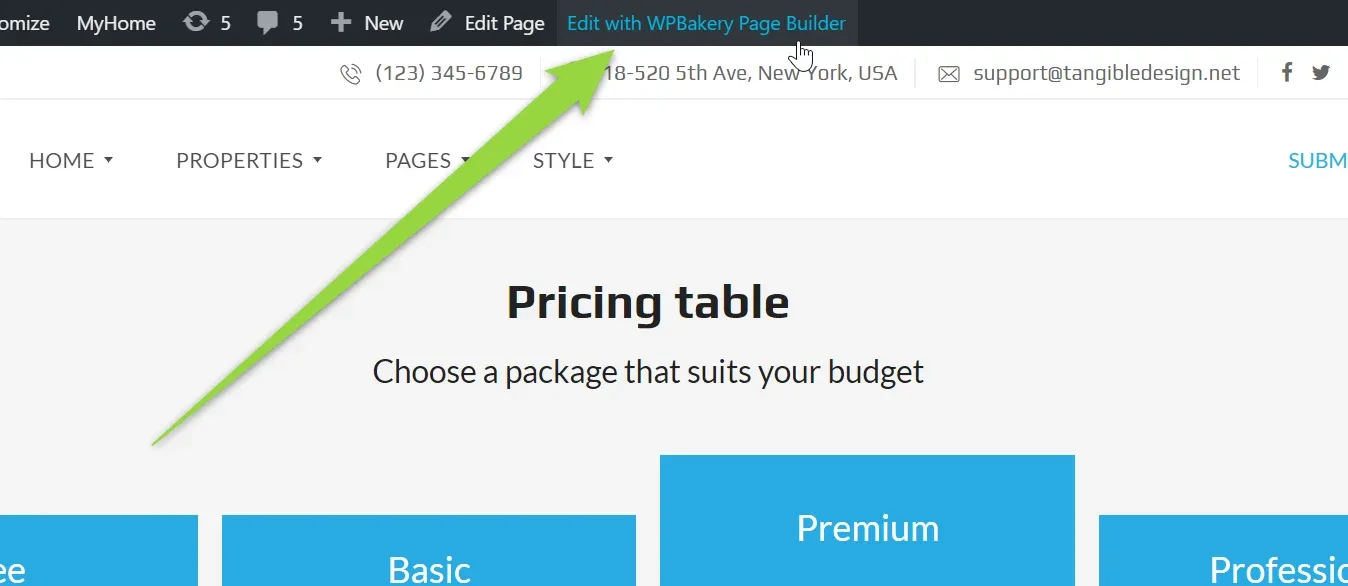
Visit your Pricing Table page (default youraddress.com/pricing-table/)
Add your package to any place you wish e.g.
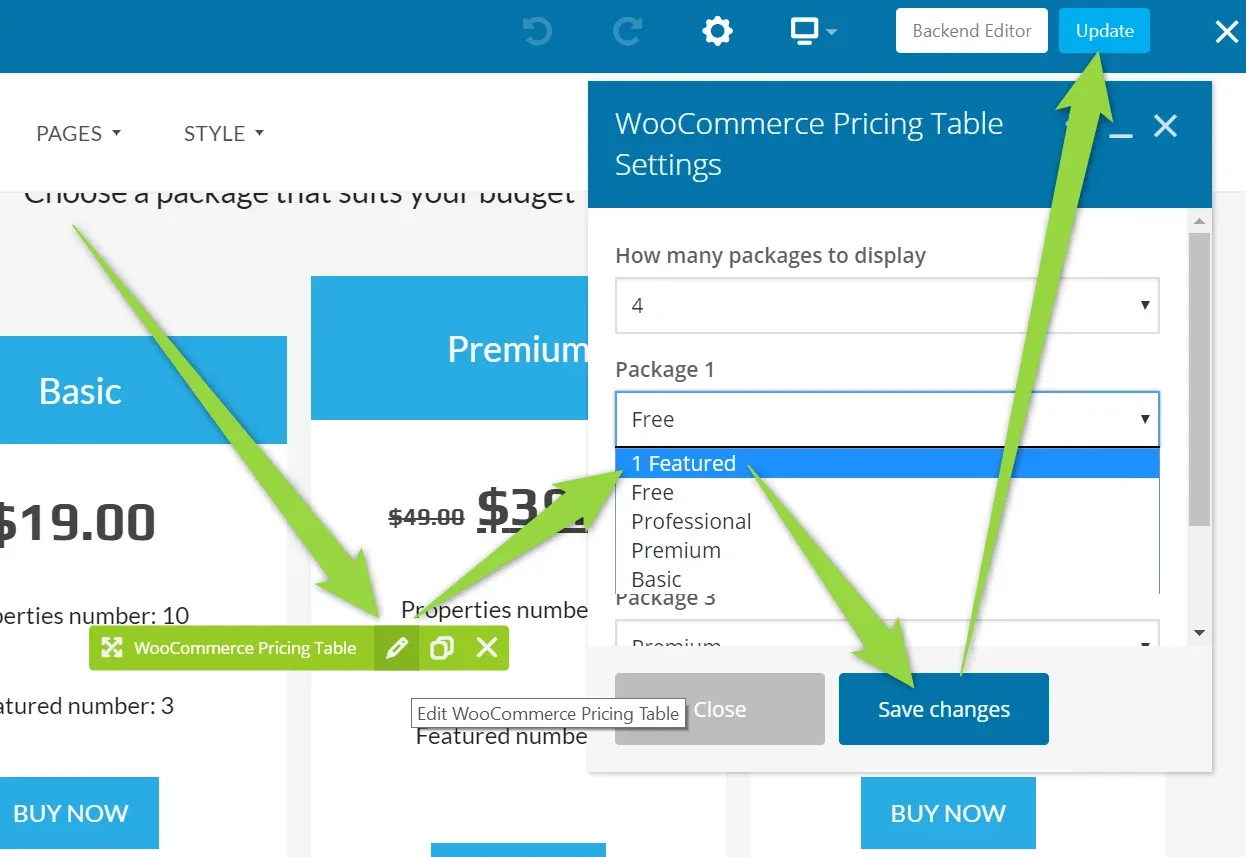
It will be visible on your pricing table
III. Payment Gateways
Please check official WooCoomerce documentation
Ask the people who build MyHome WPBakery
We answer by email from support@tangiblewp.com. With Premium Support, we also fix your site when something breaks.
We can also run your site for you, or build a new one.
Was this guide helpful?