
How to set Menu "MH Position" to make all MyHome Theme > Header options works correctly?
1 minute read
To enable all MyHome Theme menu options e.g. logo size, font size, transparent menu - menu need to have MH Primary position set. Here you can find instruction how to lunch it:
- 1 Login to /wp-admin/
-
2
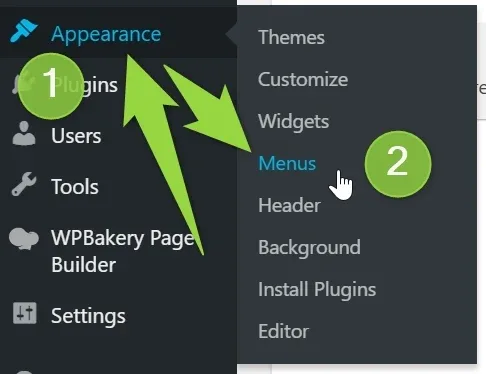
Go Appearance > Menus
-
3
Scroll down to the bottom of the menu you would like to use
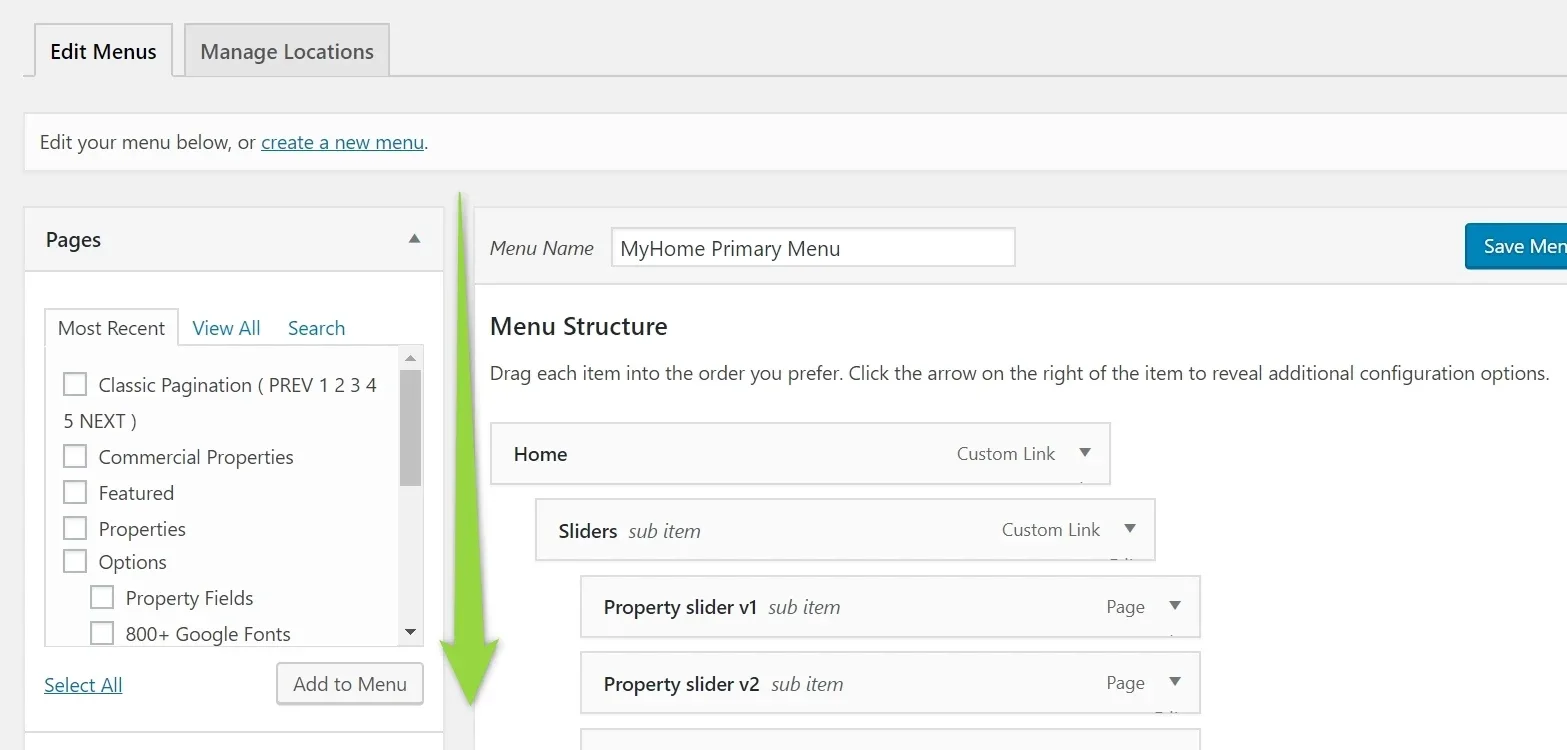
- 4 Check "MH Primary" and Save
Ask the people who build MyHome WPBakery
We answer by email from support@tangiblewp.com. With Premium Support, we also fix your site when something breaks.
We can also run your site for you, or build a new one.
Was this guide helpful?