
Registration - how to turn it on and configure?
1 minute read
By default, after MyHome demo import - public registration is disabled. It is because we want to make your WordPress developing process more private and this way potential visitors cannot add anything to your database. You can turn on Registration here:
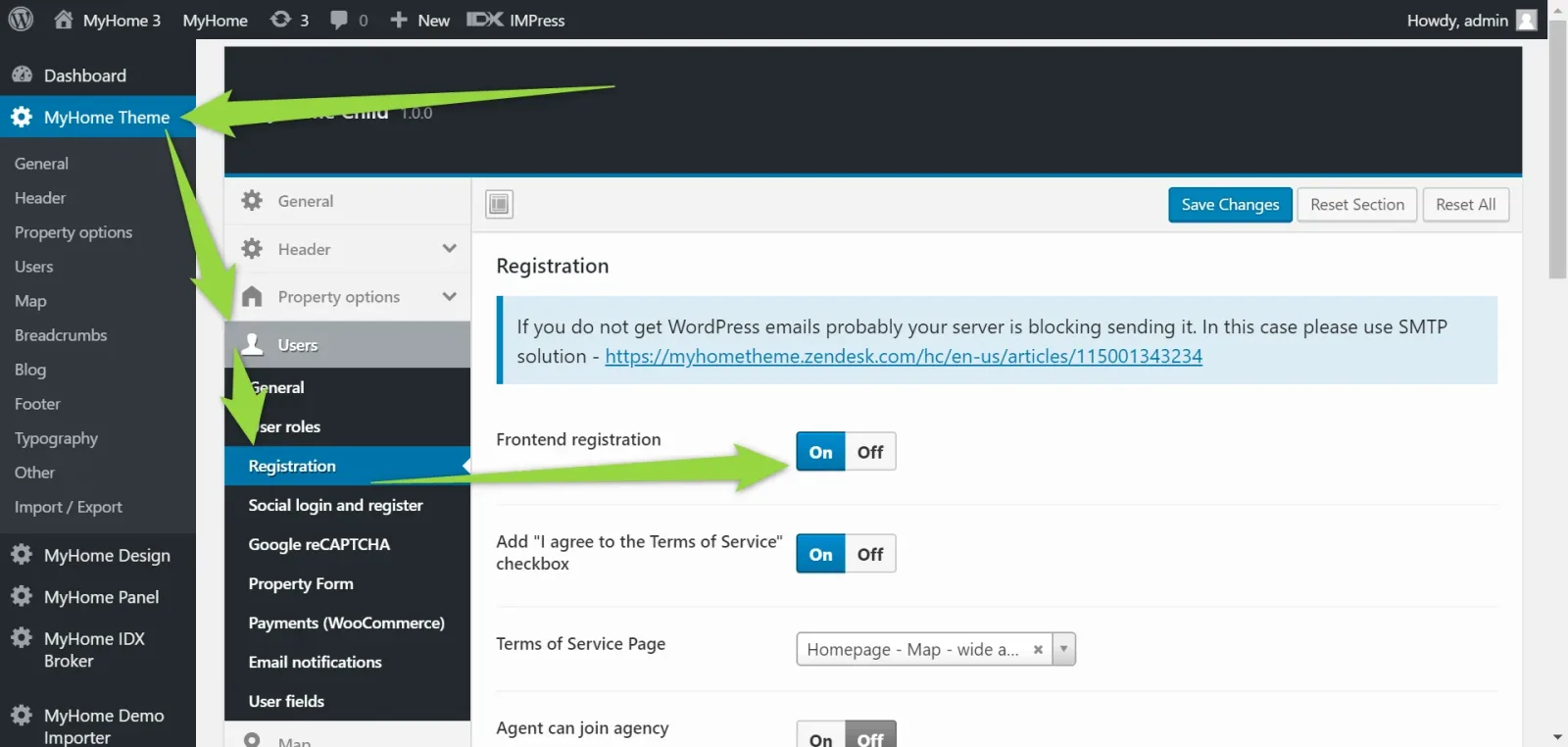
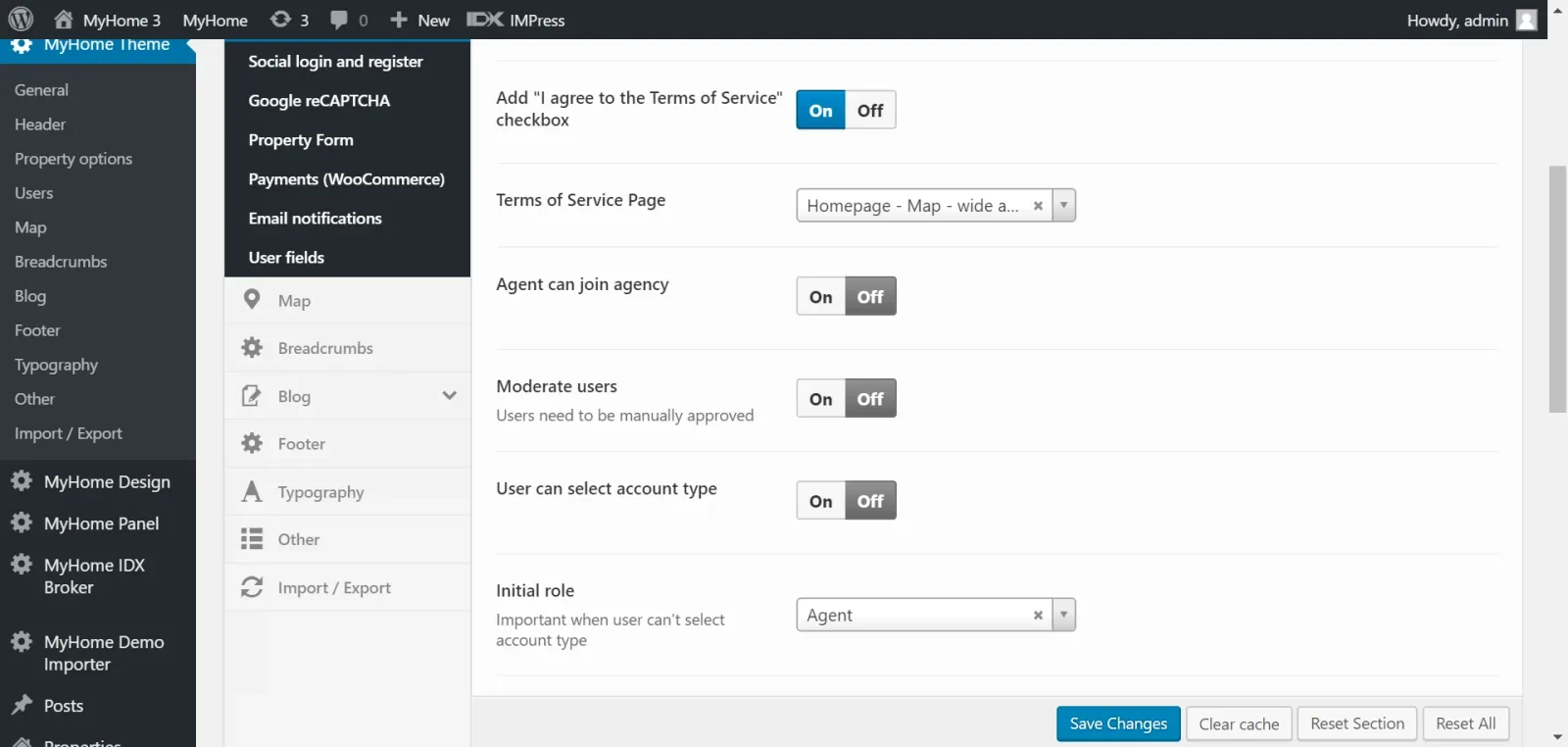
When you switch it on, you will see many options related to it e.g. which tab should be visible first (Login or Register)
If you wish you can configure Google reCAPTCHA for your login / register here:
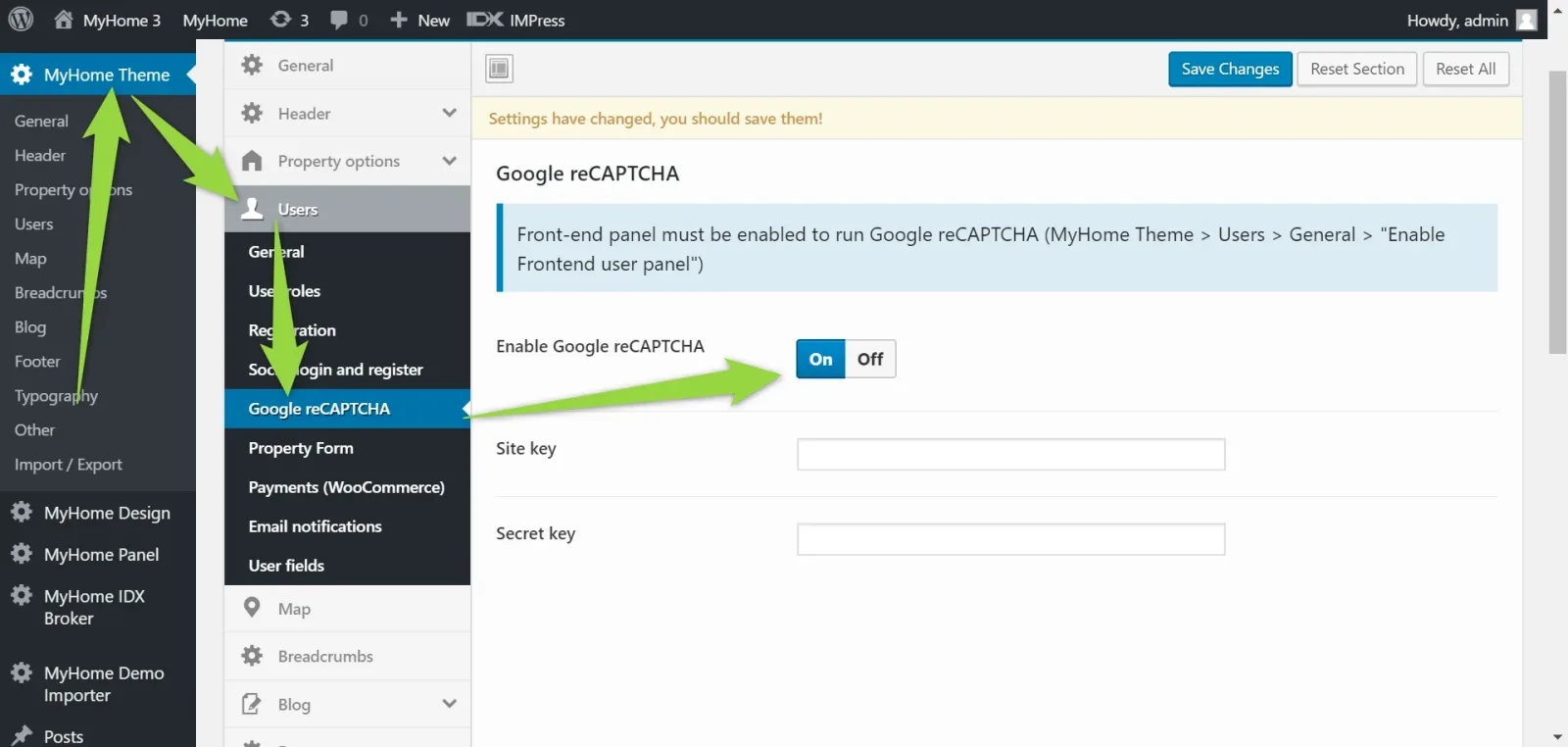
Here is full article how to configure it: How to use reCAPTCHA - "I'm not a robot"
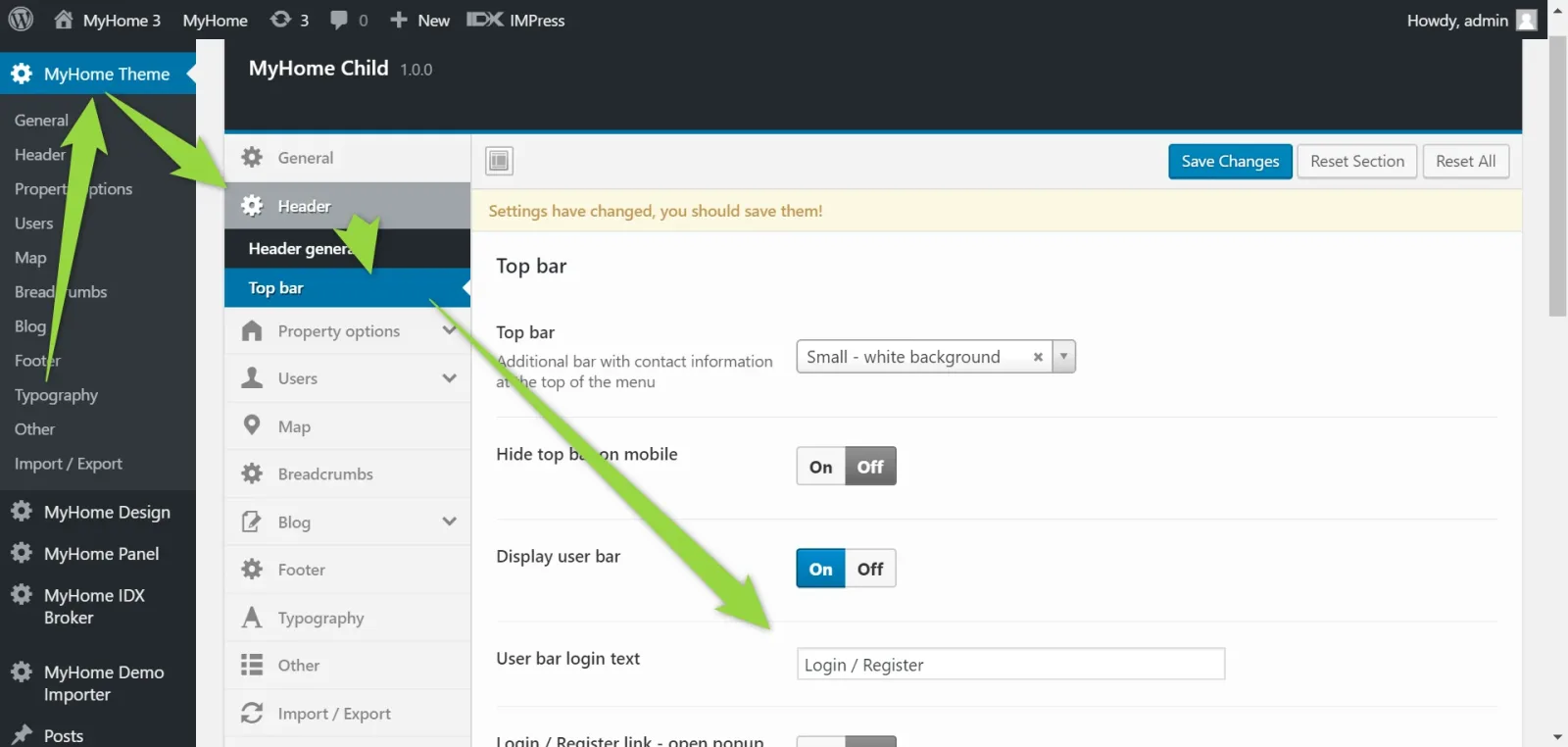
If you use Top Bar e.g. like this:

You can configure Login/Register text here:
Ask the people who build MyHome WPBakery
We answer by email from support@tangiblewp.com. With Premium Support, we also fix your site when something breaks.
We can also run your site for you, or build a new one.
Was this guide helpful?