
Full IDX Broker Integration. How to integrate IDX Broker with MyHome?
6 minute read
This article explains how to configure IDX Broker with MyHome. It should take about 10 minutes to configure everything correctly.
1. Starting point
Starting point before integration:
- You already installed MyHome, all plugins and imported demo
- You already singed up IDX Broker Account https://signup.idxbroker.com/d/myhome and you can login to it via https://middleware.idxbroker.com/mgmt/login
2. Integration types
There are 2 types of integrations with IDX Broker:
- Import listings assigned to your account
- Live MLS feed
Please check table in our main article "About IDX Broker Integration (MLS)" to fully understand what is possible to achive with each integration.
3. Basic Configuration
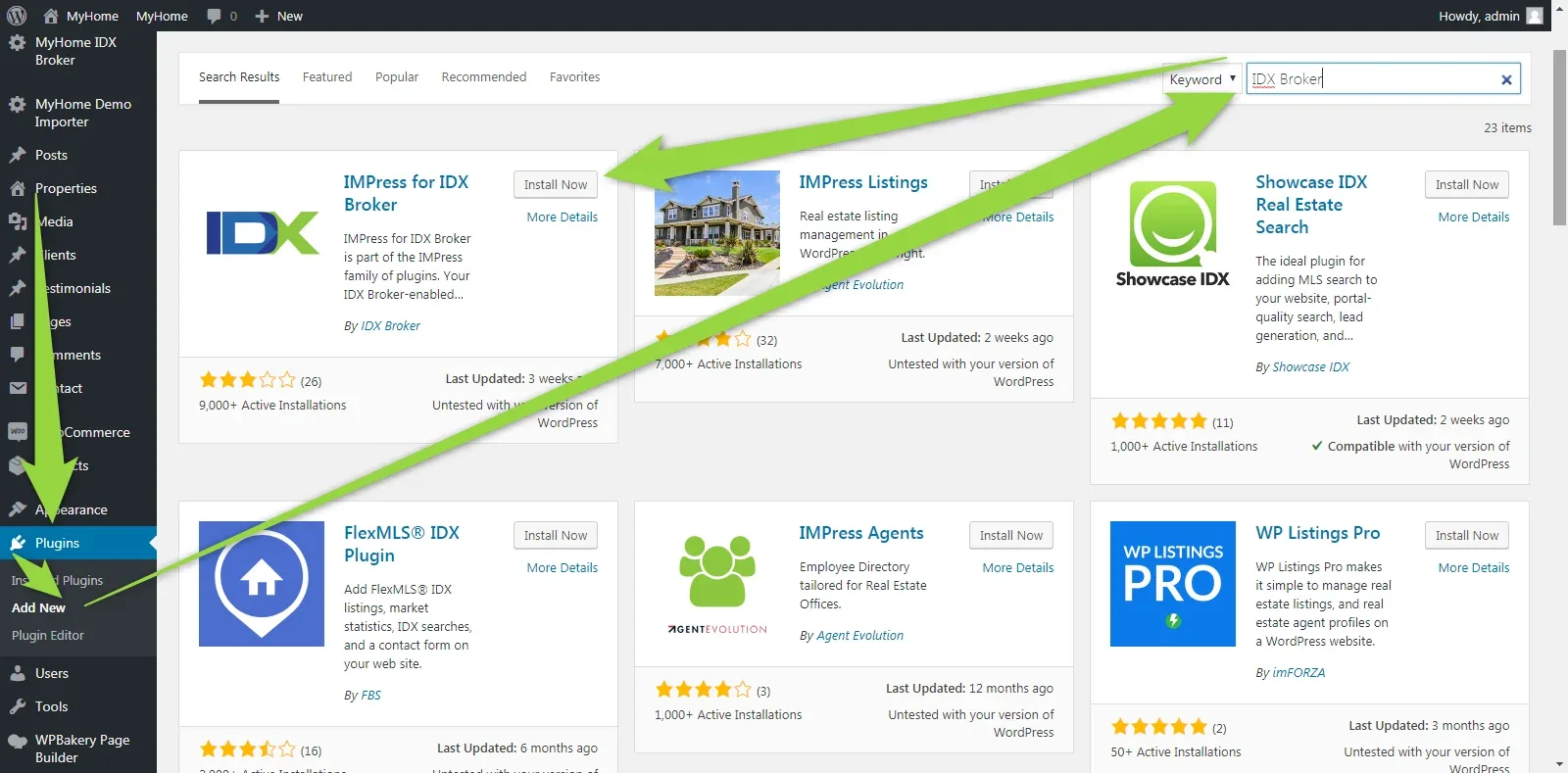
3.1. Install "IMPress for IDX Broker" Plugin
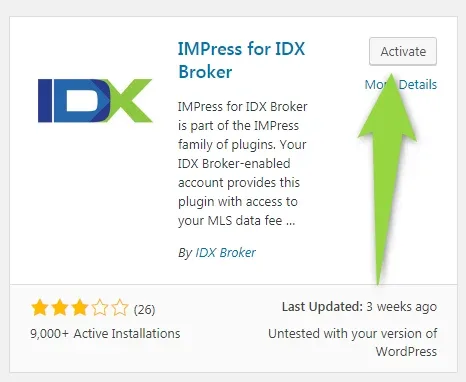
3.2. Activate this Plugin after installation
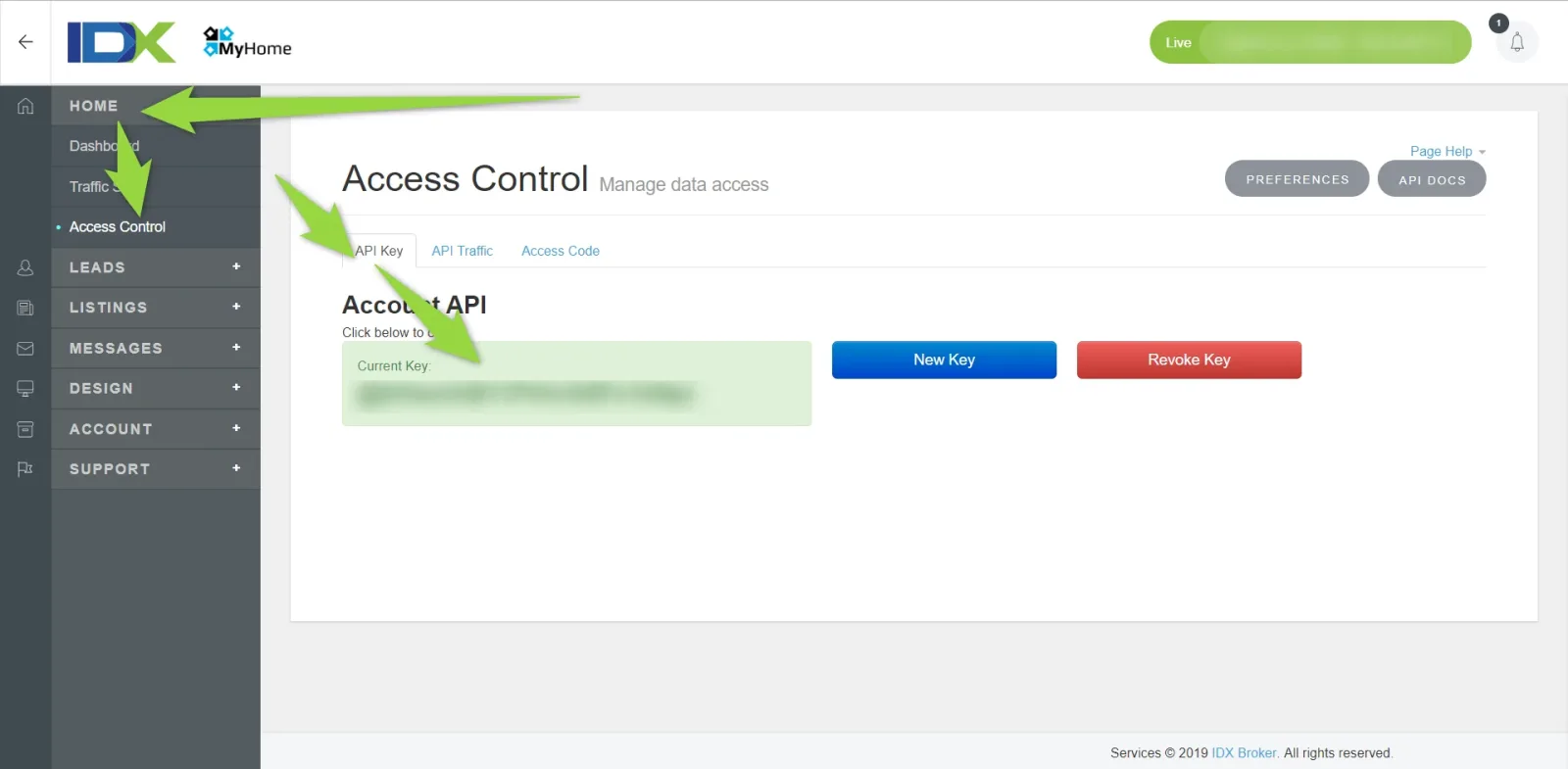
3.3. Create IDX Broker API Key
You can find your IDX Broker API Key:
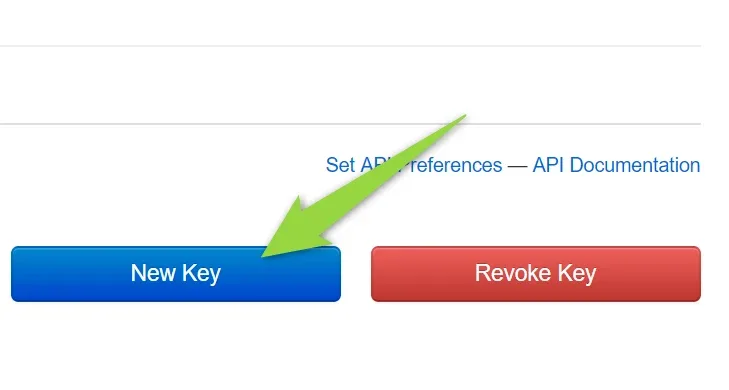
If you do not have Key yet, click the "New Key" button
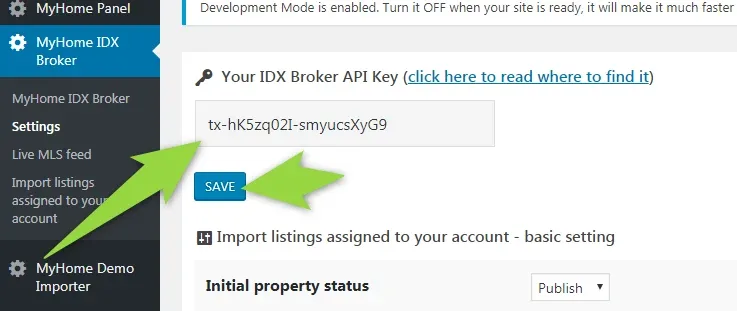
3.4. Add Key to MyHome IDX Broker Plugin
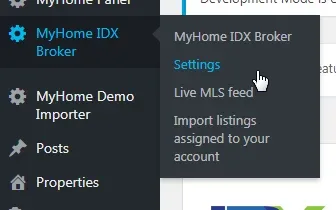
Paste it and click save button
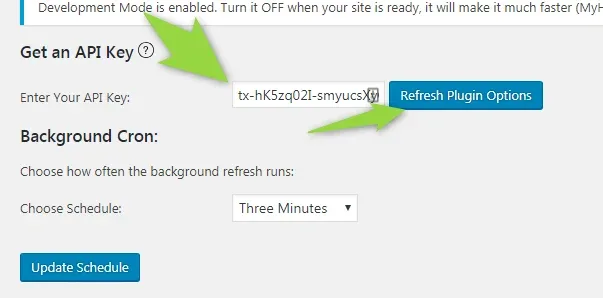
3.5. Add Key to "IMPress for IDX Broker" Plugin
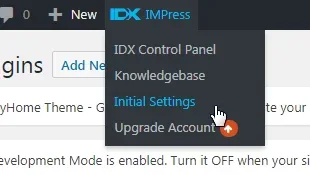
Paste it and click "Refresh Plugin Options"
4. Import listings assigned to your account configuration
1. You can import listings assigned to your IDX Broker account to your website this way:
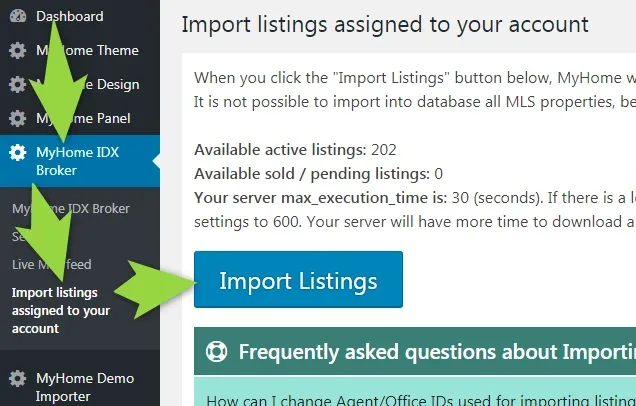
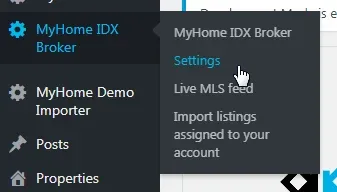
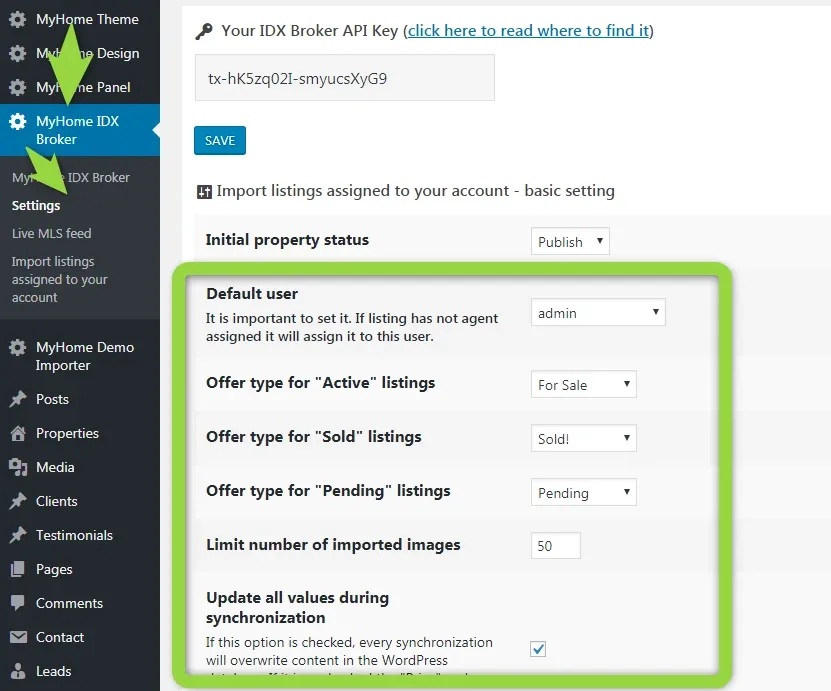
You can customize what to import/update in the MyHome IDX Broker > Settings
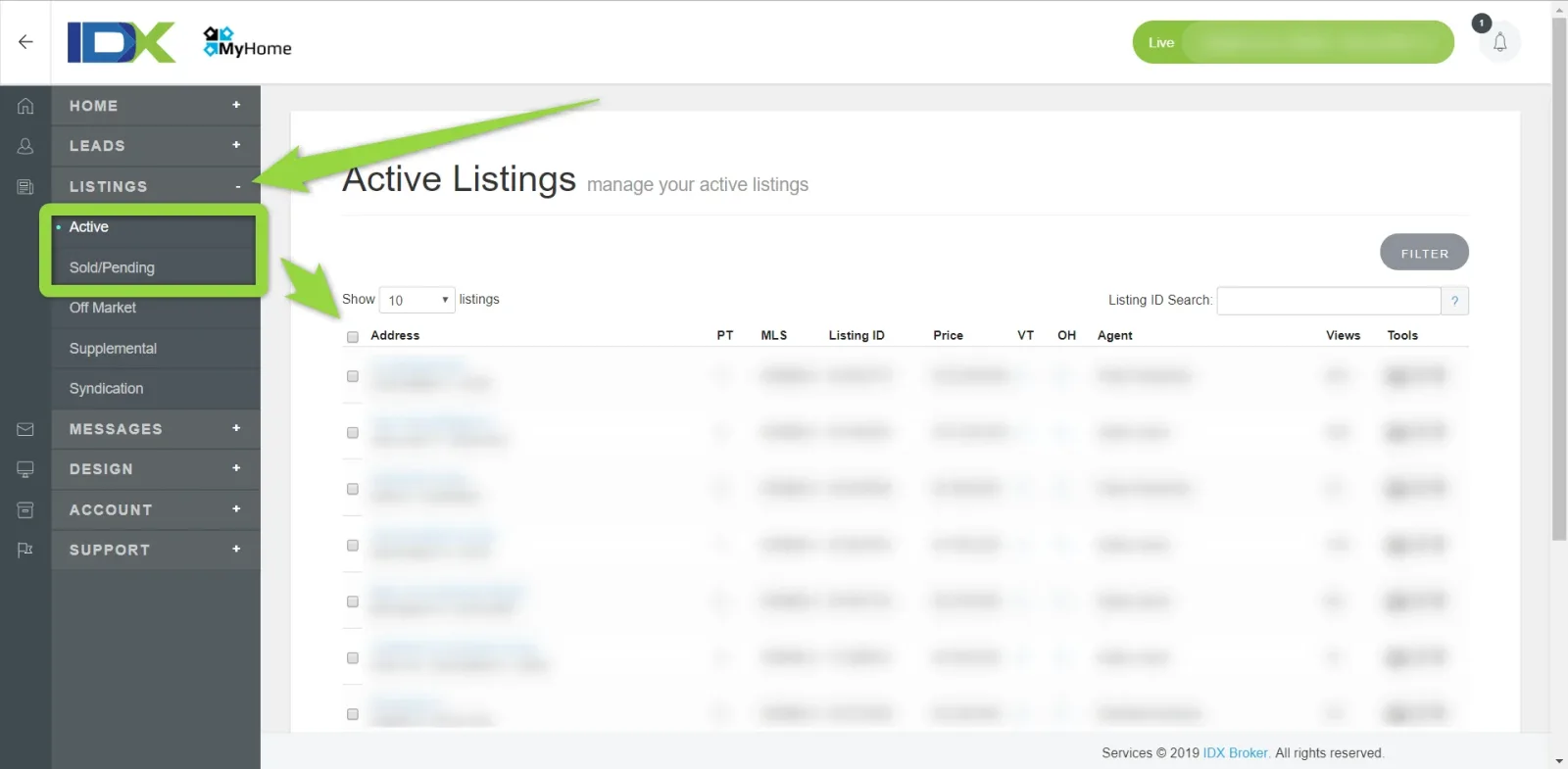
"Import Listing" button can import listings that are in your IDX Broker Account "Active" and "Sold Pending" tabs.
Please consider that listings in the IDX Broker system are not updated automatically. Usually it takes around 1 hour to update information from your MLS. You can check how long it takes for your MLS here - https://idxbroker.com/idx_mls_coverage. Please visit page of your MLS and check right column:
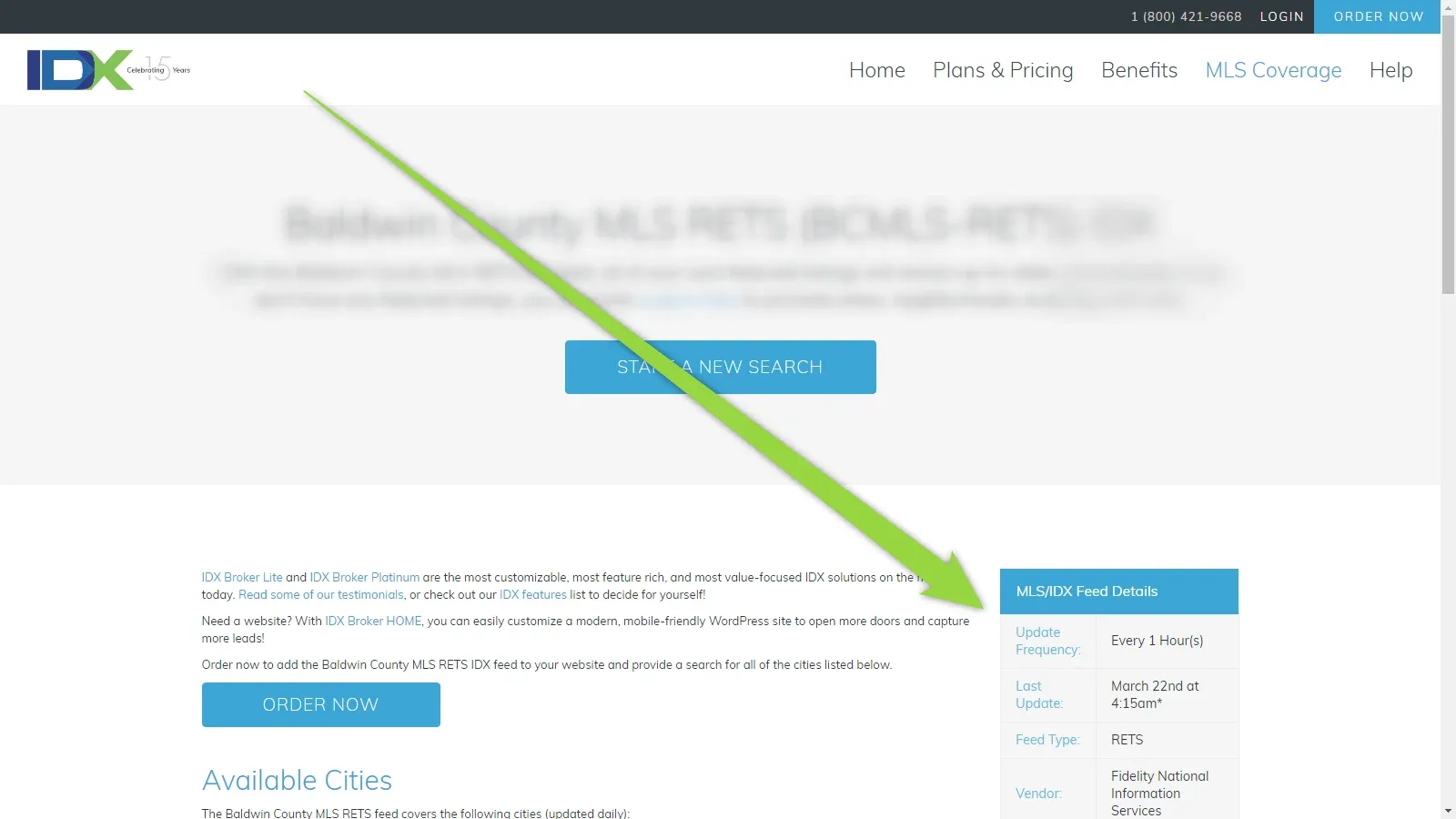
It is worth to remember because e.g. when you change listing status in your MLS to "Sold", IDX Broker will update it after some time and only when it will be updated in the IDX Broker, MyHome can import it to your website.
The most common questions related to this integration:
5. MLS Feed Integration
It should take about 7 minutes to do this integration.
5.1. Disable Coming Soon Module
Firstly please disable any coming soon / under construction module to make your website fully visible online. It is required by IDX Broker to correctly connect to your website.
5.2. Click Import Wrappers
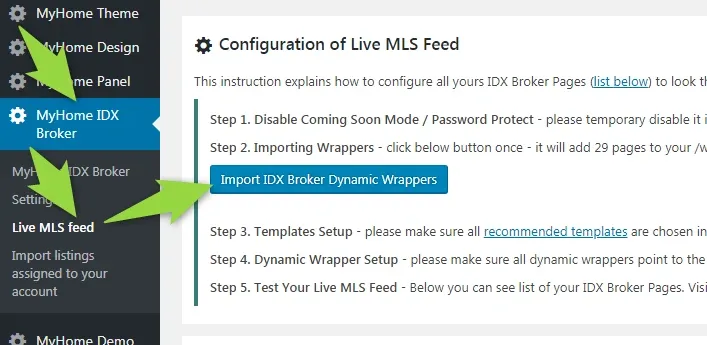
5.3. Setup templates in your IDX Broker Account
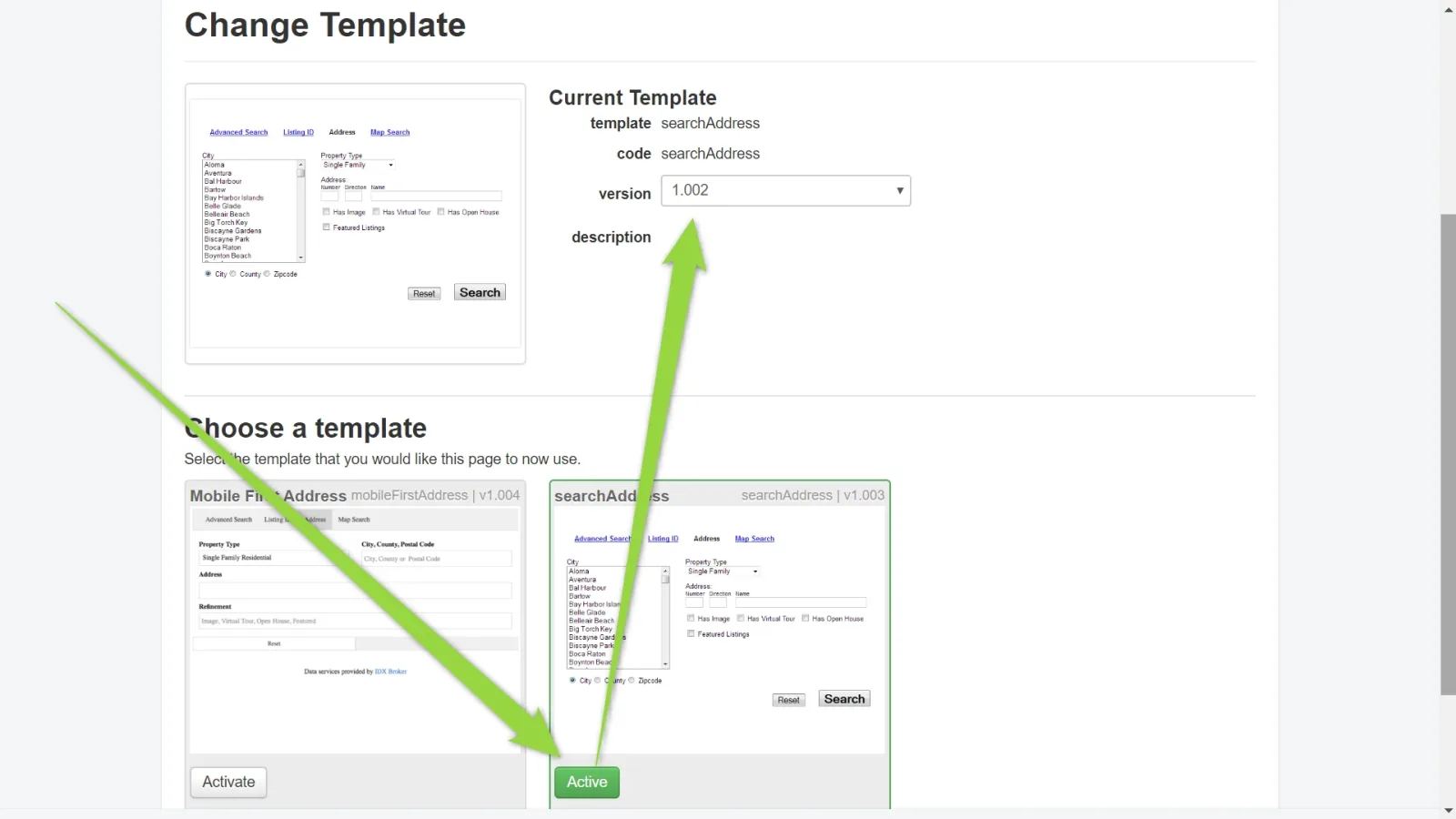
"IDX Broker template determines the basic look and layout of your IDX page.". MyHome style only one template for each IDX Broker so correct templates need to be set in your IDX Broker account settings. Here is full list of templates that are styled, below list you will find instruction where to set it:
Changing default IDX Broker template to the recommended one is very easy:
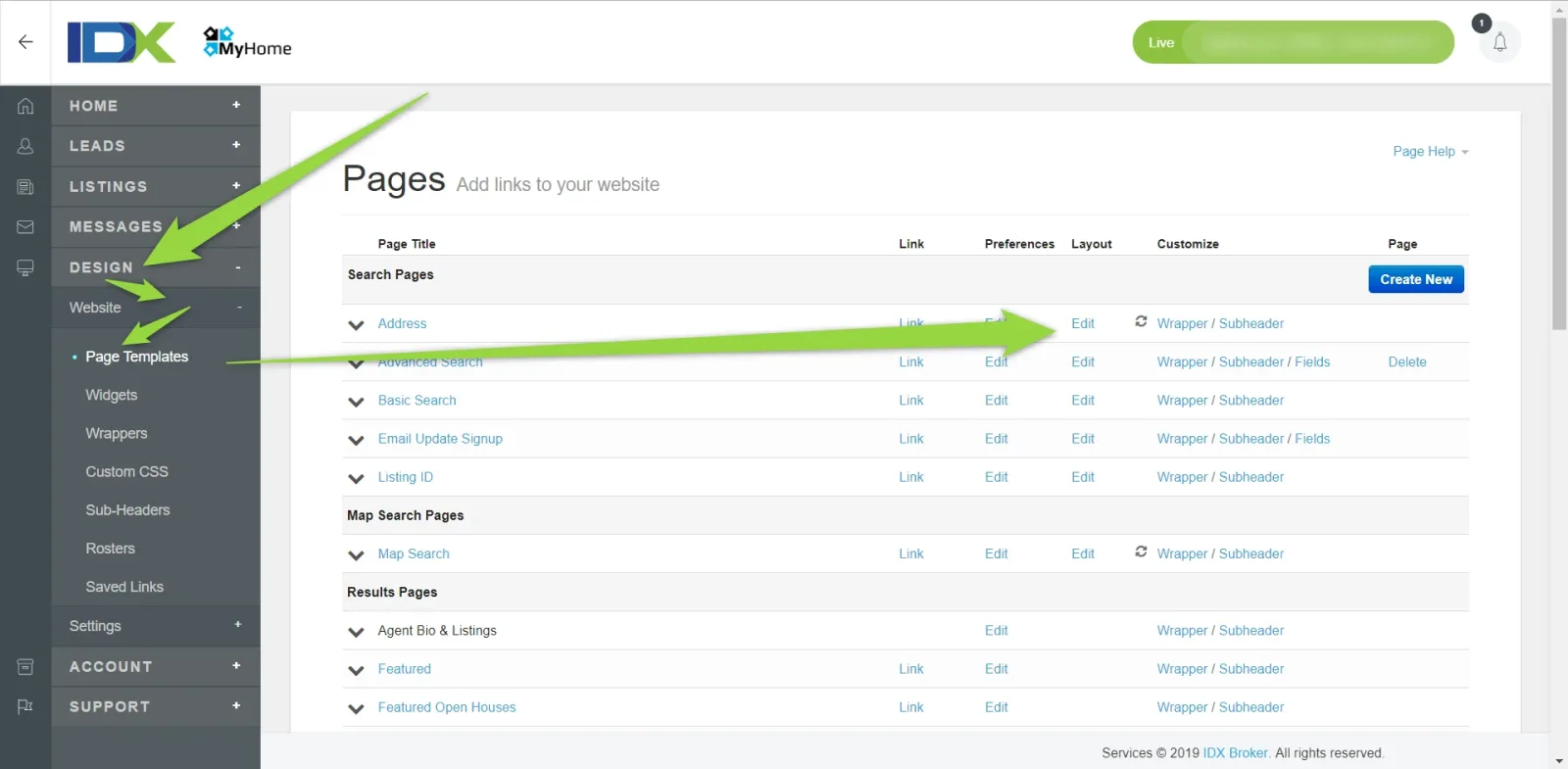
Visit Designs > Website > Page templates > and edit Layout for each IDX Broker page (e.g. for Search Pages - Address)
Choose recommended template and version
5.4. Setup dynamic wrappers in your IDX Broker Account
4 IDX Broker Dynamic Wrappers cannot be set automatically via API and you need to be set it manually to make it looks the same as demo example:
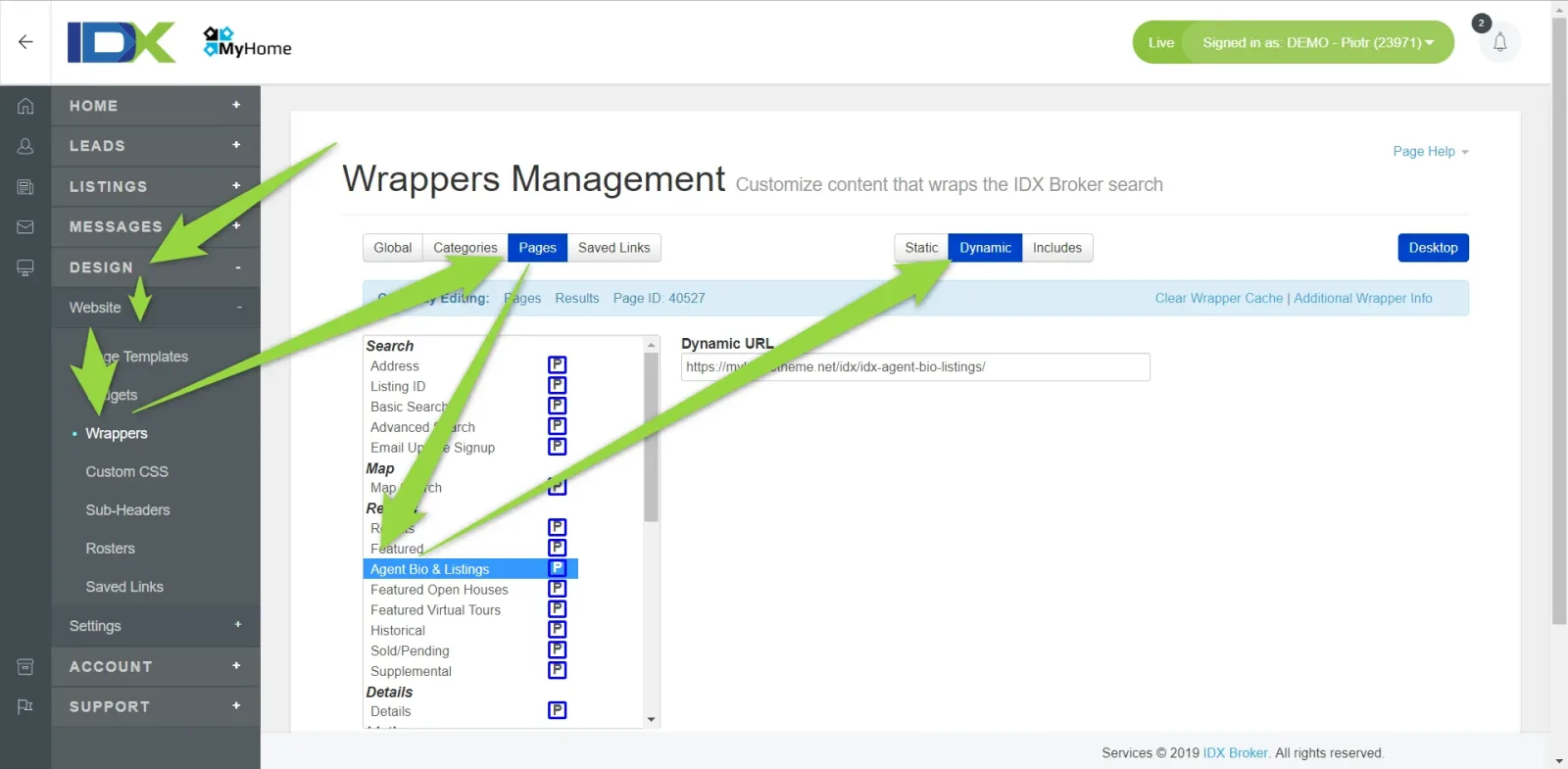
A. Agent Bio & Listings - set "Dynamic URL" to http://yourdomain.com/idx-agent-bio-listings/
B. Photo Gallery - set "Dynamic URL" to http://yourdomain.com/idx-photo-gallery/
C. More Info - set "Dynamic URL" to http://yourdomain.com/idx-more-info/
D. Schedule Showing - set "Dynamic URL" to http://yourdomain.com/idx-schedule-showing/
You can do it this way:
-
1
Click Designs > Website > Wrappers > Pages > Agent Bio & Listings > Dynamic > Paste "Dynamic URL" with correct beginning http or https - http://yourdomain.com/idx-agent-bio-listings/
-
2
Click "Save Changes"

- 3 Repeat it for other 3 Pages (B,C,D above)
5.5. Your Integration is ready / how to test it and get correct links
All links can be found here:
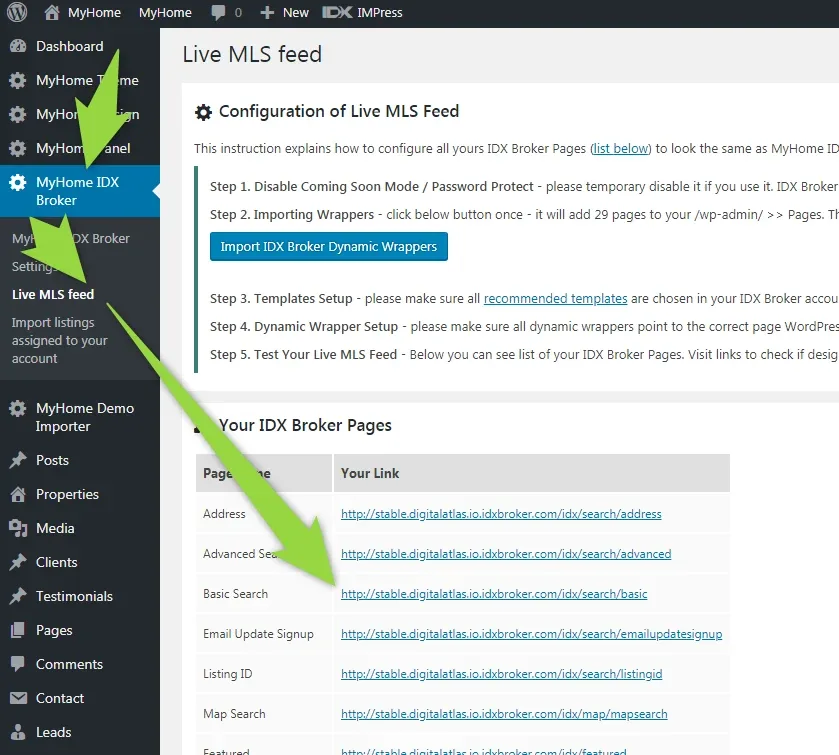
We recommend to test integration by clicking all links one after another to see if it design works correctly.
If you wish to add search form / omnibar that redirects to all MLS result page please check this 2 articles:
If you wish to add widgets related to all MLS listings e.g. cards / carousels please check this article:
5.6. The most popular problems related to this integration:
Ask the people who build MyHome WPBakery
We answer by email from support@tangiblewp.com. With Premium Support, we also fix your site when something breaks.
We can also run your site for you, or build a new one.
Was this guide helpful?